
Your Browsing History


Christopher D.
Joined on 08/16/04
0
0
product reviews
- 5
Fantastic Drive
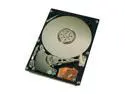
Western Digital Scorpio WD800UE 80GB 5400 RPM 2MB Cache IDE Ultra ATA100 / ATA-6 2.5" Notebook Hard Drive Bare Drive
Pros: Got this drive to put in external enclosure (Used Rosewill 3.5 enclosure, which is only meh). For a 5400rpm drive it reads and writes quickly. I was expecting it to be a click and walk away to stich a quilt wait, but it isn't bad at all. For a system drive, this may not be ideal, go with 7200rpm.
Cons: None, unless used as system drive. Use this is extra storage only.
Overall Review: Rosewill external enclosure (and other 3.5 enclosures) NEED 2 USB to run. Forget what people are saying, they lie, it takes 2 USB ports to run. I don't care if you have the best PSU in the world, your USB bus doesn't have the power to *START* it at 1 port. After drive is recognized, you may take out the 2nd port and plug something else back in.
8/16/2006See more detail
Great First Pair
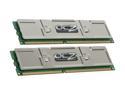
OCZ Platinum 2GB (2 x 1GB) DDR 400 (PC 3200) Dual Channel Kit Desktop Memory Model OCZ4002048ELDCPE-K
Pros: Ordered first pair a year ago when i built my machine. Runs great in an ASUS A8N32-SLI Deluxe mobo.
Cons: Ordered second pair last week, put in to match first pair. BIOS says 4gig installed 3 gigs usable. Vista x64 throws up on itself with a BSOD "Memory Management". When i try to view system properties the amount of ram is "Unknown"....
Overall Review: Why the hell would a matching pair not work?! I'm not blaming the RAM acutally, the ASUS A8N32-SLI Deluxe has gotten really bad reviews with memory compatability, even with the sticks that they say it's compatabile with. I would take this up with ASUS if it was in the compatible list but in this case i'm just going to return and try a different pair
11/29/2007See more detail
Good and Affordable.
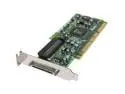
Adaptec SCSI Card 29320ALP-R 2253600-R PCI-X HostRAID RAID 0, 1,10 Card, Single
Pros: We use these in our servers that we want to seperate hard drives and external SCSI devices. We run HP Proliant DL380 G2 through G5 models. All of them have the HP SmartArray card in them which works great for the internal SCSI hard drives. But when we needed to hook up our external tape library we needed a new SCSI interface. From a suggestion of the vendor we bought this card. With some setup necessary it worked great. Grabbed the newest drives off the net and the thing screams.
Cons: Does not natively support multiple LUNs. You must enter into the BIOS setup for the card and enable it for which SCSI ID you want to have multiple LUNs... this confused us for awhile when the Tape Drive would show up in Device Manager... well it should be a Tape Drive, Tape Library, and Tape Loader all there. Because it uses multiple LUNs it needs that option to be turned on. Most SCSI devices today take advantage of Multiple LUNs. The only thing that doesn't are hard drives, my guess is they build this thinking most people are buying it for Hard Disks and not other things but have the support in there anyway just not the default. Most likely it gives you better performance for the majority of single LUN devices.
Overall Review: This is a great and affordable card! Cheers!
12/5/2008See more detail
Great Card
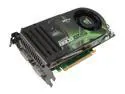
XFX GeForce 8800 GTS 640MB GDDR3 PCI Express x16 SLI Support Graphics Card PVT80GTDF4
Pros: Great Card, at it's realease time ran all games at full with a matching quality system.
Cons: Card tends to get very hot with stock cooler. I talked with some people who had sucess with adding a fanless cooler for it, but it didn't seem worth the money.
Overall Review: Now adays it doesn't lead the pack anymore but it'll do it's job well into 2008 for running games at medium settings at the least.
11/29/2007See more detail
Yay! Till you RMA
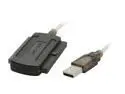
SABRENT USB-2535 USB 2.0 TO IDE CABLE FOR 2.5"/3.5"/ 5.25" DRIVE
Pros: First plugged in and worked fine.
Cons: The power cable that is used to power the hard drive, does not come as a grounded plug. In fact it is just two pieces of metal. If you take a look at a normal plug, the ends of the prongs have holes, this doesn't even have that. Why is this a con?! If you have any type of power flux, you Hard Drive is done. If ruined my nice Samsung HD and had to RMA it.
Overall Review: Tried to contact Sabrent via, and got a general tech support answer.. did u install the right drivers, did you try plugging everything in firmly. Yea, i'm not a dummie. Tried to call tech support... but wait, they have no number in the literature they give you. The website is completly uninformative. This product and the company should be put down the way of Ole Yeller
7/21/2006See more detail