
Your Browsing History


DIMITAR D.
Joined on 04/06/09
0
0
product reviews
- 9
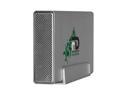
Fantom Drives GreenDrive Pro 2TB USB 2.0 / eSATA 3.5" External Hard Drive GDP2000EU
Pros: Works, Hasnt failed. Has eSATA, and USB. Has metal aluminum case so it can cool better. Nice, convenient rectangular shape. Relatively fast. Its cool that you can power it on only when you use it. If it is on usb mode, its like an usb drive. It can hot swap.
Cons: Might be faster. Might have longer warranty Might have esata cable included.
Overall Review: I got also 1TB fantom which failed and was replaced without much problems.
9/16/2011See more detail
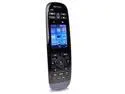
Logitech Certified Refurbished Harmony Touch 915-000279 Advanced Universal Remote w/ 2.4" Touchscreen & Control up to 15 Devices
Pros: Absolutiely nothing. DOA. on the top if this, manual is extremely vague, there is no expected behaviour when device 1st boots, so I spent hours to validate if this is defective unit.
Cons: doesnt get recognized and probably doesnt work. When powered on it stays on a logo 'Harmony' on the screen. It can power off by holding 'power off' for 15 seconds. It can also power on and stay on this logo. I installed My Harmony Desktop software, recommended for this device but it doesnt at all react to it. I tried 2 windows 7 64 machines (desktop & laptop) with all their USB ports. I havent had any harmony/logitech remotes before so I am not sure what is the expected behavior. What happens on 1st boot up, i.e. is this device defective, or the software is incompatible etc, how to troubleshoot this problem, etc. I consider myself high level of tech. Ive been dealing professionally with computers for the last 25 years. Since its refurb, I do not know the current state of this device. Is it with flashed rom, is it possible at all such thing for this device, is it reset to factory state, etc, etc. There is 10 days left in the 30day warranty from newegg, but Ill probably miss it, since Im on a trip out of country.
Overall Review: There was no manual. I downloaded it online. In the manual nothing useful. Reading through Logitech community forum (and not the manual) I saw there is advanced options activation with Alt+F9. I tried it. There were 3 options Restore Harmony Touch Firmware - button was grayed out (I guess still doesnt recognize the device if connected) Install Harmony Touch Firmware - button was grayed out (I guess still doesnt recognize the device if connected) Reset remote to factory settings by pressing 'power off' + 'menu' (again not mentioned in the manual. I wonder, what is the purpose of manuals!? To save people's nerve and time maybe, by covering functionality?) Still no luck. Now device stays frozen on a picture with 2 icons: a circle and a remote (do I need to say, I have no clue what that means, nor it is documented anywhere so people can actually deal with a problem) I spent more than half a day, and probably Ill spend much more time with logitech support to actually confirm that the device is BRICKED. And it was sold bricked without testing it!!! Extremely disappointed! Since Im on a trip to Europe, I might be able to send it back to NewEgg but its kinda trouble that I did not expect.
1/20/2019See more detail
As new
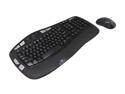
Logitech Recertified 920-002555 MK550 Black USB RF Wireless Ergonomic Wave Combo (K350 + M510)
Pros: Amazing product. I had the older wave model for almost 10 years with the large not unified receiver which broke so I had to buy these. All 3 were in AS NEW condition. I tested only 1 for a few months now. Keyb & mouse work without a glitch. - Unified receiver - wrist pad allows use without desk or hard surface - price is good for refurb.
Cons: wish it had more customizable buttons.
Overall Review: ..
12/23/2019See more detail
As New
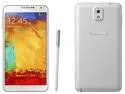
Samsung Galaxy Note 3 lll SM-N900W8 GSM Unlocked Smartphone, White
Pros: Looked new, powerful, gorgeous screen, long battery life. 6 years after release * 3.5 years after buying it is still a modern looking, powerful and feature phone 1080p screen. 3g ram IR sensor that actually works. 16:9 aspect not curved
Cons: kinda fragile but not as much as the new curved screen S8 & S9. 1 of 2 I broke the screen by sitting on it. It was in my back pocket.
Overall Review: Never got used to the pen. I bought 2, one still works and is used daily. After I broke 1 of the 2 phones, in 2 hours I found another identical one 2nd hand. And used it until got an upgrade by S8+ a few months back. Still works.
1/2/2019See more detail
As new
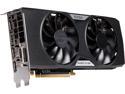
EVGA GeForce GTX 960 DirectX 12 02G-P4-2968-RX 2GB 128-Bit GDDR5 PCI Express 3.0 x16 HDCP Ready SLI Support FTW ACX 2.0+ Video Card - Certified Refurbished
Pros: Powerful for the price 3 years later still works properly. Played some new games, Tomb Raider. on 1080p
Cons: 4k content is not fluent. Not sure the reason.
Overall Review: Im just about to replace it with a 1070 after 3 years of use. Waiting to arrive. Used it with a Intel® Core™ i5-3570K & 16G DDR3 (6 years old system).
1/2/2019See more detail
Decent. 100% functional for now.
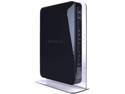
NETGEAR WNDR4500-100NAR N900 Wireless Dual Band Gigabit Router
Pros: 2x USB Printer works with Netgear tool Somewhat fast. Dual Band Can work as a bridge. I connected 2 of these. Come in as new condition with all over sticky plastic. Come with factory settings. I spent some sweat logging in to the routers. They had a password. Eventually I found it on a label on the router.
Cons: Definitely Weak signal. Internal antennas are obviously garbage. 5ghz band is almost useless. And it is supposed to be at less populated frequency bands. Through a simple thin wall I get 2 of 5 strength. Which is almost useless. 2.4hgs is slightly better just checked. It varies between 20 and 30 MBITS through the same thin wall. 450+450!? No one actually believed this router to бе capable to run at 900mbits wireless, right? I do not see why there is no option the printer to be listed as simple network printer. Why do I need to download & install Netgear software. Moreover, I installed close to half a dozen softwares, firmwares etc. Most of them either useless or have only 1 purpose. How many is enough!? In this age I have many routers, laptops, desktops, mini raspberries, androids, pads, pods, my TV is smart, etc, etc. If I have to install a dozen apps & drivers to each device, multiply it by each functionality, then multiply it to my family households I have to spend my whole live installing & reinstalling stuff. How about more plug & play devices??? Printer support needs a separate application, hdd support needs a separate application. No network printer support just with TCP + port!? Why not?? To update the firmware I needed 2 separate tools + the firmware. I started with one tool, it started but couldnt complete, and left my router dead. Fortunatrely the 2nd tool took it from there and could complete the firmware upload. If a person was a bit less tech savy, or less lucky or more panic, this would be claimed DOA + RMA. I would say, BUGGY firmware tools!!! Fortunately for me I got it working. I bought 2 of these. Relatively new but not latest firmware.
Overall Review: Slightly less than I was expecting. I was holding my breath if they were functional at all. With all the bad feedback. They were actually functioning, and at a low (relatively), this is why I give 4 stars. But for the beasts they claim to be, performance and signal is terrible. I would give it 3 stars, but I guess its alright. These days you cannot expect too much.
8/23/2015See more detail