
Your Browsing History


Wayne R.
Joined on 06/07/04
0
0
product reviews
- 4
Good, if Ridata
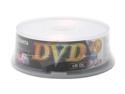
RiDATA 8.5GB 2.4X DVD+R DL 25 Packs Spindle Dual Layer Disc Model DRD+85-RDUSA-CB25
Pros: Works very well with NEC burner. No problems.
Cons: Disks shipped from east coast had media code of RICOHJPND00. Ones from west coast had RITEK D01, and burn at higher speeds.
Overall Review: This vendor is being dishonest (but so are many others) by selling at least two different products that are not compatible, but using identical packaging. Fuji does the same thing, but at least you can check where it's made (Japan vs Taiwan) to see what you are getting.
12/24/2005See more detail
Missing buttons
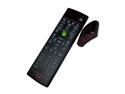
Rosewill RHRC-11001 - Windows Vista / 7 / 8 MCE Infrared Remote Control with Learning Function
Pros: Good range, better receiver than cheaper models, has pictures, radio, music and video buttons that are missing from many competing remotes.
Cons: Missing red, green, yellow and blue buttons for Blu-ray
Overall Review: What do you do when Windows 7 has missing features? You get a plug in or external application such as for Blu-ray disc support. What do you do when your remote has missing buttons? You get a different remote. But that makes the original one useless. It's a nice remote, but any add-on for Blu-ray disc will mean you will need buttons that are standard on other MCE compatible remote controls but missing on this one. Also the "T" button is missing, which is no big deal. All five of those buttons are "required for computers with tuners" but since the manufacturer is selling just the remote they are off the hook on a technicality. If you use Media Center to record or watch TV, then this remote would not have been considered compliant had it been bundled with your system. But regardless, Blu-ray seems like a common enough thing that a remote in the same price range with all the buttons would make more sense.
9/11/2012See more detail
Easy and convenient
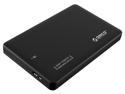
ORICO 2599US3-V1 Tool Free 2.5-Inch SATA 3.0 to USB 3.0 Hard Drive Disk HDD External Enclosure Case for 9.5mm 7mm SATA HDD and SSD - Black
Pros: Easy to use, attractive, robust
Cons: none
Overall Review: This USB 3.0 external enclosure is among the better ones I have used. The absolute easiest one I've used had a hinged piece on the end, so if you consider needing to slide the cover all the way off and sliding it on for the entire length of the case to be a negative, that's about as bad as the criticism gets. The instructions aren't written in the best English, but I'd be surprised if anybody needs instructions at all to use this. The case does not at all look cheaply made and I was surprised at how nice the appearance was. On the outside there's a tiny blue LED that has a purplish flicker when active, and a standard connector for the included USB 3.0 cable. The throughput is as fast as I get from the drive when connected internally. It's an unpowered enclosure, which shouldn't be a problem for a USB 3.0 port. This is designed for 9.5 mm drives, and will fit a 7mm drive just fine. It has a stick-on piece of foam padding that will hold either in place. It's not designed for a 12.5 mm drive, and those aren't very common anyway. But I did try it with one and it works fine as long as you leave the cover off. So if you have a bunch of extra drives around, you could use it that way too. Note: A sample was provided to me but no review was promised in exchange.
6/9/2014See more detail
Good inexpensive card
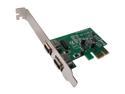
SYBA 2 Ports PCI-E IEEE 1394A Firewire Card Model SY-PEX30001
Pros: Inexpensive, on board header, cable included, low profile and full height brackets.
Cons: header position could make things cramped with internal cable attached.
Overall Review: There seem to be a lot of similar (actually identical looking) cards on the market. I bought one under a different name, and the QA was terrible and it literally pulled the header off the motherboard. The one from Syba contains warranty contact and support information, fit and worked perfectly, and was still inexpensive. The card supports hot plugging of devices, and I had no problems with the computer recognizing my DV camcorder even if I turned it off, on, unplugged it, plugged it back in, etc. As long as it was on and connected, the computer saw it, which is a step up from the built in 1394a from my former Intel DG45ID board.
7/2/2013See more detail