
Your Browsing History
 Holiday Shipping Details & Extended Holiday Returns Holiday Shipping Details & Extended Holiday Returns

Joined on 11/22/09
Capable HTPC card
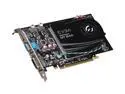
Pros: - Playable frame rates in most games as long as your expectations are reasonable - full featured card - low power requirement - quiet at idle or simple video display
Cons: - it ain't a 295. Don't expect blazing performance - Fan is very audible at high load, but only gets there on very demanding games.
Overall Review: This was purchased for a semi-legacy system with a 300W power supply. I wanted some new features like HDMI with audio out. I don't waste too many hours playing games so max FPS wasn't a concern. There are other cards out there with better performance, but this card has lots of features, acceptable performance, and low power requirements. EVGA has apparently had some issues with the cooling fans on some models that has been remedied with a BIOS fix. I don't know if this unit uses the same fan but came pre-installed with the BIOS fix or if it is a different fan all together.
Functional but buggy
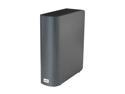
Pros: Lots of storage, low power usage, quiet.
Cons: I have this mapped as a publicly accessible harddrive in Win 7, without using any of WD's software suites. From the beginning, there were occasional dropouts from the drive pool, but nothing major. A few months ago I suddenly started getting warning messages about high temps from the drive in the system tray. The drive was a bit warm to the touch, but functioned fine. After a while, the drops increased requiring a "mount public share" action every few days for the computers in my Homegroup to see the drive. After a few weeks of frustration, I took action (see below).
Overall Review: I unplugged this thing, and immediately ripped it apart to scavenge the HD out. It's a standard WD Green EARS 2TB drive, which was very warm to the touch. The controller card was even warmer. The drive was installed in my PC which was recently rebuilt to act as a 24/7 server. The 2TB drive is now running quite cool with zero stability issues. This thing may be relatively cheap for a NAS, but it's not worth the hassle.
Not impressed
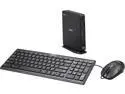
Pros: Small device, includes cheap but functional keyboard and mouse for about the same price as other Chromeboxes, lean OS, simple connectivity.
Cons: Surprisingly noisy. It seems there isn't really a fan profile that throttles the small, high RPM fan under light load. No matter the CPU load, it's always the same speed/noise level. This unit just would not render 1080p resolution correctly. Connected to either an LCD monitor or my plasma TV (both native 1080p), text and graphics were blurry, with no options in ChromeOS to modify DPI scaling. The keyboard/login commands to get into "advanced" mode for the other Chromebox brands don't work on this Acer. For Kodi/OpenElec hackers, this unit would also be tougher to modify/upgrade (didn't try it on this unit since I wasn't happy with the noise level anyway). Since this was to be a HTPC/Streamer connected to my TV, the above 2 issues are deal breakers for me. I'll be getting an Asus as a replacement.
Excellent smaller drive
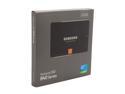
Pros: Wonderful speed in the real world, despite slow-ish write speeds in benchmarks. 100% reliable after several months now. Easily installed and formatted, but I did use Acronis to clone rather than the included software. Great price for the size from a reputable SSD manufacturer.
Cons: Not the fastest write speeds, but not something most users will notice in real usage.
Overall Review: There seems to be a lot of fear regarding the lifespan of the TLC flash chips, but several review sites have torture tested these drives and came up with an estimated lifespan of close to 20 years (at least for the 250GB drive) under average usage. Since computer years are like dog years, that's like worrying that your refrigerator won't still be working in 2153...
Rubbish
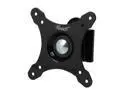
Pros: Low price, installation not difficult if you are familiar with finding wall studs or using drywall anchors.
Cons: The ball joint used to position the monitor is extremely weak and loose, and does not tighten. My monitor looks like it's hanging it's head in shame, and it won't stay turned to the side without rotating axially.
Overall Review: If it's on special, it might be worth the price. If you know you will need to have this tilted in a certain angle, I'd look elsewhere. It won't stay where you want it.
Works with 3TB drives
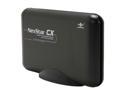
Pros: Handles an already formatted HGST 3TB deskstar drive without any issues. Win7 instantly recognized the USB connection. Physical installation is relatively straightforward, aside from the ambiguous LED connection. Looks purty.
Cons: Needs rubber feet. LED indicator could land an airliner. No USB 3.0, but those tend to cost a bit more.
Overall Review: Managed ~32MB/s over USB2.0. Not blazing but OK. Haven't been able to use eSATA yet, and unlike other reviewers, there was NO eSATA bracket included in the box.
Avoid
After placing an order for a computer case, the Newegg order stayed at Processing beyond the expected time. The Fedex tracking number showed Label Created but never picked up. After contacting ULAN, they (admittedly promptly) replied that the item must have been "lost" in shipping, and that I should simply wait for it to show up. I contacted Newegg to cancel the order and issue a refund, which they quickly did (and ULAN said I should NOT do). Still waiting to see the refund on my credit card. A fishy vibe...