
Your Browsing History


Michael K.
Joined on 01/15/03
0
0
product reviews
- 7
Great replacement for stock heatsink and fan
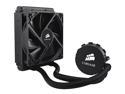
CORSAIR Hydro Series H50 120mm Quiet Edition Liquid CPU Cooler - Intel Only (CW-9060006-WW)
Pros: Quiet and keeps my AMD Phenom quad core CPU running at 48 degrees Celsius. Closed system needs no maintenance.
Cons: If you've got a larger case that has mounts for 120mm fans, you should have no problems installing this. If you've got a small (HTPC style) case, you're going to have to spend some time with a custom mod which will include potentially mounting the radiator and fan portion on the outside of the case shell.
Overall Review: This is my first foray into water cooling a CPU. I have a HTPC using a Silverstone SG01-B MicroATX case. As you can imagine, this is NOT the ideal case to do a custom mod like this since there is literally no room inside, and the only fan mount inside the case is for 80mm fans. Worse, this fan is mounted flush with the cage containing the HDDs so there is not enough depth even if there were mounts for a 120mm fan. But, I didn't want to buy a new case, so I carefully cut a 3" diameter hole in the top of the case (to allow for feeding the cpu mount and pump enclosure through). I also had to create a 1/2" by 3" channel to accommodate the tubes and was able to mount the radiator on the outside of the case. The 120mm fan that is included did not have a long enough power cord, so I had to extend it with some additional wires and a little bit of soldering. All in all, it doesn't look too bad considering I had to mount the radiator and fan outside the case. :)
1/27/2010See more detail
OK
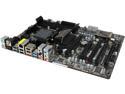
ASRock 990FX Extreme3 AM3+ AMD 990FX + SB950 USB 3.0 ATX AMD Motherboard with UEFI BIOS
Pros: Good price for the features.
Cons: Overall, this motherboard has functioned well. However, it has exhibited a very annoying problem of freezing all user input for 20 to 30 seconds every once in a while. I suspect it is due to the USB 3.0 controller/driver, but have never been able to remedy it.
Overall Review: This is my first and last ASRock motherboard. I just purchased and installed an ASUS M5A99FX PRO R2.0 and it works flawlessly. I'm using it right now to write this review. No random freezes. Just works.
11/23/2014See more detail
Piece of Junk
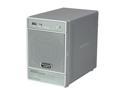
Netgear ReadyNas NV+ 4-bay NAS Drive Enclosure w/ Gigabit & speeds up to 25MBps (Diskless)
Pros: I can only go by what was advertised since I've never gotten this to work.
Cons: I've never been able to access the web interface. Display shows bad firmware. Did a factory reset and it came up, but would not obtain an IP address via DHCP. I've never got this thing working. It's a $300 boat anchor.
Overall Review: Don't buy this product.
1/6/2011See more detail
Great When It Works
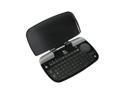
Logitech diNovo Mini Black 63 Normal Keys Bluetooth Wireless Keyboard
Pros: Small, compact and able to use as a mouse and keyboard.
Cons: Frequently drops the connection with the USB controller and I am forced to remove the controller and put it back in to reset the driver. The 'D' key doesn't work half the time.
Overall Review: I used to swear by Logitech products, but I have noticed that their build quality has gone down significantly in the last year or so. If there were a decent alternative made by another company, I'd go with that.
8/12/2010See more detail
Great Product, But Introduces Low Frequency Noise Picked Up by Audio Equipment
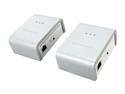
NETGEAR XAVB101-100NAS Powerline AV Ethernet Adapter Kit Up to 200Mbps
Pros: Fantastic - works as advertised and consistently provides > 50 Mbps which allows me to stream HD content to my SageTV HDTheater box upstairs.
Cons: Audible low-frequency clicking which occurs in tandem with the green network traffic light can be heard through my Logitech speakers. I have a home theater computer setup downstairs that is connected to a Logitech 5.1 surround sound system. The network traffic introduced over the powerline by this ethernet adapter causes interference which is picked up by my speakers and is audible. Please note that the AV Ethernet adapter is plugged into a separate wall outlet from the rest of my gear.
Overall Review: I remedied the situation by purchasing a line conditioner and placing it between the wall outlet and my HTPC and audio equipment and this removed the annoying low frequency clicking noise. Too bad I had to spend extra for this and that Netgear can't mitigate this problem somehow as part of their solution.
9/15/2009See more detail
Attempted FW Upgrade and Bricked Device
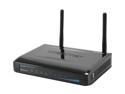
TRENDnet TEW-652BRP 802.11b/g/n Wireless N Home Router up to 300Mbps/ 10/100 Mbps Ethernet Port x4
Pros: Inexpensive, wireless N, Wired ports on back
Cons: Firmware upgrade went wrong. Connected device with wired lan directly to my laptop, logged into router's web page and attempted to upgrade firmware. Device says through web page that FW was unsuccessful, so tried again, and now can't access the device. I learned later that if you press and hold the reset button for 30 seconds while you power it on that you can get to an emergency restore web page which I was able to do, but I never did find a firmware binary that it would accept. Guess I need to send this back or use it as a $25 paperweight.
Overall Review: Gave it three eggs, because I'm assuming it'd be a cool wireless router if I could get it working with the latest firmware.
8/31/2009See more detail