
Your Browsing History
 Holiday Shipping Details & Extended Holiday Returns Holiday Shipping Details & Extended Holiday Returns

Joined on 04/09/08
Still Going Strong
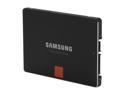
Pros: Fast loads, runs cool, quiet
Cons: It doesn't solve world hunger or allow me to take over the world.
Overall Review: Been rocking out this 840pro for over a year now and unlike a lot of traditional hard drives, this little thing still boots/runs as fast as it did the first day I installed it. Just think, no more defrags, everything stays on the drive and doesn't get jumbled around from one side of the drive to the other (if you use the correct software to manage it, basically it "defrags" as it writes the data). I don't have the fastest load times of some other people's builds, but I restart my entire system in about 17 seconds. That is massive compared to some of my older "fast" systems where a reboot could take a full minute or more! It's especially awesome for Windows updates, so many of them need a restart and when you have 200+ updates on a fresh install, speed is everything to ensure you don't go crazy waiting. I chose this pro over the regular version because it had a warranty that lasted two more years. Since this was my first SSD, I figured I'd spend the extra money, I wasn't so worried about the faster read/write times, since I don't use any programs that can harness that kind of (constant) speed. I was a bit worried about the capacity, but I figured I store the majority of my files on a secondary drive, leaving this as my main program drive, I'm still only using half the drive! My current setup looks like this: Win7, 64bit Intel i5 3570k (not overclocked) Geforce GTX460 SSC, 1gig with dual Samsung XL2370 monitors at 1920x1080 ASUS P8Z77-v 8gigs G.Skill RAM Seasonic M12II 620watt bronze PSU (overkill for my system, but the price was right). Also running a Western Digital, 1.5TB HDD as backup/storage. I keep looking at other SSD's, but I keep coming back to Samsung. I think the ONLY other alternative I would choose is Intel, I read somewhere that they still outsource one of their components, but it's made by Samsung anyways. I'm thinking if I have to replace this, I'll step down from the Pro series and go with the standard drives, I figure by the time that happens, the technology will be better, faster and cheaper (these drives used to be over $1000).
Nice board, terrible BIOS
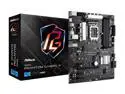
Pros: Three M.2 slots Lots of room for large CPU coolers Lots of plugs for fans Fast boot up
Cons: BIOS is lacking any features Needs more USB-C ports No built-in WIFI or Bluetooth Utility apps not so great BIOS won't POST with external USB drives plugged in under Ultrafast Boot
Overall Review: My first ASRock MB and so far it seems like a good board to have. There was plenty of room to install my Corsair Vengeance RAM with the massive heatsink I needed for my i7 CPU, fan included (well, I didn't need such a big one, it just happened to be the best price). So, yes, you can have a large heatsink and not worry about if it'll clear the memory. This board also got me into the world of M.2 SSD's, I ended up buying three of them so I have all the space I need internally. It also has a slot for an M.2 WIFI card. I found an Intel branded card and it installed with no issue. If you like USB-C for everything, you're going to have to delegate what to plug in since this only has one C port, but it has two USB2 and two USB3 ports. I don't understand why MB manufacturers are always behind on things like this, there is plenty of room on the I/O board to put more USB-C ports. The BIOS is absolutely terrible in terms of functionality and features. Even when you switch it to 'Advanced', it still doesn't show you anything really useful. I guess if you're not into changing BIOS settings you'll be fine, but even my ten year old ASUS board had better options and it was technically a lower tier board compared to this. The included disc of apps for the board are also extremely lacking in features and usefulness. It seems to simply be a mirror of the BIOS settings, just in Windows. The only real reason you would want to install it is for the fan monitor, but that's literally all that it does unless you're using it for the overclocking feature. Like the BIOS, it has an option to choose the type of operation mode from 'Power Saving' to 'Performance', but all this does is tweak the Windows power options for how long it turns the displays and system off/sleep, not very useful. Lastly, there is no WIFI or bluetooth built in, you have to get something third party. Thankfully, with the included M.2 WIFI port, this solved both problems for me, but (again) it would have been nice if this was built in instead of having to go find something else. This certainly isn't a deal-breaker for me, but it just seems like a step back. I should note one issue with this board that I have yet to find a fix for. You cannot boot/POST with any USB external drives plugged in if you select 'Ultrafast Boot' mode (if you have supporting software). There is some problem with the BIOS that causes the system to hang at POST and you have to unplug the drives to get it to boot normally. There is a workaround if you turn off the legacy USB option in BIOS, but the problem with that is if you have an issue where you need to get back into BIOS, you don't have keyboard and mouse support since BIOS won't load the USB drivers. You would either need a PS/2 mouse/keyboard or pull the battery on the board to reset BIOS. Overall, it's a fine board and it'll do what you need it to do, I would have preferred less emphasis on the RGB stuff and more features to really unlock the board to tweak it for a "gaming" board.
Give My System Life!
Pros: Quiet Lots of cable options
Cons: SATA cable came up short for my specific need
Overall Review: What can be said about this PSU? It powers your system. One neat feature that I haven't made use of is it has a switch to turn the fan off if there is no load on the system. It has a lot of cables to choose from and being modular means you can use only what you need. One small issue I had was the SATA power cable was not long enough for me. Like most cases today, mine installs at the bottom and it routes cables along the back instead of inside the case. I have a standard hard drive for files that don't require quick load times and when that is plugged in, the power cable can't reach up to my optical drive that can only be installed at the very top of the case. Problem solved with a cable extension and I'm sure not many will run into this issue, but just keep that in mind in case you have to run multiple SATA drives that are spread out.
Always Bought Intel
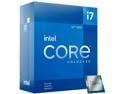
Pros: Great price when on sale
Cons: No heatsink
Overall Review: I've been an Intel user since the days when my family owned a new HP 75MHZ Pentium. I've only had one AMD and it never sat right with me, it was always kind of buggy. I can't say too much on performance other than it has run everything I've installed on my new rig without hesitation or complaint. It keeps a pretty cool temp, even when running games (but that's due to my overly large heatsink). Speaking of, if this is your first time with this particular CPU, it does not come with a heatsink. Not usually a big deal, but you'll have to spend the extra funds to get something to keep it cool.
My First M.2
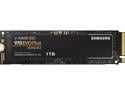
Pros: Comparable price to 3.5" SSD's Faster speeds than SATA
Overall Review: I finally built myself a new rig and my new ASRock motherboard came with three M.2 slots. I had already picked out a new SSD, but seeing that, I thought I'd give it a try. There isn't a whole lot to say, other than everything I throw on them (I bought this and two 2TB for backups and games) works as any other SSD, they are fast and the space savings is a major plus. All my games I've installed load up quickly and with no issues and booting Win11 is just so smooth and quick. File transfers are very quick. I don't know if I have everything super-optimized to squeeze every last 'bit' out of every second, but they're still faster than my Samsung sata SSD's.
Awesome bit of kit
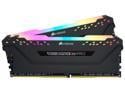
Pros: Easy install Feels heavy, not cheap Excellent lighting controls
Cons: Temp sensor lighting is nice, but it needed an option for data transfer as a lighting option
Overall Review: I've been a G.Skill user for more than ten years, before that it was Crucial Ballistix Tracer. I wasn't keen on lighting up my new rig, but I keep a light cloth cover over the top of the case to keep dust off (ahh, life on a dirt road) and it would block the light coming from the glass case I bought (because it was such a great deal compared to the metal side of the same model). However, I was happy to find out that this RAM can indeed have its lighting changed to suit your very specific needs and tastes. I currently have a color wave with two different colors on each stick running opposite directions. The software is easy to pick up and learn quickly, if you are tech savvy enough to not have to read instructions, you won't have any issues making it work for you. I have this paired up on an ASRock Z690 board which also sports its own lighting controls, so you can really have some fun with it if you're looking to make your case bright and shiny. For those not wanting the lights altogether, there is an option to change the overall brightness in the Device Settings of the iCUE app when you install it, this lets you turn them right off if you want. The only real downside is that I kind of wish there was an option for the lights to indicate data transferring around when the RAM is accessed. The old Ballistix Tracers did that (long before software could change the lights) and it's just a bit of nostalgia for that look. It certainly isn't a deal breaker.