
Your Browsing History


Greg O.
Joined on 06/18/04
0
0
product reviews
- 8
Great little pc so far
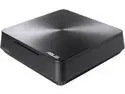
ASUS Desktop PC VivoMini VM65N-G063Z Intel Core i5-7200U 8GB DDR4 1TB HDD NVIDIA GeForce 930M Windows 10 Home 64-Bit
Pros: Size. More stylish then the Intel NUCs. Optical audio out. Large HD. Room for 2 small drives.
Cons: Slow HD, it's only a 5400 RPM disk.
Overall Review: Highly recommend getting an ssd and using an image application to clone the boot disk. I haven't done benchmarks but boot up and shutdown seem faster. Task manager shows less constant disk activity
11/27/2017See more detail
Roomy and great airflow
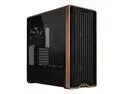
Lian Li LANCOOL 217 Genuine Walnut Wood Computer Case, Mid-Tower ATX PC Case with 5 Pre-Installed PWM Fans 2x170mm, 2x120mm & 1x140mm, Flexible PSU & Cable Installation - Black (LAN217X)
Pros: Plenty of airflow and the included fans are quiet. Even under load (folding at home for example) the Intel 265kf and geforce 5070 stay cool with air cooling
Cons: The "front panel" usb and audio connections are at the bottom on the side. Not as convenient as actual front panel would be. Front top would be preferred.
Overall Review: I like the real wood trim. Gives it a little classiness.
10/27/2025See more detail
Huge
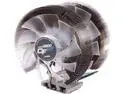
ZALMAN CNPS9900 D/F 140mm & 120mm Long Life Bearing Dual Fans Ultra Quiet CPU Cooler
Pros: Keeping my stock 7700K about 5 degrees C over ambient at idle, and after using CPU-Z' stress function for a while it maxed out about 40C above ambient, around 66C total. Hoping that after hours of something like BOINC or Folding@Home those temps remain consistent.
Cons: A bit of a pain to mount. The mounting screw design could use some improvement. Blocks one of the memory slots on the GIGABYTE GA-Z270XP-SLI Motherboard
Overall Review: I just discovered one of my case fans is dead, the one right behind the heat sink. Hoping that replacing that will get a slight drop in temps since the hot air will exit the case better. Still happy with the temps so far though. This is my 3rd or 4th zalman heat sink and all have been good.
12/3/2017See more detail
Nice monitor for full HD without being too large
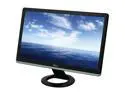
Dell 21.5" 60 Hz Active Matrix, TFT LCD LCD Monitor 5ms (2ms GTG) D-Sub, DVI-D S2230MX
Pros: Full 1080P Clear picture Has been good for both videos and games Doesn't take up a huge amount of desk space Perfect size for the distance it is from my desk chair.
Cons: Seems to take a little longer to detect a video signal and start displaying than my previous dell lcd. I even set the input to dvi instead of auto thinking that was the issue. If I want to get into bios setup during POST I have to start pressing hte key prior to waiting until I see the post screen or I'll miss the window. Also does it once I'm in Windows. Not enough of an issue to reduce my rating of the monitor though, more of a slight nit-picky annoyance than an issue.
12/1/2012See more detail
New life for a Dell Inspiron 1000
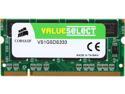
CORSAIR 1GB 200-Pin DDR SO-DIMM DDR 333 (PC 2700) Laptop Memory Model VS1GSDS333
Pros: For some reason Dell claims the Inspiron 1000 can only accept a 256MB dimm, for a total of 512. Well I saw some posts online of successes adding a full 1GB dimm so I decided $30 was worth the chance. Working fine so far, both BIOS and Windows show over 1.2GB, Windows shows a little less due to the memory being shared with the onboard video. The laptop is noticeably faster now and since it is really only used for web browsing $30 on more ram was a much better solution than buying a new laptop.
Cons: Serious answer: none Joke answer: it didn't magically make the celeron a better cpu ;)
Overall Review: No idea why all of Dell's documentation says this model maxes out at 512 I guess so that back in the day when this model was new people that wanted more ram would step up to the next model line so dell would make more profit, and people looking to upgrade a couple of years down the road would buy a new laptop instead of more memory
6/2/2012See more detail
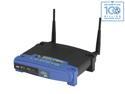
Linksys WRT54GL 802.11b/g Wireless Broadband Router up to 54 Mbps/ Compatible with Open Source DD-WRT (not pre-load)
Pros: Has the increased ram and flash to allow 3rd party firmware
Cons: none
Overall Review: My existing WRT54G was one of the later revisions that had less ram and flash capacity. It works fine but I wanted to experiment with 3rd party firmware (technically I could have installed a stripped down one but in that case might as well run stock) so when I heard Linksys had come out with the WRT54GL I bought one. I'm running DD-WRT and it works great.
2/14/2010See more detail
seller reviews
- 1
great buying experience
On-time
Delivery
Product
Accuracy
Customer Service
Satisfactory
12/12/2017See more detail