
Your Browsing History


Nathaniel A.
Joined on 02/02/12
0
0
product reviews
- 4
It's a big one...
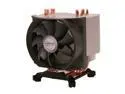
ARCTIC Freezer 13 CO CPU Cooler - Intel & AMD, 200W Cooling Capacity, for 24/7 Operation
Pros: It is a large unit to say the least. It keeps my overclocked Core i7 67000K cool at a comfortable (for a CPU) 40~42C at nearly full load. It is also surprisingly quiet in normal operations mode. ARCTIC Freezer 13 CO CPU Cooler is a perfect cooler for a budget build.
Cons: The only real con I can think of is the unit's size. It barely fits inside my Corsair Carbide 200R, which made it almost impossible to connect the CPU fan on my ASRock Z170 Extreme 7+ motherboard.
7/23/2016See more detail
Do not let the expensive price fool you
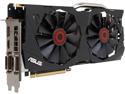
ASUS GeForce GTX 970 4GB GDDR5 PCI Express 3.0 SLI Support Graphics Card STRIX-GTX970-DC2OC-4GD5
Pros: With proper case ventilation and fan placement, this card can stably exceed upward of 175% of the base clock speeds designed for the chip set it was built on, and can achieve 125% GPU speed without the use of its fans. Average full load temperature with the fans running should be around 32 to 45 degrees centigrade. Without fans at 125% it runs at about 75 to 95 degrees centigrade. Features may be lacking in types of Antialiasing, but it does process application-based AA just fine.
Cons: The software shipped with it is outdated. After initial driver install from the DVD it come on, you will need to go to NVIDIA's website and download the latest GEForce drivers for the GTX970. The version of GPU Tweak II it ships with is buggy, so don't install it and go to ASUS's support site for the card to get the latest version of GPU Tweak II.
Overall Review: I would highly recommend this video card for those willing to experiment with NVIDIA's SLI technology.
12/3/2016See more detail
Still Faster
Intel Core 2 Quad Q9650 - Core 2 Quad Yorkfield Quad-Core 3.0 GHz LGA 775 95W Desktop Processor - BX80569Q9650
Pros: Quite a fast and efficient CPU whose TDP is only 165 watts (allows for a worry free upgrade for other components that draw power). It has 12MB 8 way level 2 cache which is much more efficient than 2 MB level 3. It is actually faster than a stock Core i7 at the same clock speeds.
Cons: Stock cooling unit is noisy but only at extreme use (no game I know of requires 3.0 GHz clock range and only if you have a slow video card.
Overall Review: It appears faster than my intel core i3 @ 2.4 GHz on another computer I own, technically they are supposed to be equivalent but I would still rate the stock Core 2 Quad Q9650 much fastener as the core i3 has level 3 cache and only 3mb of it. For those who don't know, level 3 cache is very slow and inefficient, so Intel decided to unlock the clock rates on the core i series for compensation.
2/22/2012See more detail
ASUS ENGTX550 Ti
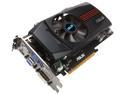
ASUS GeForce GTX 550 Ti (Fermi) 1GB GDDR5 PCI Express 2.0 x16 SLI Support Graphics Card ENGTX550 TI DC/DI/1GD5
Pros: Excellent upgrade from my GeForce 9800GT with 512MB. Uses a variable amount of voltage stepping to get clock speeds rather than keep them constant. Good card for those who still have the Core 2 Series processor (and Core2 Quad q9650) and DDR2 RAM as it lowers the wattage requirements to minimum of 350 Watts. Extremely quiet compared to most cooling units that I have tried.
Cons: 6 pin connector has no way to latch onto the card in a secure way, so I had to fenaggle it to stay in my Dell Studio 540B, other than that, no issues.
Overall Review: Honestly a very good card for your money. I have a 350 watt stock power supply in my Dell Studio 540. The minimum requirement for the card is 400 watts total for your system. However it is assuming you have an iCore and at least DDR3 Ram. Since I have a Core 2 Quad and DDR2 RAM, the wattage to run my system without the card is at best,less wattage than the iCore 3.
2/10/2012See more detail