
Your Browsing History


Michael C.
Joined on 07/15/01
0
0
product reviews
- 36
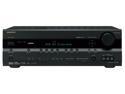
ONKYO TX-SR506B 7.1-Channel Receiver
Pros: There are lots of connections, and the whole thing is fairly easy to set up. The multi-channel input was a life-saver, since digital out from my media pc wouldn't work properly.
Cons: I have one real gripe with this - it puts off a LOT of heat. Before I installed it in my TV cabinet, I drilled out vents in the back and installed 4 120mm fans to cool the whole thing. Despite that, the receiver still began to overheat and freeze up. I moved it to a position with more airflow, bumped up the speed on the fans, and now all is well. But still... don't plan on putting this in an enclosed area without a lot of preparation.
Overall Review: Lots of people getting receivers for the first time don't realize that ones in this price range, even if they do have HDMI, will not output the audio to speakers - they will only pass it though to the TV. For a receiver that redirects an HDMI audio stream to the attached speakers, you have to spend a bit more. Companies don't exactly make this obvious, so I can see how this would be annoying. Another feature missing at this price range, that would have been nice to have, is independent volume controls for each input. Still, I'm quite happy with this purchase.
8/29/2008See more detail
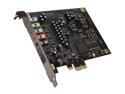
Creative 70SB088000004 7.1 Channels 24-bit 96KHz PCI Express 1x Interface PCI Express Sound Blaster X-Fi Titanium
Pros: It works, most of the time. The card is fairly capable, and is certainly worlds beyond any integrated audio solution.
Cons: I have two complaints. One - audio sometimes (once every week or two) goes completely staticky, and the card has to be reset via Creative's control panel. Not a huge deal, but still, it's annoying. Two - in Vista the card does not decode Dolby Digital signals from the SPDIF input and pass them on to the speakers. Even my old Audigy could do it under XP, but Creative doesn't seem to allow it under Vista (and yes, this is a Creative issue, not a Vista issue - there's been at least one fiasco over this situation).
Overall Review: I really, really don't like Creative software, and I think the hardware is overrated. It's a sad testament to the sorry state of PC audio that I still feel compelled to buy their products.
12/24/2008See more detail
Cool
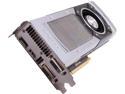
ASUS GeForce GTX TITAN 6GB GDDR5 PCI Express 3.0 SLI Support Graphics Card GTXTITAN-6GD5
Pros: Fast. Very, very fast. I try to run everything at 2560x1600, and my old GTX580 was just getting too slow. With this, it's no problem. With an i7 2600k, I average about 75 fps in Bioshock Infinite and about 40-50 fps in Crysis 3, both with effects maxed out. I don't think the Titan even cares when I run StarCraft 2 - the fan never spins up.
Cons: Fan noise. And this is a very relative con, since I'm coming from a custom GTX580 that was barely audible even at load, in a system that is almost completely silent. Compared to, say, just about any other reference blower out there, the Titan's fan is probably a pro. So my system has several 120 mm fans, all running between 500-800 rpm, inside a case with noise dampening panels. I have to stop everything and strain my ears to hear it from half a meter away. At idle (30% fan speed), the Titan is inaudible - I've never had a quieter video card. At load, the Titan pretty quickly ramps up the fan (to about 60% at most), and you definitely get a good whooshing sound. It's not an issue if you're listening to the game's sound effects, but it could be annoying otherwise.
Overall Review: My old video card was an open air cooler. Even though the Titan's blower is noisier, it expels hot air from the case. Between that and GPU Boost 2.0, my system runs a good bit cooler under load now. I can live with that.
4/28/2013See more detail
Fast drive
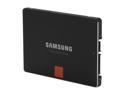
SAMSUNG 840 Pro Series 2.5" 256GB SATA III MLC Internal Solid State Drive (SSD) MZ-7PD256BW
Pros: It's really, really fast in benchmarks. But I'm upgrading from a decent older SSD (I need the space), and while this drive trounces just about anything out there in benchmarks, I don't see much real word difference. Coming from a hard disk though, you'd notice the difference right away.
Cons: Samsung's Magician software optimizes Windows for an SSD. Part of this is disabling SuperFetch, which I get, but it causes problems. Outlook complains about it when running a search, and under Windows 8 you can't enable File History while SuperFetch is turned off.
Overall Review: The Magician software (v. 3.2) won't initially run under Windows 8. Enabling compatibility mode takes care of this, and it works fine.
4/25/2013See more detail
Good drive
Mushkin Enhanced Ventura Pro 32GB USB 3.0 Flash Drive MKNUFDVP32GB
Pros: It's a fast drive. I can transfer multiple gigabytes in minutes, to and from. I've formatted it multiple times, usually using NTFS, and it works fine.
Cons: Sadly, it's got a big red flashing led that lights up every time access occurs. I wouldn't mind if Mushkin managed to make the led light stay on constantly, or a make a dim one, but it just flashes. All. The. Time. And again, I probably wouldn't mind if I just used this for my computer, but I plug it into my Blu-ray drive to watch videos, and I have to cover up the light because it's too annoying.
Overall Review: I can deal with covering up the led - it's not a deal breaker. But still, I tend to think that bright flashy leds are stupid. I really don't need a big red light to help me figure out that my drive works.
4/25/2013See more detail
Great Case with Caveats
Corsair Obsidian Series 700D CC700D Black Aluminum / Steel ATX Full Tower Computer Case
Pros: Well built case with clean lines and excellent cable management. One-button pop-off side panels make setup and maintenance super easy.
Cons: Cons I found were either easily fixed or due to my own personal preference, so I can't really take eggs off. Nevertheless, here goes: 1 - Bottom-mounted power supply meant that the 8-pin CPU power connection was a serious reach. Fortunately Corsair included a cable that could be use as an extension. 2 - The fans were too loud for me at full speed, and although easily undervolted they developed a noticeable clicking noise. Replacing with low RPM fans from my favorite manufacturer. 3 - The hard drives are rubber mounted, but that doesn't quite prevent vibrations from travelling through the case.
Overall Review: One of my top priorities in building a computer is to keep it near silent. Although this case doesn't quite manage to do so on its own, it's fortunately very easily modified with the right parts. Aside from the fans, I'm planning on adding sound dampening material to mitigate the remaining noise and the hard drive vibrations.
1/23/2011See more detail