
Your Browsing History


David B.
Joined on 06/01/04
0
0
product reviews
- 11
Versatile and cool

Prolimatech PRO-PK3-1.5G Nano Aluminum High-Grade Thermal Compound in 1.5 Gram
Pros: + Spreads evenly + Easy clean-up + Keeps very cool
Cons: - none
Overall Review: I've used a wide range of thermal compounds including big ones like Arctic Silver 5 and TX-2...This PK3 is by far my favorite. Long story short, I had to reapply my heatsink and fan 3 times because of bracketing issues ( it was late and I was tired ). So I had to clean up my CPU and heatsink several times. This compound was a breeze to clean off and reapply. After finally mounting the heatsink (h212 evo) on my CPU (i7 4790k), I was getting temps of 29-34 at idle and 57-60 totally stressed with p95 for extended periods in a pretty warm room / decently ventilated case. Those are fairly good results, in my opinion. note* application via center-pea method
8/12/2014See more detail
RROD
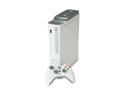
Microsoft Xbox 360 Pro 20 GB Grey complete set w/ headset
Pros: $100 cheaper
Cons: - No cable for controller - RROD right out of the box - Shipping from Canada so 7 day shipping to receive something that was DOA
Overall Review: I'm awaiting my replacement but I'm not happy. If these units were truly "refurbished" the first thing that would have been checked and fixed by Microsoft would have been the infamous RROD. It seems like these units were defective units returned to a store then wholesale sold to newegg. If my replacement comes as another RROD or it breaks down shortly after having it, there will be a lawsuit coming for falsely advertising the sale of a refurbished item that is not truly refurbished.
8/7/2009See more detail
Single drive

HGST Deskstar NAS 3.5" 4TB 7200 RPM 64MB Cache SATA 6.0Gb/s High-Performance Hard Drive for Desktop NAS Systems Retail Packaging
Pros: + Size + Purchased at great price + RAID stats
Cons: - Regular Price *EDIT 12/2017* - Warranty is for 3 years and a little over 3 years later, drive is failing.
Overall Review: This drive came in and installed in a snap. Working great as of the first minute. I've tested it with several copies, downloads, and installations...so far so good running as a single lone drive. I made the plunge on this NAS version with the expectation of purchasing more in the future to RAID together. I have used many drives from seagate to toshiba to WD and this one has proven to be up to the task performance-wise. *EDIT 12/2017* Drive is failing after 3 years of minimal use. Avoid at all costs. Updating review to 1 egg because this kind of shoddy manufacturing from companies can not be excused.
12/29/2017See more detail
False Advertising / Bait & Switch
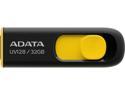
ADATA 32GB UV128 USB 3.2 Gen 1 Flash Drive (AUV128-32G-RBY)
Pros: + Cheap + 32 GB
Cons: SLOW NOT USB 3.0 NOT USB 2.0 Barely USB 1.1
Overall Review: I am so tired of companies claiming USB 3.0 when in reality, it is just 1.1 or 2.0 with some blue paint on the interface. Stop billing your devices at USB 3.0 if it can not reach USB 3.0 speed. This is false advertising and hope a lawsuit sets all of these manufacturers straight.
11/18/2015See more detail
Great cooler / Frustrating install
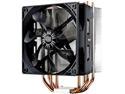
Cooler Master Hyper 212 Evo CPU Cooler, 4 CDC Heatpipes, 120mm PWM Fan, Aluminum Fins for AMD Ryzen/Intel LGA1200/1151
Pros: + Cool Temps + Durability
Cons: - Frustrating install - Glyph-like instructions - Awkward bracketing system
Overall Review: I am no stranger to building pcs and using a wide range of heat sink / fan combos and on a frustration level, this almost takes the cake. For starters: 1. My X bracket came with the center screw reversed. This wasn't mentioned anywhere in the instructions but was pretty obvious it shouldn't be that way. 2. Instructions are unclear about socket position. Screws on bracket block most visibility of the "universal" connectors. I laid my bracket onto mobo and thought all 4 screws were in center position for LGA1150. After applying compound & heat sink to cpu, I discovered one was totally misaligned thereby poorly spreading the compound and requiring a re-clean and re-install. 3. After having everything properly aligned, the x bracket is completely loose on base of heat sink. This is problematic because as you are laying down the heatsink, you have to apply pressure to make sure it doesn't move from cpu while also trying to screw in all four corners without letting the X change shape or fall off the base. This is a very frustrating procedure and could be made far more efficient with a more secure bracket. If you survive the installation, in my opinion, the quality of the air cooling is second to none. installed on i7 4790k
8/12/2014See more detail
Excellent Value
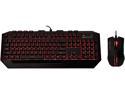
CM Storm Devastator - LED Gaming Keyboard and Mouse Combo Bundle (Red Edition)
Pros: + Bright LEDs + Excellent keys (*almost* feel mechanical) + Keyboard feels durable + Media keys + Price
Cons: - No drivers / reprogram keys - Wonky USB support on media keys - LEDs default to off on cold boot (must hit scroll lock every time -- at least for me) - Paint may be thin on some keys with LED shine-through - Mouse is very light - Mouse scroll wheel has no left / right scroll tilt click
Overall Review: I am very happy with my Red edition. Some things to note though... When I first got my combo, I tested every key and mouse button. Everything checked out okay with the exception of the media keys. None of those left series of keys worked and upon pressing either volume key, Windows would recognize it as a continuous press of the button. Basically, if I pressed VOL+, Windows would get stuck maxing volume to 100. VOL - wouldn't help. The only fix was pulling the USB cable and plugging back in. The same occurred on a fresh plug-in if I pressed VOL-. So I started tweaking settings in my UEFI for USB legacy support, third party controllers, etc...Nothing worked. I then contacted CM support and they kindly advised that I try a different USB port. I figured this was a typical "read out of the manual" troubleshooting step but low and behold it worked... I'm on an ASROCK Z97 Extreme 6 and when keyboard is plugged into either of the 2 highest USB 3.0 ports, my media keys and volume keys are dysfunctional. Upon plugging the keyboard into one of the lower 4 USB 3.0 jacks, it worked exactly as advertised. It's always the simplest answer...
8/12/2014See more detail