
Your Browsing History


Kevin K.
Joined on 07/19/08
0
0
product reviews
- 5
First Experience with SSD
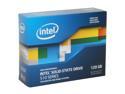
Intel 510 Series (Elm Crest) 2.5" 120GB SATA III MLC Internal Solid State Drive (SSD) SSDSC2MH120A2K5
Pros: I decided when I built my newest computer that it was time to try an SSD, even though the price differential was considerable at the time. I use the SSD for the OS and most of the everyday software (browsers, e-mail, Office, drivers, etc.), and have a pair of WD 750GB drives for games and mass storage. The install went quickly, and the drive has been flawless so far. I went with the Intel for one simple reason: reliability. Speed means little if a drive fails, so I went with what I believe is the safer choice.
Cons: From my reading about SSDs, I was expecting a "night and day" difference in startup speed from my previous build that used a Raptor drive for the OS, but it wasn't that extreme. From the push of the power button to ready-to-use, it still takes a little over 30 seconds. Still, when I think of past machines I've built, 30 seconds is reasonably fast.
Overall Review: With a NewEgg deal and a nice rebate from Intel, this drive was just over $200 for 120GB. Considering the prices of spin drives at the moment, if I could get the same deal again, I'd probably get a second one.
1/31/2012See more detail
Great Pointer, But Durability an Issue

Logitech Black/Silver Cordless Optical TrackMan
Pros: The best pointing device I have ever used. Multiple customizable functions within easy reach. Great for a crowded desk space where mouse movement would be restricted, or for a standup workstation where no desk is available.
Cons: Durability is a real issue with this unit. After about a year of heavy use, the ball will feel "scratchy" as the support points wear down. Cleaning the ball does nothing for this condition. Eventually, the primary thumb button will fail until the unit is useless. I can take apart and fix just about anything, but there is not much that can be done with this button. When it's shot, it's shot.
Overall Review: Price is high for a unit that only lasts about 15 months, but I'm glad they're still available. If it wasn't so nice when it's working, I would try to find an alternative.
5/13/2011See more detail
First Seasonic Power Supply
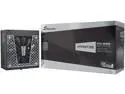
Seasonic PRIME PX-850, 850W 80+ Platinum, Full Modular, Fan Control in Fanless, Silent, and Cooling Mode, 12 Year Warranty, Perfect Power Supply for Gaming and High-Performance Systems, SSR-850PD.
Pros: Purchased to replace a failed PC Power & Cooling supply that died. Supposed to be a decent power supply, and it appears to be working properly.
Cons: I spent extra on the Prime Ultra because the pictures indicated that most of the cables were mesh wrapped. When I received it, I discovered that only the motherboard cable is wrapped. The remaining cables are flat. I managed to get them routed nicely, but it doesn't look as nice as wrapped cables. I didn't have time wait to see if I could get them replaced with what is pictured on the NewEgg site because I needed the computer back in service. The SATA cables in particular are hard to insert, and after installation I had some shutdowns that appeared to be connection related. I rechecked all of the cables and hope I have this resolved.
Overall Review: Not the best initial experience with my first Seasonic product. I hope it proves my initial doubts to be unfounded.
3/8/2019See more detail
Great Card Drive, Fantastic Support
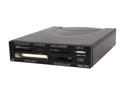
AFT PRO-35U USB 2.0 3.5" Bay, CompactFlash/ SDHC/ SDXC/ microSD/ microSDXC/ miniSD/ miniSDHC/ MultiMediaCard/ Memory Stick/ xD-Picture Card. All-in-one Card Reader and Writer
Pros: Great looking drive, can be used internally or externally. Multiple connection options, and comes with a silver faceplate if that looks better on your rig. I've always used AFT for my card reader needs, and even though they cost a little more, I've never had any problems, at least none that couldn't be solved. Outstanding tech support from AFT (see below).
Cons: Slots are a little snug on this model, so it has a different feel from other AFT readers I've used in the past, but that's really not much of a con.
Overall Review: I had an issue with this reader not working properly with my new ASUS P8P67 / Windows 7 rig. The reader would work properly if a card was inserted during startup, but would give me an "Insert card in drive X" popup if I removed and reinserted a card. I could also disconnect and reconnect the reader cable while a card was inserted to make it work, but neither of these solutions were convenient. I contacted both AFT and ASUS about the issue. The guys at AFT wrote back right away and started working the problem. After exchanging several e-mails over the course of a week, the AFT guys determined that the issue was being caused by the Marvell Storage Utility v4.0 that came with the ASUS board. I uninstalled the utility, and the reader now works perfectly. Does ASUS support even know about this? I can't tell, because they haven't even bothered to contact me back yet! After this experience, I highly recommend AFT and their line of card readers, as well as the people that back the
8/2/2011See more detail
Great Way to Print on the Cheap
Rosewill RTCA-TN580 High Yield Black Toner Replaces Brother TN-580 TN580 TN-550 TN550
Pros: My brother-in-law gave me his HL-5240 when he got a new printer. After extending the original cartridge for several months with the "tape over toner level eye" trick, it was time for a replacement. After checking prices on OEM cartridges, I came to NewEgg and found this one on sale for twenty bucks. Some other manufacturers offer a reduced capacity version to reduce the price, but the Rosewill cartridge offers the same page yield as the OEM high yield version that costs 2 to 3 times as much with no noticeable difference in performance. I don't use my printer all that much, but if I ever manage to use up this cartridge, I'll be buying this one again, which is about the best endorsement I can give.
Cons: None
Overall Review: Took the old cartridge to a national office supply chain and received a $2 store credit for recycling it.
3/22/2011See more detail