
Your Browsing History


Josh R.
Joined on 12/05/13
0
0
product reviews
- 24
Intel i5-3570
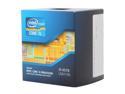
Intel Core i5-3570 - Core i5 3rd Gen Ivy Bridge Quad-Core 3.4GHz (3.8GHz Turbo Boost) LGA 1155 77W Intel HD Graphics 2500 Desktop Processor - BX80637i53570
Pros: Worked...right out of the box. System detected it and all is good, way quicker then my old 3330.
Cons: Nothing right now.
6/13/2014See more detail
Cooler Master E;ote 431 Plus
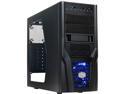
Cooler Master Elite 431 Plus - Mid Tower Computer Case with Windowed Side Panel and USB 3.0
Pros: Sidepanel is a nice edition. Case was used to transplant a Dell Inspiron 620 Motherboard. Everything transferred over just fine. Standoffs for that motherboard matched the mATX standoffs pretty good, vary surprised.
Cons: 2 Eggs for the inside panel corner being chipped-(no one will see it, so did feel the need to send it back). Another for cable management. Vary tight, and back panel leaves hardly any room.
Overall Review: Would like a slightly bigger space behind the Motherboard area for some cables, but airflow is still nice for just moving them all to the side. Fits the Vostron 620 just fine.
2/14/2014See more detail
Sapphire Pulse RX5700XT
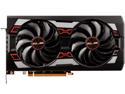
SAPPHIRE PULSE Radeon RX 5700 XT 8GB GDDR6 PCI Express 4.0 x16 ATX Graphics Card 100416P8GL
Pros: Well to be honest, it was plug an play. So far this 5700XT has worked from the get go.
Cons: If your case does not have padding to reduce noise, the fans can spin up and be loud, but its not that bad if you are wearing headphones. If your a speakers type of person, might want to consider using a quiet case or adjusting the fan curve.
Overall Review: People should give this product a try. I know there are alot of bad things being said about this product right now, but Sapphire so far has delivered. Also, I run an Intel CPU, and most of the issues I have researched are people with Ryzen systems. But like above, plug an play, no problems, runs everything.
7/18/2020See more detail
Black finish, works as intended.
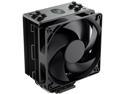
Cooler Master Hyper 212 Black Edition CPU Air Cooler, Silencio FP120 Fan, 4 CDC 2.0 Heatpipes, Anodized Gun-Metal Black, Brushed Nickel Fins for AMD Ryzen/Intel LGA2066/1151 Compatible
Pros: Easy to install. Looks good in all Black finish. Small enough to allow Dual Channel on MOBO. Cools a 7700K just fine. Fan comes with already applied shock absorber pads, and includes a fan splitter and more pads for another fan, very nice touch.
Cons: The only issue was the fan bracket installation. That is a mini nightmare in Mid Tower cases. You have to remove the fan to install the cooler, then put the fan back on. I could have made more room for myself, but its enough to knock an egg off, but it works like its supposed to as well. Depending on MOBO space, the fan may block potential 4 DIMM systems.
Overall Review: Don't be like me and be so excited for your cooler to arrive and forget to take the protective sticker off the bottom of the cooler. Also, idle temps for me (after I corrected my bone head mistake) 35-36C. Gaming (Division 2, High Settings, 1080P) was 65-67C. Your temps may very. Pairs well with a Vega 64 It actually will install without removing your MOBO (depending on your tray cutout). Was able to keep my MOBO in system.
4/18/2019See more detail
Cooler Master MA G100 Low Profile mounting on an MSI Gaming Z270 MB
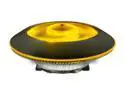
Cooler Master MasterAir G100M RGB Top Down Low Profile Mini ITX CPU Air Cooler, Copper Heat Column Base, Aluminum Fins, 92mm RGB Ring Fan, RGB Lighting for AMD Ryzen/Intel LGA1200/1151
Pros: Cools like its supposed to. LED function is pretty good an bright. Does work with my MSI MB LED strip header so I can use its own software to customize the light. Fan is pretty quiet. Instructions pretty clear.
Cons: This cooler is WIDE, on an MSI Gaming Z270 MB it WILL cover 3 RAM slots, leaves you with 1 slot. The mounting itself was a pain. You will need to take out your entire MB (maybe) to get to the (if your looking at it top down) top right hold down screw. This comes with a Molex connector to power the tiny remote, make sure your PSU has Molex to connect the remote. Mine did not, but like above was able to use my LED header and works just fine with MSI MB Software.
Overall Review: I really don't have much else to say about the cooler. I think I didn't tighten it down enough in the top right hold down fastener, since it doesn't cool near as well as my CR tower cooler did, but it doesn't go above 51C playing WoW on my i5 7500. Stays steady at 40-42C with no loads. The mounting hardware is clear to read, depending on your back Cut-Out for your CPU tray, you can just install the back plate without removing the entire MB. But be careful, depending on your MBs VRM heatsinks (if it has any), you might need to remove it to tighten down the top right fastener. I would like to see a longer wrench included so you can reach all 4 fasteners without removing your entire MB. Because without the GPU and RAM in there you could reach all the fasteners if the wrench was long enough, I mean Cryorig gives you an insanely long phillips to mount its tower cooler. Would also like to see a SATA power cable to power the little remote, no one uses Molex anymore, unless you really have to. But they did good allowing it to use MSI MB LED header to control the light yourself. This will get 5 stars because it works, and I wanted Red LED lights instead of my mismatched CR tower cooler having a white top.
7/14/2018See more detail
Really good Mid-Tower, finally.
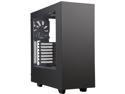
NZXT S340 Matte Black/Red Steel ATX Mid Tower Case
Pros: Separate shroud for PSU and cable. Plenty of cooling options. 4 fan mounts: Front 2-140mm or 2-120mm fans, Top-120mm, Back-120mm. Red metal (cable hide) bracket can come off to cable manage then put back on. SSD mounts work. Bottom storage for platter drives or more SSDs Cool front intake design by drawing in air from top and bottom of front panel, both PSU and Front panel are filtered. Can fit a decent sized 240mm AIO cooler in the front with ease, might be able to fit a 280mm AIO (wouldn't know, air cooling)
Cons: Front intake screen requires the front panel to come off since its located bout toward the middle. Sausage fingers cant reach that far. Did not come with enough MB mounting screws as indicated in the instructions. Had to test the other screws that came with to see which ones fit, an used them. Says 9 screws needed, came with 4. (something to that nature) Case can only handle 161mm tall Air coolers, make sure yours will fit. Mine is 160mm tall and I do have 1mm of clearance left, which my side panel does still fit with no bowing.
Overall Review: Just be careful with your air coolers in this case. Cable ties worked, and if taken the time to cable manage, can make a build look pretty slick. Plenty of basement clearance for PSU cables.
2/16/2017See more detail