
Your Browsing History


Mitchell R.
Joined on 08/11/10
0
0
product reviews
- 41
Not bad
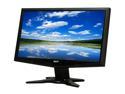
Acer 18.5" 60 Hz TN LCD Monitor 5 ms D-Sub G185HVb
Pros: It's cheap and works. No dead pixels and the packaging isn't some insanely cheap cardboard box. It comes with all of the cables, a complete manual, and a software CD.
Cons: Not the best colors and only VGA input but beats a viewsonic I paid $150 for.
Overall Review: For $90 you aren't going to beat it unless you buy used.
3/5/2012See more detail
It connects. Is it too much to ask for more?

Support Win 8.1 - EDUP 2in1 Client / AP Mini 300M 300Mbps USB WiFi Wireless N LAN Network Adapter 802.11 n/g/b EP-N1571
Pros: Cheap and small.
Cons: Where do I start? First, after waiting three weeks to arrive it was having problems simply connecting to my wireless network. After half an hour of troubleshooting I finally got it to connect. At 20 feet away it just refused to work. Tried it on another machine where it would sluggishly load some webpages, so I left it there since that machine didn't get used. So I went back to using my old Netgear WNA1000 that dropped signals that I ordered this to replace. That got busted while I was moving and I was forced to use this to get my desktop to connect. At my new house this will /still/ not work worth the power it takes to turn on the LED. 50 feet from the router it's struggling to even load Google. At 75 feet my Xbox 360 will stream Netflix effortlessly, my phone will load webpages in a flash, and my laptop does everything it should without a hiccup. This has been hung up on Google (still not loading anything) for the entire five minutes it's taken me to write this review.
Overall Review: Spend your money elsewhere. I'm going to crack it open and see if soldering a better antenna on will help, but I guess for now it's time to use a bridge that I had hoped to use elsewhere.
8/25/2014See more detail
Well built case! Does well with emergency modding!
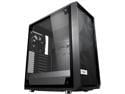
Fractal Design Meshify C Black ATX High-Airflow Compact Light Tint Tempered Glass Mid Tower Computer Case
Pros: The case is very well thought out and a great value for an ATX or smaller system. It doesn't have the compromise between features and looks that a lot of cases have either. It feels solid and looks great with an awesome set of features for cable management and drive mounting.
Cons: The bump where it goes from the motherboard tray to the dedicated cable management channel at the front interferes with EATX boards. This is the only compromise between aesthetics and compatibility. This case could easily support EATX boards if that bump was made to a right angle that started just past the edge of an EATX board with a new cutout for the 24pin cable. I can't count this against the product though as it's not bad design as much as it is a conscious choice that was made in design.
Overall Review: As you may have guessed by the con, I had purchased this case with the intent to use with an EATX motherboard. It's easy enough to mod the case to fit the EATX board and get the 24 pin to the board. There's already a lot of missing material in that area and I only ended up cutting a couple square inches of metal out of the case without affecting the structural integrity of the motherboard tray. Very good product overall.
12/22/2019See more detail
They're loud and age like milk

APEVIA 312L-CWH White LED 120mm 4pin+3pin White LED Case Fan w/ 30 x White LEDs & Anti-Vibration Rubber Pads (3-Pack)
Pros: They look stunning when they're new.
Cons: As far as cheap fans go, these are louder than any of even the cheapest stock case fans from any cheap case I've bought in the last few years, but I'm actually not factoring the noise in at all since I didn't really care all that much, just something I wanted to note. The real sin is that the lighting dies out pretty horribly very quickly. I bought these in April. Between then and now they've had fifty hours of power-on time if I'm being generous. I really cannot stress how little these have been used. You can't even tell they're lit during the day and it's not much better at night. They're about as bright as one of those cheap glow in the dark toys that you got from the dollar store as a child where most of the "glowing" was probably your own imagination. It's not a difficult thing to do. They worked fantastically well at first but all they've done is dimmed to the point where they just make the casing take the color of rancid milk.
3/10/2019See more detail
Amazing VRM design, cooling, and lights. Looks and feels nice, but falls short in practice.
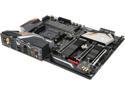
GIGABYTE X470 AORUS GAMING 7 WIFI AM4 AMD X470 USB 3.1 ATX AMD Motherboard
Pros: The board looks pretty beautiful if the lighting is co-operating (that's a hard if) and it has a lot of very nice features. It comes with some really cool goodies and just like any Aorus product is packaged very well. The board didn't give me any issues with the stock speed of my RAM and ran just fine out of the box.
Cons: The UEFI is absolutely garbage. When I first got the motherboard it came with a version F1 UEFI which wasn't even on Gigabyte's website, it didn't even have a revision date. I had no CPU, RAM, SATA, or output control in the BIOS. I did have voltage controls and Qflash, but that's about it. I tried to update to the newest UEFI revision (I can't name it because of the Newegg filter - I tried) and wasn't able to do it. I kept having to fight with Qflash and flash drives and eventually got the F2 UEFI onto the board but it won't see anything newer in Qflash and the included EXE(s) for the UEFI flash won't even run on 64 bit Windows which is just ridiculous. In 2006 that would have been understandable but this is 2018 and 32 bit operating systems are so far in the past. The lighting control and app center is also absolutely terrible. I bought the motherboard to go with my Aorus GTX 1080 but the lighting software for the motherboard keeps overriding the Aorus Engine and causing the engine to crash out. I lose my overclock with the Aorus Engine and the motherboard's lighting software won't let me adjust the brightness for my graphics card lighting which wouldn't be an issue if it didn't default to something extremely dim.
Overall Review: This was barely even a two egg review. The temptation to do a one egg review is definitely there, but the only thing this board really has going for it is that it's not DOA and that I'm holding out hope that I'll be able to be able to get non-garbage lighting control and a decent UEFI within a couple of months. I would highly recommend staying away from this board unless they update these issues. It has the potential to be an absolutely magnificent board just like their high end X370 boards were but it falls flat on it's face. If it was at the price point of the Ultra Gaming this wouldn't be such an issue, but at the time I bought this it was the second most expensive X470 motherboard on the market and it certainly should not have been. Gigabyte has been my favorite board manufacturer, I've been buying their boards since I bought my first brand new motherboard (MA74GM-S2). It pains me to have to deal with these kinds of issues. At the launch of X370 I tried to buy a Gigabyte board but I was only able to get an ASRock board, and while I assumed the Gigabyte board would have been much better for software, this is ridiculous. My entry-level ASRock killer X370 board had a much better UEFI out of the box, would update with reasonable steps, and had a very good looking AND easy to use lighting control program. This has none of those. The UEFI looks like garbage, works like garbage, and the lighting control program is the same. Every interface Gigabyte has made for this motherboard is garbage and looks like it too, and I'm very disappointed.
6/24/2018See more detail
I really wanted to see this board work how an X370 should...
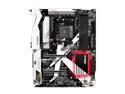
ASRock X370 Killer SLI/ac AM4 AMD Promontory X370 ATX AMD Motherboard
Pros: It's a motherboard that will boot your system and support 32Gb of DDR4 (although only at 2133MHz). The integrated wireless works very well, there's plenty of I/O as well as three total M.2 points, one of which is occupied by the wireless chip. The PCIe X16 slots are also "steel" reinforced, you know, for when you need your gorilla to put in your graphics card.
Cons: Are you kidding me? The only X370 motherboard I could get after waiting on the backordered Aourus to go to "out of stock" can't overclock. I've tested my CPU on a neighbor's Crosshair VI to show that it has NO problem overclocking only to put it in my computer and be unable to even get a 100MHz overclock. I also seem to be occasionally hit with a three to six minute post time. This is unbelievable. I shouldn't have to worry about "Is this the end of it?" when I boot up my three week old machine. The UEFI/BIOS works to set boot order, but I just cannot understand why it's incapable of overclocking. I also cannot change my RAM timings, which is infuriating considering that my last two motherboards (both ASRock AMD boards) both allowed it. I'm also simply baffled as to why they put the AMD RGB pin header behind the first PCIe slot. Seriously, something that most people using an AMD cooler will be plugging in, where it's underneath the graphics card? The I/O shield is also one of the cheapest ones I've ever held. NOT something I want to see from a "high-end" board if it's something I'll get on $50-$60 motherboards from other manufacturers.
Overall Review: I just don't understand it. Why are we getting a white plastic cover over the I/O, RGB lighting under the northbridge heatsink, and metal covers on the PCIe slots (actually, this doesn't even need the second half for the PCIe) when it can't even stick together well enough to perform how an X370 should? We don't need RGB lighting. We don't need metal PCIe slot covers. We don't need a plastic cover over our I/O. Especially not when simple things like a lighting header can't be moved, or the board cannot overclock consistently. Not when there's a crapshoot of the computer posting this century or not. I've only used ASRock boards in my personal machines for the last six years. I have a dead ASRock board behind me that killed my SSD, CPU, and RAM yet I STILL gave them a chance. And I was disappointed. If a future BIOS update fixes some of my issues, I'll edit/replace my review, but we're three weeks out from Ryzen release and there's been one update. That did not fix my issues.
3/25/2017See more detail