
Your Browsing History


Daniel L.
Joined on 08/01/06
0
0
product reviews
- 4
If you can get it cheaply, it's a no-brainer
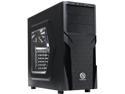
Thermaltake Versa H21/Black/Win/SECC Black SPCC ATX Mid Tower Computer Case (CA-1B2-00M1WN-00)
Pros: -Got this for a steal, plus a mail-in rebate. Let's just say it ended up cheaper than couple of music albums. -It's fairly light and still felt pretty solid -The smaller drive bays for SSDs were very convenient and a good feature -Front-facing USB3 at this price point is great -Lots of space behind the motherboard for routing PSU cables, there is a large track for routing the main ATX 24-pin connector. Makes cable tucking pretty easy. Contrary to other reviews I DID receive 3 zip ties with the included fasteners. These can be used on the main track I just mentioned by using pre-drilled holes. -Filter on the bottom to keep the PSU clean -Looks pretty cool. It's a little aggressive without being too over the top. -Provisions for external radiators and coolant tubing. Didn't use it but it's nice for this price.
Cons: -Don't like the expansion slots being stamped/welded in place. Take one out and it's gone forever. (With the exception of the top slot for single-slot GPUs, that one can be replaced) -I didn't like that the "extra" motherboard stand offs use a different screw thread pitch than the built-in case stand offs. All the included screws look pretty similar and it makes it easier to make a mistake. -The apparatus for mounting front fans arrived loose and rattling around in the case. I wasn't really comfortable ripping the front face off of the tower to re-seat that mount. I didn't have to take it all the way off and managed to get it back into place without breaking anything though. -The 5.25" bay covers were a little tricky for me to get off and didn't really have good instructions for removal. I managed to pull them through the inside of the case after about 5 minutes of struggling with it. -Like others have mentioned, I found the top vent design strange. I don't think you can mount top fans there without drilling holes or getting really creative with fasteners or zip ties. This was not an issue for me, but I can see it being an issue for others. -No side fan may be a deal breaker for some people, but there is plenty of opportunity for good airflow by mounting the right kinds of fans in the front and back.
Overall Review: This is an excellent case if you are aware of its minor shortcomings before you purchase. It's not exactly a builder's dream but it was almost as nice to build as some other more premium cases I have purchased. I wanted to give a 5 egg review just because it's great value for the money I paid but couldn't bring myself to do it with some of the confusion I encountered while building, especially due to having to use 2 different types of screws for particular motherboard standoffs. But if you spot this case around the same price or cheaper than similar alternatives, definitely pick it up.
12/29/2015See more detail
Good product so far, but maybe a little worried after more research
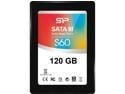
Silicon Power Slim S60 2.5" 120GB SATA III MLC Internal Solid State Drive (SSD) SP120GBSS3S60S25
Pros: -Killer price for a decent SSD -Benchmarked around 500MB/s read in linux gnome-disks, didn't test write speed -3 year warranty is good. I got it during a promotional 5 year warranty period which is great.
Cons: No *real* cons for me yet, but read "other thoughts"
Overall Review: After ordering this product, I have read other reviews about these hard drives getting good initial reviews and having the drive controller replaced with a slower, lower-cost module while keeping the same name and slightly altered packaging (without the advertised read/write speeds at the top) i.e. a bait and switch. I got the newer packaging but the benchmark seems to point to everything being fine for me. Some people reported lower benchmark numbers, which I imagine can vary based on which type of benchmark you use. Do your research and buyer beware and all that. If you can accept maybe getting a SSD that is mid tier for an entry level price, then go for it. But based on reviews here it seemed to me like a top tier performer at a bargain price. The truth may be somewhere in between. Be prepared to roll the dice on this one.
12/29/2015See more detail
Good deal on some good memory
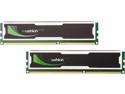
Mushkin Enhanced ECO2 8GB (2 x 4GB) DDR3L 1600 (PC3L 12800) Desktop Memory Model 997030E
Pros: -Great price for dual channel 2x4GB -Quality look and feel -Booted up and worked great
Cons: I wish these were a little faster on the latency numbers but with low voltage and at this price point it's acceptable, and performance difference will be almost negligible in any case.
Overall Review: This is my second set of Mushkin memory after some Redline Ridgebacks and I've got no complaints on either so far. I went back to Mushkin because I hear a lot of good things and you know you're going to get a quality product from them. Happy to support a company founded and putting people to work in the USA.
12/29/2015See more detail
Great bang for the buck
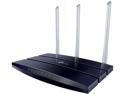
TP-Link TL-WR1043N 450 Mbps Wireless N Gigabit Router
Pros: After getting sick and tired of going through Linksys routers with poor ping, connection dropping, small internal antennas, etc, I decided to purchase this based on the good reviews. I don't regret it. This thing is feature packed for what you are paying for it and by installing OpenWRT you can do even more. The signal it puts out is outstanding, I'm getting great connections despite being in an apartment complex overcrowded with wireless AP's, many of which somehow people forced into 40MHz channel bonding which is crowding out most of the 2.4 GHz spectrum. The antennas are great and detachable, so if you need more then there is room to upgrade. The stock firmware is ok and simple to use for beginners, I bet even my grandmother could set this thing up. I was spoiled with advanced features found in custom firmware so I flashed OpenWRT and have been enjoying that, although compared to dd-wrt there is a fairly steep learning curve and an occasional hiccup getting everything running. I can't say anything bad about this router especially for this price. Gigabit, great wireless-n performance, great range, never get high ping or dropped connections. Thank you TP-Link for a great product.
Cons: Doesn't do the laundry or wash dishes
Overall Review: One major issue I ran into while setting this thing up (they included a card pointing out these instructions, so don't be an idiot and overlook it like me) was that the router needs the MAC address of your old router/machine cloned to get a WAN IP address and get online if you are on a DHCP network i.e. with a cable modem. Get the MAC address from the sticker on the bottom of your old router, or check your ipconfig output to clone your MAC so your modem can get you online.
10/9/2012See more detail