
Your Browsing History
 Holiday Shipping Details & Extended Holiday Returns Holiday Shipping Details & Extended Holiday Returns

Joined on 09/03/13
Good to Know!
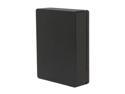
Pros: Beware USB 2.0 port users! Just got the 2TB Canvio, when connected to a PC usb 2.0 port, it will give drive/data error problems due the combined usb 3.0 plug with 5pins is at the back behind the usb 2.0 with 4pins in the plug. When insert the plug too deep in the usb2.0 port will make contact with the usb3 pins, thus making short circuit, thus drive/data errors. When connecting to PC USB2, Use a USB2 a to micro USB2 b type cable to solve any drive problems, will work perfect.
Cons: usb 3/2 combined plug design unreliable with usb2 ports.
Beware DATA NOT SAFE!
Pros: Got a cheap one due promotion.
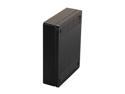
Cons: Bad electronics design, sata to usb2/3 bridgeboard can't deliver enough stable power to drive int. 3.5 hdd, caused unreliable data storage! WARNING! DATA are NOT SAFE on any Toshiba CANVIO 2T USB3.0 ext. hdd!, if using same buggy bridgeboard! Because of bad quality/design of the sata to usb 2/3 bridgecard parts and the powersupply to the internal hdd. ALL DATA are not reliable stored/access on the hdd, because the hdd can't get a proper powersupply. You can read all the bad reviews on many sites about many new usb 3.0 Toshiba external hdd, with hdd failures sooner or later. I'm an electronics engineer and I just bought the Toshiba Stor.e Canvio 2T USB3.0 HDWC120EW3J1. As soon as I format the hdd into many partitions and do full format with windows disk manager, the hdd made loud clicking and slissing/motor noises as intermittent lost/not get enough power. Few times full format can be completed and many times, it just hangup and using windows chkdsk /f/v/r on the full format completed partitions, will give the whole partitions data error/unreadable. So I broke the hdd case open and use the bare sata hdd with an ext. dockingstation with true 5V/12V powersupply. Now there are never clicking noises and did a very intensive 24hrs+ hdd formating/testing and the conclusion is that the internal DT01ABA200 hdd is working perfect. I recommend you people with the ext. usb 3.0 hdd, do the chkdsk /f/v/r test and verify!
Overall Review: The hdd inside was manufactured March 2013, so after few year, there was no improvement to fix all these unreliable bridgeboard. Go learn how to design better stable hdd powersuplly!