
Your Browsing History
 Holiday Shipping Details & Extended Holiday Returns Holiday Shipping Details & Extended Holiday Returns

Joined on 12/11/04

Excellent case, plenty of room with small footprint

Pros: I moved my build from a Lian Li Dynamic 011 case that I got at launch a few years back now. This case allowed me to move my computer off my main desk and onto a very small side table that I have next to my desk. Being such a low table, it works out perfectly for this tall and skinny case.
Cons: Nothing really if you do your research going in. The mirror on the bottom is a bit pointless UNTIL you just leave it unscrewed and angle it up at about 30 degrees to show the parts from the case like RGB RAM or your CPU waterblock, etc. pretty well (see photo). The video card cabling could be somewhat of a con, but the solution is a simple extension cable for your display cables of choice. I use a 3ft extension cable for Displayport and USB C for my two monitors. You could use an 18in extension to get just outside the case.
Overall Review: This is a great case and I haven't had any issues so far. Temperatures seem fine during gaming without the fan on the back so I don't think I will be using one of those. A very easy build and I was even able to retain an spinning magnetic backup hard drive that has probably been in 4 too many computers now. xD
Great CPU, be careful installing awful cooler
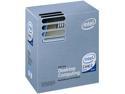
Pros: Received SLAPL-C0. It's the old stepping but WHO CARES! This thing overclocks super easy. Using Gigabye EP45-DS3l and it is running great at 1600fsb/3.6Ghz stock fan, stock voltage. It would go way faster but my ram can't so why go past 1/1 bus speeds? Core temps went up about 2C with the OC, idling about 40C, 54C under load. Cpu temp idles 31C, load at 43C. Super Pi, 4M places = 1min16sec.
Cons: I know EVERYONE has said this but... the heatsink attachment mechanism is a CON! I almost returned this processor thinking it was bad but it was the cooler! Definitely attach this before putting the MB in the case if you can. I didn't, and I was sure my motherboard would snap under the force required to make it click in properly. So the first two times I put it in, it wasn't all the way down. I got core temps of 82C+ under load. Also, I added some silver cooling compound and after that have seen no temperature issues. The pre applied cooling grease is apparently garbage.
Overall Review: Really didn't know if i should go with this or a Q6600. I figured this would be more useful to me now, and I'll upgrade to quad core after the i7's come down in price in about 2 years. I'm not sure if that was the right way to go but it seems FAAAAAST! Coming from 2.26Ghz P4 single core especially, but also compared to my T7200 laptop.
Good Samsung chips and looks nice
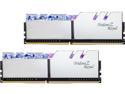
Pros: I upgraded to 32GB from a very similar Trident Z Neo kit with the same speed and timings but half the capacity. I don't want to fool with overclocking RAM anymore so I got these to pair with my Ryzen 5900X, as this seems to be about the sweet spot for RAM speed for this CPU. One click in the BIOS is all it took to set up, no problems. The look nice, the heat spreaders are a nice shiny chrome and come with protective films on them for installing without fingerprints. Don't forget to remove them.
Cons: I do like the diffusers now, however it did take a bit of DIY for them to be tolerable. Initially when I put them in they were BRIGHT. Distractingly, annoyingly and even painfully bright. I was going to return them. Then I had a look at the diffusers from the old Neo kit laying in front of me and saw that they are pretty easily detachable (they are actually harder to install, but not that bad). I took the Royal kit back out and luckily it works the same way. The diffusers are even interchangeable. But I still wanted the Royal diffusers. So I dove in and sanded the bottom of the Royal diffusers with some 320 grit sandpaper. Voila, the diffusers are working nicely now and no longer firing laser beams directly into my eyeballs.
Overall Review: Good looking RAM, after some DIY.
Excellent quality and performance

Pros: This is my 3rd Ultrawide and by far the best. I previously had a 60Hz LG when they first came out, and then a 100Hz freesync 35" which was nice but broke at 13 months with 12 month warranty. The maker/seller would make no accommodation whatsoever. Going from a 60Hz to 100Hz+ Freesync (with a good video card) will probably make you laugh unstoppably for a little while with how much better it is. At least for fast paced games. Performance is great at this resolution with my Radeon VII. Brackets are included for VESA 75mm. Although they are not in the instructions they are clearly marked which goes where, just use the longest included screws to attach the brackets to the monitor. 3 year warranty is a big plus.
Cons: No major cons so far. As for nitpicks... Not the thinnest monitor but who cares since it is curved. The buttons and menu are maybe not the best. Surprisingly, it is slightly but noticeably smaller than the 35" UW it replaced.
Overall Review: I will need to update once I get some productivity testing done. The 1500R curve is a little more noticeable than the 1800R I was using. I dont think it will be an issue but I will need to do some 3d design work to tell for sure. So far I have only done games for a couple hours and the curve was nice for that. UPDATE: The curvature works just fine for the 3d design work I do in Fusion360. I've put about 10 hours into design work on it now and no issues whatsoever.
Very nice looking, well made cooler with pretty good performance

Pros: I mounted this in the top of my Lian Li Dynamic PC-011 case. No issues whatsoever with the fit. This is the only RGB I have in this very windowed case and this cooler provides a very nice ambient glow to the motherboard. It's not so bright that the black metal of the case really shows so it makes the motherboard stand out in a subtle and pleasing way. The included RGB controller has plenty of functions and a handy remote. Performance seems good. This cooler exhausting on the top and my blower video card are the only fans I have in the Lian Li Dynamic. The cooler basically gets me to silicon limits of my Xeon e5-1650 v2 (basically a 4930k) which is 4.3GHz. At that clock and a voltage of 1.28V, I get 74C max core temp when running Prime95. I started Prime95 while writing this review and the hottest core is 74, coolest is 63. Gaming is usually in the 50s or 60s. Idle is around 30C.
Cons: Occasionally the pump has made some noise, oscillating on and off a couple times a second. Like a subtle wah-wah-wah. It is usually silent but this sound is loud enough to be annoying when it happens. Also the little windmill in the middle that serves as a flow meter will stop spinning sometimes. Doing a heavy CPU load will get it started again so far. The cons haven't bothered me much so far. I took off a star because it isn't perfect but really I would give 4.5 if I could.
Pleased overall
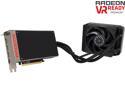
Pros: Mine is very quiet. Received pump with the new sticker, bought during first week of release. My case is basically an open air design (Cooler Master Haf Evo XB) I can't hear it over my almost silent (cougar) case fans unless I manually crank the fan speed. Be sure to orient radiator with the hoses at the bottom. Plays Project Cars and Battlefield 4 pretty well at 3440x1440. Battlefield 4 usually sits around 60-70fps with max settings with no major dips observed so far. PCars is also usually about 55-70fps on max settings but it dips to mid 40s during heavy traffic. Add rain into the mix and it dips to mid 20s in heavy traffic. Have to turn down settings to get good framerates in the rain. But surprisingly, the game seems pretty smooth until it gets below about 35fps. VRAM usage for BF4 tops out around 2850MB, PCars at around 1850MB. Overall a very smooth gaming experience.
Cons: No overclocking capability as of this writing. This may change once voltage control is enabled in overclocking utilities. Initially I tried to overclock to 1150. Booted fine but display froze in PCars. Same result down to 1085. Could be my power supply (corsair RM1000) but it did fine with my previous 3x6970 OC setup. This is the reason I gave 4 eggs instead of 5. If voltage control lets me OC to around 1200 I would be very happy. Since AMD hyped this as an "overclocker's dream" I was a bit displeased by the utter lack of any overclocking whatsoever. Almost sold it on principle but nVidia does much worse so it wouldn't make any sense to do that. If you need hdmi 2.0, that is a big one. I don't need it so not a con for me.
Overall Review: Overall it plays my games pretty well even though the 980ti benches with an unusually higher delta vs Fury X in those two particular titles. So they are basically worst case scenarios, barring what might happen if a game needs over 4gb of VRam. Even though I could have sold it for a 980ti with a g10 watercooler and still had some money left, I decided to keep the Fury for a few reasons. -Crossfire results look good vs 980ti SLI. -There is a good chance performance will improve with driver updates. -Windows 10 reported to increase performance especially on PCars. -DirectX12 performance vs nVidia is an unknown but I am optimistic since AMD developed Mantle. -If I do keep this card long term and crossfire this when the 16nm GPUs come out sometime next year, AMD has a much better record of maintaining performance on last gen cards than nVidia.