
Your Browsing History
 Holiday Shipping Details & Extended Holiday Returns Holiday Shipping Details & Extended Holiday Returns

Joined on 01/22/10
sonicwall admin guy
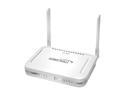
Pros: - nearly total protection. Make sure you subscribe to intrusion prevention, content filer and anti-virus services at firewall. It's not cheap. If you're not familiar with true firewalls, TCP/IP and ports, but are more familiar with firewall/routers from consumer stores, you'll need to hire an expert to manage this unit. If you want detailed reporting on websites visited you need to install software on a server to see that. This unit gives you powerful protection from threats you never imagined existed, including the ability to detect malware on your internal machines, stuff your anti-virus anti-malware isn't catching. Combined with Avast endpoint for business on workstations, you will have very comprehensive protection from threats. Consider adding Umbrella from OpenDNS to further protect against malware. Excellent live support! Of course, it does true Internet routing as well as having provider failover capability and DMZ. Blocks active-x, java and cookies at the firewall. Reporting system available lets you see all user activity.
Cons: - You pay for what you get - The system can increase in price as you license the above capabilities, but you are getting a level of protection, control and information that simply is not available from off the shelf consumer devices that cost in the $100 or less range.
Overall Review: - excellent user interface - wish the could just get it to $999 for three years with ALL protection enable AND the hardware, included.
FAST!
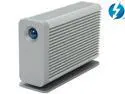
Pros: This Thunderbolt eSATA hub works perfectly and is faster than other eSATA interfaces I own. I love the fact that the design matches across the LaCie product lines. This LaCie hub is a great way to get your existing eSATA storage devices to work on your new Thunderbolt Mac.
Cons: I don't recommend that you try to hot-plug an eSATA device - power your Mac off, connect the eSATA disk then turn on your Mac. Shutdown the Mac before removing the eSATA device. I tried hot plugging my Antec MX-25 eSATA disk and the entire Thunderbolt system went offline - I rebooted and everything was fine.
Overall Review: I am VERY satisfied with my purchase. LaCie makes beautiful, high-performance, reliable devices and all of my new storage is Thunderbolt from LaCie. I'm using this hub to attach some eSATA external enclosures to access data on my old SATA I/II 2.5 in. drives.
SSD - Worth the headaches? YES!
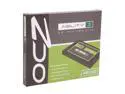
Pros: trusted brand? yes. excellent support? yes. works with Mac? yes. excellent performance? yes. would buy again? yes.
Cons: will need ability to download/burn an ISO? yes. need to understand what is firmware? yes. need a cloner like SuperDuper? yes. install best left to "techies"? yes. need to know about things like SATA II/III? yes. upfront research effort? high
Overall Review: If you think you'll just pop in a solid state drive and install the OS, you're likely very mistaken. You'll want to research the support forums FIRST, make sure your candidate drive and machine are understood and supported. Even then, be prepared to download/burn/boot from Linux Live CDs for patches and firmware updates. If you think you'll just install an OS without thought to SSD tuning the OS, that's a mistake too. My first PC was a TRS-80 Model I with 16 Kilobytes of RAM and cassette tape storage. So I've been doing this a while. This is my third OCZ and it won't be my last. DO YOUR HOMEWORK - make SURE the SSD you want and your target machine are WELL DOCUMENTED on the manufacturers support forum or YOU'LL BE SORRY! Also, if you think chasing CPU upgrades is giving you performance increases, you're mistaken. Spend the money on a OCZ and you'll be in on the secret of 100 open tabs in google chrome with no lag or beach-ball... Jim Ames VMWare certified - EMC Proven - FCC