
Your Browsing History


Daniel W.
Joined on 08/27/02
0
0
product reviews
- 7
Very quiet
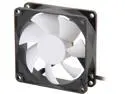
Fractal Design Silent Series R2 Black/White Silence-Optimized 80mm Case Fan
Pros: Very quiet even at full speed.
Cons: None
Overall Review: I am using two of these as intake fans in a CM HAF XB Evo, to cool the inner drive cage.
4/10/2015See more detail
Not the processor described
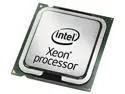
CPU *Like New* Intel Core i7-3770, 4/4, 3.4 GHz, Ivy-B, 8M, L3, LGA1155, 77W never used
Pros: Fair price for an unused i7-3770K, fast shipping.
Cons: I received an Intel i7-3770, NOT the i7-3770K. This is based on the markings on the heat spreader. It says 3770, not 3770k, and the core stepping is marked as SR0PK instead of SR0PL.
Overall Review: Performance wise the 3770 is virtually identical to the 3770K. But the 3770K overclocks easily and the 3770 is locked.
4/7/2015See more detail
Good but a few caveats
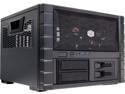
Cooler Master HAF XB EVO - High Air Flow Test Bench and LAN Box Desktop Computer Case with ATX Motherboard Support
Pros: Very good tool-less design for the most part, especially the drive cages and X-dock. The 5.25 bays are not so well done. No sharp edges, well finished panels. Overall very quiet with the supplied fans. I also added low noise 80mm fans as intake for the inner drive cage. Cable management is easy, when viewed from the top, but it’s a rat’s nest under the motherboard. Of course, none of that is visible so it isn’t worth a lot of effort to tidy that up. Supports 160mm CPU heatsinks, although not with an optional 200mm top fan. Plenty of room for the longest video cards (less so with a front radiator). Easy access to the MB, slot cards, CPU cooler, etc. Easy access to the inner HDD drives but be sure the power and data cables are toward the outside.
Cons: The 5.25 inch bays have no connection at all on the right side. Not even screw holes. Even if it did have screw holes, one would need to remove the X-Dock bay to get to them. The right side only has some compression fingers that are not very helpful. This is OK for a full size device like an ODD, but not acceptable for a short device like most fan controllers. Knock off a star for this. Definitely not fan controller friendly. Appears to be very little cooling air available for the X-Dock drives. I didn’t knock off a star for that yet because I am not sure yet if this is going to be a real problem. One will probably need SATA Power cable extensions to get power to the inner HDDs without inserting them backwards. The power and data connections need to be toward the outside or replacing them later would probably require removing the MB tray. Changing out whatever I have in the 5.25 inch bays will probably require removing the motherboard to get sufficient access. I would have preferred the clear top panel rather than the mesh, but Cooler Master seems to be perpetually out of stock on this part. Also having a few spare X-Dock drive holders would be helpful, especially for 2.5 inch HDD/SDD users since these are not as easily swapped. But these too are perpetually out-of-stock. The red power LED is blinding bright and not well diffused. No air filters for the 80mm fans in the back. No filters for the side or top ventilation panels, nor for the bottom holes. The front intake screen does have a fine mesh so it should act as a filter, but removing it would be annoying since the entire front assembly needs to be removed. I’ll probably just blow out dust from the back. I recommend making sure the case is at a slight positive pressure. The X-Dock is giving me problems but I don’t know why yet. Sometimes a hot-swap works, and sometimes I get a BSOD in Windows 7 the moment a new drive is inserted.
Overall Review: Be aware that getting the X-Dock bay to work correctly as a hot-swap bay will often require enabling “hot-plug” in the BIOS for those ports, and make sure they are set for AHCI. Even so, I did get a BSOD twice when inserting a drive, and once Windows 7 just froze up. So I am not fully confident in this function. There is a comment in the CM Fanzone forums from a moderator that states the X-Dock bays do not support two SATA III drives at 6.0Gb/s. “The most it can support is either 1 x SATA 3 or 2 x SATA 2 drives.” This isn’t in any published spec. Would be nice to have one extra 3.5 inch bay for other devices like a multi-card reader. CM should consider a way to get additional air flow to the X-Dock bays. Perhaps an optional side-panel with an 80mm fan, or front ventilation slots with a slot blower either side of the bays.
4/10/2015See more detail
Quiet
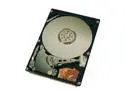
Hitachi GST Travelstar 5K100 HTS541040G9AT00 (13G1582) 40GB 5400 RPM 8MB Cache IDE Ultra ATA100 / ATA-6 2.5" Notebook Hard Drive Bare Drive
Pros: Not much one can say about a drive that works as it's supposed to. I can say this drive is very quiet. I do not hear it all; much different from the drive I replaced.
Cons: None.
5/31/2006See more detail
Good but...
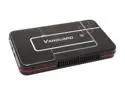
ENERMAX Vanguard(EB206U-B) Aluminum 2.5" IDE USB 2.0 External Enclosure
Pros: Works well, looks good, probably good cooling with the heat sinks and their "high tech thermal rubber" which is placed above and below the drive. Connected to several computers and so far have not needed the extra power supply. Seems fast - subjectively.
Cons: If you like to swap drives frequently this enclosure is not for you. Installation requires removing the circuit board screws, installing the heat sinks, rubber pads, reinstalling the circuit board and assembling. Total of 10 screws are used, 4 of which are near microscopic.
Overall Review: They do include a microscopic screwdriver. One USB cable can be squeezed in the pouch.
5/31/2006See more detail
Great for the price.
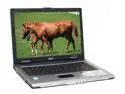
Acer TravelMate 14.1" Intel Celeron M 370 256MB Memory DDR2 400 Windows XP Home LX.TB205.077
Pros: Inexpensive, but looks expensive. Works well, no bad pixels. Not cluttered with pre-installed junk. The Acer eManagement utilities are pretty good. Good for business work, not good for games of course. 802.11g wireless very stable, better than a much more expenseve laptop I also have.
Cons: Only 256MB memory. Do yourself a favor and spend an extra $xx or so on another 256MB when you buy this. HDD is FAT32 formated with 3 partitions. Can easily convert but then the eRecovery software won't work. Runs a bit warm on the underside and the battery only lasts about 2 hours.
Overall Review: All in all very satisfied. Consider an external USB2.0 drive and clone it, reformat to NTFS with only 1 partition.
5/29/2006See more detail