
Your Browsing History


Derek N.
Joined on 05/05/06
0
0
100%


product reviews
- 84
Great OE replacement
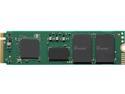
Intel 670p Series M.2 2280 512GB PCIe NVMe 3.0 x4 QLC Internal Solid State Drive (SSD) SSDPEKNU512GZX1
Pros: Intel reliability and warranty support NVMW SSD performance Good entry price point Power efficient Encryption support 5 year warranty Good overall performance, copying my data from my old NVME drive it was averaging around 350-400MB/s {long term, appox 230gb of data}, slightly lower than I had hoped for but not bad. During system use everything is very responsive, slightly snappier than with the OE drive.
Cons: Not the fastest PCIE drive available Doesn't have a great write life rating Not much cost difference to get into premium tier drives OEM like packaging, no set screw or software to perform data copy included, drive and a little booklet.
Overall Review: I think this serves a great solution to replacing an OE drive be it due to failure, performance or size upgrade. Note: The 1tb+ sizes outperform the 512gb. Replaced the tiny barely usable 250gb nvme drive in my laptop, this one is certainly a little faster than the original Samsung. I have no concerns over the relatively low write life rating as it is being used in business use laptop that is likely to be replaced before the drive ever fails, for most the write limit should be a non issue. If you are still lumping around a mechanical drive or are still using a SATA SSD you are missing out on a world of performance and I would highly suggest upgrading your storage as this can be a major bottle neck to modern system performance.
10/18/2021See more detail
Nice bits, bad driver!

Rosewill 32-Piece Computer Tool Kit, Precision Screwdriver Bit Set with 4.5" Extension Bar, 4 Phillips Bits, 7 Flat Bits, 9 Torx Bits - RPCT-10001
Pros: Bits are solid, includes most everything I'll need to work on various electronics.
Cons: The driver (handle piece) is terribly made, I feel the plastic threads will strip if the handle doesn't just physically break if I end up fighting a screw that might have some HD thread lock (common to find in laptops).
Overall Review: Price wasn't terrible I'll probably be searching for a new driver piece asap, probably wont find one that will fit in the handy little case but I would rather have one I can depend on.
2/14/2013See more detail
Crucial to your memory upgrade. *no seriously
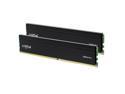
Crucial Pro 32GB (2 x 16GB) 288-Pin PC RAM DDR4 3200 (PC4 25600) Desktop Memory Model CP2K16G4DFRA32A
Pros: Classic Crucial memory by Micron, possibly the most respected name in the industry. Should be compatible with everything that takes standard DDR4. Clean, professional looking, basic heat spreader, no RGB, no large extensions to get in the way of other components like heatsinks, water tubing, etc. 3200 XMP - this is as far as DDR4 goes without overclocking on typical hardware. 32GB - it's pretty easy to use 16gb of memory these days even for a typical office desktop. Overclocking - as usual, there's some room to get it a bit quicker, I was able to get it to 3600 @ 1.3v with the same timings, it may have gone further but it wasn't worth the risk.. Truth is, even at the basic XMP profile this offers tons of memory bandwidth. Simple packaging.
Cons: What is there to complain about? The timings could be a bit better, but I find this level of fine tuning doesn't bring much to the table anymore, and this memory is not targeted toward serious system tuners.. We could ask for another color option or heatsink design for those who love Crucial but want something a bit more fancy.. Remembering the old days with Crucial Ballistix. Sometimes you want the extra bling and some pre-tweaked timings. No instructions and a lack of specification details on the packaging.
Overall Review: While I'm not sure heat spreaders are really required for memory they make me feel better about it and I can say through a couple decades of system building, tuning, and testing, ram with heat spreaders fails less often.. If that's because of the spreader or because they are using higher quality chips, I don't know and haven't much paid attention. No instructions with memory? Not surprising, not really needed. Including timings on the packaging would be nice. *Both of these items could be replaced by a scannable QR code on the packaging, saves having to search for it or manually verifying the SPD. While the timings are a bit slow this is unlikely to have a notable performance impact, benchmarking aside. I wanted to run a test in what I assume would be a more typical use case and installed this memory into an HP Prodesk, i5-11400 that previously had DDR4-2666 with significantly better default timings. Original DDR4-2666: 36080 MB/s Read 36841 MB/s Write 65.9 ns latency 5836 pts - Cinebench R23 Crucial DDR4 @3200 42394 MB/s Read 43111 MB/s Write 68.2 ns latency 6140 pts - Cinebench R23 Slightly higher latency but greatly improved read and write throughput, note the Cinebench score differences, a 5% gain for simply increasing memory throughput. Note: Cinebench is not heavily influenced by memory speed. If you're running older, slower ram, looking to build a new system with quality but not premium memory, or just need to upgrade some office PCs, this is solid product.
6/28/2023See more detail
NAND just keeps getting better!
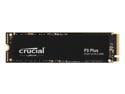
Crucial P3 Plus 2TB PCIe 4.0 3D NAND NVMe M.2 SSD, up to 5000MB/s - CT2000P3PSSD8
Pros: Lots of storage, lots of performance, lots of value.. Included Storage Executive Momentum cache Included Acronis Minimal packaging (maybe too minimal) Available up to 4TB!
Cons: Write lifespan and warranty inclusion No screw No hardware encryption Not reaching performance claims
Overall Review: Storage Executive is a great piece of software for monitoring and managing the drive, it's clean and easy to use. Momentum cache is nice and can have a discernable impact on application load times. *ATTO test with momentum disable capped around 3GB/s, with cache 10GB/s, DRAM is fast.. Do take the power source warning seriously, and backup your data -- Acronis.. Is available from the Crucial website for this drive as well, this will help you migrate your data to the new drive, configure, manage, and monitor backups, and offers a security package addon. I wouldn't recommend this for heavy IO workload as an operating system or workspace drive. For someone who wants the space and performance but doesn't use a computer for a lot, this would be great. It's going to hold some of my larger applications. Another great use maybe in an enclosure as large portable storage, if it's not Thunderbolt it wont keep up but the drive won't be the slow link. The warranty shouldn't be terribly concerning, just be mindful if you find yourself still using the drive in 6,7,8 years, it's not uncommon. General test results and system specs: Seq Read - 3150MB/s -- Seq Write - 3000MB/s Ryzen9 3900x, 64gb DDR4-3600, Asus x570-E, Win10 Pro 64bit. Note: Momentum cache did not register the memory usage in the task manager.
10/20/2022See more detail
Amazing drive, great price, great brand
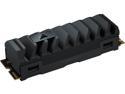
Corsair MP600 PRO XT M.2 2280 1TB PCI-Express 4.0 x4 NVMe 1.4 3D TLC Internal Solid State Drive (SSD) CSSD-F1000GBMP600PXT
Pros: Corsair is a long lived name in the industry, a respected brand, and one that's typically easy to deal with on the customer service side. 5yr warranty, which is fairly common among high end SSDs. Minimalist packaging, little waste, safe packing, and a screw for installation. Top tier parts: Phison PS5018-E18 controller Microns 176-layer NAND Performance is off the rails, it feels like it has been a long time since I've noticed a difference from storage performance in regular usage.. Coming from older generation NVME drives. During drive imaging I was seeing write numbers creeping on 1600 MB/s *this is around the read speed of my other drive* with sequential read tests peaking around 6500 MB/s. I wish I had a second one to get a more accurate idea with, maybe in the future. I noticed some steep reductions in load times on a few large games, ARK particularly, boot times increased by a notable few seconds, applications even the largest are typically snappy again.
Cons: Heatsink is pretty big, it might pose some blocking issues. Airflow cover on my mainboard wouldn't fit nor would it fit in any of my drive enclosures. Not a typical use case, but had to check.
Overall Review: If you're looking for crazy fast storage you can't go wrong here.. It's not much more expensive than much slower drives. I do not currently have a board with PCI-E 3.x for testing, but I suspect this drive will still out perform previous gen drives on older chipsets. Corsair -- Please create an enclosure for these with a USB-C connector, it's currently faster than my use case generally requires but with non expandable storage in many modern laptops I'm always carrying one. Tested on: Asus ROG Strix X570-E Gaming - 32GB DDR4 @ 3600mhz - Ryzen 9-3900x @ 4ghz
6/9/2022See more detail
Keep getting better, great product for older homes and apartments
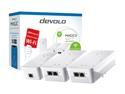
devolo Magic 2 WiFi next Whole Home Wi-Fi Kit
Pros: I have been using powerline adapaters to get network connections throughout homes for over a decade. Early ones suffered from extreme packet loss, I would often test and see greater than 50%, latency for LAN above 300ms, but they worked in a pinch! Now devolo made a kit that also has access points, awesome - we can finally get wireless in the far bedroom. Important bits: Ease of use? Some of the easiest yet, no sync buttons, no software to install, the definition of plug-n-play. I could ship these to my grandparents and walk them through it over the phone. Performance? In testing local connections across circuits (connection passes the breaker box) latency was fairly good ranging from 5-50ms pinging the firewall, not solid ethernet but good enough for most use. Packet loss was minimal, tested 10 pings per second for 40,000 pings and had 6.1% loss, the loss may have increased while I had a box fan running off one of the outlets. Overall it was good enough to maintain connections gaming and streaming shows, including 4K netflix, throughput is fine for most use. Copied a single 50gb file over the LAN, SSD to SSD - landed at 82MB/s, not bad being bare gigabit ethernet is only 125MB/s before overhead, often closer to 100MB/s in ideal conditions. Wifi seems good, no problems there, streaming, gaming... Additional power socket so you don't lose your outlet.
Cons: Wifi is capable of being faster than the cabled network.. This isn't a hit on the product, more a general complaint that wired networks have not kept pace. On the expensive side. Individual units are a bit large and may limit installation. Not the strongest wireless signals but can be expected from the size, however due to the use factor I suspect this will be a non issue for most. Access point handoff is not zero latency and caused connection drops in games, thankfully most people are sitting in one spot when gaming so this shouldn't be an issue unless you have the perfect signal overlap - adjust settings or locations if this occurs.
Overall Review: If you need or can benefit from powerline ethernet and want to avoid the troubles that are often associated these are looking to be a great option. It's generally not recommended to run these across circuits but I fear that's the reality of most peoples use, at least in my testing they worked wonderfully passing through the breakers in my 1980s construction. I have tested many powerline adapters in my current home, these are by far the best but also the most expensive, in my opinion it's worth it! I deal with technical problems in my day job, I cannot stand dealing with more when I'm home.
3/15/2022See more detail