
Your Browsing History


Austin E.
Joined on 01/14/06
0
0
product reviews
- 3
Missed a Detail...
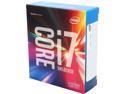
Intel Core i7 6th Gen - Core i7-6700K 8M Skylake Quad-Core 4.0 GHz LGA 1151 91W BX80662I76700K Desktop Processor Intel HD Graphics 530
Pros: Very fast, and has been reliable from the start.
Cons: Does NOT come with a heatsink/CPU cooler as the i7-6700 ( locked ) version does. I overlooked that detail while ordering. I dont recall seeing any notification about it in the description. Should come with a default cooler at this price, hence the lost egg.
1/7/2017See more detail
Good, but no gaming mouse
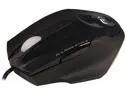
Genius Maurus 31010128101 Black 5 Buttons 1 x Wheel USB Wired Optical FPS Professional Gaming Mouse
Pros: No issues and overall is a smooth gliding mouse.
Cons: Mouse is too small for even slightly large hands, My wrist constantly drags on the mouse pad because the body isn't high enough. I don't have that big of hands, but my finger hang off the edges of the two main buttons as well. I don't understand why they designed a "FPS" mouse and had to the two common thumb buttons that are normally together right where you thumb rests, separated to EACH side of the mouse. Try clicking a "thumb" button on the RIGHT side of your mouse, but instead, pull back your ring finger and try to click, just is not possible without shaking the mouse everywhere.
Overall Review: If you have smaller hands, want a very fast responding mouse, and don't have much use for the thumb buttons, this is a good mouse, otherwise look elsewhere.
7/19/2013See more detail
Nice case, but it was a hassle
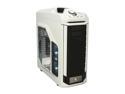
CM Storm Stryker - White Full Tower Gaming Computer Case with Handle and External 2.5" Drive Dock
Pros: Large area to mount long video cards ( holds up to 12.4 inch cards, Gigabyte 1080 was 11.7 ) Strong build quality and front 5.25 bay covers remove easily if need ( they are also dust filtered )
Cons: Each screw on the case was crank tightly from the factory. Have a screw driver ready to get any nuts loose! The two front fans ( this is where an Egg was lost ) are mounted facing the hard drive bays from the SIDE of the case( really who is cool HDD's from the side!? ) and the instruction book is hard to understand on how to move the fans to the front of the case. You have to remove the 12 screws holding each bracket/bay in place, and the rod going through the middle ( easy, but the rod was pointless ) , then take out the two removable HDD bays, re-mount the brackets along the sides of the support beams ( there are cut out for them fortunately ) and screw them back down. Now, place the HDD bays back into the bays facing rearward ( again, with bad instructions, I removed the fans from the block thinking they had to be moved too, they do NOT have to , save yourself the headache! ) and use the 4 screws to hold the blocks in place. All in all, they should have been on the front of the case blowing rearward to begin with!
1/7/2017See more detail