
Your Browsing History


Bruce C.
Joined on 11/26/12
0
0
product reviews
- 33
Good Value For The Money
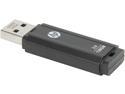
HP X702 128GB USB 3.0 Flash Drive P-FD128HP702-GE
Pros: > Low price vs. capacity > Exceeded advertized sequential Read spec > Small compared to other flash drives I had previously purchased the 32 GB version of this flash drive (on sale for $13.29) and it met specs (see my review). So when I needed a drive with more capacity, and the 128 GB version was on sale for $44.99, I decided to give it a try. This drive is manufactured by PNY. The 128 GB version is identical in size to the 32 GB model making it one of the smallest I have seen of this capacity. This makes it easy(er) to insert it and another flash drive (or USB mouse plug) side-by-side if your laptop happens to have two USB ports with narrow spacing (for example, on HP laptops the Kingston HyperX drives, although excellent, are 'fat' enough to prevent them and another flash drive from being inserted side-by-side. Same with the Lexar Triton/P10/S73 series -- as well as others). No problem with the HP 128 GB drive. There is a (small) hole at the rear for key-chain use. Additionally, the rear is configured to allow the easy-to-lose cap to snap on when the drive is in use (however, if you use the key chain option that will preclude the cap from snapping onto the rear of the drive). Performance. I benchmarked the HP 128 GB drive with ATTO Disk Benchmark and CrystalDiskMark. ATTO: Sequential Read: The drive scored 200+ MB/s three times and hit 199+ MB/s four times (significantly bettering the 190 MB/s advertised spec). The best the drive achieved on Sequential Write, however, was 120.105 (twice) but spent most of the time around 71 to 81 MB/s. Although the drive did not meet the advertised Write spec, compared to others in the $44.99 price range, it performed OK (nevertheless, it did not meet the 130 MB/s advertised spec). I have a 64 GB Kingston HyperX and a 64 GB SanDisk Extreme that perform better in the Write area, but both cost more and have half of the storage capacity. CrystalDiskMark: The CDM benchmarks pretty much confirmed the ATTO results. Sequential Read was 196.3 MB/s and Sequential Write was 126.0 (coming a bit closer to the advertised 130 MB/s). 4K Random Write came in at 6.707 and Write posted a 0.610.
Cons: The cons are realtively minor. There is no LED, and after prolonged file transfers the drive becomes slightly warm (but not hot).
Overall Review: Although the drive did not meet sequential Write spec I will give it somewhat of a pass because the sequential Read exceeded advertised spec and the drive does not sell for a premium price vs. capacity. I don't know that I would characterized it as a bargain, but I would say it is a good value for the money (when on sale). Because of the lower price for a drive of this capacity -- and because I have benchmarked other 128 GB flash drives around the same price that did not perform as well as the HP -- I will not dock it an egg for missing the Write spec. The appearance is plain-Jane, but the construction appears to be sturdy. Bottom line: Would I recommend it to friends? The answer is yes (at the $44.99 sale price).
5/22/2014See more detail
Further Thoughts
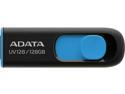
ADATA 128GB UV128 USB 3.2 Gen 1 Flash Drive (AUV128-128G-RBE)
Pros: See other thoughts.
Cons: See other thoughts.
Overall Review: In my previous review I noted that when Benchmarked, the Sequential Read and Write performance of this ADATA drive significantly exceeded the factory advertised specs. However, after I began actually using this drive, I found that the transfer speed drops off **dramatically** after about 12 seconds when transferring large files. I transferred about 20 GB of video files from my OS drive (a Samsung 950 Pro PCIe SSD) to the ADATA. For the first 10-12 seconds the transfer speed maintained a respectable 90-100 MB/s. But after that, it dropped off to very slow 10 MB/s and stayed near that speed for the remainder of the transfer. So to reiterate what I said earlier, this is a great little storage drive to hold backup data. But it is very slow if you have to frequently transfer large amounts of data. In fact, the 64 GB version did better. It was able to hold around 50 MB/s transfer speed for a 20 GB data transfer. I think it's worth the $24.99 I paid on Black Friday, but in accord with its price, it is a lower performance drive.
12/10/2015See more detail
Good Enclosure
![ORICO 2.5" USB 3.0 SATA External Hard Drive Enclosure Tool-less installation for 2.5 inch 9mm 7.5 mm SATA HDD SSD Enclosure [UASP Supported]- Red](https://c1.neweggimages.com/ProductImageCompressAll125/0VN-0003-000M2-01.jpg)
ORICO 2.5" USB 3.0 SATA External Hard Drive Enclosure Tool-less installation for 2.5 inch 9mm 7.5 mm SATA HDD SSD Enclosure [UASP Supported]- Red
Pros: I used this brand for years when I was running Windows 7 and friends asked me to recommend an external enclosure/drive for backups and System Images. I had owned (and sold) many of these with no issues whatever until Windows 10 came out. I usually kept about 6-7 "in stock." When W10 first came out, I began having an issue with System Image backups not completing. The "progress bar" would get to about 90% and simply stop. I tried multiple drives in multiple (Orico) enclosures on multiple computers and experienced the same thing. All of my drives would make a System Image when using a straight USB to SATA cable. So I stopped using the Orico enclosures. Then, about a year later after multiple W10 revisions I tried an Orico enclosure once again (I just liked the appearance) and this time the System Images completed and I have experienced no issues since with any of their enclosures. So it may have been an initial W10 issue. In any case, I currently have 4 Orico enclosures with drives installed and they all work fine with all Windows Operating Systems. Highly recommended.
Cons: None
Overall Review: I do a lot of benchmarking of 2.5" drives (hard drives as well as SSDs). I have found that the HGST Travel Star 7K-1000 ($54.00 -- occasionally on sale for $49.99) to be significantly faster than other hard drives I have tested in the Orico enclosure. So if you're looking for a fast drive to compliment this enclosure, the HGST is one to strongly consider. https://www.newegg.com/Product/Product.aspx?Item=N82E16822145881&Description=hgst%202.5%22%201%20tb&cm_re=hgst_2.5%22_1_tb-_-22-145-881-_-Product
12/10/2018See more detail
Product OK, Customer Service "the pits"
Acronis True Image 2018 - 3 Device
Pros: Product works -- once you understand its limitations.
Cons: This product was recommended to me by a Storage reviewer for a major online publication. I bought it to clone a 256 GB Samsung NVMe drive (with only 76 GB of data) to a Toshiba 128 GB NVMe drive (I was selling a notebook and did not want to do a fresh install of W10). After several tries at Cloning, and Acronis telling me the Cloning process was successful, I was unable to get the Toshiba drive to boot. So I went to my Acronis account and submitted a "ticket" outlining the issue. I never received a reply. (Update: Acronis finally did respond to my #ticket number, and told me Acronis would indeed clone from a larger cpacity drive to a smaller one as long as there was room on the smaller drive. But after numerous additional tries and submitting the software logs to Acronis, they couldn't find any issue. Yet, although the Acronis softaware tells me the clone to the smaller drive was successful, it still won't boot.) I then tried to do a "live chat" with Acronis tech support and was cut off, so I initiated another live chat and was again cut off. So I tried a third time and was again cut off during the live chat with the third person. At that point, I decided to simply give Acronis a call. But as soon as I selected option #2 for tech support, I got a voice message informing me that all Acronis tech support was PAID, and asked for a credit card before continuing. This is the worst tech support service I have ever received from a software company (even Microsoft is better). Finally, I contacted the reviewer and he told me that Acronis will not allow you to Clone a larger drive to a smaller drive -- even if the larger drive has significantly less data on it than the capacity of the smaller drive. So I tried Cloning the 256 GB Samsung to a 512 GB Samsung and Acronis worked flawlessly. The fact that Acronis will ONLY Clone to larger drives was not noted in the product description. It would have been nice if Acronis had noted that upfront. Since Newegg rating does not allow you to rate the product and service/tech support separately, I am giving Acronis tech support a Zero (0), and the product itself a 5 (it does what it's supposed to do once you are aware of its limitations). My saving grace was, after rebate, the product was only $19.99 so I did not get hurt too badly for not being able to use Acronis for the purpose for which I purchased it.
11/9/2018See more detail
Great Little Item
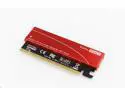
M.2 NGFF PCIe SSD to PCIe 3.0 x16 Adapter Controller Card, Support M.2 M Key (NVMe or AHCI) Solid State Drive Type 2280 2260 2242 2230 Converter to Desktop PCI Express not for SATA NGFF SSD
Pros: I often swap NVMe storage drives in PCIe slots and purchased this little adapter to avoid having to use a cumbersom PCIe CARD. It comes with an alumnium heat sink (that I don't use) and a thermal pad. It appears to be well-made and works fine. Recommended.
Cons: N/A
11/9/2018See more detail
Still an Excellent Drive
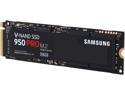
SAMSUNG 950 PRO M.2 2280 256GB PCI-Express 3.0 x4 Internal Solid State Drive (SSD) MZ-V5P256BW
Pros: I bought this drive on Black Friday for $169.99 – the lowest price I have seen. I have owned four Pro 950 drives and all have been very reliable. Technically, although still available, this drive has been superseded by the newer 960 series. But the 960s are in extremely short supply. I had planned to replace my 256GB PRO 950s with 256GB PRO 960s but (sadly) Samsung opted not to deliver a replacement 256GB capacity in the new 960 series – a mistake, in my opinion. Because of this I had decided to go with the new Samsung 500GB EVO 960 (that performs more like the higher capacity EVO 960s -- rather than the lower capacity 250GB version). But the 500GB EVO 960s have been difficult to come by. So…when I saw the old trustworthy 256GB PRO 950 on sale for $169.99, I decided to just pick up another one.
Cons: None for the drive.
Overall Review: All-in-all, despite the fact that this drive has been superseded by the 960 series, the 950 series are still pretty decent drives (they remain on the Recommended list of some top reviewers). This goes to show how far ahead of their competition Samsung was nearly two years ago. A point to consider for notebook users: Reviews have pointed out that the newer 960 series drain batteries at a MUCH faster rate than the older 950 series (one reviewer noted that battery time was reduced by as much as 40 minutes with the 960s). Samsung has been made aware of this and is delivering new firmware to rectify the issue. The new firmware is currently available on Samsung’s website (or, the new Samsung Magician software will do it for you), but reviews have not yet confirmed that the update resolved the very high battery drain issue. Conversely, the older Samsung 950 series drives (such as this one) were the Kings of long battery time. On the other hand: The Polaris Controller on the newer 960 series does run significantly cooler than the UBX Controller on the 950s (and will therefore Read and Write data for about 20% longer before going into thermal throttling). But I was able to largely mitigate the (under heavy use) thermal throttling of the 950s by installing a small (17mm x 17mm x 2mm) aluminum RAM heat sink on the UBX controller. Note: The thermal throttling under heavy usage primarily showed up in notebook use because the more restrictive internal space somewhat inhibits airflow -- but the addition of the RAM heat sink largely resolved it. In desktop usage, with better airflow, I never experienced thermal throttling issues with the 950 drives.
2/7/2017See more detail
seller reviews
- 1
Service very good
Fast service, product worked as advertised.
On-time
Delivery
Product
Accuracy
Customer Service
Satisfactory
8/19/2014See more detail