
Your Browsing History
 Holiday Shipping Details & Extended Holiday Returns Holiday Shipping Details & Extended Holiday Returns

Joined on 10/22/01
Good choice
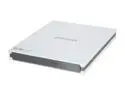
Pros: Compact, very nice job on fit and finish. They even straightened out a paper clip for me! (Not that I'll be able to remember it until after I use something else, but it's a nice touch.) Works perfectly with Leopard.
Cons: Needs two USB ports. I bought this for my wife who travels a lot with her Mac Air, so she could leave her silly little DVD player at home. The idea was to cut down on what she has to pack. Still, it's not a big con because even with the USB hub it's still smaller and lighter than the separate device, which didn't work all that well anyway.
Brutal install
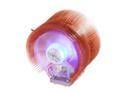
Pros: Very good looking, very quiet, and I really appreciate the outboard speed control, although it's quiet enough that I'll probably just leave it cranked all the way up.
Cons: You have to be extremely agile to actually install this in an existing system. It's large and somewhat fragile as all you can really grab onto is the thin copper cooling fins. The instructions suggest aiming the airflow toward the exhaust fan(s) at the rear of the computer but the mounting only allows going perpendicular to that on my ASUS AM3 board. If you're installing on an AM3 socket, this cooler is a nightmare. The spring bracket that holds the unit in place is in two pieces and does not firmly attach to the base of the cooler, and nothing about the hardware helps center the cooler over the CPU, so it's quite a juggle to actually get this in position and latched down. An advanced level of profane vocabulary is a real help.
Overall Review: This might be okay for a new build, but that wasn't my situation. I had noticed that the loudest noise in my office was the CPU cooler in my main Windows system. Having just been diagnosed with cancer I decided to treat myself with this really sharp-looking cooler. I shutdown and took the side off the case, removed the old cooler and cleaned off the CPU top, then crawled under the desk with the cooler, the AMD bracket, the silver paste, and the cables. Twenty minutes later I gave up. I wrestled the computer (this is a full tower that just fits under the desk) to horizontal, removed the video card, got out an extra light, and had it mounted in maybe five minutes. But this guy is just way too tricky to install in an existing system. On the other hand, it is quieter in here. That should help reduce my stress, but not today.
Nice, but there are snags
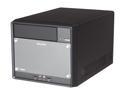
Pros: Small, quiet, and very well put together. Three heat pipes come from the CPU to a reasonable radiator at the back of the case, an 80mm fan mounts right in front of that. SATA cables are tied down and routed to where they are needed.
Cons: Connectors to hold the cooler in place weren't obvious in their use and are based on expanding nylon pegs through the motherboard rather than screws. Optimized BIOS defaults wouldn't run with Windows XP Power switch is way too close to the CD/DVD eject button.
Overall Review: Booting an installed copy of XP consistently failed and rebooted, the XP installer from CD halted before entering Windows or copying files to the hard drive. Using the STOP ERROR I was able to determine the problem as the SATA mode chosen. The defaults are to use AHCI, it needs to be IDE.
Good basic drive
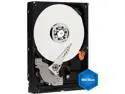
Pros: I've had extremely good results with WD drives, haven't had one fail in the last five years. This one did replace another WD drive (a 40GB) in a customer's machine, but that one ran fine for over seven years. This one will certainly outlast the rest of the system.
Cons: None.
Exactly what I was looking for
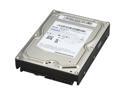
Pros: Dropped it in the new IcyDock external case, drove to the client's house, formatted (Macintosh, 930 GB), and edited the backup script (rsync) to write to the new drive. The first run took a long time, but no problems in 480 GB. Seems quiet enough. Felt very solid. Second run was smooth and very fast.
Cons: None that I can see other than the price, and if the lifetime they're obviously expecting by giving the 7-year warranty is realized, that's actually a very good deal.
Overall Review: We're waiting a week to be sure, but then we're adding a second one as her primary working drive, the first one will continue to be the backup.
Good choice
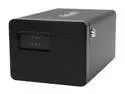
Pros: I wanted this for a client that needed more storage and reliability. I chose two 750GB 'Cudas to go with it. Installation of the hardware was trivially easy, fit and finish of the case is very good. I used it as a mirror, but it also allows two separate drives, striping, and spanning. Has second FireWire port for daisy-chaining. (Didn't try the USB)
Cons: Documentation is poor, one letter-size sheet printed one side, badly translated. Power jack didn't look properly centered on the back of the case, but connected properly and securely. As I didn't really need the documentation, neither of these were significant.
Overall Review: Yes, the little selector switch goes all the way around rather than being limited to the four positions actually in use. I didn't find it confusing.