
Your Browsing History


Jacob F.
Joined on 06/10/11
0
0
product reviews
- 5
Sweet, but not too cavity inducing
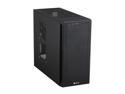
Corsair Carbide Series 200R Black Steel / Plastic Compact ATX Mid Tower Case
Pros: Nice workmanship, solid. Lots of places for fans. Big enough to accommodate everyone's favorite ridiculously large heatsink: Cooler Master's Hyper 212 EVO. Easy setup, long internal cables. Minimalistic design: doesn't look like an alien spaceship.
Cons: No hinged side panels. Power LED is either on or off, no color change for sleep mode. Hard drive bay can be a deadly heat trap.
Overall Review: My HDD activity LED was labeled backwards, but no big deal. No egg off for that. Only the bottom intake vent for the power supply has a dust filter. Big holes on the top for fans could let small things fall in, like mini nuclear devices. Not good. Mini nuclear devices in your PC? No thank you.
9/11/2013See more detail
Update to a previous review
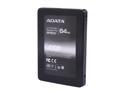
ADATA Premier Pro SP900 2.5" 64GB SATA III MLC Internal Solid State Drive (SSD) ASP900S3-64GM-C
Pros: Little did I know my drive wasn't running at SATA 3 speeds, but SATA 2. ALL troubleshooting steps performed. 3 Years Warranty. That's good. But...
Cons: For a RMA I need to sent it to ADATA. It's pretty much standard these days if someone has one SSD they're using it as their system drive. Not having this SSD pretty much means not having a computer. That, and who knows how long they'll poke at it until I get something back.
Overall Review: I should have tested speeds way back when I upgraded to a SATA 3 equipped motherboard. That, and their RMA email states "Should problem persists, we request customers to return product(s) to our location for further testing. We will be happy to repair or replace your unit if it deemed faulty." Testing? Deemed faulty? Standard procedure, I know, but it could be eliminated if companies would believe that maybe -- JUST MAYBE -- some of their customers aren't stupid and can save everyone a lot of time.
11/19/2015See more detail
Terrible for overclocking.
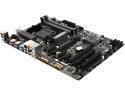
GIGABYTE GA-970A-D3P (rev. 1.0) AM3+/AM3 AMD 970 USB 3.0 ATX AMD Motherboard
Pros: Stable if you don't overclock. Expansion card ports that I needed, all SATA III ports, runs cool.
Cons: If you want to overclock - spend more. That's why this board is so cheap. I can't get stable past 4GHz (and my CPU is rated for 4GHz in turbo mode so can that really be called "overclocking?"). BIOS is nice looking but limited tweaking options.
Overall Review: If you don't care about overclocking this is a fine board to get. Install your 8pin ATX power connector BEFORE installing an aftermarket cooler (I never bothered with the stock cooler since they all suck) otherwise it's a major pain - cramped space. Takes ~15 minutes to feel around and get it in right. After that, FORGET about overclocking. I got an AMD because they were cheaper and unlocked - thought I could overclock on a budget. NOT with this board.
10/13/2013See more detail
Super silent.
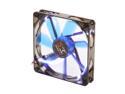
XIGMATEK FCB (Fluid Circulative Bearing) Cooling System XLF XLF-F1454 140mm LED Blue Case Fan PSU Molex Adapter/extender included
Pros: Quiet, moves a lot of air, LEDs are easily removed.
Cons: LEDs. I don't like computer bling and this was the cheapest 140mm fan on Newegg. Snipping the LEDs was super easy, they're located on the outside edge of the fan.
Overall Review: Didn't come with a coupon for a free PSU of your choice from Newegg.
10/4/2013See more detail
IT'S HUGE.
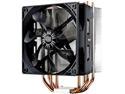
Cooler Master Hyper 212 Evo CPU Cooler, 4 CDC Heatpipes, 120mm PWM Fan, Aluminum Fins for AMD Ryzen/Intel LGA1200/1151
Pros: IT'S HUGE. Huge for efficient heat transfer. Prime95 stress test never got above 47°C. Easy to install despite what others may say. Just watch a video on Youtube first.
Cons: IT'S HUGE. Might not fit in some cases. Make sure you have at least 6.5 inches between the CPU and the side of your case. Good chance it will block a memory slot, unless you install it sideways and switch the fan to a pull configuration.
Overall Review: This is the cooler to get. Forget water cooling. All In Ones aren't good enough (and can be unnecessarily expensive) and a custom water cooling solution will cost at least several hundred dollars.
9/11/2013See more detail