
Your Browsing History
 Holiday Shipping Details & Extended Holiday Returns Holiday Shipping Details & Extended Holiday Returns

Joined on 04/22/07
Great Value and Easy to Set Up

Pros: Inexpensive, it works and it is easy to set up. I am using it as an access point in my attic, where I have a wired connection. I changed the SSID and password with no problems.
Cons: None at this point.
Overall Review: I highly recommend this product if you are on a budget and need a quick solution for creating wireless capability.
Good TV-Terrible Monitor
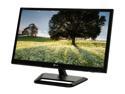
Pros: It has a lots of different inputs and the TV tuner works well.
Cons: First, the monitor function is terrible. It is terrible for text. No matter how many times I tinkered with the settings, it just wouldn't look clear. Also, the colors are not well represented. I've had several monitors, but none of them were as bad as this one. I should have heeded the other reviews complaining about the color.
Works with PS3, but Still Need DS3
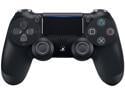
Pros: I needed a PS3 controller, but wasn't happy with the reviews of aftermarket DS3 knockoffs. I read about DS4s working on PS3s, so I bought this and connected it to the PS3 with instructions found on the internet. The DS4 is definitely an upgrade from the DS3.
Cons: DS3 is still needed since the DS4's PS button does not work when connected to the PS3, but in fairness, the DS4 was created with the PS4 in mind and not the PS3.
Overall Review: If you have a PS3 and you're in need of a new controller, I would definitely pick this up. Just keep a DS3 with a working PS button so that you can navigate through certain menus and such.
Best All-In-One Printer I've Purchased
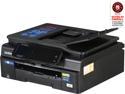
Pros: - Print and copy are good for an inkjet. - The scanner does its job, though color is a little off. - Haven't had a single paper jam in the past 2 years. - Fairly easy to use and set up. - Relatively small footprint. - Replacement ink is competitively priced. - Great value.
Cons: - The scanner could be a little better at picking up the right color.
Overall Review: - I highly recommend this product if you are looking for an All-In-One color printer. - I've previously owned an HP OfficeJet Pro and a Dell All-In-One, and they both gave me issues. Particularly with HP, I find that their roller that picks up paper wears out very quickly. I haven't had any issues with this Brother MFC-J870dw.
Perfect Size, Spec, Price
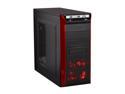
Pros: This case is not as large as most mid-tower cases, but is full of features. It is perfect for non-gamers that need somewhat of a powerful build. With 2 of the case fans plugged in, the case is fairly quiet (I removed the side fan). The 2 USB 3.0 and eSTATA port is conveniently in the front and works like a charm. It even seems like USB 2.0 devices are faster when plugged into the USB 3.0 port. Another nice feature of this case is that there's added space for underneath the motherboard, in case adapters need to be installed. Air flow seems to be good with all the component temperatures hovering around room temperature. Bottom mounted PSU is great. For its size, this case packs in a lot of punch. And for the money, it's hard to find a case like this.
Cons: Not ENOUGH motherboard standoffs!!! I don't understand Rosewill's logic here. If it weren't for this, I would have given 5 eggs for this product. Also, the materials used for this case is pretty flimsy.
Overall Review: It is big enough to fit a Cooler Master Hyper 212+ as long as the side fan is removed. Serious gamers need not apply. Intel i7-3770 Ivy Bridge 3.4GHz CPU Cooler Master Hyper 212+ CPU Fan/Heatsink MSI Z77A-GD65 LGA 1155 mobo Corsair Vengeance 2x4GB SDRAM DDR3 1600 (PC3 12800) Kingston HyperX 3K 120GB SATAIII SSD Seagate Barracuda Green 2TB SATA III HD Lite-On IHBS112-04 Blu-Ray Burner ASUS 24B1ST DVD Burner OCZ Fatal1ty 550W PSU
Cleans

Pros: It cleans the CPU surface clean as it is supposed to.
Cons: none