
Your Browsing History


john r.
Joined on 03/09/05
0
0
product reviews
- 28
Feature Loaded Pico Box
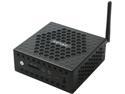
ZOTAC C Series ZBOX CI327 NANO, Palm-Sized Passive Cooled Mini PC, Intel N3450 Quad-Core CPU, Intel HD Graphics 500, Support Up to 3 Displays. 4K Ready Barebones No Memory/Storage/OS, ZBOX-CI327NANO-U
Pros: - Lots of features in form factor - Flexible settings - Dual Realtek GbE LAN + Wireless - Front USB-C port - Runs 16Gb RAM just fine
Cons: - Can run hot, needs air flow - Flash update is a multi-step process - M.2 slot is SATA only and takes only 60mm (2260) size. (warranty voids if you use it, so don't call Zotac) - BIOS display only on VGA port
Overall Review: - Evaluating as a new SPI firewall due to low power usage (12W) - Install latest BIOS to get Ubuntu fixed - BIOS Update requires a USB stick, setting boot to UEFI mode and running a CLI
3/18/2018See more detail
Barely made it
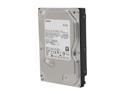
TOSHIBA DT01ACA100 1TB 7200 RPM 32MB Cache SATA 6.0Gb/s 3.5" Internal Hard Drive Bare Drive
Pros: It worked for 2 years and 3 months
Cons: The warranty is 2 years
Overall Review: I have heard of cutting the bin sorting and MTBF down to the limit but this one came in on a razor. Controller started reporting block errors even thought SMART showed OK. Got just under a weeks warning before it finally crashed the controller driver even though it wasn't the boot drive. Oddest hard drive experience.
8/27/2015See more detail
It works, with some limitations
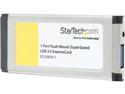
StarTech.com 1 Port Flush Mount ExpressCard SuperSpeed USB 3.0 Card Adapter
Pros: - Faster than USB2 - Flush with laptop slot
Cons: -USB flash drives pull the device out of the slot to easily, have to use finger to hold card in slot when pulling the flash drive -The particular laptop (Lenovo W510) I used will not boot with the card in the slot, just sits at the BIOS logo screen - "Super Speed" is very much dependent on the type of Express slot you own (but will still beat a USB2 hands down) - Only needed port power cord on larger drives
Overall Review: - Will test on other laptops - Uses Renesys USB3 CY series chipset
5/5/2018See more detail
Great Board, Needs a BIOS Update
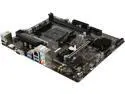
MSI B350M PRO-VH PLUS AM4 AMD B350 USB 3.1 HDMI Micro ATX AMD Motherboard
Pros: - Good combination of features in a matx
Cons: - Came needing a BIOS update to run Raven Ridge. - Not long ago AMD boards could run newer CPU's in 800Mhz safe mode so you could still update the BIOS - Everyone seems to have stopped doing that now
Overall Review: - Need more time with it before I say its great - Tell your BIOS people to put a UEFI safe mode on top of the AGESA code so CPUID's not on the whitelist can still post
2/26/2018See more detail
Does what I ask
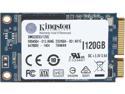
Kingston 120GB Mini-SATA (mSATA) MLC SMS200S3/120G
Pros: No issues at all. Snapped in an worked at advertised speed.
Cons: mSATA is about to be replaced by NVME over the next 2 years.
Overall Review: Put 4 of these into an Addonics AD4MSPX2 PCIe adapter and set to RAID0. Read speeds were excellent, write speeds were normal but not exceptional. Makes a great scratch/render disk for video or graphics editing.
3/19/2016See more detail
Great Skype appliance

Lenovo Desktop Computer IdeaCentre Stick 300 Intel Atom Z3735F (1.33 GHz) 2 GB DDR3 32 GB HDD Intel HD Graphics 5500 Shared memory Windows 10 Home 32-Bit
Pros: Setup is easy. Make sure you plug in a wireless keyboard-mouse dongle before you turn it on.
Cons: Overflows the graphics on most TV's. The desktop goes off the screen by a short distance. You have to watch your mouse closely for corner clicking. Same thing happens with the Intel sticks. Noticed that it bleeds RF into other HDMI devices, like Chromecast and causes snow bars. Have to either extend the stick or extend other HDMI device farther apart. Need USB hub to run keyboard and webcam. 2Gb of RAM is barely enough.
Overall Review: I use this as a Skype appliance for large home TV's. With a Logitech HD webcam attached via USB on top of the TV, don't need to buy a proprietary solution. Tested for up to 3 callers at same time so far with no jitter. Lots of flexibility as I can use Google Hangouts, Oovoo or other video services.
3/19/2016See more detail
seller reviews
- 1
Slow approval
Took almost a week to approve the transaction.
On-time
Delivery
Product
Accuracy
Customer Service
Satisfactory
9/19/2014See more detail