
Your Browsing History


Dave C.
Joined on 05/05/03
0
0
product reviews
- 4
Worked right of the box for me
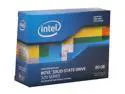
Intel 320 Series 2.5" 80GB SATA II MLC Internal Solid State Drive (SSD) SSDSA2CW080G3K5
Pros: - Crazy fast compared to my hard drive. Windows 7 x64 now boots in under 15 seconds. - Totally silent. - Includes mounting bracket and SATA cable. - Great price (after rebate). - "Disk data transfer rate" in Windows Experience Index went from 5.7 to 7.7.
Cons: - Slight learning curve. Just read the Intel SSD user forums for tips BEFORE you attempt to install.
Overall Review: Results of CrystalDiskMark 3.0.1 x64: BEFORE (Seagate Barracuda 7200.11 ST3500320AS 500GB 7200 RPM SATA 3.0Gb/s): Seq: Read 71.04, Write 67.69 512K: Read 29.86, Write 33.39 4K: Read 0.459, Write 0.903 4K QD32: Read 0.594, Write 0.788 AFTER (Intel SSD): Seq: Read 269.0, Write 95.32 512k: Read 188.0, Write 96.61 4k: Read 19.70, Write 35.21 4K QD32: Read, 141.4, Write 69.86 With the Windows 7 OS and all my apps Windows Updates installed, I have used 30GB (out of 74.5 formatted). Tip: To free up 5-10 GB of space after everything is installed, first delete the hibernation file (hiberfil.sys): http://helpdeskgeek.com/windows-7/windows-7-delete-hibernation-file-hiberfil-sys/ Next, delete the unused install files and windows packages (located in the "winsxs" folder): http://www.iishacks.com/2011/06/23/reduce-windows-7-winsxs-folder-size/
1/30/2012See more detail
Small footprint, fast, affordable, quick support!
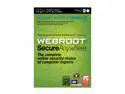
Webroot SecureAnywhere Complete 2013 - 5 Devices
Pros: As a network engineer by trade, I'm always looking for a product that is effective and inexpensive, but with a small footprint. Webroot meets all three criteria. I've been using it for 2 years now and it's found items that others could not. The installer is so small, IT COULD FIT ON A FLOPPY DISK! I have Webroot running on all 5 of my home PCs. The "my.webrootanywhere.com" site is fantastic. It displays a central location where I can easily see all of my recent scans for each device Webroot is installed on. Lastly, I don't understand why some people have has issues with support. I have contacted them at least 5 or times times in the past year with questions or concerns and they have always responded within day -- sometimes within an hour!
Cons: Out of the box, Webroot was blocking my Auto-Type macro for Keepass. I contacted support and after multiple back-and-forth emails, they helped me work around the issue. Unfortunately, it required me lowering the web security level.
8/8/2013See more detail
So far, so good. 100-187Mb/sec
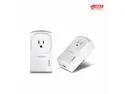
TRENDnet Powerline 500 AV Nano Adapter Kit With Built-In Outlet, Power Outlet Pass-Through, Includes 2 x TPL-407E Adapters, Plug & Play, Ideal For Smart TVs, Gaming, White, TPL-407E2K
Pros: Plug and play. Getting 100-187Mb/sec. They are two rooms apart and on different circuits in my home. Makes XBMC running on my Zotac nano-PC much more reliable playing content from my NAS versus flakey Wi-Fi.
Cons: A bit pricey, which is why I took off one egg.
Overall Review: The included application is pretty handy. It allows you to see the installed devices. They don't tell you that when the devices are in sleep mode, their transfer rate drops to 11Mb/s (according to the app). But that's not an issue since they are not being used. They are probably just pinging each other. As soon as they wake up, they are back to full speed.
7/15/2013See more detail
Found a perfect case
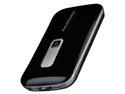
RAVPower RP-PB04 10000mAh 3A Lithium Polymer External Battery Power Bank for iPad, iPhone, Samsung Galaxy, Note, HTC One (M8), Google Nexus, Moto X and other Mobile Devices
Pros: Can't add much more to what everyone else has said, but if you are looking for a better carrying case, read on...
Cons: I didn't like the storage bag. Very flimsy and awkward. Luckily, I found something online that works perfectly, read on...
Overall Review: I hate the included soft storage bag, but I ended up finding an awesome hard case for this that holds the Battery Pack and the adapters perfectly: Just search the world's most popular online auction site for "New Black Hard Zipper Protective Travel Case Pouch Cover Bag for 4.3" GPS". One side is curved and has two elastic straps to hold the battery pack in perfectly while the other side has a stretchable net to hold the adapters (I put mine in a small ziploc bag first). It also has a small loop on the outside so you can clip it to things (backpack, etc.). All for $4.00 shipped!!
11/20/2012See more detail