
Your Browsing History
 Holiday Shipping Details & Extended Holiday Returns Holiday Shipping Details & Extended Holiday Returns

Joined on 02/19/09
WOW
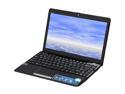
Pros: Great price, No Micro$oft tax, Great build quality, Display looks amazing, AMD NEO is very fast, Comes with driver CD Comes with Express Gate
Cons: ION is better than the HD 4250, Multiple drivers on the disc are a mess, Touchpad is EXTREMELY sensitive.
Overall Review: I have to disable the touchpad while I type in MS Word, or else the cursor jumps around because it's so sensitive. I had a hard time getting the touchpad drivers to work properly.
It suits my needs, but please for the love of some deity let me change the RGB in linux!
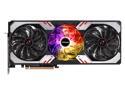
Pros: Not Nvidia! Works great! Baaaaaaaarely any sag mounted horizontally.
Cons: It's kinda gawdy in a lifted-pickup-with-diamond-plate-chrome-everywhere sorta way, but I am not buying a piece of artwork here, so I don't particularly care. No way to change the RGB on Linux. I had to temporarily install a SSD from another computer to change the RGB. This makes me a sad panda.
Overall Review: I didn't buy it for its looks, but it works great so far and doesn't get too hot. Great FPS in games on Linux.
The best tablet and portable computer I have ever owned.
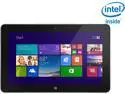
Pros: -It's fast. Very fast. -It runs games well -The battery lasts forever -Windows 8.1 really shines on this device if you're willing to relearn how to use a computer. -It comes with MS Office preinstalled and it a product key so it's not preinstalled trialware, which makes this thing PERFECT for my business trips.
Cons: None that I can think of yet. I will update this if I come across anything. Not a con of the device, but Windows 8.1: You can't Ctrl+Alt+Del or other multi-key hotkeys with the touch keyboard. I have a Bluetooth keyboard now, so it's a nonissue.
Overall Review: I was hesitant to spend $500 on a tablet when there are much cheaper options out there, such as the Asus Transformer T100, but the 1080P screen changed my mind. After using it for a few days I feel that this is faster than a similarly priced laptop that may or may not have a touchscreen- a necessity for windows 8. At first Windows 8 was frustrating because the UI is so considerably different. The lack of a Start menu doesn't bother me since you can just use the search charm on the right to search for whatever you need. I didn't want to spend the money on the keyboard and opted for a Kensington Keyfolio Expert case which has a keyboard built in and works great. It's designed for 10" tablets but it fits snug, but well. I don't think the Dell keyboard with a battery is necessary since I've not killed the battery yet. After 5-6 hours of browsing and downloading/installing programs the battery percentage was still in the 60s. The only real bloat that I felt the need to uninstall was McAffee. Atom chips have come a long way! I can play Stick of Truth and Borderlands 2 smoothly and the only setting I dropped below default was the resolution. The contrast ratio could be better but I think I'm just spoiled by my other devices with better displays. I am more happy with this computer than I have ever been with a new computer. Even rigs that I built myself.
Great bang for your buck
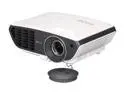
Pros: Short throw makes it great for playing Wii/Kinect games without casting a shadow on the screen. The display looks great sitting about 12' back
Cons: There are only 3 mount holes for ceiling mounts. The keystone adjustment leaves you wanting more. If the projector is mounted upside-down 8" from the ceiling, then there is about a 1'6" gap between the ceiling and the top of the screen. This isn't really much of a con, but it makes it difficult to have a large screen without cutting into my center speaker and the electrical outlets. This also makes it feel like you have to point your Wiimotes at the ground for them to work properly. In a dark room with a fairly dark screen I notice a slight rainbow effect with motion or if I move my eyes too quickly. At 144" 720p looks pixelated. I can see each individual pixel pretty clearly. Standard 640 x 480 composite video looks absolutely terrible at 144" None of these cons are worth losing an egg, they're more of an inconvenience than actual problems.
Overall Review: Overall I am very happy with this projector.
Amazing!
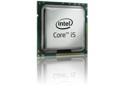
Pros: This chip is very fast!
Cons: None so far.
Overall Review: When my 775 socket mobo died I decided it was a good time to upgrade. the difference between this and my old E8200 overclocked to 3.2Ghz is night and day. I am still in denial of how fast this chip runs. I'm not even going to bother overclocking this chip, it is amazing as it is. I got an after market cooler because I got an OEM chip and the temperature under load is barely over 40C on core 0, and high 30s for core 1. Idle temp averages anywhere from 13-19C for both cores.
A sigh if relief
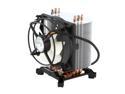
Pros: Once I finally managed to get it in properly my CPU temps dropped about 10 degrees idle and about 20 degrees load from an after market thermaltake cooler. Now I am getting temps of 30 Idle, and 52 Load. Still waiting for the AS 5 to kick in.
Cons: I bent my SB heat sink fins trying to get this thing in. It is kinda big. I had to put a little more thermal paste than I would have liked to because it made poor contact with my CPU for some reason. I had to rotate it 3 times to get it to work. I can't take an egg off though, because it is working splendidly now, I think I must have just got a bad one.
Overall Review: Overclocked an E8200 to 3.2 GHz (400x8) and the temps only went up 4 degrees. Mainboard: ASUS P5Q-E CPU: Intel C2D E8200 RAM: 4GB Kingston (4x 1GB) GPU: BFG tech Geforce GTX 260