
Your Browsing History


Paul B.
Joined on 05/09/08
0
0
product reviews
- 3
Great Motherboard
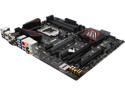
ASUS Z170 PRO GAMING LGA 1151 Intel Z170 HDMI USB 3.1 ATX Intel Motherboard
Pros: Nicely built, good looking MB with the features that gamers look for. I prepped for a day waiting on the MB so I had everything I needed. Mine had BIOS ver. 0231 when I received it from Newegg telling me it had probably been built sometime in Aug. 2015. I updated to BIOS ver. 1102 from a flashdrive as soon as I powered it up. It took about 10 minutes for BIOS to update and do its thing, then it was time to build. Everything, and I mean EVERYTHING, went so smooth during the build and OS install that it was kinda scary. I am so used to small issues cropping up during a new build that this was a pleasant surprise. BIOS ID'd my SSD and Optical drive correctly and put them in the boot seq. automatically. Windows 10 installed from a flash drive plugged into a front panel USB 2.0 port in 15 minutes. Drivers and utilities, downloaded from the ASUS website, installed from a new USB 2.0 flash drive in about 3 minutes. Total time for flashing BIOS and getting to the desktop, not including the physical build, was less than 30 minutes. I HIGHLY recommend this Board!!!
Cons: If I had to fault the Z170 Pro Gamer for something it would be the shortage of case fan headers. There are only 3 headers for case fans plus 1 each for the CPU fan & CPU Opt. It would have been nice to have 5 or even 6 case fan headers. On the plus side they are 4 pin PWM headers so that BIOS can control the fans to help with noise.
Overall Review: Build Data: i7-6700k Z170 ProGamer 16 GB G. Skills Ripjaws V DDR4 3200 Zalman CNP9500 CPU Cooler Samsung 850 EVO 500GB SSD Asus Strix GTX 970 Asus DVD/CD Burner Corsair CX750M PSU DIYPC G580-BK Case I was a little worried, at first, about the 3 egg avg. review score but as a longtime ASUS owner I decided to get it. I am REALLY glad I did. This is truly a great MB and, IMHO, you won't be disappointed. I have used Zalman coolers for years and this one is typical of the breed. Solid performance for a stock or slightly OC'd build but will struggle if you get aggressive with the clock rate. As I type this my CPU temp is 26c to 28c. Don't be afraid of the case either. Well built case with 5 fans installed. Others have said the fans are noisy. While I don't know what the "Gates of Hell" sound like these fans are not at all noisy. On "low" they are silent and on "high" I can hardly them from 2 feet away. They don't seem to flow a ton of air but they are more than adequate.
12/15/2015See more detail
Highly Recommended
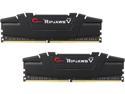
G.SKILL Ripjaws V Series 16GB (2 x 8GB) 288-Pin DDR4 SDRAM DDR4 3200 (PC4 25600) Desktop Memory Model F4-3200C16D-16GVK
Pros: Well built, good looking memory modules. G.Skill at its best. BUy it, you will NOT be disappointing.
Cons: NONE
12/15/2015See more detail
Nice Case
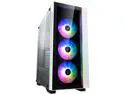
DIYPC G580-BK Black SPCC ATX Mid Tower Computer Case
Pros: Well built case with 5 installed 120mm fans. This was used for a new build and I couldn't be happier with it. The build went together easy and the box on the bottom for the PSU and drives makes for a very clean build. More than ample room behind the backplane for cable routing and lots of loops for cable ties. If using a modular PSU install and route the cables to the box BEFORE installing PS as it might be a little tight after the PSU is installed. Filters for all fans including the top exhaust fans.Even the 5.25" drive bay covers have filter material in them. Highly recommended.
Cons: The ONLY con that i can see is the gaping hole between the bottom front of the case and the front cover that would allow air to bypass the front fan filter. I removed the filter material for the top fans (easy to do) and used it to block the hole. Problem solved.
Overall Review: i7-6700k Asus Z170 Pro Gamer Zalman CNPS9500AT Cooler 16GB G Skills Ripjaws V DDR4 PC3200 Asus Strix GTX 970
12/11/2015See more detail