
Your Browsing History
 Holiday Shipping Details & Extended Holiday Returns Holiday Shipping Details & Extended Holiday Returns

Joined on 07/07/05


Seagate Momentus Thin ST320LT007
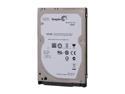
Pros: Drive fast and exceptionally quiet! Cloned my Envy 17 OS drive (39GB) to the drive in 7 mins and 55 sec. Quiet...ran Perfectdisk 12.5 to defrag. No audible sound from the drive at all. Drive remains cool! I have a second drive in my laptop and it is warm to the touch. The Seagate stays cool to the touch. Perpendicular Magnetic Recording (PMR): A very big plus. Higher density platter and faster performance...helps keep the drive cooler and faster. Also because of PMR, improved battery life. Designed for slim form factor notebooks, netbooks and ultrabooks. 7200 rpm slim drive. 16 mb buffer Excellent transfer speed for a 7mm drive. Three year warranty Other models also have Data Encryption for the safety of your data. Important to some, not to others. Benchmarks can be seen in "Other Thoughts"
Cons: 7 mm drive vs standard 9.5 mm. With that said, most laptops come with HDD cages or brackets. If yours does, this is NOT an issue. Just make sure to line up the holes in the cage or bracket for installation. The drive is designed for slim notebooks like Mac Book, ultra portables and netbooks. Because of 7mm size, I could NOT install the drive in my SIIG USB 3.0 external enclosure. The USB 3.0 port holes wouldn't line up. To do the HDD clone, I had to disassemble the SIIG and use just the USB 3.0 connector, without the case. Only SATA II hard drive. See "Other Thoughts"
Overall Review: The Seagate Momentus Thin drive is only SATA II (3 Gbit/s) vs SATA III. The thing to understand here is that mechanical drives like the Seagate are fine as SATA II. SATA III is mostly beneficial with SSD. I ran the Momentus thin on my Envy 17, which is SATA III. The drive ran in AHCI mode (AHCI is a new programming standard that defines a new mode of operation for SATA that adds two extra features; NCQ and hot-plugging) on Windows 7 64 Bit. Benchmarks: HD Tach 3.0.4.0: Min Transfer 62 mb/s Max Transfer: 120 mb/s Access Time: 17.9 ms Avg Read: 92 mb/s. Pretty normal scores for laptop HDD. Crystal Disk Mark 3.01 x64: I did a comparison betwen the Seagate Momentus 320 Slim and my Hitachi 9mm 750 GB HDD. All scores are MB/s Seagate Hitachi Seq Read: 95 Seq Write: 94 Seq Read: 99 Seq Write: 99 512K Read: 46 512k Write: 57 512K Read: 48 512K Write: 45 Due to Perpendicular Recording, the Seagate is faster writing Did a large file transfer to the Momentus slim. 17.6 GB of data transferred 5:55 at an avg data rate of 52 mb/s. Overall, I can say that the Seagate Momentus Slim 7mm drive is a winner. Seagate packed a lot of punch in a small form factor. The drive performs comparably with other drives in most ways and even outperforms in others. If you can accomodate the smaller form factor, the perpendicular recording technology of this drive makes it as good or better than any other drive you can find. If you have Mac Book, ultra-portable or netbook...This is THE drive for you! Seagate has provided a slim form factor drive that performs with the "bigger boys". I gave the drive 4/5 Eggs, due to the slim form factor. 7mm drive is going to be an issue with some laptops and devices. In 90% of cases, the slim form can be overcome. In 10% of cases...better off with a 9.5mm drive.
Seagate Backup Plus 2 TB Desktop
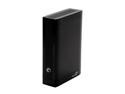
Pros: Drive extremely quiet. Had to touch to realize that it was working. Very fast drive. When using USB 3.0. Considering USB 3.0 and large platter size makes the drive stay toe to toe with my internal SATA II Hitachi 7200 rpm hard drive. Formatted capacity: 2,000,395,694,080 Bytes According to Crystal Disk Mark 5.05, here are the drive attributes: 5900 rpm rotation speed / SATA II drive Features: S.M.A.R.T.; 48 Bit LBA, AAM (adjustable Acoustic managememt)
Cons: 1. Upon installation of the Seagate Dashboard software, one notices that you cannot do a system backup, just files. I found the software useless, to me, because I do full system backups. So I stay with Acronis True Image 12. Also, there are features of the dashboard software that ONLY work if the software is installed and running in the background like: Capacity guage, sleep mode timer and cloud backup. When I initially installed Dashboard, the features all worked. Once uninstalled and rebooted my machine, the features were gone. Again…I do not use Dashboard, so none of the features are functional on my system. 2. No ON /OFF Switch 3. No stand to attach to keep upright. There are air vents on top and bottom of the drive, but if you stand up, the vents on the bottom are covered 4. 4K default sectors. *Others have had issues using Windows backup and other software in Windows 7. In order to make the drive totally work correctly with Windows 7, I repartitioned and reformatted the drive. The default 4K sectors are more in line with Windows 8, so if you plan on Windows 8, the drive doesn’t require any maintenance. 5. USB 2.0 performance is nominal (34 mb/s). If you are purchasing this drive and only have USB 2.0, don’t expect much. 6. The box says the drive can be connected via USB 3.0, Firewire 800 or Thunderbolt. Unfortunately, if you want firewire or thunderbolt, you are going to have to pony up another $189 for the controller that attaches to the bottom of the drive.
Overall Review: System specs help explaining benchmarks. Asus Sabertooth z77 Motherboard, with both SATA III and SATA II ports for drives. Motherboard also has both Intel USB 3.0 and Asmedia USB 3.0 ports and I tested the drive on both. I also tested the drive on the stock USB 2.0 drive. First, Intel USB 3.0 port #2 Synthetic Benchmarks via HD Tach 3.0.4.0 Minimum: 65 mb/s Maximum: 143 mb/s Average: 113.4 mb/s Asmedia USB 3.0 port Synthetic Benchmarks via HD Tach 3.0.4.0 Minimum: 65 mb/s Maximum: 144 mb/s Average: 113.5 mb/s As can be seen, the controller built into the drive doesn’t care about the brand of the Hub it is connected to. Many drives show difference, but not this one…that’s good. Now some real world benchmarks I kept the drive attached to the Intel USB 3.0 port, for convenience. Transferred 14.5 GB of data off my Hitachi drive (attached to SATA II on my MB). The total transfer took 9 minutes / 50 seconds at an average speed of 60 mb/s, which is about 2x the USB 2.0 speed I achieved. I, then, moved the drive to USB 2.0 and the transfer rate was pretty much locked at 30 mb/s. Took about twice as long to make the transfer. Another benchmark was to do a full 300 GB system back using Acronis True Image 12. The backup took a total of 35 minutes at an average of 85.7 mb/s. Somehow, using Linux as the OS for Acronis, USB 3.0 really shines. Overall, USB 3.0 speeds are a vast improvement over USB 2.0, and this drive really shows it’s stuff with USB 3.0. They brag that USB 3.0 is 10X faster than USB 2.0. In reality, one can expect 2-4x faster in most circumstances. What you will see with this external drive is that it will read / write as fast as any SATA II hard drive. Crystal Disk Mark 3.01 Scores in mb/s Seq Read: 142.2 Seq Write: 141.2 512K Read: 56.08 512K Write: 97.98 Overall, the Seagate Backup Plus 2 TB Desktop drive is a GOOD drive, not great. I gave the drive 3/5 eggs. Some of the cons could have been avoided if Seagate would have shipped the drive with normal sector size. An addition of an On / Off switch, as with older Seagate external drives would have been a big plus. Newegg sells the drive as USB 3.0 and that is correct. Seagate puts the specs for Firewire 800 and Thunderbolt on the box, but remember it is at a premium cost. Most motherboards are NOT shipping with Thunderbolt at this time, so almost wasteful. I do recommend the drive with the cautions…
Solid performance. Disappointing capacity
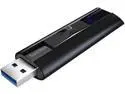
Pros: Very fast. Lives up to it's reputation. 420+ mb/s read and 370+ mb/s write. Sandisk is solid performance and reliable
Cons: Only con. The drive is supposed to be 512 GB...but only shows 494 GB. 18 GB of space missing...no matter how I tried to reformat and repartition.
Overall Review: Overall, satisfied with the drive. Tried another brand high capacity drive, which failed the minute I plugged it in. Very happy with all my Sandisk products...fast and reliable!
Excellent product with a few minor issues
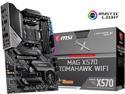
Pros: This is one of the coolest running motherboards around VRM temps are like those of motherboards that cost many more hundreds of dollars. Ready for the Ryzen 5000 series after a bios flash, which can and should be done using bios flashback (see the manua). Quite easy Works very well with Ryzen 5950X (mine) and other 5000 series chips Bios easy to work with. Superior performance compared to much more expensive motherboards
Cons: AGESA 1.1.9.0 is current, with 1.2.0.0 coming soon. Right now...the motherboard functions well, but there is a minor irritating issue. Having read many many reviews and comments...here you go USB is effected in a funky way by PcIE 4.0. With 4.0 enabled...my mouse has spasms, periodically. It will freeze...jump all over the screen and is repeatable. At first, I thought it might have to do with AMD Chipset software. Reinstalled with no change in behavior. Then I thought that because my Logitech G903 is wireless, perhaps there was interference with the mouse and the 2.4GHZ signal from my router. Disabled Wireless networking and the issue remained. For gaming, this will make it hard, until rectified. Searched and according to many threads, the way to remedy this is to manually set PCiE to 3.0 in the bios. That's all well and good, but I have a Samsung 980 Pro NvME Hard drive that utilizes PCiE 4.0. I sent my findings to MSI...and they recommended I use a wired mouse. Same problem. It is not wireless or wired mouse...it is a relationship between PCiE 4.0 and USB. I am hopeful that when AMD releases AGESA 1.2.0.0 this month...that this issue is fixed One other thing...not a con...but no digital display for error codes. Back to the old method of lights on the board and understanding what the error is. Fortunately, for me, no errors...everything set up and worked harmoniously.
Overall Review: Barring the mouse / usb issue...this is a great motherboard for the price. Solidly built...It will rival some of the best boards on the market. I recommend the board with reservation that MSI and AMD do something about the issue with the mouse / (some even report keyboard drop outs).
Crucial Performance and Reliability
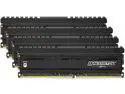
Pros: Excellent memory for AMD X570 Chipset. Using on MSI MAG X570 Motherboard with bios 15.3 XMP Profile 1 immediately recognizes the memory speeds and assigns. Flawless performance
Cons: None
Overall Review: First off, please understand that X570 platform from AMD is pretty picky about memory. Crucial made fast memory and works with virtually any platform from AMD or Intel. Crucial memory is a brand you can rely on. I highly recommend
Excellent Product from Corsair

Pros: Using with an AMD Ryzen 9 5950X Idle temps around 35C Full load hasn't gone over 72C yet iCue Software just updated to fully work with new Ryzen 5000 series. Set up my own fan curve and keeps everything quiet and cool!
Cons: None
Overall Review: I recommend this cooler if you want to keep things under control. Corsair never disappoints.
Excellent service
I ordered KOSS headphones. To my surprise, they shipped to me Post Office two day priority. Perfect condition. Excellent service. Thank you! Will purchase from you again.