
Your Browsing History
 Holiday Shipping Details & Extended Holiday Returns Holiday Shipping Details & Extended Holiday Returns

Joined on 04/29/04
Pretty good, definetly beats the last Hauppauge device I had, Comcast tips inside
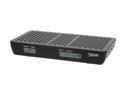
Pros: Two digital tuners. Works pretty well with Windows. Quality is good.
Cons: Loses connection. Might be my set up, still researching. Currently reboot fixes. Issues with WMC which is all it supports on Windows that I saw. WMC only records .wtv files. My idea was to record on PC and then stream to my Asus device. Forget that idea. Just recently got a Sony from Newegg that plays them. Doesn't play much anything else, but plays wtvs.
Overall Review: Comcast / Window MC user. I think Comcast charges different across the nation. My situation, no charge for first cable card, 9.95 for additional cards. Here's install tips so you don't throw it against the wall like I did my last Hauppauge device (currently taken offers for it!!!) 1. You do not need an on site installation. It's put the card i the unit and plugging in a digital cable. 2. Search for Comcast Cablecard Activation Line, call there. Don't bother with 1-800-Comcast at all. 3. Level 1 can do Tivos. Try to get to Level 2 as fast as you can. (Guy who helped me was great, called me back twice to see if it was working) 4. I had to make firewall changes for it. It installs itself as a network adaptor to give it full access in and out. 5. Card has to be activated. Comcast guy activated it, didn't work until I did the firewall changes well after we ended support call. So keys, Comcast Activation Line only and firewall changes.
Drops pretty much once a session
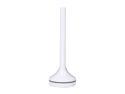
Pros: alright when it works
Cons: drops once per session (think when it gets hot)
Overall Review: Would not buy again.
Blahhhh
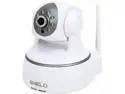
Pros: Phone software not bad
Cons: resolution terrible, focus terrible, picture quality terrible, overall terrible that I can't return it now, cause it's terrible
Overall Review: Will avoid this brand in future. Cinches for me, no more cameras from newegg. they've all been terrible. Should have returned this one..
good so far, but som gotchas

Pros: Picture better than I expected. I have them facing to outdoors thru a window. Street light front shows good. Back of house with flood light is good as well. No it's not night vision, but I can see pretty well. Software: just okay. Would be better if I could use my old camera with it that I moved to a different non key area, but only shows Trendnet models as available. (Software with other camera didn't work with Trendnet either. I think there's a conspiracy.) Software only allows for 180 degrees flip, which makes bracket a fail. Bracket. Up or down, can't mount on side because software won't flip that way. Plus software not smart enough to modify pan/tilt controls if image is flipped. Bracket also really only allows camera to be mounted one way. So minus 1 for software Minus 1 for bracket.
Cons: software okay, but needs more work Brackets, no options, mount on bracket one way and mount on wall/celing
Overall Review: I'd buy another for the sale price, and already put an alert for that price.
Good and bad
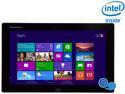
Pros: Windows 8.1 works pretty good Screen is pretty good HDMI works fine Bluetooth no issues
Cons: Network card stinks, flat out stinks. combination usb / power cord is terrible idea windows button on bottom is stupid forget speakers
Overall Review: It is a little larger than I thought it would be. But getting older, that's better for my vision. Was getting tired of android on tablet, and apple does nothing for me on tablet level. So decided to try Windows. It needs work. Moving a window by touch is fine, scrolling stinks. So back to tablet. Network card is awful. I get 5Mbps. I connected a USB adapter to it, network speed on that was fine. Just awful there. This may be a driver issue because when I boot it tells me 65Mbps, then drops after accessing internet for a little while. USB / Power connection is terrible idea. This means you can't charge and use USB at the same time. The USB cable is micro adapter. It works fine, but I bought a right angle one that sits nice on the tablet. Bluetooth keyboard I had connected fine first time. I ordered a mouse just so I can use this as a regular laptop. I find that if turn the whole tablet upside down when I put in in a plate holder (when using keyboard for hands down typing documents). That way I can hit the windows key much easier, which is quite handy. Okay bottom line. I didn't pay full refurb price. Would never consider this at full retail price, that would be a joke. However, I would have been much happier with this purchase at around 180-200 bucks. Given the network issue and bad power connector deal. Oh and space isn't too bad. After windows upgrade, still have a lot of space to put on key applications you would use. But plan on buying a 32 or 64GB microusb for more storage. You can load programs and other stuff on it.
Alright
Pros: Windows 8 native drivers, plug and play
Cons: Can't to better than 130Mpbs on multiple laptops in different locations, including in front of router. Claim is up to 450. Expecting better than 1/3 the claim