
Your Browsing History
 Holiday Shipping Details & Extended Holiday Returns Holiday Shipping Details & Extended Holiday Returns

Joined on 04/27/01
Sabrent SB-RKTQ-2TB
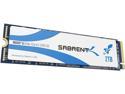
Pros: Fast Price 5 year warranty if you register it with Sabrent.
Cons: Sabrent's web pages are convoluted and very difficult to find information, including TBW lifespan. TINY letters used in manual and for the serial number on the back of the drive.
Overall Review: Make certain to look at the back of the drive and record the serial number before install, you will need it to register the drive. After installing the drive I entered BIOS to make certain the drive showed up, it did. After entering Windows 10 I opened Computer Management, Disk Management and formatted the drive I ran CrystalDiskMark7 x64 and the drive yielded the following performance [Seq block size 1 MiB, Ran Block Size 4 KiB]: Seq Q8T1: Read 3429, Write 3057 Seq Q1T1: Read 1776, Write 2232 Ran Q8T8: Read 1256, Write 1928 Ran Q1T1: Read 34, Write 160 I used the above because normal desktop uses seldom goes beyond Q8, including gaming. Compared to my 1TB Samsung 970 EVO this Sabrent drive was a little slower with reads except Random Q1T1 where it was a little faster and faster in writes except a little slower in Sequential Q1T1. When comparing numbers drive size matters and larger drives are faster than smaller ones, however those read & write numbers for this Sabrent drive are good for a 2TB drive at this price. My motherboard is a Gigabyte Z390 Aorus Master, CPU is an Intel i9 9900KS.
First partition stays fast
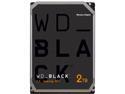
Pros: My first partition stays relatively fast when defragged often with Defraggler by Piriform, over 64 MB/s read speed according to Defraggler's benchmark, just after defragging.
Cons: Second partition is slow after getting close to half full - even when defragged often, which is somewhat OK if you are patient and all you do is download hardware and software upgrades and other like data where read - write speeds are not so important. My second partition is a little over half full and Defraggler, from Piriform, benchmarks read speed on the second partition at an average of 4.6 MB/s after defragging with Defraggler [Windows 7 64bit] before defragging it averages below ~ 3.36 MB/s read speed - and I defrag fairly often [2 to 7 days]. I do not like WD's shifty 5 year warranty, where if you submit an RMA and get a second drive that only has a 90 day warranty for this drive.
Overall Review: To Jacob M. that gave a review on 9/8/2014: If this drive is a second drive for installing and playing games from and raw video footage make a partition* no larger than 300GB. On that partition install and run games. Defrag often and it will remain very fast if you leave 45GB free [to allow room for Windows defrag - Microsoft demands 15% free for proper defrag, or you might not be able to defrag at all - I know this from, years ago, when I was a computer consultant to businesses. You would be surprised at how little businesses know regarding computers]. * The First partition will be 300GB Part of my build [for the technical gurus out there]: Power Supply: Corsair TX650M CPU: Intel i5 3570K Motherboard: Gigabyte Z77X-D3H RAM: 16GB GSkill CAS 9 SSD: Intel 335, 240GB Hard Drive: single WD Black, partitioned [primarily for games, storage and back up] Note: Other Information: Defraggler is much better than Windows defrag, however, it is VERY slow when doing a regular defrag on a slow drive or partition, it is very fast when doing a quick defrag, even on a slow drive or partition. I use regular [default] defrags. This is not an advertisement for Defraggler. NOTE: I know that many people read these reviews when making a decision about what hard drive to purchase and I have written this with them in mind.
Fails with my i9 9900KS CPU
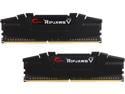
Pros: Price Available
Cons: Programs fail, sites such as YouTube fail to load pages or get stuck on a specific page, cannot start internet search engine and so on. Occasionally my corded mouse will not turn on when the computer boots up.
Overall Review: Updated review: I wanted 32GB of RAM and my i9 9900KS needs 2 sticks of RAM with my Gigabyte Z390 Aorus Master, according to Siliconlottery guidelines. I purchased the motherboard from newegg and it is doing a fine job with AVX offset to 0 due to the AVX offset bug in newer versions of Gigabyte BIOS, in my case version F11c. I included my CPU and motherboard for those that have a 9th generation Intel CPU and a Gigabyte Z390 main board. I have some Samsung B die memory I purchased for RYZEN and it works in this Intel based rig. Newegg got it to me quickly.
Great cooling, good components
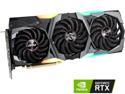
Pros: Outstanding cooling and good build quality are the primary reasons I purchased this card. The fans should last 5 years or more with normal settings [speed].
Cons: None
Overall Review: This video card is LONG, measure inside your case to make certain it will fit. If you want to manipulate the lighting or do not like lighting download MSI MysticLight 3 Heat kills components. MSI Lightning and Gaming X Trio video cards run cool and have done well for me over the years. For example, my MSI GTX 980 Ti still runs strong after 4 years of use. I do not consider this card overkill for 1080p 240Hz monitors or 1440p 120Hz monitors. Expect to turn settings down to high or medium in many modern games at 4K, depending upon the game, because some are improperly coded. Overall this is an outstanding product and I recommend it.
Great
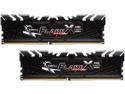
Pros: Fast
Cons: 32GB kits are too expensive, so I picked up a 16GB kit. I would prefer 32GB because of the tasks I perform.
Overall Review: I put them in my Intel build and they ran fine. I am planning to build a Ryzen system when the 3000 series are released in June or July and Ryzen computes faster with fast, low latency RAM.
Will not run at 1.2 volts
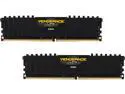
Pros: Short profile, XMP [in BIOS] picks up the proper speed, timings and voltage. Other than that No Pros.
Cons: Will not run any program at 1.2 volts I tried to test the RAM with Memtest 86+ and the screen partially came on then instantly shut down. It would not even get far enough to begin testing the RAM.
Overall Review: Gigabyte Z270X-UD5 motherboard [with latest BIOS update], Intel i7 7700K, two SSDs, Windows 10 Pro. I know everything is fine with the motherboard because I tried different Corsair RAM and it worked perfectly. I very much wanted this RAM to work.