
Your Browsing History
 Holiday Shipping Details & Extended Holiday Returns Holiday Shipping Details & Extended Holiday Returns

Joined on 12/21/06
Plug and Play
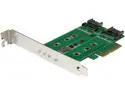
Pros: Works as advertised with no real extra work, just plug it in and have at thee.
Cons: None. Not even cost, because its pretty dang inexpensive.
Overall Review: This worked on my UNRAID server without any issues which was awesome.
Everything pretty much just works, with a few serious caveats.

Pros: Everything worked as advertised, didn't have to do any special tinkering on it to make things work. Just installed Windows and boom.
Cons: Not a lot of USB. VRM is not even adequate, if you have any illusions of overclocking on this board, forget it (gives the Z chipset a bad name). M.2 Slot is on back which is weird, and made me extra wary of setting the board down.
Overall Review: I ran this with a 6600k and thought I could possible run some minor overclocks to 4.2Ghz or there-abouts. Nope. Not only did it not work right, when I put it back to stock and did some stress tests, I noticed that the VRM would occasionally spike temps into around 100C-115C when staying at load. I'm not sure if this is just Gigabyte having horrible base configuration on voltage for the 6600k or the temperature sensor not working right (would also come back and see the minimum temp was marked as 0C for MB sensors), but seriously disappointing. I am going to have to deliberately undervolt the CPU if I want to do anything strenuous or else just understand that the VRM is gonna die sooner than most boards.
A Fantastic Value
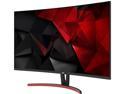
Pros: This monitor is about as good as it gets at this price point. I was lucky enough to buy it at $300 during a sale and it was a couple months before Nvidia opened the door to enable G-sync on freesync monitors. It runs at 144Hz out of the box as described, the latency isn't anything really noticeable and coming from a 27" 1080p monitor, I can tell that it seems a bit more detailed. EDIT: Unfortunately it appears there is a glaring flaw when trying to get this to work with G-sync. I turned it on and it appeared to work without problem! After a while though, half of the screen turned black which didn't fix itself until I manually turned off Freesync on the monitor. To be clear, it was the right side that was just black, but the OSD still showed itself in that area without problem, so I'm not sure what the problem really is.... I'm curious if there is a firmware update possible to fix this, but in the meantime, I cannot use g-sync with this monitor reliably. It sad because I initially used it with a couple games without issue so it is just this weird random problem that happens after a while. GRRRR! EDIT EDIT: It appears that the above problem is reproducible on offically gsync compatible monitors and this may be a problem with the current nvidia drivers (417.71), I am hoping that it will be fixed in the foreseeable future. Will update review if it is resolved. Design wise, the panel has nice slim bezels and the bottom bar is discrete and fairly small. Acer has a nice small chrome logo that doesn't distract you and the small blue power light and at the bottom right hand corner that is barely noticeable unless you are looking for it. The OSD controls are good with the joystick method on the back being fairly easy to use after a few moments of figuring it out. Lastly, it has 100x100mm VESA support which is a big saving grace considering its stand sucks, see more below.
Cons: You can definitely tell that this is a VA panel, as its very rare to see very good blacks, but color detail seems good so considering the price and the quickness of the VA panel, I can't complain too much. I would definitely say that this is bright enough, but if you have your setup in a brightly lit room, it may be slightly hard to see, and glare can become a problem. This being a 32" monitor, the pixel density is not as much as say a 27" 1440p monitor. Considering this, understand that a 27" 1440p monitor may look better. The inexpensive nature of these monitors has just as much to do with the looser pixel density as anything else. For example, a 1920x1080p 27" monitor (which I had before, is 76,800 pixels per inch, where as this is 115,200 pixels per inch. Definitely better, but a 27" 1440p monitor is 136,533 pixels per inch. Understand? Now a big detractor would have to be the included stand. If you have your own monitor stand, no problem, but this stand is obviously where acer made up some of their money. It only has tilt support. Decent (not quite to good) tilt support mind you, but that is it. No swivel, no height adjust, no rotate, so if you had any dreams of doing that with this monitor, you will have to get another stand, fortunately it includes a 100mm vesa mount option so it gets a relative pass. No HDR support, but at this price and 250 nits, I knew that before I bought it.
Overall Review: If you are a hardcore gamer on a budget, this is an excellent monitor to buy, if you are fine with waiting for deals, you may be able to find this or a similar panel for around $300 like I did. It runs fantastic on my 1080Ti, and couldn't be happier with the value. I would say that comparing it side by side with an IPS display its color really can't compare with a beautiful IPS panel, but I can recommend this to others unless you need those super accurate colors. Another odd thing to mention is anyone that hasn't had a curved display before, I would recommend either trying one out, or going to a local store to look at it, do a couple things on it like watch a video and stuff. This was my first curved display and it took a few minutes to get used to it, but then I didn't even notice. My mother came over one day and she said that just looking at it caused her to feel like of motion sick. Now this wasn't while a game was on, this was while it was on a static desktop with a few images up. I doubt this will be a problem for many people, but it is good to keep in mind that curved displays are not for everyone. The only thing that would make this monitor complete was if it came with a 4 port USB hub, but you can't have everything. They have to have SOMETHING besides aesthetics to differentiate between their budget gaming monitors and the premium gaming monitors. To summarize, this is about as good as it gets for a budget gaming monitor and its going to be a few years before G-sync HDR type panels will trickle down to us cheapo's. This gets a recommendation from me. EDIT: even with no g-sync, its still a very good monitor, while the recommendation is not quite as strong, it still gets one from me.
Great memory, Single sided, Single rank memory that is the best choice with Ryzen.
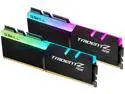
Pros: Like the many kits of G.Skill memory that I have gotten in the past, to quote Jenson, "It Just Works!" I am using these in a 1700X with B450 computer without any problem, though I of course have to run it at lower than advertised speeds. That is because of the CPU though and not this kit. I am running it at 2933 at CL14.
Cons: While this isn't against G.Skill themselves (hence no eggs taken off), when connected to MSI's Mystic Light RGB software, the cycling of colors looks pretty clunky when compared to the stock uncontrolled cycling of colors. Kind of sad when I want to let them do its own thing but can't seperate them when I have to have mystic light run to run some of the other RGB in my computer.
Overall Review: So if anyone has a slightly more in depth knowledge, ignore this, because I'm essentially a guy who watched a few videos on how memory works with Ryzen and learned a couple things. These only have chips on one side of the PCB (with a foam pad on the other side) which makes this a single rank memory stick. These appear to be the best choice to use with Ryzen for how the channels work with Ryzen's infinity fabric. A single sided memory stick is always single rank (which think of as the least complicated wiring to the CPU). A dual sided memory stick can be single, dual, or quad ranked sticks. Unfortunately because of what density of chips are available at the moment, the largest affordable single sided chips are 8GB dimms, once you get to 16GB, you run into dual sided which as mentioned before doesn't work quite as well with Ryzen typically. This is just a matter of density of the memory chips on the PCB of the memory available right now, it will improve with time. All that being said, these are not "Ryzen Optimized" memory, but from what I have heard, the majority of that is just that they are guaranteed single sided, single rank chips. There is probably something else on chip that makes it work a bit better for being able to just turn on XMP and run, but because Ryzen 1 memory compatability was so atrocious, they are all very low speed. When I upgrade to Ryzen 3 (Zen 2) this summer, rumor is that you will be able to run memory at much faster speeds, hence buying memory dimms with some decent head room. Considering Ryzen's performance is so strongly tied to memory speed, gotta maximize performance here!
Put in my Nintendo Switch
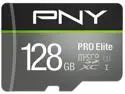
Pros: Works pretty well, speeds are acceptable
Cons: Its an SD card so can't expect too much (I'm spoiled by NVMe and SSDs)
Probably the best performing 240 Closed Loop Cooler around
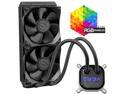
Pros: Works. Has great performance which beats out pretty much any other slim 240mm radiator CLC.
Cons: Fans are louder than some, mostly because EVGA has no problem letting them run at 2500RPM (heck-a-fast), This obvious creates some noise, but dang if its not worth it.
Overall Review: This is really not a bad price to pay for the performance you are getting. At this point, if you are wanting to get better cooling you are going to have to jump a magnitude in price over this. A 280mm or 360mm Close loop cooler, or go to custom loops where you can get much thicker radiators.