
Your Browsing History
 Holiday Shipping Details & Extended Holiday Returns Holiday Shipping Details & Extended Holiday Returns

Joined on 02/18/12

Decent 1920x1200 barebones monitor
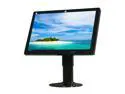
Pros: - 1920x1200, 16:10, the way a computer monitor should be - Good value for the price - Stand offers tilt as well as raise/lower - Glossy black looks nice next to my Antec SOLO II - Decent picture quality (see view angle con below)
Cons: - Glossy black bezel reflects the display a little too well in a dark room. It looks like the edge of your screen has some sort of weird artifact when what you're really seeing is a reflection. It's really noticeable when your window looks like it has two red "close" Xs in the upper right corner - Narrow vertical viewing angle. Colors visibly shift just by leaning back in my chair. I use the HP LP2475w and HP ZR24w at work, which have MUCH wider viewing angles, but cost $100-$200 more - The bezel feels a little cheap. When adjusting the tilt of the monitor, it'll creak and flex under your hands a bit
Overall Review: This monitor is for someone who wants 1920x1200 resolution at the best price, and is willing to give up some features to get that price. It doesn't have an HDMI connector or a USB hub. The adjustment menus are minimalist. But if, like me, you don't NEED that USB hub, and a DVI cable is perfectly alright, and you can live with the view angle, then this monitor delivers a nice picture at a nice price.
I got the chirping, too
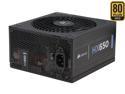
Pros: Slick looking. Motherboard, CPU, and PCIe cables are all mesh wrapped. Packaging is nice with a little bag to hold the extra modular cables. No problems with the installation at all, in an Antec Solo II case.
Cons: After installing Windows 8 and getting everything up and running, I started noticing a weird sound. I'm new to Windows 8, so at first I thought it was an unfamiliar alert sound or something. Then it dawned on me: I was getting the chirping sound that so many are reporting here. It sounds like there's no fix and it only gets worse over time, so I immediately packed it back up and RMA'd. Also: The modular SATA power cables are not mesh wrapped.
Overall Review: Do not ignore the reports of chirping here. There's always one comment where somebody gets a faulty unit and they leave a bad review. That doesn't seem to be the case here. It appears to be a rampant issue. Do not buy this unit, get something else. Save yourself the trouble of an RMA.
Great board with some minor nitpicks
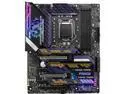
Pros: - It is a really cool looking board - MSI has great BIOS setup features. Very easy to use, easy to flash the BIOS. - Gen 4 NVMe support comes with the 590 chipset if you've got the CPU for it - MSI Center seems way better than Dragon Center was, with the ability to install just the modules you want (e.g. just System Monitor and Mystic Light) - Drivers come on a cool USB key instead of CD
Cons: - Only 1 USB 20 pin header. My previous MSI mobo had 2. To support front panel (including a USB C port, which uses the Gen 2 header) and a card reader, I had to install a 3rd party PCIe USB board. - Only 1 RGB LED header and 2 aRGB headers, plus a Corsair header. I don't have any Corsair stuff so I can't use that without a 3rd party cable. With the MSI CPU cooler there are three aRGB cables, and neither the mobo nor the cooler include a splitter. Have to buy or fabricate your own. - Front panel header is not labelled on the board. Have to look in the manual for pin outs. - Overpriced, but that's not MSI, that's the market we're in right now.
Overall Review: I'm an MSI fanboy and a lot of my kit has used MSI stuff for my past few builds. The motherboard, the CPU cooler, and my old, old GTX 1080 because I can't find a new GPU. Previous board was a AC Carbon Pro. Depending on what you want to do with LEDs, this board may not be right for you. I actually feel like this board was designed for users who intend to show it off under full lighting, not dim colored lighting. There is no undercarriage lighting, just subtle highlights on the IO and M.2 covers (which look really good). The M.2 cover LEDs will be hidden by your GPU if you install it on a riser, though. I tried out some black light LEDs, but there's hardly anything reactive to black light on the board. Once you've got some LED lighting set up, you can't really appreciate the color scheme of the board anymore. It's too dark. The build and setup was easy. If none of the cons above put you off, and your plans (or lack thereof) for LEDs don't conflict with what you can do with this board, then I highly recommend. Attached photos: one during the build under full light (sorry, glare blew out the colors on the board a bit.) One after completion showing the lights, and the M.2 cover LEDs hidden by GPU and the cables to my card reader (hence the odd angle).
Easy to install, works as advertised
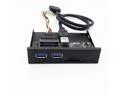
Pros: - USB jacks and card readers seemed to work fine with perfunctory testing of each - Nothing you don't need: just the 2 SD card slots, 2 USB jacks, and a USB Type C jack. No flashing LEDs or space taken by ancient formats you won't use. - My desktop PC is a modern motherboard (with 2 USB 3.0 headers) in an old Sonata II case. This component lets me add card readers and USB Type C to my PC without the need for ugly, mismatched adapters hanging off the front of my PC. - Has a SATA power connection, so you can use one of your own from the PSU if one is available. The included power cord is simply a short SATA to molex adapter if you need one
Cons: - None I can think of.
Overall Review: I was surprised to see the micro SD card reader is actually "spring loaded": push the card in and it clicks in place. Push it again and it ejects. I haven't seen this in these sorts of card readers before; usually you're required to slide the card in and then grab it with your fingernails or a pair of tweezers to slide it back out. I like this component enough that I plan to buy another one for my HTPC. I would give it 5 eggs, but I accidentally clicked 4, and Newegg wouldn't let me change it.
My first SSD, and I love it
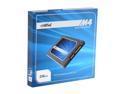
Pros: - Enough capacity for Windows 7 plus whatever games or apps I'm currently using. It let me build a desktop gaming machine with no HDD. - Close to the "$1 per Gb sweet spot" as far as value is concerned - Installed easily - Silent, like any SSD - Fast, even for a SSD
Cons: No cons that I can think of. It went into the machine easily. I installed Windows 7 on it with no trouble. It's been fast, silent, and reliable for the couple of weeks I've been using it.
Overall Review: I build a new desktop gaming PC every couple of years, and this year I wanted to make the jump to SSD and hopefully ditch the HDD altogether, since I want my machine to be quiet and high-performance as possible, within a reasonable price range. Storage isn't an issue for me because I'm networked to another machine with plenty of storage. So, the M4 seemed to be the right balance of price, capacity, and speed in a SSD. I was not disappointed. It brought the WEI down from the 7s on my old machine (with a HDD) to the low-mid 5s. (I'd like to post the exact number but I don't have it in front of me and I don't want to post an inaccurate number. Suffice to say I was very pleased at the upgrade from my old machine's HDD.)
No real problems here
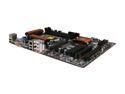
Pros: - Good price for the feature set - 3 PCIe 3.0 Slots, spaced decently apart, but you might have trouble putting a video card in the 3rd one (see cons) - No real layout issues in my system, just some considerations listed below. Not worth subtracting an egg, IMO. - GUI BIOS interface, but see mouse issues in the Cons - Included software made updating my BIOS a snap.
Cons: My Logitech G400 doesn't work properly in BIOS setup. The mouse axes are reversed, so it's unusable. The mouse works fine in Windows. Had to do setup with a keyboard. I want to call out some layout considerations. I used an Antec SOLO II mid tower and Kuhler 620. - The supplied SATA cables do manage to reach from the top drive bay to the connectors at the bottom of the board, but only just - You may have difficulty putting a large video card in the 3rd PCIe slot, with the SATA, USB, and front panel connectors all placed around it - The front panel audio cable reaches the audio connector on the far side of the board, but only just - The Kuhler places a radiator slightly larger than a 120mm fan directly over the CPU power connector. I had to remove the radiator to plug the CPU cable in, and I had to crush the cable a bit to put the radiator back in.
Overall Review: I'm liking this motherboard so far. Looks nice, everything fit well enough, and everything got up and running smoothly. Note that I'm not an overclocker at all, but I like to have the capability, so as to future proof the machine a bit. CPU: Intel i5 2500k Case: Antec SOLO II w/ single 120mm case fan PSU: XFX 750w XXX Pro CPU Cooling: Antec Kuhler 650 RAM: G.Skill Ripjaws 4Gbx2 VGA: XFX DD Radeon HD 7850