
Your Browsing History
 Holiday Shipping Details & Extended Holiday Returns Holiday Shipping Details & Extended Holiday Returns

Joined on 05/21/07
Strong single true 802.11AC
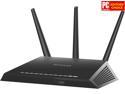
Pros: Netgear reliability. Highly configurable for prosumer / SMB or simple consumer configuration. Strong broadcast signal. Maintains config on firmware update (sad that it's worth mentioning, but read my thoughts).
Cons: Button on the front that kills broadcasting - care full moving it around. Nice security feature, but I was without a wifi for about 4hrs while I was trying to figure that out.
Overall Review: I've purchased 2 other Wireless AC access points in the past year. One of which was sent back for being terrible and not having an access point option. The other doesn't really work on WiGig - fluctuating signal and and never goes above 300MBps. This one consistently gives me 800M-1,2G/s
Unreliable Cheap Card
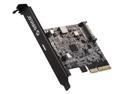
Pros: Cheap, looks good on paper. Internal USB 3 port was the whole reason I bought this in early 2014
Cons: USB devices work for about 15min before interrupt and the dreaded device cannot start warning in device manager. Updated the drivers and firmware after dial up download speeds from Orico support only to have the same issues.
Overall Review: Orico is not ready for prime-time. Stick to the trusted brand names in add-on cards like startech.
5 years and running
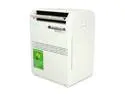
Pros: Reliable and stable
Cons: Little noisey
Overall Review: Use this to cool a small server rack in a closet for the last 5 years and have never had any issue.
Terrible Limitations

Pros: 4 Gigabit LAN Ports
Cons: Start at it comes pre-IP'd at 192.168.0.1 - which instantly causes IP conflict. Cannot function as just an access point apparently. Cannot input DHCP relay IP. Doesn't include full manual in the box. Laggy WebUI.
Overall Review: I got this to replace / upgrade my D-Link DAP-2553 which was a terrible mistake. Maybe a good option if you aren't experienced with networking or if you don't have an existing network. If you're particular about your network architecture, avoid this.
Simple pro-sumer device
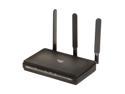
Pros: PoE, Range, Simple GUI, save changes for each configuration page and then save configuration and apply allows for single reboot where other brands reboot after saving each page! DHCP RELAY!
Cons: Auto channel doesn't seem too smart.
Overall Review: I've actually purchased 6 of these over the past 3 years. The flexible configuration allow it to very strict with security by using ACLs, multi SSID, etc. They can also be used for range extenders and easily act as wireless bolt ons to existing small business or home office network.
KC v. ES Models
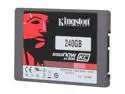
Pros: Supports RAID - which I do not recommend trying with regular SATA SSDs. Quick responses from tech support.
Cons: I contacted Kingston support before install to make sure RAID was supported. Response: "The drives will work in a RAID configuration but we advise you not to use these drives in an enterprise environment. RAID 0 or 1 would be OK. But if you plan to use SSDs in a server in a RAID 5 or 10 configuration, we suggest you use our enterprise level SSDs. The biggest differences are the E100 and E50 have much higher endurance and also include power failure support."
Overall Review: I'm just running a home lab server off the 3 drive RAID 5. I don't imagine power loss to be a major problem as I'm only running about 30 VMs. I had previously used a group of standard Seagate SATA SSDs and the RAID keeps dropping. I figured that with SSDs being non spinning, error-recover required for RAID striping would be part of any drive's firmware, but it's not. Manufacturer's still produce two separate firmware sets so they can charge $60 more per drive for the enterprise class that comes with the firmware. There used to be a Western Digital tool to load the TLER firmware, but that disappeared when they went to color coding.