
Your Browsing History


Clifford P.
Joined on 12/25/02
0
0
product reviews
- 4
Adaptec. Adaptec never changes.
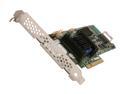
Adaptec RAID 6405 2270000-R 6Gb/s SATA/SAS 4 internal ports w/512MB cache memory Controller Card, Single
Pros: Adaptec's hardware is still of extremely high quality and their BIOS level array configuration is fantastic. Adaptec Storage Manager (their OS level utility) is Java-based and ugly, but it works without any fuss. SNMP and SMTP alerts are supported - but if you have a single system with an Adaptec controller, remember you will get alerts only as long as it is still running! I look forward to using Adaptec's Hybrid RAID1; it is nice knowing that instead of ponying up for two $600 solid state drives, I can get one with a cheap magnetic disk drive and have redundancy without halving my read performance. If you have case window, the card's LEDs will make you feel like David Hasselhoff in Night Rider. Only much, much nerdier.
Cons: If you're going to use this in a workstation, or really anything that isn't a 1U server, a fan is REQUIRED. You will NOT be able to get by without active cooling. See my Other Thoughts section for help with this. The card does not default to outputting aggregate activity to the 2-pin HDD activity headers on the card; you need to configure the card to do this from its BIOS at which point it will behave like any other motherboard HDD activity header. At this price point I would have liked to get a second SFF-8087 port so I could address an additional four disks without an SAS expander.
Overall Review: Yes, those are screw threads for a 40mm fan in the closeups of the heatsink! After much trial and error, I have confirmed them to be M2.5-0.45 machine screws. 8 or 10mm length pan-head screws should be sufficient depending on how recessed the screw holes are in your fan. Don't expect a timely response from Adaptec support if your issue clearly isn't a critical issue - they took over a month to give me a partial answer to my request for screw size info. I am currently using this card with 2x Fujitsu MBA3147RC drives in a RAID0 and 2x Seagate ST2000NM0001 drives in a RAID1. If you really want to use SATA drives with this controller do not, and I repeat, DO NOT buy an SATA drive that is not on Adaptec's hardware compatibility list! I initially took a chance with Caviar Blacks fully aware of this TLER nonsense and they definitely did not hold up to initial stability testing. Just about any SAS drive will probably be fine.
6/18/2011See more detail
Quality, Slightly Condensed
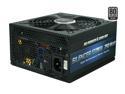
PC Power and Cooling Silencer Mk II 750W High Performance 80PLUS Silver SLI CrossFire Intel Haswell Ready Power Supply
Pros: Seven year warranty! Fantastic! Connectors. This is one of those few supplies that have a 20+4pin, a 4pin, and 8pin motherboard connectors with two 6pin PCI-E and two 6+2pin PCI-E connectors. Lack of idle noise. Running a power hungry GTX480, Adaptec 5405 RAID controller, and two 15krpm SAS drives was pushing my 700W OCZ StealthXStream to the limit. Only the GPU fan could beat the idle noise of that supply, and only when the GPU was getting stressed. My idle noise is now much improved, and I can't hear my computer in its own room down a 20-foot hallway anymore. This will not be a significant point for everyone - the reason I purchased this power supply is so I could have the high quality and stable power delivery of a PC Power & Cooling Silencer in a form factor with less than a 170mm length. At 160mm, it sits right at the maximum length that will fit in my Lian-Li V1000 case's power supply bay without sticking out of the back.
Cons: Price. This is the most expensive power supply I have ever bought.
Overall Review: Came with a handful of velcro ties. No, they're not expensive but extras are always a nice touch. PC Power & Cooling is really putting their money behind this product with the seven year warranty.
6/30/2010See more detail
Imposing size, but extremely powerful
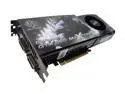
BFG Tech GeForce GTX 260 896MB GDDR3 PCI Express 2.0 x16 SLI Support Graphics Card BFGEGTX260MC896OCXE
Pros: This card flies. A 3.33GHz/4GB Core2Duo driving it will result in smooth gaming at a standard of 1920x1200 w/ 4x anti-aliasing; Fallout 3's (settings maxed) outdoor environments might require you to drop the AA down a notch two smooth out those worse-case scenario framerate drops, but the root cause may be Bethesda's engine. UT3 is silk, and Crysis at max settings is on the edge of playability with 4xAA. As for everything else...I can't get seem to figure out a way to get the games to slow down. I wish I were joking. Source engine, Doom 3 engine, most of the time I can't feel the difference between antialiasing and 16xAA. Truly incredible.
Cons: The card is big. Big as in 9.6" long - it will come to the very edge of a standard ATX 12"x9.6" motherboard it is mounted in. In the case of my C2SBX, if I placed the card in the first of the two PCI-E x16 slots, it would render four of my six SATA ports unusable. The card also has a whining sound that is audible only during certain rendering tasks; usually in-game-engine menus, most apparent in S.T.A.L.K.E.R. - Shadow of Chernobyl and Crysis Warhead. It is audible while running the Folding@Home GPU client. The sound is definitely not the card fan - I am not quite sure it is normal but I am certain that it is clearly audible and mildly irritating.
Overall Review: Warranty registration went without a hitch; make sure to take down all the numbers you'll need from the labels on the card prior to installation, because if you don't you'll have to yank the card to look them up again.
12/29/2008See more detail
Low-key and high quality
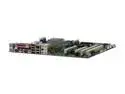
SUPERMICRO MBD-C2SBX-O LGA 775 Intel X38 ATX Intel Motherboard
Pros: Utterly stable, no-nonsense and organized set of BIOS options for en/dis-abling most 64-bit architecture virtualization and memory management features. Recent (2.6.26+) x86_64 Linux kernels support every single chip on the board fully; HPET, Watchdog, Fan/Temp monitoring, AHCI SATA and IDE (IT8213), e1000e gigabit ethernet (yes, hanging off of the PCI-E bus!), Firewire, USB. Motherboard manual is well-written, with plenty of layout diagrams and pin-out information, and usually even has useful descriptions of obscure BIOS options! The couple that are not useful are comical, and that's just as good you know. CPU socket clearance is in spec and fan headers are spaced reasonably. It has a 4-pin PWM CPU fan header and three default fan speed BIOS options.
Cons: No official SLI support, but that is nVidia's fault. Extra long (GeForce GTX260/280) video cards in the first slot will block all but two of your six SATA ports, but since you have two PCI-E 2.0 x16 slots to work with so this is not an issue considering the previous point. Enabling VT-d in the BIOS causes 2.6.26/2.6.27 Linux kernels to enter an endless "DMAR:Unknown DMAR structure type" print loop on boot; a kernel patch has already been submitted, but this could be an ACPI table quirk that needs reporting to Supermicro. No SPDIF-out pins on the motherboard (for audio-in on high end video cards that can output audio over HDMI using a DVI->HDMI converter). Must use 1.5V DDR3 memory. If the CPU socket side of your motherboard is mounted right up against a compartment wall in your case, than you will have trouble mounting an extremely wide heatsink/fan; my CNPS9500 brushes up against the divider wall.
Overall Review: This is exactly what I have come to expect from Supermicro; an absolutely stable, extremely well-engineered motherboard that does just about everything it claims it does and nothing it doesn't, i.e. there are no overclocking options, flashy colors, or superfluous acronyms whatsoever.
12/29/2008See more detail