
Your Browsing History


Howard S.
Joined on 10/08/03
0
0
product reviews
- 5
Quite Nice
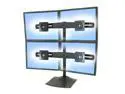
Ergotron 33-324-200 DS100 Quad-Monitor Desk Stand
Pros: Well built. Just as heavy as it needs to be to support the weight it claims. Complete hardware for different setup scenarious. Functional and attractive.
Cons: Profile - With the curve of the arms and the mounting brackets, it takes up a good bit of desk space from back to front.
Overall Review: I have two 23 inch wide screen monitors on the bottom and two 19 inch standard aspect monitors on the top. I have the unit sitting on my desk. It seems very sturdy. My top monitors are for my servers and I rarely look at them. The bottom, widescreens are for my workstation and get the most use. I don't know that I would want to be actively working on more than two at a time in this configuration. I have three setup at work on the same machine and all side by side. This works pretty well.
7/15/2010See more detail
The Drives have a bad failure rate
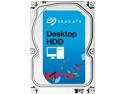
Seagate Desktop HDD ST3000DM001 3TB 64MB Cache SATA 6.0Gb/s 3.5" Internal Hard Drive Bare Drive
Pros: None
Cons: I have had several of these drives fail in my RAID array. I replaced them and now one I just purchased was dead after a month. After doing some more research online, this drive is shown to have a very high fail rate.
Overall Review: Seagate has always been my manufacturer of choice, but this model drive is bad.
1/10/2016See more detail
First impressions... This thing is great
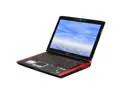
ASUS G Series 17.0" Intel Core 2 Duo T9400 6GB Memory Windows Vista Home Premium 64-bit G71G-A2
Pros: Beautiful display. Wonderful little touches, backpack, mouse, support disks, manuals. Sturdy construction. Seems like high quality all around. Less bloatware than most new computers. (I had to uninstall MS Office trial and Norton trial. I actually own both anyway.) Price.
Cons: Vista Home Premium. Ultimate would have been nice, but probably would have raised the price. Little clicking noise in the speakers every so often. It is very tolerable. I haven't tried to get rid of it yet.
Overall Review: I just got this a day ago and haven't had time to put it through any rigorous tests, but my first impressions are very favorable. I have bought 4 laptops in my life and taken them all back because they just didn't have what I needed. This one is a keeper. I did upgrade to Vista Ultimate which required a Vista Ultimate with Service Pack One disk. The upgrade seemed to go perfectly. The two hard disks were partitioned into two partitions each. I am not sure why this was done, but I would have done it differently. I am a software engineer who does a lot of 3d graphics work first and a gamer second. I felt like some of the gamer touches like the blue LED's were a little over the top, but I must admit they are cool. All in all, this machine was made for me. Great specs at a great price.
1/22/2009See more detail
NSW 2008 Premier on Vista 64

Symantec Norton SystemWorks 2008 Premier Edition
Pros: It will run on Vista64, not perfectly, but it does run.
Cons: After installing, Save and Restore 2.0 listed itself as a 30 day trial. This was fairly confusing, I spent about an hour chatting with tech support. These gentlemen couldn't figure out what the problem was and scheduled a callback for me with an engineer. I woke up this morning and somehow the product had activated itself??? Even though Symantec claims the product runs on Vista 64, system doctor won't recognize more than 4GB of RAM. The new disk degragmenter doesn't show a map of the work its showing on the drive, it just has a little progress bar. I kind of liked watching my disk degragment.
Overall Review: I really am disliking the new interface. In fact, in general I am unhappy with the current trend in interface design. Much of the interface tries to make things so easy, that it makes it difficult. I don't want to have to read a paragraph in order to decide whether I want to overwrite a file. Overwrite? with an OK button has been fine for last 20 years. Also, there is no reason to change an interface because you are bored with it. Make it skinnable. I don't want to have to relearn a product every time marketing needs to sell more product. If an interface change supports new features that's all well and good, but if it aint broke, don't fix it.
3/24/2008See more detail
Afraid to put any cards in here
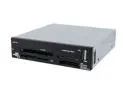
Rosewill RCR-103 USB 2.0 Card Reader
Pros: Changeable face plates. Usb cable plugs into the mother board as opposed to being an external USB type connector.
Cons: The quality on this thing is so very poor that I am afraid to put any of my cards into it. It is supposed to handle an xD camera card, and I can't figure out where it goes.
Overall Review: I'm sending this thing back
1/21/2008See more detail