
Your Browsing History


William B.
Joined on 06/16/05
0
0
product reviews
- 4
Running great for over a year
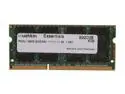
Mushkin Enhanced Essentials 8GB 204-Pin DDR3 SO-DIMM DDR3L 1600 (PC3L 12800) Laptop Memory Model 992038
Pros: RAM has run great, starting in June of last year. I've used it in three -- count 'em -- machines: A Dell laptop at work, a Lenovo I use for contracting, and now in a 27" Late 2013 iMac. So far, no panics at any stop in the road. Great price a year ago -- strangely, it's a couple more bucks now, but still a deal.
Cons: There really are no cons so far, other than this is a single stick of RAM and not a tuned pair. I haven't seen anyone argue convincingly that you need dual channel performance for much past clever integrated video setups, and even then that's not really day to day usage. So that's a really minor quibble. It's better to have more RAM than less that's paired, but quickly considered buying a pair (ie, two sticks sold together, not two of these) if your integrated video steals "VRAM" from these sticks. I am running three sticks in the iMac right now, the two stock plus this one, with no problems.
Overall Review: I've used Mushkin for years. I'm not sure why I started, but once you find the stick you need, their stock seems pretty reliable in my experience. Great that this stick's characteristics are so common. Though I bought for the Dell & Lenovo in mind, the reuse in the iMac has been an unexpected gift.
8/21/2014See more detail
Great budget upgrade
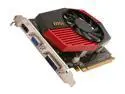
MSI GeForce GT 430 (Fermi) 1GB DDR3 PCI Express 2.0 x16 Graphics Card N430GT-MD1GD3/OC
Pros: Great boost over integrated video or an older card. Very low power requirements mean you can likely keep your current power supply. All three outputs -- VGA, HDMI, DVI Cheap. I caught with a MIR for a Jackson.
Cons: It is a bit loud.
Overall Review: It's hard to imagine not snagging this at the price. GTA IV, LA Noire, WoW all run wonderfully. Hope it comes back in stock for those stuck with integrated video.
7/27/2012See more detail
Capable for the price
Rosewill RCAD-11002 USB to HDMI Adapter
Pros: Used on a MacBook running OS X, works well for a dual external monitor setup. Seen fairly readily by VMWare Fusion as well. Much less expensive than other options that create a single device from two monitors. Works well with low-refresh uses. If you have a mostly static window, this works great.
Cons: As others have noticed, you're not watching video on any seriously sized monitor over this thing. Refresh rate is like playing Doom 4 on a PowerPC. Any seriously detailed image will suffer serious lag. So great for stuff like email, maybe IM, or, for me, a browser holding the page I'm coding. Not good for anything constantly moving or giving you feedback you need to see in real time. Maybe similar devices using USB 3.0 will solve this, but this one ain't it.
Overall Review: For the price, it's a great way to add a second external monitor to a 13" MacBook, which only supports one via hardware. Very inexpensive, and a great real estate extension for low refresh windows.
6/8/2012See more detail
Sharp & bright for price; ignore speakers
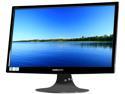
HANNspree By Hanns-G HF225DPB Black 21.5" 5ms Full HD WideScreen LCD Monitor w/Speakers 250 cd/m2 X-Contrast 30,000:1 (1000:1)
Pros: Very crisp. Puts my old monitor (AOC 2216Sw) to shame. Also quite bright. No dead pixels out of the box. Full 1920x1080. Buttons well configured -- instant, direct-to brightness & volume buttons.
Cons: No HDMI port. No audio out port. Speakers are essentially nonexistent.
Overall Review: Great visuals for price; on sale an absolute steal. I've gamed and coded on it for hours. Works great. At full price, you really should also get an HDMI port, even for a monitor this size, as it could do 1080. Also, if you've got speakers this lame and you pretend to take an audio in, you'd better have an option for audio out. Needs headphone port. Minus HDMI & headphone port equals minus 1 egg at full price. Honestly, with a fan on your desk, the speakers are inaudible. And what you can hear is tinny. Barely serviceable to hear a training video. They don't noticeably add size to the monitor, however. Pretend they're not there. That is, pretend there are no speakers, but you've found a URL that tells you how to solder something inside the monitor to unlock secret speakers, and it turns out Newegg did it for you. Now they're l337 k3w1. (But still stink as speakers.) Need to update long term, but for the first week, I'm VERY happy.
6/8/2011See more detail