
Your Browsing History
 Holiday Shipping Details & Extended Holiday Returns Holiday Shipping Details & Extended Holiday Returns

Joined on 01/24/11
SSD-comparable performance, HDD price
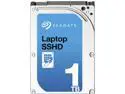
Pros: Installed and rebooted 5 times, boot times decreased steadily and leveled off. It is way faster than my previous HDD booting up/shutting down and starting frequently used applications. I started a few daily-use applications and closed them a few times to get the drive to commit them to flash. While some say the 8gb flash is enough, I decided to go for the 32gb flash as it'll store more for quicker loading. Can't beat the price when it comes to solid state.
Cons: Remember this is -not- an SSD and takes time/usage for the drive to determine what it needs to use the flash memory for. While a true SSD will produce results out of the box, your first boot with this drive will not produce results. A review I read showed benchmarks that indicated SSD boot performance after just 5 reboots. I took it a step further and logged in each time.
Practical, but electronics are not durable
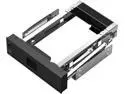
Pros: Tool-less hard drive swaps, power switch, and activity light
Cons: Electronic components lack durability. Had hard drive go out in one of the bracket (I have 3 of them) and the bay went out. So I put it in another bay, unaware it was the HD, turned it on to see the light come on and dim out. So now I'm down 2 brackets. Suggests to me there was an electrical issue with the hard disk that destroyed the controllers in the brackets.
Overall Review: I need to replace these, but I may look for a competitor's product. Or I may just go without as it isn't the first time I've had problems with similar products. Last product I used (Icy Dock 4-drive bracket) had power issues, too, and burned out all the drives I put in it at once (hurt the computer budget).
Love these power supplies
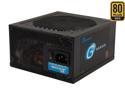
Pros: Quiet, dependable, modular. This is my third SeaSonic power supply, no because I'm replacing them, but because they've become my build power supply of choice.
Cons: I don't own a share in this company.
Great, versatile case for NAS/Media server
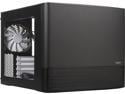
Pros: Versatility, versatility, versatility. There are so many ways to configure this case and so many places to put fans or drives. Good airflow across the board and my 7 drives. It's pretty quiet, too. Sitting maybe 5 feet from my head: I don't hear it unless I'm actively listening for it.
Cons: None so far.
Overall Review: I'm using this case to run a Supermicro board with FreeNAS. I bought this case in lieu of a hot swap case due to value. I ultimately decided: my drives rarely fail (knock on wood) and I don't get that much value from the premium of hot swap. Zero regrets so far with this decision.
Solid board, 99% of users will need a fan
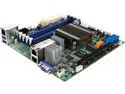
Pros: IPMI interface (no more monitors for my media server), solid Xeon processor, just a great board/cpu combo
Cons: No USB 3 header for front panel ports. Passive cooling is NOT enough for this board without a select few 1u, high airflow cases (plenty of discussion about this, google it). I ended up buying a Noctura 60mm fan and attaching it to the heat sink. Supermicro makes a fan to add to this, but it's really expensive.
Overall Review: No unresolved regrets buying this board other than the fan issue. Running FreeNAS on it and jails I can transcode enough media to suit my home's needs.
Nice entry level KVM
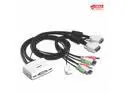
Pros: Quick setup. Hot key use or remote button attached to the unit via wire. Didn't have to install drivers. Video performance doesn't suffer.
Cons: Hot Key may not work with your operating system. I'm switching between a Windows and Linux desktop and the hot key switch doesn't work in Linux.
Overall Review: Using a wired keyboard and a Logitech wireless mouse.
Slower than Christmas, shipping details wrong
Did not ship from the United States as listed, wasn't 3 day shipping either. Ordered 12/7, arrived 12/26.