
Your Browsing History


Dan U.
Joined on 11/11/01
0
0
product reviews
- 19
Work well enough

Sunbeam 5891 Programmable Breadmaker
Pros: Good instructions, works as stated, no problems.
Cons: none so far
Overall Review: Well I've never made bread before so this is a first. It works as stated, I just need to try some other recipes as I don't like the basic easy one a whole lot.
1/13/2008See more detail
Defective
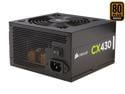
CORSAIR CX Series CX430 430W 80 PLUS BRONZE Active PFC ATX12V & EPS12V Power Supply
Pros: Once powered up, you don't hear a thing. This PSU is very quiet, credit the 120mm fan.
Cons: Prior to installing PSU I tested it. The 3.3v registered 2.9v just idling, no load. "Hmmm, maybe my PUS tester just isn't working right," I thought. Pulled out a working PSU from a computer and it tested perfectly.
Overall Review: It kind of ticks me off I get a defective unit and now have to shell out $11 - $16 for return shipping. Good thing there was a rebate, but maybe that's why there is one. They have some defective units to get rid of...
4/14/2014See more detail
Not what expected.
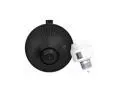
Toucan TSK100KU Smart Light Socket Surveillance Kit with WiFi HD Camera, 2-Way Audio and IR Motion Sensor
Pros: Good quality recordings. Two-Way communication and sound is excellent. Remote access and control with iPhone App works great. Wi-Fi access simply works.
Cons: - While the iPhone app is a great feature, it seems the only way to control the camera is through a mobile device. There is no Windows, Mac or Linux software to allow you access and control of the camera. - Unfortunately Newegg did not have a good enough description of the specifications, or I simply missed it. This device DOES NOT record to any LOCAL storage device such as a NAS, computer hard drives or DVR. All recordings are saved on the manufactures servers somewhere in the cloud. You can only download a limited amount of the HD recordings, unless you purchase one their services. So ultimately this device is really controlled and tied to the manufacturer. - If you look at their photos of the device set up with the exterior light of a house, take note, it is mounted on a FLUSH house. Meaning, if you have siding of any kind, there is no way to attach their wire channel as it will not lay flush. So, now you have their wiring cable exposed to the elements. I'll see how well it lasts through the winter. On the plus side, you cannot really see the wires from a distance anyway. - The motion sensitivity of this thing REALLY works, and by that I mean, it is inaccurate. If you have any wind in your area, be prepared to be bombarded by the alerts. You will have to turn the alerts off basically or turn the sensitivity way down, which then basically causes it to miss real alerts. How does the wind cause motion alerts...I'm guessing the small tree by the sidewalk. - Beware this is a single unit. What that means is, houses that have TWO exterior lights, say one on each side of the car garage door, will not work well with this unit simply because you'll either have to one of the lights always on, or unscrew one of them, assuming both lights are controlled by one light switch like mine. In order for the camera to work the light switch needs to always be on because that is where it gets its power. Now you can control the light for the one the camera is connected to via the app on your phone; however, you no longer can control the other light. You have to get either another camera or a remote control light socket from the company, which they are currently out of stock. So alas, I had to unscrew one of my garage lights.
Overall Review: For my purpose the camera does what I wanted, essentially being able to see my kids playing outside in front of the garage. Hadn't I already stuck the camera to the house with its rather permanent sticky tab (if I would try removing it, the LP siding paint would come with it), I would return it because of all the cons. In all fairness, I don't think this company intended the camera to be a DVR type security system. Keep in mind though, if your wi-fi has a hick-up or your Internet service goes down, the camera is dead in the water. Even if you wi-fi is up and running, but your Internet goes down, there is no place for the camera to store the video feed.
10/17/2016See more detail
Great little mini PC
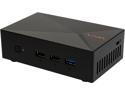
LIVA X 2GB/32GB Mini PC
Pros: - works great with Windows 8 or Windows 10 - OpenELEC works wonderfully as well. I set this up as a Windows 10 based KODI machine with nextPVR because the windows drivers work great with this machine for playing media content. OpenELEC worked great as well; however, the built in PVR backend (TVheadend) I don't think is up to par; otherwise, if using OpenELEC as just a frontend media player it works. Overall very pleased with how well it works with Windows 10.
Cons: I really wanted to get mythbuntu working on this PC as both a backend (just attaching an external USB hard drive) and frontend. Unfortunately it requires a good amount of effort getting the correct video drivers to play media files well. While I delved into it a bit, I wasn't happy with the result and just don't have time to dig deeper into getting it to work right as OpenELEC proves this can be done. With other linux based solutions however, the media playback just seemed to lack the clarity I'm use to with a dedicate Nvidia card.
Overall Review: It can be a bit of a pain getting this thing to boot properly if you are not aware of the need to adjust the bios parameters for legacy boot vs UEFI.
2/23/2016See more detail
junk
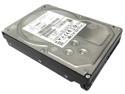
IBM/Hitachi Ultrastar A7K2000 2TB HUA722020ALA330 (0F10632) 2TB 32MB Cache 7200RPM SATA 3.0Gb/s (Heavy Duty) Enterprise 3.5" Hard Drive
Pros: It works for now.
Cons: This is the loudest, grinding junk I've ever owned.
10/3/2015See more detail
Working Great
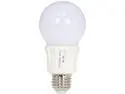
GPI A19 LED Light Bulb/ E26 Base / 6W / 35 Watt Replace / 305 Lumen / Non Dimmable / 3000k / Warm White
Pros: Low power consumption.
Cons: none
Overall Review: Not as bright as the 60 watt bulbs I replaced in bathroom vanity and wife didn't approve of the color. Incandescent bulb is more orange light, these are definitely more "white" light. Put them in the hallway, they work great. I don't really notice the "delay" so much when turning them on, guess I'm more patient than some.
6/3/2014See more detail