
Your Browsing History


Stephen L.
Joined on 11/13/04
0
0
product reviews
- 3
Flawless

ZALMAN ZM-CS1 Clip Support for installation of CNPS7000 series onto Socket 775
Pros: Excellent fit on my ECS P4M800Pro-M v2 motherboard. The instructions on the back of the package were easy to follow.
Cons: Don't you hate it when shipping costs more than the item itself? =)
Overall Review: You must remove your motherboard from your case to install this because you need to screw in from the bottom. Unfortunately my Pentium D 805 with Arctic Silver 5 Thermal Compound reaches 65C at max load at around ~65F ambient temperature so I'll need to replace this cooler by the end of Winter.
1/20/2007See more detail
Jackpot; or so I thought. 125W CPU Warning
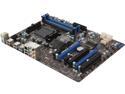
MSI 970A-G43 AM3+ AMD 970 + SB950 USB 3.0 ATX AMD Motherboard
Pros: 6x Sata III, USB 3.0, easy to setup, price.
Cons: VRM/Mosfet temps out of control. Advertised as 125W CPU support when it shouldn't be.
Overall Review: I was looking for a board to go with my 125W Phenom II X6 1090T that had USB 3.0 and Sata III. This board seemed to have it all at a great price. Hardware and software setup was pleasant. I used a Cooler Master Hyper T4 with Arctic Silver 5. I began stress-testing the setup with Prime95 while using OpenHardwareMonitor to monitor everything. Stock speeds and all volts on Auto. After 15 minutes at full load, CPU temp never broke 45C and my fans were still running at low RPMs (under 50% speed) with plenty of headroom. Great. Northbridge hit 65C. Acceptable. MOSFETS HIT 100C! CPU clock speeds were unstable at this point. The only reason why the mosfets did not go over 100C is because the motherboard throttles down the vcore and clock speeds at this temp. There goes my overclocking hopes since the board won't even handle my CPU at stock. This is a design flaw or false advertising, as there really should be a heatsink over the mosfets. At this point, I knew overclocking was out of the picture, so I decided to try to control the VRM temps: I undervolted the CPU as far as I could while remaining stable in Prime95. This actually dropped my mosfet temps to 85C max. Throttling averted, but temps still higher than expected. My Hyper T4 could only be oriented blowing up or down, but not sideways. This does not help the VRM temps, so I threw on the stock AMD cooler which dissipates heat sideways. This dropped my mosfet temps to 81C max. Unfortunately, this raised the noise level a lot compared to my aftermarket cooler. I then rigged an 80mm fan to blow somewhere between the northbridge heatsink and mosfets. I attached 1 corner of the 80mm fan onto the first PCIe screw hole to achieve this. This final modification dropped my mosfet temps to 75C max. An aftermarket heatsink over the mosfets would probably drop temps into a more comfortable range, but this modification would cost over $30. Never in my dozens of builds have VRM temps been this wild. Final thoughts: I'd recommend NOT using any cpu higher than 95W. Do keep an eye on your VRM temps if you are overclocking or using a 125W cpu.
10/15/2014See more detail
Solid for over a year now
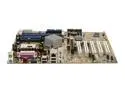
ASUS P4S800D-X Socket 478 SiS 655FX ATX Intel Motherboard
Pros: Attatched everything up and had no problems. Easily overclocked a 2.4 Celeron D to 2.8 by FSB increase. 4 RAM slots come in handy when you have a lot of little sticks around. Dual Channel memory support is a plus.
Cons: Took me a little while to learn how to set up SATAs (needed to load drivers to floppy). Also, half of the USB ports only run at USB1.1 for some reason, even with different versions of windows. No voltage adjusters so overclocking is limited.
Overall Review: For the price, it's very versitle and has been rock-solidly reliable.
11/15/2006See more detail