
Your Browsing History
 Holiday Shipping Details & Extended Holiday Returns Holiday Shipping Details & Extended Holiday Returns

Joined on 08/25/02
For smartphone hackers, the deal of the century

Pros: Insanely Inexpensive Highly Capable hardware LTE-enabled on all North American GSM networks (A, T) Right-Sized and Lightweight Powerful enough for all daily tasks
Cons: A unicorn - hard to find on sale Only a limited variety of custom ROMs (no CM AFAICT) Gimmicky manufacturer-supplied add-on apps ROM updates currently being teased, but no sure delivery date Still wish it came with more internal memory, just in case
Overall Review: Got this on sale here, though I recently saw this elsewhere on sale at a big-box store for a Hamilton less than the post-rebate price here (which already got this phone into sub-Franklin range). If you are well-versed in the ways of rooting Android, managing ClockworkMod, and have a spare 8Gb-or-better MicroSD card at your disposal, then don't walk - instead, RUN - to NewEgg and get this device. I bought this as a backup device, daily driver, ace-in-the-hole insurance policy in the event something bad ever were to happen to my Nexus 5. Guess what? This thing, properly configured with a properly-partitioned MicroSD card and the Link2SD app, provides 99.5% of the functionality of my N5 at a quarter of the cost. Battery life is better than the N5. LTE is spot-on on the "A" and "T" networks (10 and 18Mbps, respectively, witnessed here). The replaceable battery is a wonderful touch. The lower-res screen is not an issue for me. CPU? I can't really tell a difference in daily operation. Honestly, the only thing I'm missing with the F6 is the KitKat niceties like swipe-up-for-Google Now, updated lockscreen widgets, and the pano photo capabilities. I've heard rumors that LG plans to release an updated KitKat 4.4.4 ROM. We'll see about that. Until then, I'm happy as a clam. What an incredible value!
Complete duds, all of them
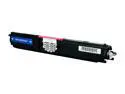
Pros: Cheap
Cons: Not functional
Overall Review: Don't do it. 3 of 4 cartridges I purchased were complete duds. Waste of money. No guarantees either. I'd rather play penny slots on an Indian reservation - odds of success are better there.
A poem about ezDISK Couples Edition...
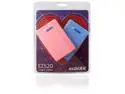
Pros: HDD enclosures are red HDD enclosures are blue They come in convenient packaging And represent a great value!
Cons: They require a cord To connect to its host If dropped they might crack Cuz, of plastic, it's made most
Overall Review: If multicolor suits you Cuz black breaks the deal Or you'd like to get two Then this is a steal!
Great at first, even better a year later...
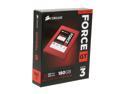
Pros: Fast! Faster! Fastest! Corsair supports their product!
Cons: Likely firmware bug caused random 60-second-long lockups on 2012. But a recent firmware update appears to have solved this. Corsair support Web site is a little hard to navigate and not as forthcoming as I would have hoped.
Overall Review: Ran this on a Thinkpad T60 with Windows 7 64 bit through 2012 into April 2013. It would randomly lock up for 60 seconds at a time a couple times a day. I would take a bio break, and the machine would be just fine. This month, I wiped the drive, upgraded the firmware to 5.x, and put it in a Thinkpad T530 with Windows 7. It has been flawless. The system moves faster than I can think!
Disappointed
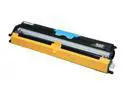
Pros: Inexpensive Ready to use - no manual refilling or chip-resetting
Cons: Not functional
Overall Review: I bought a set of these Rosewill aftermarket cartridges in each color for the Konica Minolta, along with a toner+chip refill kit from a third party. Turns out the toner+chip kit saved the day, as THESE cartridges' chips all reported "cartridge not installed" by the printer. They're bogus and/or of questionable quality. I cannot recommend them at all.
Solid performer! Champagne performance at a beer price
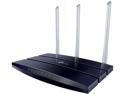
Pros: DD-WRT capable Gig-E everywhere USB Port VERY stable
Cons: Doesn't do 5Ghz band No Private+Public combo hotspot out of the box (DD-WRT might, however) Unclear of USB functionality with DD-WRT LED status lights all one color
Overall Review: This TP-LINK TL-WR1043ND is a geeker's paradise router - especially for those on a bit of a budget and looking for the bestest bang for the buck. At first, I was a tad disappointed with the unit's range/signal strength, but I had placed it on a shelf in a far corner of the basement, alongside a bunch of metal boxes and other falderal. Once I moved the unit about 10 feet closer to the center of the house, mounted on a wall with all three antennae pointing straight up, the signal strength shot WAY up-I was getting 4 bars everywhere in the house. Then, I used a wi-fi signal analyzer on my Android phone to get a handle on competing signals on all channels within my neighborhood. All my neighbors were down on channels 2-8 but 11 was completely free, so I set my router to it. I also switched to "N-G" mode and turned on "Turbo" mode. Now, my "N" devices are able to take advantage of the full 300Mbps, with all wired at 1Gbps. No device reboots, either! Gone for weeks at a time without