
Your Browsing History


Steven L.
Joined on 02/09/02
0
0
product reviews
- 12
Jack of all trades, master of all
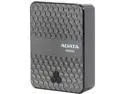
ADATA DashDrive Air AE400 Black 5000 mAh Wireless Storage Reader and Power Bank AAE400-CBKSV
Pros: + Big battery + Easy configuration + Built-in SD reader with SDXC support + App that works, unlike competition
Cons: - Can't access NTFS disks - No Ethernet - No WPS - One storage device at a time
Overall Review: The ADATA AE400 is the fifth wireless hotspot device I have owned. The others are the D-Link DIR-505 and DIR-506L and the TP-Link TL-MR3020 and TL-MR3040. Like all of these, the AE400 can wirelessly share a USB storage device and can turn a wireless access point, such as at a hotel or coffee shop, into its own wireless hotspot with multiple clients (10 in the case of the AE400.) Like the D-Link DIR-506L and TP-Link TL-MR3040, the AE400 contains an internal rechargeable battery that can not only power the device independently but can also charge phones. Unlike the D-Link and TP-Link devices, the ADATA AE400 did not begin life as a router and then have the other functions grafted on - while the AE400 does serve a router function, it can't be set up as a wireless repeater nor does it have an Ethernet jack to turn a wired connection into wireless. It also lacks nearly all of the multitudinous settings the typical router has - all you can configure is the SSID name and the wireless password. You don't even get a choice of encryption type - WPA2 is it (not that there's anything wrong with that.) If you need QOS settings, IP reservations, built-in firewall, etc., the ADATA doesn't have them. What it does have that the others do not is a much larger internal battery, that I found could power not only an iPhone but also an iPad (though I expect an iPad would not get a lot of charge out of the AE400.) It also has a built-in SD card reader capable of reading SDHC and SDXC cards. This can be used independently of the other functions by connecting a USB cable to a computer. If you want to wirelessly serve storage, you have to choose between the SD slot and the USB connection, you can't use both at the same time. Neither will the AE400 work with a USB hub. While I did find that the AE400 would power a Seagate 1TB disk drive I had, it supports FAT and exFAT drives only, not NTFS. When serving storage, the AE400 uses SMB/CIFS, not DLNA. Many video player apps will support SMB, but some I have run into make you pay extra for the feature. I used Goodplayer on iOS and it worked well. ADATA claims that it will serve 720p video simultaneously to 10 devices, 1080p video to 5. It certainly performed well when I tried it with two devices. Like the D-Link devices, ADATA provides an app (iOS and Android) which can be used to upload, download and play files, as well as adjust settings on the AE400. The iOS app also allowed renaming, creation of new folders and deletion. It has a "move" function but I could not figure out how to use that. Unlike D-Link's app, the ADATA app works and doesn't crash if you look sideways at it. If what you want is the ability to create your own WiFi hotspot, wirelessly serve media without requiring external power, and something that can double as a USB power source and SD reader, the AE400 is a great choice.
7/16/2013See more detail
Two out of three ain't bad
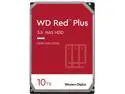
WD Red Plus 10TB NAS Hard Disk Drive - 5400 RPM Class SATA 6Gb/s, CMR, 256MB Cache, 3.5 Inch - WD101EFAX
Pros: Spacious, not SMR
Cons: One out of the three I ordered had bad sectors out-of-the-box
Overall Review: I bought three of these for use in a Synology NAS (DS916+), as an upgrade from the 6TB Red models I have had for the past four years. I put in two of them, one threw 20 bad sectors in the first 24 hours, the second was fine. I replaced the first one with the third, it has also been fine. The bad one is getting RMAd to WD (not returning to Newegg, not their fault.) WD is not processing RMAs right now, but will eventually. Despite this one bad drive (only one of the many WD Red drives I have owned over the years,. The WD Red drives are my drive of choice for NAS duty. (I also have 2TB models working in DVRs. You may have read news items about some WD Red drives using "shingled" recording (SMR), which can be slow. None of the 10TB drives are SMR (and neither are my old 6TB drives.)
4/29/2020See more detail
Several months in, still works fine
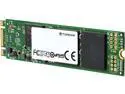
Transcend MTS800 M.2 2280 512GB SATA III MLC Internal Solid State Drive (SSD) TS512GMTS800
Pros: - High capacity - Fast
Cons: - Expensive
Overall Review: I have now installed two Transcend MTS800 M.2 SSDs into Intel NUCs (5i3RIYH and 5i5RIYH) and several months in they are both working fine. I can find no faults in the performance - sure, one can probably write tests that show other SSDs, especially those with a PCIe interface, are faster, but for typical applications you'll never notice. As someone who remembers 5MB disk drives that weighed 100 pounds and filled a rack space, seeing 512GB in such a tiny card with high performance is mind-boggling.
6/19/2015See more detail
Just barely fit, bit works great!
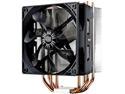
Cooler Master Hyper 212 Evo CPU Cooler, 4 CDC Heatpipes, 120mm PWM Fan, Aluminum Fins for AMD Ryzen/Intel LGA1200/1151
Pros: Excellent Performance Quiet Fits wide variety of sockets
Cons: Tall - check case clearance!
Overall Review: The stock cooler on my Intel Core i7 965 processor was no longer working well in that the CPU temps were climbing into the 90s. It was several years old and, on disassembly may not have been installed with enough thermal compound, but I replaced it with this Cooler Master cooler and now the CPU temps are in the 40s. The cooler installed easily with the included hardware and the instructions were easy to follow, if perhaps printed a bit small. I have a "mid-tower" case and it just barely cleared the side panel, but it did clear. The fan spins slowly and silently and all is well again!
11/13/2014See more detail
Quiet, nice Fermi performance
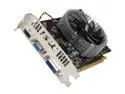
MSI GeForce GTS 450 (Fermi) 1GB DDR3 PCI Express 2.0 x16 Graphics Card N450GTS-MD1GD3
Pros: + Quiet, can't hear the fan at all (and I have a very quiet system) + Compact board fits in many cases + Applications that can use OpenCL or CUDA see a good performance boost
Cons: - Overall graphics performance not what I thought it would be - No description of what software is on the accompanying CD Not an issue with the card, but expect to have lots of trouble with MSI's rebate site. I never managed to get it to give me a form to print.
Overall Review: First of all, I am not a gamer. So don't ask me if this card will let you play game X at frame rate Y. I primarily bought this to take advantage of the OpenCL and CUDA acceleration for software I use, including Adobe Photoshop and DxO Optics Pro. Like user Hank, I was disappointed to see that the Windows Experience Index for graphics went DOWN for me, from 7.1 (a two+ year old ATI Radeon HD3780) to 6.9. I had expected it to do a bit better. But the graphics performance is adequate for me, so that's not a big deal. I did install the latest drivers from Nvidia rather than the older ones on the software CD. On the other hand, I was blown away by the performance improvement in DxO Optics Pro. An image that normally took a minute and a half to process was done in 15 seconds! My CPU is quite ancient by this time, the original Intel Core 2 Duo E6700, so it was no surprise that when I ran the Futuremark tests it did so poorly. I don't blame the MSI card for that. Ivy Bridge is com
12/29/2011See more detail
Significant performance boost
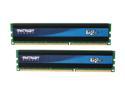
Patriot Gamer 2 Series 8GB (2 x 4GB) DDR3 1333 (PC3 10666) Desktop Memory Model PGD38G1333ELK
Pros: Fast Compatible Cost-Effective
Cons: None
Overall Review: I used this 2-pack to upgrade an Intel DX58SO/Core i7-965 system that had three 1GB "noname" RAM sticks. Though this CPU has three memory channels, it can work with two (or even one), so putting the two Patriot sticks in the appropriate B and C channel slots (per the Intel motherboard manual) worked fine. When I reran the Windows Experience Index, the Memory score increased from 5.9 to 7.6! The system feels faster and I can see that Windows 7 is taking advantage of the increase from 3GB to 8GB. As someone who remembers paying over $200 for 4MB (yes, MB) of RAM for his first PC, the fact that I can buy 8GB of fast RAM for under $30 (after MIR) is just mind-boggling.
8/31/2011See more detail