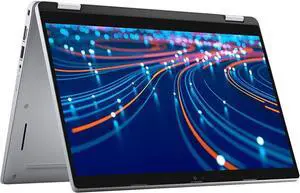
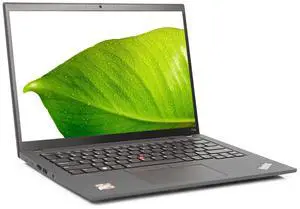
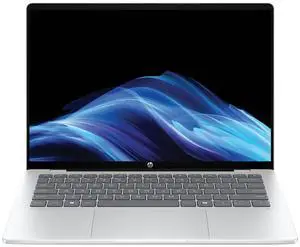
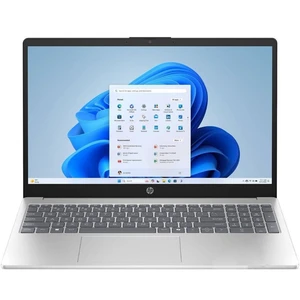
SHOP BY Resolution

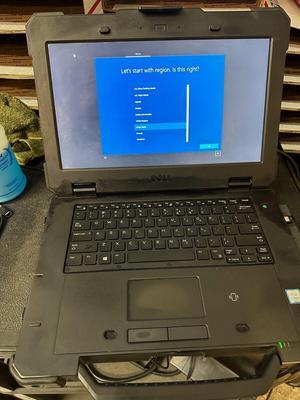
- Screen Size: 14.0"
- Model #: 20JSS0KS00-LSD
- $316.52 –
- Free Shipping

- Processor Name: Intel Core i7-1185G7
- Memory: 64GB
- SSD: 512GB
- Brand: DELL
- Model #: 196105885007
- $1,043.41 –
- Free Shipping

- Series: HP Laptop 14
- Model: HP 14-dq3000
- Model #: HP14EP-4B
- $512.90 –
- Free Shipping

- Model #: DellLatitude53202-in-1-DH
- $1,025.68 –
- Free Shipping

- Processor Name: Intel Core i5-1335U
- Memory: 16GB
- SSD: 256GB
- Brand: DELL
- Model #: 787058063347
- $1,061.94 –
- More options from $1,061.94 - $1,548.46
- Free Shipping

- Memory: 16GB
- SSD: 1TB
- Color: Silver
- Type: Work / Business
- Model #: XPS 9310
- $1,153.46 –
- Free Shipping

- Model #: DellLatitude53202-in-1-xU
- $1,025.68 –
- Free Shipping

- Series: HP Laptop 14
- Model: HP 14-dq3000
- Model #: HP14EP-KG
- $424.57 –
- Free Shipping

- Memory: 16GB
- SSD: 512GB
- Brand: Lenovo
- Series: IdeaPad
- Model #: 632823385219
- $1,097.21 –
- More options from $1,097.21 - $1,366.81
- Free Shipping

- Screen Size: 11.6"
- Model #: DellLatitude3189-1
- $114.95 –

- Processor Name: Intel Core i5-1235U
- Memory: 8GB
- SSD: 256GB
- Brand: DELL
- Model #: 196105763381
- $1,206.94 –
- More options from $1,206.94 - $1,548.46
- Free Shipping

- Series: HP Laptop 14
- Model: HP 14-dq3000
- Model #: HP14EP-BT
- $410.69 –
- Free Shipping

- Series: Dell Precision
- Model: Dell Precision 3551
- Model #: QIGNKF-6L
- $345.92 –

- Screen Size: 14.0"
- Model #: G3SvA
- $367.75 –
- Free Shipping

- Series: HP Laptop 14
- Model: HP 14-dq3000
- Model #: HP14EP-DW
- $532.57 –
- Free Shipping

- Processor Name: 3.50GHz
- Memory: 16GB
- SSD: 256GB
- Brand: DELL
- Model #: 787058123836
- $1,188.88 –
- More options from $1,188.88 - $1,711.28
- Free Shipping

- Processor Name: 2.30 GHz
- Memory: 16GB
- SSD: 1TB
- GPU/VPU: GeForce RTX 3050 Ti Laptop GPU
- Model #: 196105986322
- $1,523.14 –
- Free Shipping

- Memory: 12GB
- SSD: 512GB
- Brand: DELL
- Series: Inspiron
- Model #: 682174701428
- $851.37 –
- More options from $851.37 - $1,595.63
- Free Shipping

- Memory: 16GB
- SSD: 512GB
- Brand: DELL
- Series: Inspiron
- Model #: 682174131805
- $851.37 –
- More options from $851.37 - $1,595.89
- Free Shipping

- Memory: 24GB
- SSD: 960GB
- Brand: DELL
- Series: Inspiron
- Model #: 657070235568
- $923.60 –
- Free Shipping

- Memory: 32GB
- SSD: 960GB
- Brand: DELL
- Series: Inspiron
- Model #: 657070047642
- $927.08 –
- Free Shipping

- Processor Name: 3.60 GHz
- Memory: 16GB
- SSD: 512GB
- GPU/VPU: GeForce RTX 4050 Laptop GPU
- Model #: 787058402054
- $1,979.15 –
- Free Shipping

- Model #: LT14sG3BWCi7DCAS-0V
- $961.98 –

- Model #: D9KU0UA#ABA-UF
- $2,569.98 –

- Processor Name: 3.90 GHz
- Memory: 64GB
- SSD: 1TB
- Brand: DELL
- Model #: 787058565032
- $1,657.11 –
- Free Shipping

- Series: Dell Latitude
- Model: Dell Latitude 5320
- Model #: AUFTQV-O4
- $377.92 –
- Free Shipping

- Processor Name: 3.60 GHz
- Memory: 16GB
- SSD: 1TB
- GPU/VPU: GeForce RTX 4050 Laptop GPU
- Model #: 787058328996
- $2,062.49 –
- Free Shipping

- Processor Name: Intel Core i7-13620H
- Memory: 32GB
- SSD: 4TB
- Brand: DELL
- Model #: 787058666623
- $2,574.06 –
- Free Shipping

- Memory: 4GB
- SSD: 128GB
- Brand: DELL
- Series: Inspiron
- Model #: 657070335589
- $1,387.15 –
- Free Shipping

- Model #: D9KT6UA#ABA-O8
- $2,889.98 –

- Model #: D7420BWCi5QASCM.-KB
- $769.98 –

- Memory: 8GB
- SSD: 256GB
- Brand: DELL
- Series: Latitude
- Model #: 657070760138
- $1,622.68 –
- More options from $1,457.49 - $1,622.68
- Free Shipping

- Model #: D5420BWAi5QAM.2-KV
- $817.98 –

- $3,049.98 –

- Processor Name: Intel Core i5-6300U
- Memory: 8GB
- SSD: 256GB
- GPU/VPU: Intel HD Graphics 520
- Model #: 33156-08256-4XC
- $649.00 –
- More options from $649.00 - $679.99
- Free Shipping

- Screen Size: 14.0"
- Model #: 20L6S29F00-LCR
- $349.45 –
- Free Shipping
2-in-1 Laptops | Versatile Devices with Touchscreen and Convertible Designs
Find 2-in-1 laptops featuring touchscreens, flexible hinges, and options like dedicated graphics or pen support. This page is for users seeking powerful, adaptable laptops that can switch between traditional and tablet modes for work, creativity, or entertainment.
How to Choose 2-in-1 Laptop
Key Features and Technologies to Consider in a 2-in-1 Laptop
- Display type and resolution: Touchscreen responsiveness and screen clarity define tablet-like use and visual comfort, crucial for creative and casual users alike.
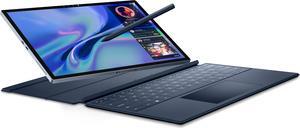
- Hinge design and flexibility: Look for 360-degree hinges or detachable keyboards that enable smooth transitions between laptop, tent, and tablet modes.
- Processor and RAM: Performance varies significantly—opt for recent Intel or AMD processors with at least 8GB of RAM for multitasking and heavier workloads.
- Battery life: Portable versatility demands long-lasting battery performance to make the most of on-the-go use without frequent recharges.
- Dedicated graphics options: For creative professionals or gamers, some 2-in-1s offer discrete GPUs that boost performance beyond integrated graphics.
- Stylus support: A digital pen can transform a 2-in-1 into a powerful drawing or note-taking device, especially for students and artists.
- Connectivity ports: Diverse ports including USB-C, Thunderbolt, and SD card readers improve adaptability for professional peripherals and expansion needs.
The Importance of Display Resolution and Touchscreen Quality
Arguably the most critical aspect of any 2-in-1 laptop is its touchscreen display—since it's the primary method of interaction when used in tablet mode. High resolution paired with responsive touch technology not only enhances everyday usability but supports detailed creative tasks like drawing or photo editing. To find a balance between sharpness, color accuracy, and battery efficiency, many users opt for resolutions such as 2560 x 1440 or 3000 x 2000. For professionals seeking ultra-fine detail, 3240 x 2160 and stylus-optimized screens offer peerless clarity and precision. Keep in mind, a responsive touchscreen paired with accurate color reproduction is essential to truly unlock the versatility of this hybrid device.
Advanced Use and Developer Considerations for 2-in-1 Laptops
For developers, system engineers, and creative professionals, a 2-in-1 laptop can be more than just a portable convenience—it can become a flexible workstation. Choosing models with powerful multi-core processors and dedicated graphics cards ensures smooth performance in IDEs, virtualization environments, and software like CAD or video editing suites. Many professionals still gravitate towards a classic Laptop / Notebook when heavy coding or resource-intensive tasks take precedence but benefit from the option to switch to tablet mode for presentations or demonstrations. Additionally, consider models with multiple display outputs or support for dual-screen setups to enhance productivity and multitasking capability.
Performance and Setup Tips
- Update your device’s firmware and drivers immediately after purchase to ensure compatibility and optimal performance with touchscreen and pen input.
- Calibrate the touchscreen and stylus regularly for precision, especially if you plan on writing, drawing, or designing frequently.
- Adjust power settings to balance between battery life and performance depending on your usage patterns—engage high-performance modes when working on demanding tasks.
- Invest in a quality protective case or keyboard folio tailored for your 2-in-1 model to safeguard the hinges and keep the device clean in different modes.
- Customize touch gestures and accessibility features in Windows settings to streamline your workflow and multitouch navigation.
- Use external monitors or docks if your 2-in-1 will serve as a primary workstation to expand connectivity without sacrificing portability.
- Leverage cloud storage and backup tools to seamlessly transition work between tablet and laptop modes, maintaining productivity everywhere.
Newegg shopping tip: When shopping for a 2-in-1 laptop, compare the hinge design and weight to see how easily it transitions between tablet and laptop modes. Also, consider the battery life and touchscreen responsiveness if you plan to use the tablet mode frequently.
Explore 2-in-1 Laptop & Related Categories
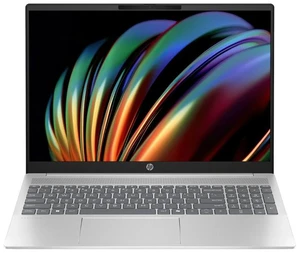
A versatile laptop with a traditional clamshell design, ideal for users prioritizing keyboard comfort and straightforward multitasking over tablet functionality.
Experience sharp visuals on a 2304 x 1440 panel, perfect for creative work with balanced pixel density and smooth touch performance.
Ideal for high-res streaming and detailed spreadsheets, this 2400 x 1600 screen delivers vibrant colors with excellent battery efficiency.
New to 2-in-1 Laptops? What You Need to Know
2-in-1 laptops combine the best of both worlds by functioning as a traditional laptop and a tablet, offering flexibility that adapts to how you work and play. If you’re accustomed to a classic clamshell style, these devices provide a touchscreen and often a detachable or fold-back keyboard to switch modes with ease. For those prioritizing a straightforward typing experience for emails and documents but intrigued by the convenience of a tablet, you might also want to browse our Laptop / Notebook options. Understanding basic traits like touchscreens, stylus support, and convertible hinges will help you confidently pick your first 2-in-1 laptop.
For Creatives Seeking Maximum Portability and Precision
Artists, designers, and content creators often turn to 2-in-1 laptops for their versatile form factor paired with high-resolution touchscreens and pen input capabilities. Many models offer beautifully sharp screens such as 3000 x 2000 or 3240 x 2160 resolution, delivering true-to-life colors and crisp details essential for photo editing, sketching, and video production. This makes them ideal for those who need a creative workspace that travels lightly without sacrificing performance or precision.
For Professionals Who Need a Device to Work Anywhere
If your work takes you between meetings, client sites, or even remote locations, a 2-in-1 laptop provides unmatched flexibility. Whether you require tablet mode for note-taking and presentations or traditional laptop mode for multitasking and spreadsheet crunching, these devices handle it all. High-resolution displays like 2560 x 1440 or 2560 x 1600 screens give you vivid and clear visuals without draining battery life, ensuring your device stays productive throughout the day. Look for models with robust performance and connectivity options to keep up with business demands on the move.
Before You Buy
- Confirm the laptop’s screen resolution to match your needs—options range from sharp 2304 x 1440 up to ultra-HD 3240 x 2160.
- Decide if you need a dedicated graphics card for power-hungry applications like video editing or gaming, as not all 2-in-1s include this feature.
- Test or research the hinge design and keyboard feel—these affect how comfortably you can switch modes and type for extended sessions.
- Check for stylus compatibility if note-taking or digital art is important to your workflow.
- Evaluate battery life claims and real-world reviews; 2-in-1s with touchscreen and convertible modes naturally consume more power.
- Consider weight and size for portability—some models balance screen size and compactness better than others.
- Review available ports and wireless connectivity options to ensure your accessories and peripherals will work seamlessly.
Need Expert Guidance Choosing Your Perfect 2-in-1 Laptop? We're Here to Help
- While the video "How to Pick the Right College Laptop for Your Major" from Newegg Studios covers this topic, you can watch it below:
Research more: Thinking about a 2-in-1 laptop? Check out Newegg Insider for detailed guides that break down features like touchscreens, convertible designs, and graphics options to help you find the best fit for your needs.
Last Updated: October 2026 | Newegg 2-in-1 Laptop Buying Guide
2-in-1 Laptop FAQs:
How does the performance of a 2-in-1 laptop compare to a traditional laptop with similar specs?
Generally, 2-in-1 laptops offer comparable performance to traditional laptops when they share the same CPU and RAM, but they might have slightly less powerful cooling systems, which can affect heavy gaming or intensive multitasking.
Are there major differences between 2-in-1 laptops from brands like Microsoft Surface and Lenovo Yoga?
Microsoft Surface models often focus on sleek design and pen integration, making them great for creatives, while Lenovo Yoga tends to offer more variety in price points and robust build quality, catering well to business and casual users.
What makes a 2-in-1 laptop different from a regular laptop?
A 2-in-1 laptop combines the functionality of a traditional laptop with a touchscreen tablet, allowing you to switch between typing mode and touch mode by folding or detaching the keyboard.
Do 2-in-1 laptops support pen input for drawing or note-taking?
Many 2-in-1s come with stylus support, so you can write, draw, or navigate the screen directly, but you’ll want to check the specific model to ensure it includes or supports an active pen.
How do I decide if a 2-in-1 laptop is better than a traditional laptop for my needs?
If you want the flexibility to switch between laptop and tablet modes for things like drawing or casual browsing, a 2-in-1 is worth it. But if you mainly need a laptop for heavy work or gaming, a regular laptop might be a smarter choice.
What price range should I expect for a reliable 2-in-1 laptop?
You can find decent 2-in-1 laptops starting around $500, but for better performance and build quality, expect to spend closer to $800 or more. It really depends on what features and specs you prioritize.
How reliable are 2-in-1 laptops compared to regular laptops?
They generally hold up well, but because of the hinge and touchscreen components, they might have more wear over time. It's smart to check user reviews specifically mentioning durability before buying.
What are common problems people run into with 2-in-1 laptops?
Hinges can sometimes become loose or stiff, and touchscreen sensitivity issues pop up occasionally. Reading reviews for any recurring hardware complaints can help avoid models with known quirks.
How do I switch between laptop mode and tablet mode on a 2-in-1 laptop?
Usually, you just fold or rotate the screen all the way back until it clicks into place flat against the keyboard for tablet mode. To go back, flip it forward into the regular laptop position.
What’s the best way to set up a 2-in-1 laptop for touch and pen use?
Make sure you install any drivers for the touchscreen or stylus that come with your device, then calibrate the pen in your system settings to get accurate input and a smooth writing experience.
Bestselling 2-in-1 Laptop Reviews:
“ Thin and light build quality in a 2-1 design. ”
Acer Swift Spin 14 AI 2-in-1 Convertible Laptop - Snapdragon X2 Elite X2E-78-100 - 16GB RAM - 512GB SSD - Windows 11 Home SFSP14-Q51T-X867“ If you are looking for something lightweight for casual use or on-the-go productivity, this 2-in-1 is a fantastic choice. ”
Acer Swift Spin 14 AI 2-in-1 Convertible Laptop - Snapdragon X2 Elite X2E-78-100 - 16GB RAM - 512GB SSD - Windows 11 Home SFSP14-Q51T-X867“ The 2-in-1 design is genuinely useful. ”
Acer Swift Spin 14 AI 2-in-1 Convertible Laptop - Snapdragon X2 Elite X2E-78-100 - 16GB RAM - 512GB SSD - Windows 11 Home SFSP14-Q51T-X867“ The 2in1 design is convenient for notetaking, drawing, or media. ”
Acer Swift Spin 14 AI 2-in-1 Convertible Laptop - Snapdragon X2 Elite X2E-78-100 - 16GB RAM - 512GB SSD - Windows 11 Home SFSP14-Q51T-X867“ Dual use ”
Lenovo IdeaPad Flex 5 2-in-1 16.0" Touchscreen Laptop i7-1255U 16GB RAM 1 TB PCIe SSD Windows 11 Home 82R80000US“ A nice 2-in-1 laptop with good hardware for the price. ”
Lenovo IdeaPad Flex 5 2-in-1 16.0" Touchscreen Laptop i7-1255U 16GB RAM 1 TB PCIe SSD Windows 11 Home 82R80000US