






How to purchase the correct of battery?
Fine, how to check your laptop model?
- Step 1: Press Windows + R to open Run window.
- Step 2: Input "msinfo32" in the empty box and click OK to open System Information.
- Step 3: Keep in the System Summary section, and you will find the System Model item in the right pane.
Why the laptop does not recognize the battery?
- Could be caused by battery loose. Please re-install the battery and make sure that the battery cable and the motherboard interface are tightly inserted.
- Maybe due to conductive material damaged which the laptop motherboard and battery anode and cathode contact position, you can try to confirm it with your original battery.
- Check whether the battery drive is in normal condition, if not, download the corresponding driver software to update.
- There is a problem with the computer detection software, which usually just restart the computer.
Tip :You have to find your specific laptop model before ordering a correct battery

How to use the new battery correctly?
Laptop Battery Maintenance Tips:
1. When using your new battery for the first time, you need to prime the battery by charging it to 100% and discharging it to 20% for 3 times. If you don't know how to install a new laptop battery, you can search "How to install a new laptop battery?" on website.
2. DO NOT let the battery drain to 0%: If you constantly let it drain to 0%, the battery becomes unstable will be seriously degraded.
3. DO NOT keep your battery always fully charged: Just like emptying your battery to 0%, keeping your battery permanently charged at 100% is very harmful. As time goes by, this will increase its internal resistance and reduce its capacity.
4. Perform regular charging cycles: If you don’t use your Laptop battery very often, it is important to cycle it (discharge => charge) regularly, at least once a month. Please store the unused battery fully charged. Do not store at low power to prevent reduce the lifespan of a battery.
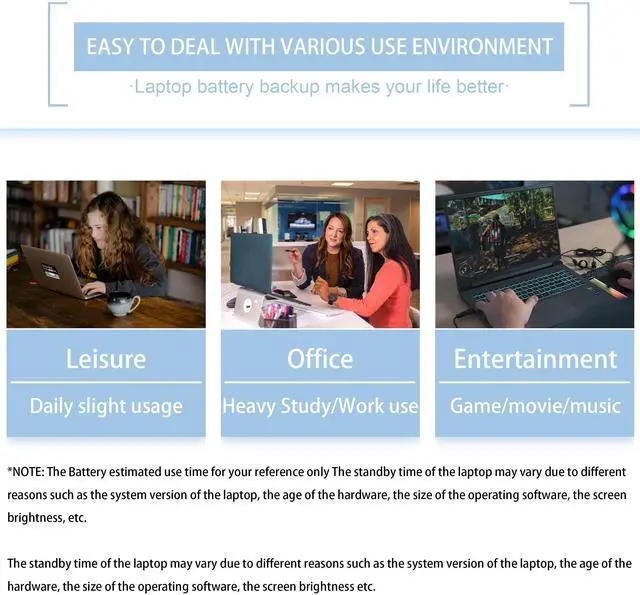
5.The battery life depends on how you use your laptop. If you open a lot of software at the same time, in the office, while listening to music, while browsing the Internet, also watching a movie, then the battery will drain fast; If you don't have a lot of software running on your computer, and you're only on standby or browsing the web, the battery will last longer.
Easy Ways To Maximize Battery Life:
1. Change your laptop power plan settings. I would suggest you choose the power saver plan. Then Change advanced power settings, scroll down to find Processor power management. Click the On-battery option and reduce the processor state to 20%.
2. Always keep your laptop neat and clean. The dust easily enters the hardware through the vents which are meant to release the heat generated from various computer components. It then blocks the vents preventing the outflow of the heat. This damages the computer parts including the battery.
3. Close Wi-Fi, Bluetooth, and other settings. You should keep the Bluetooth and WiFi off when you’re watching movies or doing other things which don’t require network connectivity. This can help your computer save precious battery life.


About VNYUNQWE Laptop Battereies
VNYUNQWE hopes to make our products better so that everyone can feel the First - class quality&service.
VNYUNQWE committed to bring convenience to people's lives. You can use your laptop anytime and anywhere (Business,work,study,entertainment)
Main Features:
- 100% New from Manufacturer
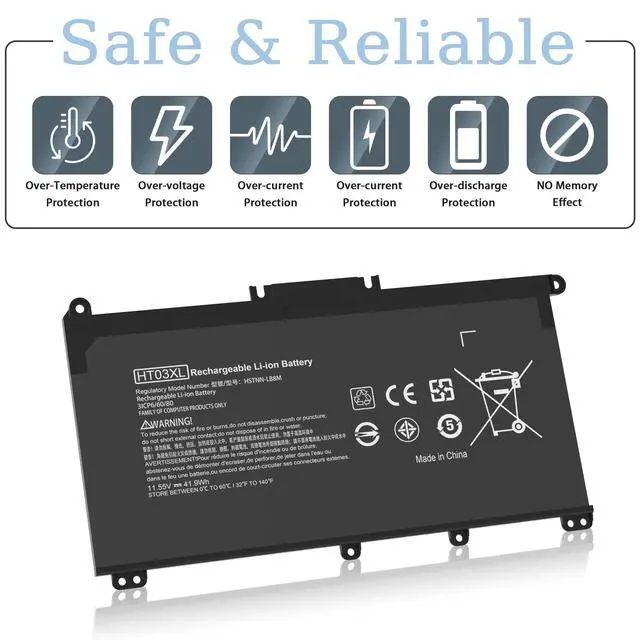
- Our batteries are designed for maximum safety
- Overcharge and Overdischarge Circuit Protection
- Over-temperature and Short-circuit
- Protection Up to 1000 recharge cycles over the life of the battery
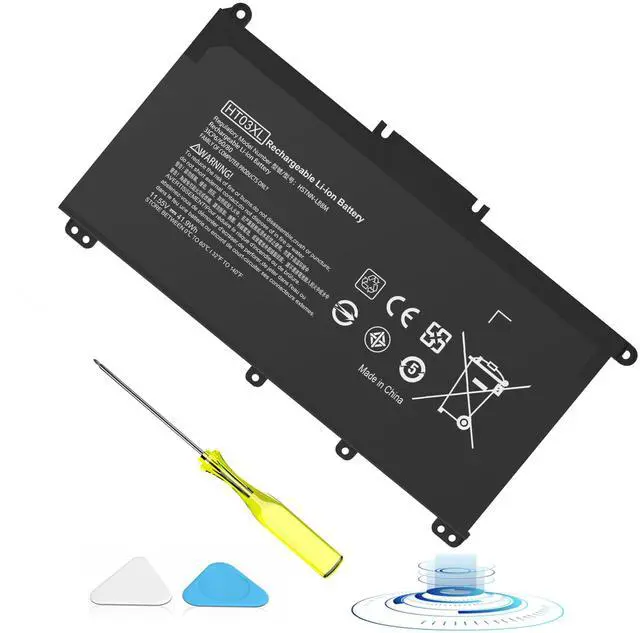
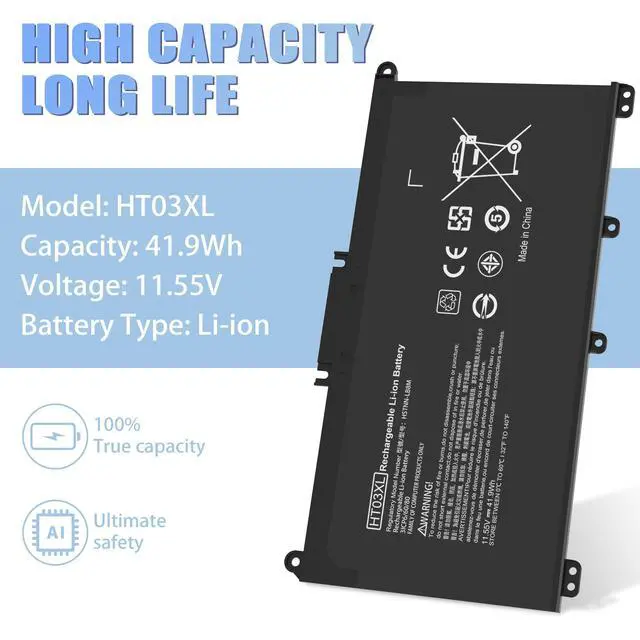
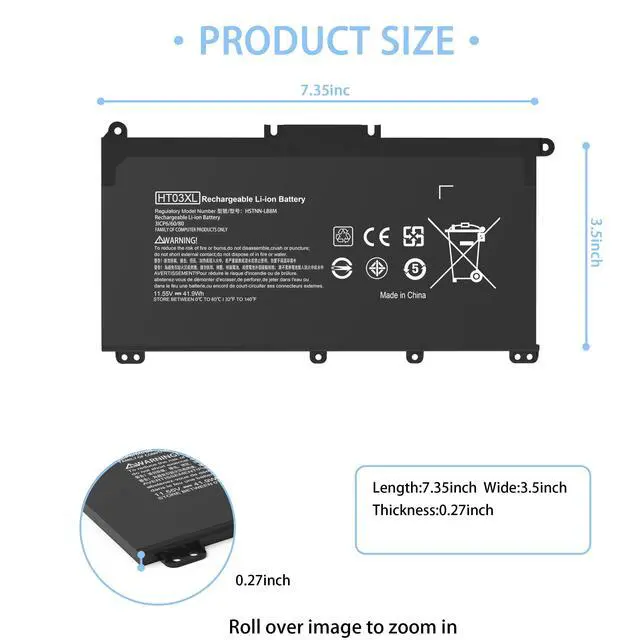
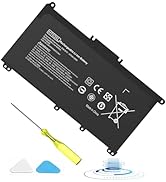
- Model: HT03XL L11119-855 Battery
- Voltage: 11.55V
- Capacity: 41.9WH
- Cells: 3-cell
- Color: Black
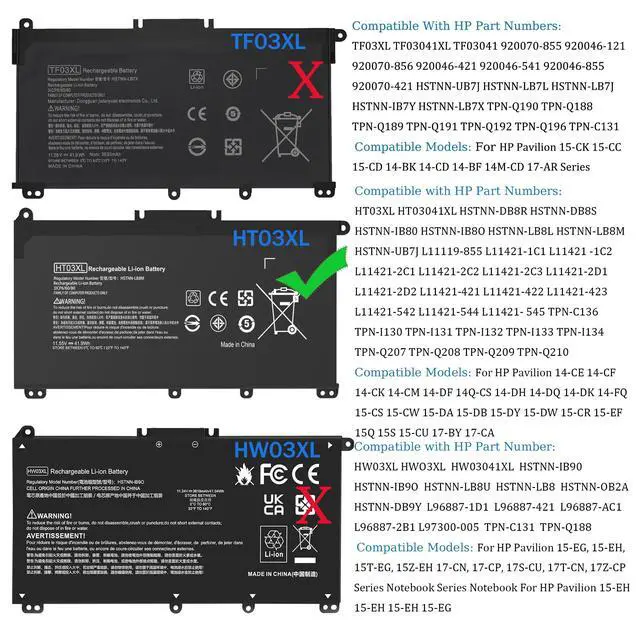
Compatible With Part Numbers & Models (Please "Ctrl+F" search your laptop model)
Compatible with HP Part Numbers:
HT03XL HT03041XL HSTNN-DB8R HSTNN-DB8S HSTNN-IB80 HSTNN-IB8O HSTNN-LB8L HSTNN-LB8M HSTNN-UB7J L11119-855 L11421-1C1 L11421 -1C2 L11421-2C1 L11421-2C2 L11421-2C3 L11421-2D1 L11421-2D2 L11421-421 L11421-422 L11421-423 L11421-542 L11421-544 L11421- 545 TPN-C136 TPN-I130 TPN-I131 TPN-I132 TPN-I133 TPN-I134 TPN-Q207 TPN-Q208 TPN-Q209 TPN-Q210
Compatible with HP Laptop Models:
Replacement for HP Pavilion 14-CE0000 Series 14-CE0020TX 14-CE0025TX 14-CE0027TU 14-CE0028TX 14-CE0029TX 14-CE0030TX 14-CE0034TX 14-CE1058WM 14-CE0068ST 14-CE1056WM 14-CE0064ST 14-CE3065ST 14-CE2068ST 14-CE0006DX and more
Replacement for HP Pavilion 14-CF0000 14S-CF0000 Series 14-CF0006DX 14-CF0012DX 14-CF0013DX 14-CF0014DX 14-CF1015CL 14-CF0023CL 14-CF1051OD 14-CF2074LA 14-CF2051LA 14-CF0018WM 14S-CF3074TU 14S-CF0043TX and more
Replacement for HP Pavilion 14-CK0000 Series 14-CK0013LA 14-CK2098LA 14-CK2091LA 14-CK0001LA 14-CK0061ST and more
Replacement for HP Pavilion 14-CM0000 Series 14-CM0020NR 14-CM0012NR 14-CM1025LA and more
Replacement for HP Pavilion 14-DF0000 Series 14-DF0023CL 14-DF0018WM and more
Replacement for HP Pavilion 14Q-CS0000 Series 14Q-CS0006TU and more
Replacement for HP Pavilion X360 14-DH0000 14M-DH0000 Series 14-DH2011NR 14-DH2085CL 14-DH2075CL 14-DH2034NR 14-DH2051WM 14-DH2097NR 14-DH2671CL 14-DH1021NR 14M-DH0001DX 14-DH1010LA 14M-DH1003DX and more
Replacement for HP Pavilion 14-DQ0000 Series 14-DQ0070NR 14-DQ2055WM 14-DQ2013DX 14-DQ0011DX 14-DQ1043CL 14-DQ2045CL 14-DQ1033CL 14-DQ0013DX 14-DQ2033CL 14-DQ0004DX 14-DQ2035CL and more
Replacement for HP Pavilion 14-DK0000 14S-DK0000 Series 14-DK1003DX 14-DK0002DX 14-DK1013DX 14-DK0028WM 14-DK1022WM 14-DK0075NR 14-DK1025WM 14-DK0736MS 14-DK1031DX 14S-DK0002AU and more
Replacement for HP Pavilion 14-FQ0000 Series 14-FQ0032MS 14-FQ0037NR 14-FQ1021NR 14-FQ0013DX 14-FQ0075NR and more
Replacement for HP Pavilion 15-CS0000 Series 15-CS025CL 15-CS2073CL 15-CS3073CL 15-CS3672CL 15-CS3153CL 15-CS1063CL 15- CS1065CL 15-CS0072WM 15-CS0051WM 15-CS2079NR 15-CS2010NR 15-CS3019NR 15-CS0064ST and more
Replacement for HP Pavilion 15-CW0000 Series 15-CW1068WM 15-CW0002LA 15-CW1063WM 15-CW1XXX 15-CW1004LA 15-CW0008CY 15-CW1085NR 15-CW1001LA and more
Replacement for HP Pavilion 15-DA0000 Series 15-DA0066CL 15-DA0002DX 15-DA0079NR 15-DA1005DX 15-DA0014DX 15-DA0032WM 15-DA0033WM 15-DA0053WM 15-DA0073MS 15-DA0012DX 15-DA0071MS 15-DA0086OD and more
Replacement for HP Pavilion 15-DB0000 Series 15-DB0015DX 15-DB0031NR 15-DB0011DX 15-DB0066WM 15-DB0005DX 15-DB0048NR 15-DB0049NR 15-DB0083NR 15-DB0091NR 15-DB0051OD 15-DB0048CA 15-DB1011CY and more
Replacement for HP Pavilion 15-DY0000 Series 15-DY2087NR 15-DY1031WM 15-DY1036NR 15-DY1059MS 15-DY1005LA 15-DY1024WM 15-DY1751MS 15-DY1023DX 15-DY1731MS 15-DY1771MS 15-DY1124NR 15-DY1755CL 15-DY1020NR 15-DY1086NR 15-DY1095OD 15-DY1051WM 15-DY1076NR 15-DY1078NR 15-DY1087NR 15-DY1971CL 15-DY0013DX 15-DY2021NR 15-DY1043DX 15-DY1091WM 15-DY2074NR 15-DY1071WM and more
Replacement for HP Pavilion 15-DW0000 Series 15-DW0081WM 15-DW0037WM 15-DW0046NR 15-DW0083WM 15-DW1083WM 15-DW2025CL 15-DW2065ST 15-DW0021CL 15-DW2025OD 15-DW20250D 15-DW2638CL 15-DW3013DX 15-DW3015CL 15-DW2057CL 15-DW1024WM 15-DW3065ST 15-DW2048NR 15-DW3056CL 15-DW2072CL 15-DW3031CL 15-DW3025CL and more
Replacement for HP Pavilion 15-CR0000 Series 15-CR0087CL 15-CR0052OD 15-CR0055OD 15-CR0037WM 15-CR0051CL 15-CR0091MS 15-CR0010NR and more
Replacement for HP Pavilion 15-EF0000 Series 15-ef0022nr 15-ef1013dx 15-ef1040nr 15-ef0025wm 15-ef0021nr 15-ef1073od 15-ef1001ds 15-ef1072wm and more
Replacement for HP Pavilion 15Q 15S Series 15Q-DS0019TU 15Q-DY0002AU 15S-FQ0000UR 15S-FQ0020UR 15S-FQ2535TU 15S-FQ2008NJ and more
Replacement for HP Pavilion 15-CU Series 15-CU0058NR and more
Replacement for HP Pavilion 17-BY0000 Series 17-BY1053DX 17-BY1033DX 17-BY0060NR 17-BY0021DX 17-BY0053CL 17-BY0021CY 17-BY1055CL 17-BY0089CL 17-BY1071CL 17-BY4075CL 17-BY3056CL 17-BY3065ST 17-BY4063CL 17-BY1955CL 17-BY4633DX and more
Replacement for HP Pavilion 17-CA0000 Series 17-CA2097NR 17-CA3035CL 17-CA2020NR 17-CA3055CL 17-CA0064CL 17-CA1065CL 17-CA2096NR 17-CA0009DS 17-CA0011DS 17-CA0056NR and more
Replacement for HP Pavilion 240 G7, 245 G7, 250 G7, 255 G7, 340 G5, 348 G5 Series

Top Quality Battery Cells
Up to 500 recharge cycles over the life of the battery.

Perfect Fit
All our batteries are brand new, high quality and 100% compatible. Same size as original battery, don't worry about assembly and adaptation issues

Over-temperature and Short-circuit Protection
Each battery include multiple built-in protections such as short circuit, overheating and overload for maximum safety.

Product Details
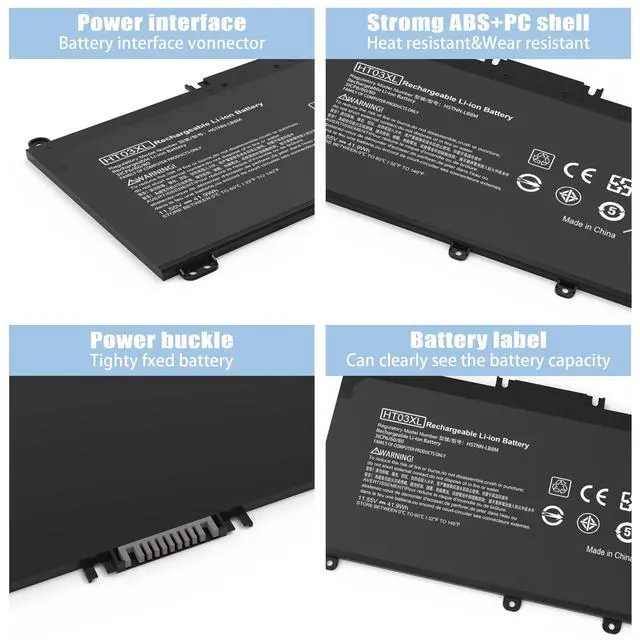
Power Interface: Gold-plated connector points to ensure current transport excellently and serve stably.
Enclosure: The enclosure is made of high-quality materials, it has high temperature resistant function to protect your laptop overheat.
Battery Buckle: The battery buckle is closely connected to the laptop, and the metal interface is stably powered

Install A New Battery:
- You need to turn off your laptop and disconnect the power.
- Disconnect the connection between the old battery and the motherboard to avoid unnecessary damage caused by disassembling the battery. Then unscrew the old battery screws one by one and carefully save each screw.
- Remove the old battery, carefully install the new battery on the battery case, screw in the screw, and connect the wiring of the new battery.
- If you don't understand the above steps, you can search for the video about laptop battery

Laptop Battery Instruction:
- Please check your battery part number and Laptop Models to ensure you are getting the correct battery for your laptop!
- Using battery for the first time,please discharge it to 5%(not to 0%) and then charge to 95%, and cycle 3-4 times to activate the battery’s maximum capacity. Taking about 7-8 hours in order to activate lithium ion fully to maximum space.
- In daily using,please recharge immediately when the battery reduced to 5%.
- If you remove battery for a long time, please charge more than 80% at least one time within one month.
- If you use external power supply for a long time, please remove the battery.

The following are troubleshooting methods:
- Turn off the laptop.
- Unplug AC power.
- Remove the battery.
- Replace AC power.
- Turn on laptop,allow OS to boot.
- Once logged in to the machine,perform a normal shut dowm.
- Unplug AC power.
- Replace battery.
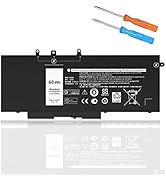
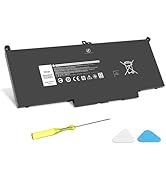
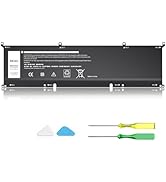
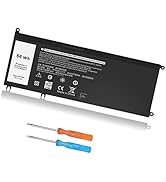
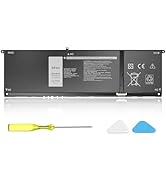
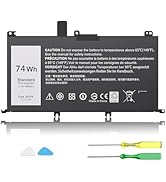
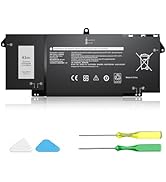
 HT03XL Battery for HP Laptop Battery L11119-855 hp Battery for HP Pavilion 15... |  VNYUNQWE TF03XL Battery for HP Pavilion X360 920070-855 14M-CD0001DX 14M-CD00... |  VNYUNQWE 68Wh 3HWPP Laptop Battery Replacement for Dell Latitude 5410 5510 54... |  VNYUNQWE E7470 E7270 J60J5 Battery for Dell Latitude E7470 E7270 7470 7270 La... |  68WH GJKNX Battery Replacement for Dell Latitude 5480 5580 5280 5288 5488 559... | |
|---|---|---|---|---|---|
| Customer Reviews | — | — | — | — | — |
| Price | — | — | — | — | — |
| Model | Compatible with L11119-855 HSTNN-UB7J HP Pavilion 14-CE 14-CF 14-CK 14-CM 14-DF 14-MA 14Q-CS 14Q-CY 14S-CF 14S-CR 15-CS 15-CW 15-DA 15-DB 15G-DR 15T-DA 15T-DB 17-BY 17-CA Series | Compatible with TF03XL TF03041 TF03041XL 920046-121 920046-421 920046-541 920070-855 15-CC0xx 15-CC1xx HP Pavilion 15-CD 15-CK 15-CC 14-BF 14-BK 14-CD 14M-CD Series | Compatible with Dell Latitude 5401 5411 5501 5511 Series; Inspiron 7706 2-in-1; Precision 3541 3551 Series; Inspiron 17 7500 2-in-1 Black Edition Series; Inspiron 17 7506 2-in-1 Black Edition Series | Compatible with Dell Latitude E7470 E7270 7470 7270 Series | Compatible with Dell Latitude 5480 5580 5280 5288 5290 5488 5490 5491 5495 5590 5591 E5280 E5288 E5480 E5580 E5590 E5490 E5491 E5591 Precision 15 3520 3530 |
| Brand | VNYUNQWE | VNYUNQWE | VNYUNQWE | VNYUNQWE | VNYUNQWE |
| Voltage | 11.55V | 11.55V | 15.2V | 7.6V | 7.6V |
| Capacity | 41.9WH | 41.9WH | 68WH | 55Wh | 68Wh |
| Cells | 3-cell | 3-cell | 4-cell | 4-cell | 4-cell |


VNYUNQWEhopes to make our products better so that every customer can feel the First - class quality&service.
VNYUNQWE positioning is high quality, simple and durable. With our own R&D team and production factory, we are a full-service supplier integrating development, production, sales and service. Our products are stable in performance, safe and reliable.Our company has been established for forty years and has a high reputation


VNYUNQWE PRODUCT
VNYUNQWE PRODUCT
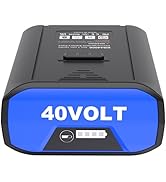
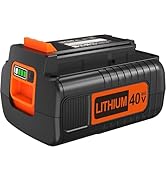
VNYUNQWE PRODUCT
![[Silicone Ring] 2025 Unrivaled Stability for MagSafe Phone Grip, Magnetic Phone Ring Holder, Comp...](//c1.neweggimages.com/sellingpilot/modules/product/a-plus/c04b7cae95cf8d195fe71544142f3e1f6a8cce5c24c6616eee76a86c9b9134c7.jpg)
![[Silicone Ring] 2025 Unrivaled Stability for MagSafe Phone Grip, Magnetic Phone Ring Holder, Comp...](//c1.neweggimages.com/sellingpilot/modules/product/a-plus/73a154a550aded0d527f50341e80419cd6c87007cd2fd2cb88aa5c72dcf6385c.jpg)
![[Silicone Ring] 2025 Unrivaled Stability for MagSafe Phone Grip, Magnetic Phone Ring Holder, Comp...](//c1.neweggimages.com/sellingpilot/modules/product/a-plus/bd3b70a000a7de95e96d2948c1438a7dc271fbced607f9681aaf2dbd6ffcd00c.jpg)
Magnetic Phone Ring Holder
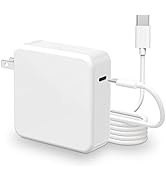
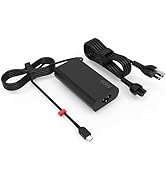
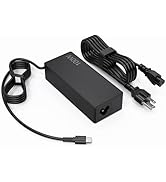
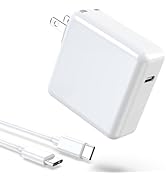
Type C Charger
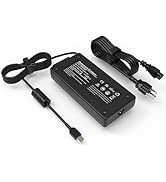
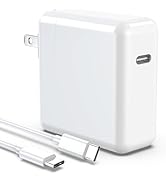
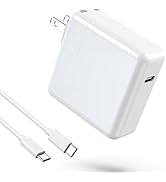
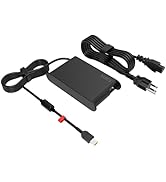
EDRF Charger
What should I do if we received defective items?
1.Within 60 days of purchase, we offer a no-questions-asked return policy. Additionally, for 12 months from the date of purchase, If the product fails, we will replace it with a new one.
2. We have warehouses in NY, making sure that you could have a high-quality service.
3. Please rest assured, we take responsibility for every product we sold.
How to maximize battery life?
1. Change your laptop power plan settings, select an energy saving plan. Then change advanced power settings, scroll down to find processor power management. Click on the On-battery option and lower the processor status to 20%.
2. Always keep your laptop tidy. Dust can easily enter the hardware through the vents, which are designed to dissipate the heat generated by various computer components.
3. Turn off Wi-Fi, Bluetooth and other settings. This can help your computer save precious battery life.
How to use the battery after we receive it?
1. Using battery for the first time,please discharge it to 5%(not to 0%) and then charge to 95%, and cycle 3-4 times to activate the battery’s maximum capacity. Takeing about 7-8 hours in order to activate lithium ion fully to maximun space.
2. In daily using,please recharge immediately when the battery reduced to 5%.
3. If you remove battery for a long time, please charge more than 80% at least one time within one month.
4. If you connect external power to use for a long time, please remove the battery.
What do we need to pay attention to using batteries for the first time?
Please kindly noted that the battery must be full charged before first use
1.You need to turn off your laptop and disconnect the power
2.Turn the laptop to the back, install a new battery, and fix it with tool
3.When the computer is turned on, if it is not recognised, it is recommended to update the BIOS settings or please disconnecting the old battery, and holding down the power button for 20 seconds, then connect the new battery
4.Do Discharge the new battery use to 5%/7%(not to 0%) and then charge to 95%, and cycle 3-4 times
Why the laptop does not recognize the new battery?
1. Could be caused by battery loose. Please reinstall the battery and make sure the battery cable and motherboard connector are firmly plugged in.
2. May be due to the damage of the conductive material at the contact position between the motherboard of the laptop and the positive pole of the battery. You can try to confirm it with your original battery.
3. Check whether the battery drive is normal, if not, please download the corresponding driver software to update.
How to maintain your honey laptop battery?
1. Don not drain the battery to 0% all the time, it will damage it or shorten its lifespan
2. Don not leave your battery fully charged all the time: Just like emptying your battery to 0%, keeping your battery fully charged forever is very harmful.
3. Do not store in low battery, so as not to reduce battery life. Store unused batteries fully charged. (recharge once a month)
![[Silicone Ring] 2025 Unrivaled Stability for MagSafe Phone Grip, Magnetic Phone Ring Holder, Comp...](http://c1.neweggimages.com/sellingpilot/modules/product/a-plus/c04b7cae95cf8d195fe71544142f3e1f6a8cce5c24c6616eee76a86c9b9134c7.jpg)
![[Silicone Ring] 2025 Unrivaled Stability for MagSafe Phone Grip, Magnetic Phone Ring Holder, Comp...](http://c1.neweggimages.com/sellingpilot/modules/product/a-plus/73a154a550aded0d527f50341e80419cd6c87007cd2fd2cb88aa5c72dcf6385c.jpg)
![[Silicone Ring] 2025 Unrivaled Stability for MagSafe Phone Grip, Magnetic Phone Ring Holder, Comp...](http://c1.neweggimages.com/sellingpilot/modules/product/a-plus/bd3b70a000a7de95e96d2948c1438a7dc271fbced607f9681aaf2dbd6ffcd00c.jpg)
How to purchase the correct of battery?
Fine, how to check your laptop model?
- Step 1: Press Windows + R to open Run window.
- Step 2: Input "msinfo32" in the empty box and click OK to open System Information.
- Step 3: Keep in the System Summary section, and you will find the System Model item in the right pane.
Why the laptop does not recognize the battery?
- Could be caused by battery loose. Please re-install the battery and make sure that the battery cable and the motherboard interface are tightly inserted.
- Maybe due to conductive material damaged which the laptop motherboard and battery anode and cathode contact position, you can try to confirm it with your original battery.
- Check whether the battery drive is in normal condition, if not, download the corresponding driver software to update.
- There is a problem with the computer detection software, which usually just restart the computer.
Tip :You have to find your specific laptop model before ordering a correct battery

How to use the new battery correctly?
Laptop Battery Maintenance Tips:
1. When using your new battery for the first time, you need to prime the battery by charging it to 100% and discharging it to 20% for 3 times. If you don't know how to install a new laptop battery, you can search "How to install a new laptop battery?" on website.
2. DO NOT let the battery drain to 0%: If you constantly let it drain to 0%, the battery becomes unstable will be seriously degraded.
3. DO NOT keep your battery always fully charged: Just like emptying your battery to 0%, keeping your battery permanently charged at 100% is very harmful. As time goes by, this will increase its internal resistance and reduce its capacity.
4. Perform regular charging cycles: If you don’t use your Laptop battery very often, it is important to cycle it (discharge => charge) regularly, at least once a month. Please store the unused battery fully charged. Do not store at low power to prevent reduce the lifespan of a battery.
5.The battery life depends on how you use your laptop. If you open a lot of software at the same time, in the office, while listening to music, while browsing the Internet, also watching a movie, then the battery will drain fast; If you don't have a lot of software running on your computer, and you're only on standby or browsing the web, the battery will last longer.
Easy Ways To Maximize Battery Life:
1. Change your laptop power plan settings. I would suggest you choose the power saver plan. Then Change advanced power settings, scroll down to find Processor power management. Click the On-battery option and reduce the processor state to 20%.
2. Always keep your laptop neat and clean. The dust easily enters the hardware through the vents which are meant to release the heat generated from various computer components. It then blocks the vents preventing the outflow of the heat. This damages the computer parts including the battery.
3. Close Wi-Fi, Bluetooth, and other settings. You should keep the Bluetooth and WiFi off when you’re watching movies or doing other things which don’t require network connectivity. This can help your computer save precious battery life.
Main Features:

About VNYUNQWE Laptop Battereies
VNYUNQWE hopes to make our products better so that everyone can feel the First - class quality&service.
VNYUNQWE committed to bring convenience to people's lives. You can use your laptop anytime and anywhere (Business,work,study,entertainment)
- 100% New from Manufacturer
- Our batteries are designed for maximum safety
- Overcharge and Overdischarge Circuit Protection
- Over-temperature and Short-circuit
- Protection Up to 1000 recharge cycles over the life of the battery
- Model: HT03XL L11119-855 Battery
- Voltage: 11.55V
- Capacity: 41.9WH
- Cells: 3-cell
- Color: Black
Compatible With Part Numbers & Models (Please "Ctrl+F" search your laptop model)
Compatible with HP Part Numbers:
HT03XL HT03041XL HSTNN-DB8R HSTNN-DB8S HSTNN-IB80 HSTNN-IB8O HSTNN-LB8L HSTNN-LB8M HSTNN-UB7J L11119-855 L11421-1C1 L11421 -1C2 L11421-2C1 L11421-2C2 L11421-2C3 L11421-2D1 L11421-2D2 L11421-421 L11421-422 L11421-423 L11421-542 L11421-544 L11421- 545 TPN-C136 TPN-I130 TPN-I131 TPN-I132 TPN-I133 TPN-I134 TPN-Q207 TPN-Q208 TPN-Q209 TPN-Q210
Compatible with HP Laptop Models:
Replacement for HP Pavilion 14-CE0000 Series 14-CE0020TX 14-CE0025TX 14-CE0027TU 14-CE0028TX 14-CE0029TX 14-CE0030TX 14-CE0034TX 14-CE1058WM 14-CE0068ST 14-CE1056WM 14-CE0064ST 14-CE3065ST 14-CE2068ST 14-CE0006DX and more
Replacement for HP Pavilion 14-CF0000 14S-CF0000 Series 14-CF0006DX 14-CF0012DX 14-CF0013DX 14-CF0014DX 14-CF1015CL 14-CF0023CL 14-CF1051OD 14-CF2074LA 14-CF2051LA 14-CF0018WM 14S-CF3074TU 14S-CF0043TX and more
Replacement for HP Pavilion 14-CK0000 Series 14-CK0013LA 14-CK2098LA 14-CK2091LA 14-CK0001LA 14-CK0061ST and more
Replacement for HP Pavilion 14-CM0000 Series 14-CM0020NR 14-CM0012NR 14-CM1025LA and more
Replacement for HP Pavilion 14-DF0000 Series 14-DF0023CL 14-DF0018WM and more
Replacement for HP Pavilion 14Q-CS0000 Series 14Q-CS0006TU and more
Replacement for HP Pavilion X360 14-DH0000 14M-DH0000 Series 14-DH2011NR 14-DH2085CL 14-DH2075CL 14-DH2034NR 14-DH2051WM 14-DH2097NR 14-DH2671CL 14-DH1021NR 14M-DH0001DX 14-DH1010LA 14M-DH1003DX and more
Replacement for HP Pavilion 14-DQ0000 Series 14-DQ0070NR 14-DQ2055WM 14-DQ2013DX 14-DQ0011DX 14-DQ1043CL 14-DQ2045CL 14-DQ1033CL 14-DQ0013DX 14-DQ2033CL 14-DQ0004DX 14-DQ2035CL and more
Replacement for HP Pavilion 14-DK0000 14S-DK0000 Series 14-DK1003DX 14-DK0002DX 14-DK1013DX 14-DK0028WM 14-DK1022WM 14-DK0075NR 14-DK1025WM 14-DK0736MS 14-DK1031DX 14S-DK0002AU and more
Replacement for HP Pavilion 14-FQ0000 Series 14-FQ0032MS 14-FQ0037NR 14-FQ1021NR 14-FQ0013DX 14-FQ0075NR and more
Replacement for HP Pavilion 15-CS0000 Series 15-CS025CL 15-CS2073CL 15-CS3073CL 15-CS3672CL 15-CS3153CL 15-CS1063CL 15- CS1065CL 15-CS0072WM 15-CS0051WM 15-CS2079NR 15-CS2010NR 15-CS3019NR 15-CS0064ST and more
Replacement for HP Pavilion 15-CW0000 Series 15-CW1068WM 15-CW0002LA 15-CW1063WM 15-CW1XXX 15-CW1004LA 15-CW0008CY 15-CW1085NR 15-CW1001LA and more
Replacement for HP Pavilion 15-DA0000 Series 15-DA0066CL 15-DA0002DX 15-DA0079NR 15-DA1005DX 15-DA0014DX 15-DA0032WM 15-DA0033WM 15-DA0053WM 15-DA0073MS 15-DA0012DX 15-DA0071MS 15-DA0086OD and more
Replacement for HP Pavilion 15-DB0000 Series 15-DB0015DX 15-DB0031NR 15-DB0011DX 15-DB0066WM 15-DB0005DX 15-DB0048NR 15-DB0049NR 15-DB0083NR 15-DB0091NR 15-DB0051OD 15-DB0048CA 15-DB1011CY and more
Replacement for HP Pavilion 15-DY0000 Series 15-DY2087NR 15-DY1031WM 15-DY1036NR 15-DY1059MS 15-DY1005LA 15-DY1024WM 15-DY1751MS 15-DY1023DX 15-DY1731MS 15-DY1771MS 15-DY1124NR 15-DY1755CL 15-DY1020NR 15-DY1086NR 15-DY1095OD 15-DY1051WM 15-DY1076NR 15-DY1078NR 15-DY1087NR 15-DY1971CL 15-DY0013DX 15-DY2021NR 15-DY1043DX 15-DY1091WM 15-DY2074NR 15-DY1071WM and more
Replacement for HP Pavilion 15-DW0000 Series 15-DW0081WM 15-DW0037WM 15-DW0046NR 15-DW0083WM 15-DW1083WM 15-DW2025CL 15-DW2065ST 15-DW0021CL 15-DW2025OD 15-DW20250D 15-DW2638CL 15-DW3013DX 15-DW3015CL 15-DW2057CL 15-DW1024WM 15-DW3065ST 15-DW2048NR 15-DW3056CL 15-DW2072CL 15-DW3031CL 15-DW3025CL and more
Replacement for HP Pavilion 15-CR0000 Series 15-CR0087CL 15-CR0052OD 15-CR0055OD 15-CR0037WM 15-CR0051CL 15-CR0091MS 15-CR0010NR and more
Replacement for HP Pavilion 15-EF0000 Series 15-ef0022nr 15-ef1013dx 15-ef1040nr 15-ef0025wm 15-ef0021nr 15-ef1073od 15-ef1001ds 15-ef1072wm and more
Replacement for HP Pavilion 15Q 15S Series 15Q-DS0019TU 15Q-DY0002AU 15S-FQ0000UR 15S-FQ0020UR 15S-FQ2535TU 15S-FQ2008NJ and more
Replacement for HP Pavilion 15-CU Series 15-CU0058NR and more
Replacement for HP Pavilion 17-BY0000 Series 17-BY1053DX 17-BY1033DX 17-BY0060NR 17-BY0021DX 17-BY0053CL 17-BY0021CY 17-BY1055CL 17-BY0089CL 17-BY1071CL 17-BY4075CL 17-BY3056CL 17-BY3065ST 17-BY4063CL 17-BY1955CL 17-BY4633DX and more
Replacement for HP Pavilion 17-CA0000 Series 17-CA2097NR 17-CA3035CL 17-CA2020NR 17-CA3055CL 17-CA0064CL 17-CA1065CL 17-CA2096NR 17-CA0009DS 17-CA0011DS 17-CA0056NR and more
Replacement for HP Pavilion 240 G7, 245 G7, 250 G7, 255 G7, 340 G5, 348 G5 Series

Top Quality Battery Cells
Up to 500 recharge cycles over the life of the battery.
Perfect Fit
All our batteries are brand new, high quality and 100% compatible. Same size as original battery, don't worry about assembly and adaptation issues
Over-temperature and Short-circuit Protection
Each battery include multiple built-in protections such as short circuit, overheating and overload for maximum safety.
Product Details
Power Interface: Gold-plated connector points to ensure current transport excellently and serve stably.
Enclosure: The enclosure is made of high-quality materials, it has high temperature resistant function to protect your laptop overheat.
Battery Buckle: The battery buckle is closely connected to the laptop, and the metal interface is stably powered
Install A New Battery:
- You need to turn off your laptop and disconnect the power.
- Disconnect the connection between the old battery and the motherboard to avoid unnecessary damage caused by disassembling the battery. Then unscrew the old battery screws one by one and carefully save each screw.
- Remove the old battery, carefully install the new battery on the battery case, screw in the screw, and connect the wiring of the new battery.
- If you don't understand the above steps, you can search for the video about laptop battery
Laptop Battery Instruction:
- Please check your battery part number and Laptop Models to ensure you are getting the correct battery for your laptop!
- Using battery for the first time,please discharge it to 5%(not to 0%) and then charge to 95%, and cycle 3-4 times to activate the battery’s maximum capacity. Taking about 7-8 hours in order to activate lithium ion fully to maximum space.
- In daily using,please recharge immediately when the battery reduced to 5%.
- If you remove battery for a long time, please charge more than 80% at least one time within one month.
- If you use external power supply for a long time, please remove the battery.
The following are troubleshooting methods:
- Turn off the laptop.
- Unplug AC power.
- Remove the battery.
- Replace AC power.
- Turn on laptop,allow OS to boot.
- Once logged in to the machine,perform a normal shut dowm.
- Unplug AC power.
- Replace battery.
HT03XL Battery for HP Laptop Battery L11119-855 hp Battery for HP Pavilion 15... | VNYUNQWE TF03XL Battery for HP Pavilion X360 920070-855 14M-CD0001DX 14M-CD00... | VNYUNQWE 68Wh 3HWPP Laptop Battery Replacement for Dell Latitude 5410 5510 54... | VNYUNQWE E7470 E7270 J60J5 Battery for Dell Latitude E7470 E7270 7470 7270 La... | 68WH GJKNX Battery Replacement for Dell Latitude 5480 5580 5280 5288 5488 559... | |
|---|---|---|---|---|---|
| Customer Reviews | — | — | — | — | — |
| Price | — | — | — | — | — |
| Model | Compatible with L11119-855 HSTNN-UB7J HP Pavilion 14-CE 14-CF 14-CK 14-CM 14-DF 14-MA 14Q-CS 14Q-CY 14S-CF 14S-CR 15-CS 15-CW 15-DA 15-DB 15G-DR 15T-DA 15T-DB 17-BY 17-CA Series | Compatible with TF03XL TF03041 TF03041XL 920046-121 920046-421 920046-541 920070-855 15-CC0xx 15-CC1xx HP Pavilion 15-CD 15-CK 15-CC 14-BF 14-BK 14-CD 14M-CD Series | Compatible with Dell Latitude 5401 5411 5501 5511 Series; Inspiron 7706 2-in-1; Precision 3541 3551 Series; Inspiron 17 7500 2-in-1 Black Edition Series; Inspiron 17 7506 2-in-1 Black Edition Series | Compatible with Dell Latitude E7470 E7270 7470 7270 Series | Compatible with Dell Latitude 5480 5580 5280 5288 5290 5488 5490 5491 5495 5590 5591 E5280 E5288 E5480 E5580 E5590 E5490 E5491 E5591 Precision 15 3520 3530 |
| Brand | VNYUNQWE | VNYUNQWE | VNYUNQWE | VNYUNQWE | VNYUNQWE |
| Voltage | 11.55V | 11.55V | 15.2V | 7.6V | 7.6V |
| Capacity | 41.9WH | 41.9WH | 68WH | 55Wh | 68Wh |
| Cells | 3-cell | 3-cell | 4-cell | 4-cell | 4-cell |
VNYUNQWEhopes to make our products better so that every customer can feel the First - class quality&service.
VNYUNQWE positioning is high quality, simple and durable. With our own R&D team and production factory, we are a full-service supplier integrating development, production, sales and service. Our products are stable in performance, safe and reliable.Our company has been established for forty years and has a high reputation
VNYUNQWE PRODUCT
VNYUNQWE PRODUCT
VNYUNQWE PRODUCT
Magnetic Phone Ring Holder
Type C Charger
EDRF Charger
What should I do if we received defective items?
1.Within 60 days of purchase, we offer a no-questions-asked return policy. Additionally, for 12 months from the date of purchase, If the product fails, we will replace it with a new one.
2. We have warehouses in NY, making sure that you could have a high-quality service.
3. Please rest assured, we take responsibility for every product we sold.
How to maximize battery life?
1. Change your laptop power plan settings, select an energy saving plan. Then change advanced power settings, scroll down to find processor power management. Click on the On-battery option and lower the processor status to 20%.
2. Always keep your laptop tidy. Dust can easily enter the hardware through the vents, which are designed to dissipate the heat generated by various computer components.
3. Turn off Wi-Fi, Bluetooth and other settings. This can help your computer save precious battery life.
How to use the battery after we receive it?
1. Using battery for the first time,please discharge it to 5%(not to 0%) and then charge to 95%, and cycle 3-4 times to activate the battery’s maximum capacity. Takeing about 7-8 hours in order to activate lithium ion fully to maximun space.
2. In daily using,please recharge immediately when the battery reduced to 5%.
3. If you remove battery for a long time, please charge more than 80% at least one time within one month.
4. If you connect external power to use for a long time, please remove the battery.
What do we need to pay attention to using batteries for the first time?
Please kindly noted that the battery must be full charged before first use
1.You need to turn off your laptop and disconnect the power
2.Turn the laptop to the back, install a new battery, and fix it with tool
3.When the computer is turned on, if it is not recognised, it is recommended to update the BIOS settings or please disconnecting the old battery, and holding down the power button for 20 seconds, then connect the new battery
4.Do Discharge the new battery use to 5%/7%(not to 0%) and then charge to 95%, and cycle 3-4 times
Why the laptop does not recognize the new battery?
1. Could be caused by battery loose. Please reinstall the battery and make sure the battery cable and motherboard connector are firmly plugged in.
2. May be due to the damage of the conductive material at the contact position between the motherboard of the laptop and the positive pole of the battery. You can try to confirm it with your original battery.
3. Check whether the battery drive is normal, if not, please download the corresponding driver software to update.
How to maintain your honey laptop battery?
1. Don not drain the battery to 0% all the time, it will damage it or shorten its lifespan
2. Don not leave your battery fully charged all the time: Just like emptying your battery to 0%, keeping your battery fully charged forever is very harmful.
3. Do not store in low battery, so as not to reduce battery life. Store unused batteries fully charged. (recharge once a month)