• Sold by Newegg
  • New
Brands
Show More
Price
Show More
Technology
Sold by
Condition
Current Promotion
Useful Links
Show More
Customer Ratings
  • NVIDIA Developer kits
  • Featured Brands

    See Deals from ELEGOO
Sort By:
View:
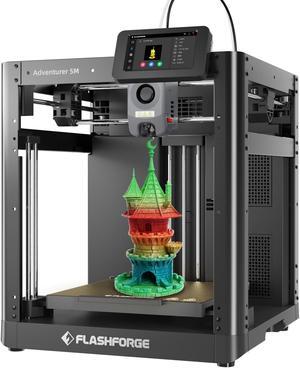
Flashforge Adventurer 5M 3D Printer, 600mm/s High Speed 3D Printer with Auto Leveling, PEI Plate, CoreXY Structure and Quick-release Nozzle, 8.7 x 8.7 x 8.7''
Quick View
#1 Best Seller
in 3D Printer
Flashforge Adventurer 5M 3D Printer, 600mm/s High Speed 3D Printer with Auto Leveling, PEI Plate, CoreXY Structure and Quick-release Nozzle, 8.7 x 8.7 x 8.7''

$15 promotional gift card w/ purchase, limited offer
  • Technology: FDM (Fused Deposition Modeling)
  • Type: 3D Printer
  • Brand: FlashForge
  • Series: Adventurer 5M
  • Model #: AD5M
  • $299.00
  •  
  • $249.00 –
  • Save: 16%
  • Free Shipping
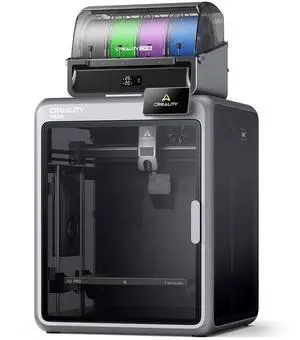
Creality i7 Color Combo (i7 Single Model + CFS Lite), Beginner-friendly 3D printer, Multicolor Printing
Quick View
Creality i7 Color Combo (i7 Single Model + CFS Lite), Beginner-friendly 3D printer, Multicolor Printing
  • Brand: Creality
  • Series: SPARKX i7 Series
  • Type: 3D Printer
  • Build Material: Filament Compatibility: PLA/PLA-Silk/PETG/TPU/PLA-CF
  • Model #: 1002140002
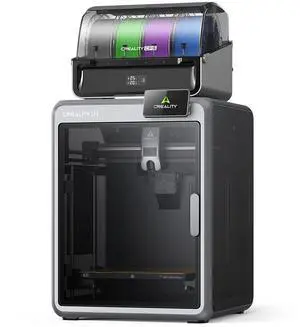
Creality K2 Pro Combo 3D Printer + CFS, 300x300x300mm, Dual AI Cameras, Active Chamber Heating, 600mm/s
Quick View
Creality K2 Pro Combo 3D Printer + CFS, 300x300x300mm, Dual AI Cameras, Active Chamber Heating, 600mm/s
  • Technology: FDM (Fused Deposition Modeling)
  • Type: 3D Printer
  • Brand: Creality
  • Build Size: Build Volume: 300 x 300 x 300 mm
  • Model #: 1002110056
  •  
  • $799.99 –
  • Free Shipping
Creality K2 Combo 3D Printer, 260x260x260mm, CFS Multicolor Printing
Quick View
Creality K2 Combo 3D Printer, 260x260x260mm, CFS Multicolor Printing
  • Technology: FDM (Fused Deposition Modeling)
  • Type: 3D Printer
  • Brand: Creality
  • Number of Extruders: Dual-gear direct drive extruder
  • Model #: 1002110058
  •  
  • $549.00 –
  • Free Shipping
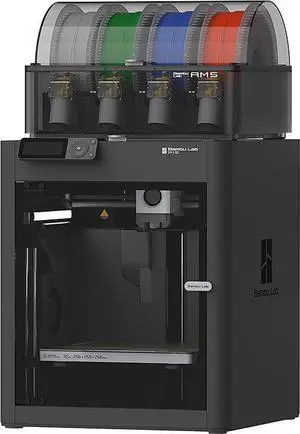
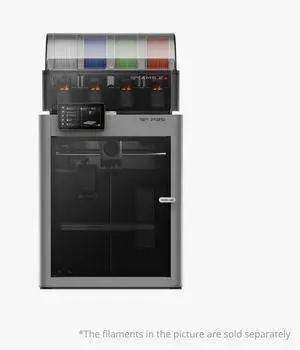
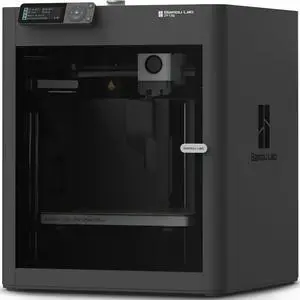
Bambu Lab P1S Combo Enclosed CoreXY 3D Printer w/ AMS
Quick View
Bambu Lab P1S Combo Enclosed CoreXY 3D Printer w/ AMS
  • Technology: FDM (Fused Deposition Modeling)
  • Brand: Bambu Lab
  • Series: P1S
  • Part Number: PF001-U+SA001-US
  • Model #: PF001-U+SA001-US
  •  
  • $749.99 –
  • Free Shipping
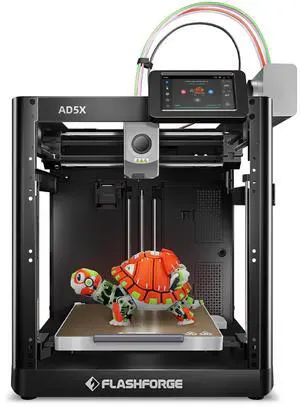
Flashforge AD5X 3D Printer  600mm/s Multi-Color CoreXY with 300°C Nozzle, Auto Leveling, PEI Flex Plate, 8.7 x 8.7 x 8.7in
Quick View
Flashforge AD5X 3D Printer 600mm/s Multi-Color CoreXY with 300°C Nozzle, Auto Leveling, PEI Flex Plate, 8.7 x 8.7 x 8.7in

$20 promotional gift card w/ purchase, limited offer
  • Technology: FDM (Fused Deposition Modeling)
  • Brand: FlashForge
  • Series: AD5
  • Part Number: AD5X
  • Model #: AD5X
Flashforge Creator 5 Multicolor 3D Printer  4 Independent Nozzles, 600mm/s CoreXY, Auto-Calibration, 256*256*256mm
Quick View
Flashforge Creator 5 Multicolor 3D Printer 4 Independent Nozzles, 600mm/s CoreXY, Auto-Calibration, 256*256*256mm
  • Technology: FDM (Fused Deposition Modeling)
  • Type: 3D Printer
  • Brand: FlashForge
  • Series: Creator 5
  • Model #: C5
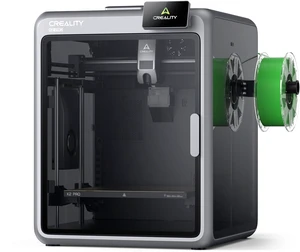
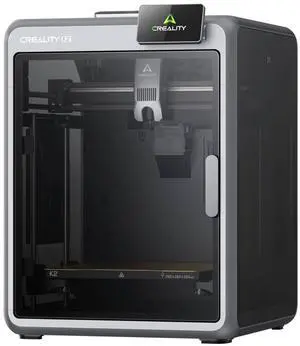
Creality K2 3D Printer, 260x260x260mm, Step-Servo, 600mm/s
Quick View
Creality K2 3D Printer, 260x260x260mm, Step-Servo, 600mm/s
  • Technology: FDM (Fused Deposition Modeling)
  • Type: 3D Printer
  • Brand: Creality
  • Number of Extruders: Dual-gear direct drive extruder
  • Model #: 1002110057
  •  
  • $399.00 –
  • $6.99 Shipping
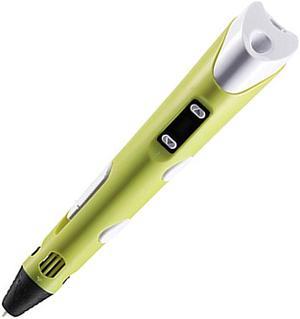
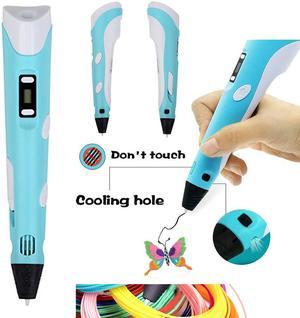
3D Printing pen DIY 3D Pen With ABS/PLA Filament Refills Arts 3D Drawing Pen Creative Gift For Kids Design Painting Drawing
Quick View
3D Printing pen DIY 3D Pen With ABS/PLA Filament Refills Arts 3D Drawing Pen Creative Gift For Kids Design Painting Drawing
  • Technology: FDM (Fused Deposition Modeling)
  • Type: 3D Printing Pen
  • Chassis Material: ABS
  • Interface: USB
  • Model #: JYDZ21 Blue
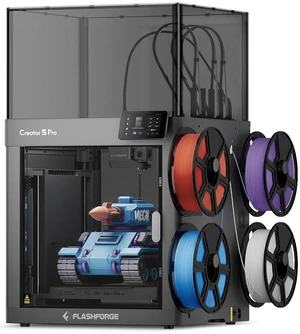
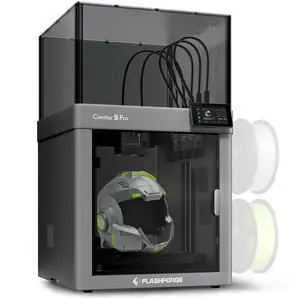
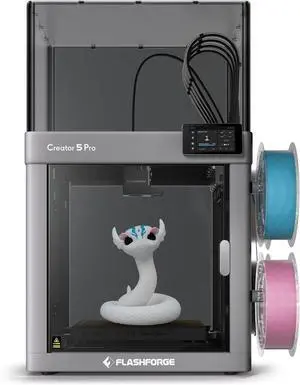
Flashforge Creator 5 Pro 4-Toolheads Enclosed Multi-Color 3D Printer | 500% Faster, Zero Purge Waste
Quick View
Flashforge Creator 5 Pro 4-Toolheads Enclosed Multi-Color 3D Printer | 500% Faster, Zero Purge Waste
  • Technology: FDM (Fused Deposition Modeling)
  • Type: FDM 3D Printer
  • Brand: FlashForge
  • Body Material: Metal
  • Model #: Creator 5 Pro
  •  
  • $849.00 –
  • Free Shipping
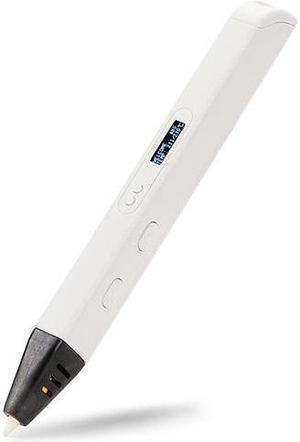
3D Printing pen DIY 3D Pen With ABS/PLA Filament Refills Arts 3D Drawing Pen Creative Gift For Kids Design Painting Drawing
Quick View
3D Printing pen DIY 3D Pen With ABS/PLA Filament Refills Arts 3D Drawing Pen Creative Gift For Kids Design Painting Drawing
  • Technology: FDM (Fused Deposition Modeling)
  • Type: 3D Printing Pen
  • Body Material: Plastic
  • Filament Diameter: 1.75mm
  • Model #: HQ209BE
  •  
  • $61.59 –
  • Free Shipping
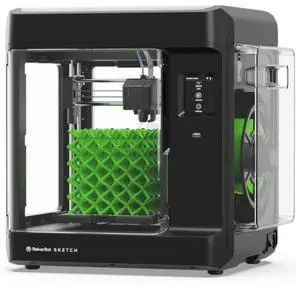
Makerbot Sketch Standard, 3D Printer for small size projects | SKETCHKIT
Quick View
Makerbot Sketch Standard, 3D Printer for small size projects | SKETCHKIT
  • Technology: FDM (Fused Deposition Modeling)
  • Type: 3D Printer
  • Brand: Makerbot
  • Build Size: 150mm x 150mm x 150mm (5.9 x 5.9 x 5.9 inches)
  • Model #: SKETCHKIT
MakerBot Sketch 3D Printer (Basic - Printer Only) | 900-0053A
Quick View
MakerBot Sketch 3D Printer (Basic - Printer Only) | 900-0053A
  • Technology: FDM (Fused Deposition Modeling)
  • Type: 3D Printer
  • Brand: Makerbot
  • Model: MakerBot Sketch
  • Model #: 900-0053A
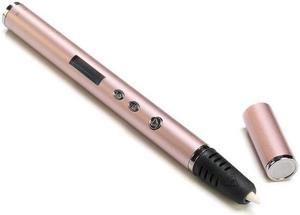
3D Pen Scribble Pen OLED PLA ABS Filament 3D Printer Christmas Presents Lapiz 3D Printing Pen for School 3D Pencil Gadget Pink
Quick View
3D Pen Scribble Pen OLED PLA ABS Filament 3D Printer Christmas Presents Lapiz 3D Printing Pen for School 3D Pencil Gadget Pink
  • Technology: FDM (Fused Deposition Modeling)
  • Type: 3D Printing Pen
  • Body Material: Stainless Steel
  • Filament Diameter: 1.75mm
  • Model #: HQ210PK
  •  
  • $60.39 –
  • Free Shipping
3D Printing Pen DIY 3D Pen With ABS/PLA Filament Refills Arts 3D Drawing Pen Creative Gift For Kids Design Painting Drawing
Quick View
3D Printing Pen DIY 3D Pen With ABS/PLA Filament Refills Arts 3D Drawing Pen Creative Gift For Kids Design Painting Drawing
  • Technology: FDM (Fused Deposition Modeling)
  • Type: 3D Printing Pen
  • Brand: Dewang
  • Number of Extruders: 1
  • Model #: HQ207
  •  
  • $30.49 –
  • Free Shipping
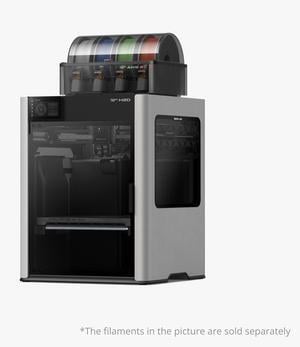
Bambu Lab H2D
Quick View
Bambu Lab H2D
  • Technology: FDM (Fused Deposition Modeling)
  • Type: 3D Printer & Engraving Machines
  • Brand: Bambu Lab
  • Series: H2D
  • Model #: Bambu Lab H2D
Longer LK5 Pro Large Print Size 300x300x400mm (11.8"x11.8"x15.7") 3D Printer Upgraded with Dual Blower Kit, Open Source, Removable Lattice Glass Platform, Diagonal Rod and Resume Printing
Quick View
  •  
  • $369.99 –
  • Free Shipping
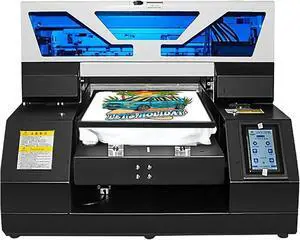
SIHAO A4 L1800 UV Printer, High Precision 2880x1440dpi UV DTG Printer Machine for T-Shirt Bottles Phone Case Crystal Acrylic Leather Metal Glass
Quick View
  • $2,346.99
  •  
  • $2,159.99 –
  • Save: 7%
  • Free Shipping
Bambu Lab A1 mini 3D Printer + LED Lamp Kit, Set Up in 20 Mins, High Speed & Precision, Full-Auto Calibration & Active Flow Rate Compensation, 48 dB Quiet FDM 3D Printers
Quick View
SIHAO C32 XP600 A3+ DTF Printer 5760 * 1440dpi Dual Printer Directly to Film Transfer T-shirt
Quick View
  •  
  • $2,825.75 –
  • Free Shipping
MakerBot Sketch Sprint
Quick View
MakerBot Sketch Sprint
  • Brand: Makerbot
  • Series: Sketch Sprint
  • Part Number: 900-0151A
  • Type: 3D Printer
  • Model #: 900-0151A
  • $2,399.99
  •  
  • $1,540.99 –
  • Save: 35%
  • Free Shipping
MakerBot Sketch Sprint, Classroom Two-Printer Setup, 3D Printer for small size projects | SKETCHSPRINTCLASSROOM
Quick View
MakerBot Sketch Sprint, Classroom Two-Printer Setup, 3D Printer for small size projects | SKETCHSPRINTCLASSROOM
  • Brand: Makerbot
  • Series: Sketch Sprint
  • Part Number: SKETCHSPRINTCLASSROOM
  • Type: 3D Printer
  • Model #: SKETCHSPRINTCLASSROOM
  • $4,798.00
  •  
  • $3,209.99 –
  • Save: 33%
  • Free Shipping
Creality K2 Pro 3D Printer, Heated Chamber, Auto Leveling, 16-Color Ready, 300mm Volume | 1002110055
Quick View
Creality K2 Pro 3D Printer, Heated Chamber, Auto Leveling, 16-Color Ready, 300mm Volume | 1002110055
  • Technology: FDM (Fused Deposition Modeling)
  • Type: 3D Printer
  • Brand: Creality
  • Series: K2
  • Model #: 1002110055
  •  
  • $849.00 –
  • $28.08 Shipping
MakerBot Sketch Standard Classroom 3D Printer, Two-Printer Setup | SKETCHKIT-KIT
Quick View
MakerBot Sketch Standard Classroom 3D Printer, Two-Printer Setup | SKETCHKIT-KIT
  • Brand: Makerbot
  • Part Number: SKETCHKIT-KIT
  • Type: 3D Printer
  • Color: Black
  • Model #: SKETCHKIT-KIT
  • $2,598.00
  •  
  • $2,083.99 –
  • Save: 19%
  • Free Shipping
TPU Feed Assist Module
Quick View
TPU Feed Assist Module
  • Model #: H2 Series/X1 Series/P1 Series/P2S/X2D
  •  
  • $313.00 –
  • Free Shipping
Filament Track Switch
Quick View
Filament Track Switch
  • Model #: X2D/H2D/H2C
  •  
  • $338.00 –
  • Free Shipping
Multi-Size Hotends Kit A2L 0.2mm + 0.6mm
Quick View
  •  
  • $245.00 –
  • Free Shipping

3D Printers and Engraving Machines for DIY Projects and Prototyping

This page features a range of 3D printers and laser engravers designed for makers, hobbyists, and professionals. Compare current models with the latest technology to find the right equipment for your workshops and creative builds.

How to Choose 3D Printer

Key Features and Technologies to Consider in 3D Printers

When choosing a 3D printer, it's important to weigh key features that influence your printing experience and the results you can achieve:

  • Printing Technology: FDM (Fused Deposition Modeling) vs. SLA (Stereolithography) or resin printers—each offers different quality and material options.
  • Build Volume: The maximum size of objects you can print; bigger volumes allow for larger prototypes or batch productions.
  • Layer Resolution: Determines the print detail and smoothness; finer resolutions produce higher-quality finishes but may increase print times.
  • Material Compatibility: Check what filaments or resins the printer supports, such as PLA, ABS, PETG, or specialty materials for advanced projects.
  • Print Speed and Reliability: Faster printing saves time, but consistent accuracy is crucial for professional-grade results.
  • Software and Connectivity: Ease of use with slicing software and availability of USB, SD card, or wireless connection options.
  • Additional Features: Heated beds, enclosed build chambers, auto-leveling, and LCD touchscreen controls can enhance usability.

The Critical Role of Build Volume in Selecting a 3D Printer

Among all specifications, build volume often stands out as the most decisive factor because it directly limits the scale of your projects. Whether you’re prototyping parts for engineering or crafting artistic models, knowing the maximum print size your 3D printer can handle is essential. A larger build volume provides flexibility to create bigger objects in one piece, reducing the need for sometimes complex assembly. It’s also pivotal for batch printing multiple smaller parts simultaneously, boosting productivity. Carefully consider your typical project sizes and future needs — this will help avoid outgrowing your machine or compromising on print quality by scaling down models unnecessarily.

Professional and Developer Insights for Advanced 3D Printing

For designers, developers, and makers pushing boundaries in rapid prototyping or small-scale manufacturing, selecting a 3D printer involves scrutinizing precision and material breadth. Industrial-grade machines often feature higher resolution capabilities and support advanced composites that resist stress and heat. Integrations with post-processing tools and compatibility with engineering-grade filaments can dramatically enhance product development cycles. Trusted resources like Printers / Scanners & Supplies help you find equipment built for professional environments, ensuring reliability and repeatability. Pairing these with robust software ecosystems allows detailed control over print parameters, critical for engineering applications where tolerances matter.

Performance and Setup Tips

  • Verify the printer’s firmware is up to date before first use to take advantage of improvements and bug fixes.
  • Calibrate your build plate carefully; an even, well-leveled bed is fundamental to avoiding print failures.
  • Use manufacturer-recommended filament or resin types to optimize print adhesion and avoid clogs or warping.
  • Maintain the nozzle and print bed cleanliness regularly to preserve print quality and extend machine life.
  • Start with smaller test prints to fine-tune settings such as temperature, speed, and layer height specific to your material.
  • Invest in environmental controls if possible—consistent temperature and low humidity improve print outcomes.
  • Explore slicing software profiles curated for your specific printer model to simplify setup and improve results.
  • Consult online communities and manufacturer support forums for troubleshooting and tips tailored to your device.

Newegg shopping tip: When choosing a 3D printer, consider the build volume and supported materials to make sure it fits your project size and complexity. Also, check the printer's resolution and ease of software integration to match your skill level and design needs.

Explore 3D Printer & Related Categories

Printers / Scanners & Supplies

Explore precision 3D printers and high-res scanners tailored for prototyping and batch production, plus essential filaments and resin supplies to power your creative workflow.

Office Solutions

Optimize your workspace with office-ready 3D printers engineered for rapid model iterations and low-noise operation, perfect for design teams and educators.

Newegg Select

Discover top-rated 3D printers and materials vetted for durability, print accuracy, and cost-efficiency through Newegg Select’s curated picks.

Getting Started with Your First 3D Printer

Entering the world of 3D printing may feel daunting at first, but with the right tools, it quickly becomes an exciting creative outlet. Beginners should look for models that offer user-friendly interfaces, straightforward setup guides, and reliable customer support. Entry-level printers often feature compact designs and pre-calibrated settings to help you start printing right away without a steep learning curve. To build your skills and confidence, consider exploring kits and machines that come with pre-loaded projects or simple assembly options. Ready to browse a selection that suits newcomers? Check out Printers / Scanners & Supplies for versatile choices tailored to your first steps.

Perfect Picks for Hobbyist Makers

For hobbyists who enjoy tinkering and designing their own projects, a 3D printer opens up endless possibilities to bring ideas into the physical world. Many hobbyists favor devices that balance quality and affordability, boasting flexible filament compatibility and moderate build volumes ideal for personalized models, cosplay accessories, or home decor items. Customization options, such as open source firmware or upgrade-friendly hardware, can also be valuable for enthusiasts eager to tweak performance over time. Dive into tools that can fuel your creative experiments and let your inventiveness shine.

3D Printers for Prototyping and Product Design

Professional designers and engineers rely on 3D printers to rapidly iterate prototypes and refine product concepts with precision and efficiency. For this use case, printers with high-resolution capabilities, consistent accuracy, and support for advanced materials are key considerations. Industrial-grade machines often provide larger build volumes and enhanced connectivity features tailored to collaborative environments, making them suitable for small design studios or innovation labs. Consider exploring categories that feature robust, reliable hardware, and take advantage of Office Solutions designed for streamlined workflow integration.

Before You Buy

  • Confirm the printer’s technology (FDM, SLA, etc.) matches your project requirements and material preferences.
  • Check the build volume to ensure it can accommodate the maximum size of your intended prints.
  • Look for compatible filaments or resins available for purchase, considering factors like durability and finish.
  • Evaluate ease of assembly, calibration features, and the availability of detailed user manuals or tutorials.
  • Assess print resolution and layer thickness capabilities to match the precision level you need.
  • Consider connectivity options such as USB, Wi-Fi, or SD card support for easier file transfers.
  • Review customer feedback and warranty terms to gauge reliability and manufacturer support.
  • Explore curated selections and filters through Power Search for tailored options that fit your needs.

Research more: When choosing a 3D printer, consider the build volume, material compatibility, and resolution to match your project needs. For a deeper dive into features and comparisons, check out Newegg Insider’s comprehensive buying guides tailored for makers and hobbyists.

Last Updated: September 2026 | Newegg 3D Printer Buying Guide


3D Printer FAQs:

How do resin 3D printers stack up against filament-based ones when it comes to detail and ease of use?

Resin printers generally deliver finer detail and smoother finishes, making them great for miniatures or jewelry. Filament printers are easier to use and better for larger, more durable parts but might not capture tiny details as well.

If I’m choosing between brands like Creality and Prusa, what should I expect in terms of reliability and community support?

Prusa printers are known for their rock-solid reliability and excellent customer support, plus a strong user community. Creality models are often more affordable and have a large fan base, but quality can vary more depending on the exact model.

What materials can most 3D printers use to create models?

Most 3D printers work with plastics like PLA and ABS, but some advanced models can also print with resin, nylon, or even metal powders depending on the technology.

How detailed can prints from a typical home 3D printer be?

Home 3D printers usually offer layer resolutions around 100 to 300 microns, which makes them good for detailed prototypes, but not as fine as industrial machines that can print at 20 microns or less.

What should I consider when choosing a 3D printer for home use?

Focus on print size, ease of use, and the type of materials it supports. A smaller build volume and beginner-friendly software usually work best for casual projects at home.

Is it worth spending more on a 3D printer with advanced features?

If you're planning to create detailed prototypes or use it professionally, the extra cost can pay off with better precision and reliability. For simple hobby printing, a budget model often does the trick.

How reliable are most 3D printers for long-term use?

Most budget 3D printers require regular maintenance and occasional part replacements to stay reliable, while higher-end models tend to be more durable and consistent over time. Checking user reviews will give you a better sense of long-term performance.

What common issues should I watch for when reading 3D printer reviews?

Look out for complaints about print quality, frequent jams, and poor customer support, as these are common red flags. Also, see if users mention how easy the printer is to set up and maintain, since those factors impact your overall experience.

How do I prepare my 3D printer for its first print?

Start by assembling the printer according to the manual, level the print bed carefully, and load the filament. Then run a test print to make sure everything is calibrated before moving on to more complex projects.

What’s the best way to maintain my 3D printer to avoid print failures?

Regularly clean the print bed and nozzle, check for filament jams, and update your printer’s firmware if available. Keeping the machine dust-free and using quality filament also helps ensure consistent prints.

Bestselling 3D Printer / Engraving Machines Reviews: