• Featured Brands

    See Deals from MicrosoftSee Deals from SonicWall

Business Software Featured Items

Shop all products
Google Chrome OS Management Console - License + 3 Years Support - Non-Profit Only
Google Chrome OS Management Console - License + 3 Years Support - non-profit Only
  • Brand: Google
  • Name: Google Chrome OS Management Console - License + 3 Years Support - non-profit
  • Contract Period: 3 Years
  • Model #: CROSSWDISGRT
  • Item #: N82E16832094001
  • Return Policy: Digital Products Return Policy
  • $38.00
  •  
  • $35.00 –
  • Save: 7%
Google Chrome OS Management Console - License + 3 Years Support - Educational Only
  • $38.00
  •  
  • $34.00 –
  • Save: 10%
Red Hat Enterprise Linux Server Entry Level, Self-support (1 Year) New
  • Brand: Red Hat
  • Name: Enterprise Linux Server Entry Level, Self-support (1 Year) New
  • Product Line: Entry Level
  • Contract Period: 1 Year
  • Model #: RH00005
  • Item #: N82E16832932952
  • Return Policy: Digital Products Return Policy
  •  
  • $380.00 –
Microsoft Windows 11 Home to Pro Upgrade for Microsoft 365 Business | Modern Software in CSP | Tenant ID Required | Commercial Business End User
Microsoft
Microsoft Windows 11 Home to Pro Upgrade for Microsoft 365 Business | Modern Software in CSP | Tenant ID Required | Commercial Business End User
  • Type: Utilities
  • End User: Commercial
  • Release Year: 2021
  • Model #: MST-GMGF0D8H4-0002-P
  • Item #: N82E16832351735
  • Return Policy: Digital Products Return Policy
  •  
  • $46.50 –
Google Chrome OS Management Console - License + 3 Years Support - Educational Only
  • $38.00
  •  
  • $34.00 –
  • Save: 10%
Microsoft Excel LTSC 2024 | Modern Software in CSP | Perpetual | Tenant ID Required | Commercial End User
  •  
  • $179.99 –
365 Business Basic MONTHLY
Microsoft
365 Business Basic MONTHLY
  •  
  • $7.20 –
Google Chrome OS Management Console - License + 3 Years Support - Non-Profit Only
Google Chrome OS Management Console - License + 3 Years Support - non-profit Only
  • Brand: Google
  • Name: Google Chrome OS Management Console - License + 3 Years Support - non-profit
  • Contract Period: 3 Years
  • Model #: CROSSWDISGRT
  • Item #: N82E16832094001
  • Return Policy: Digital Products Return Policy
  • $38.00
  •  
  • $35.00 –
  • Save: 7%
Windows 11 IoT Enterprise LTSC 2024
Microsoft
Windows 11 IoT Enterprise LTSC 2024
  •  
  • $295.00 –
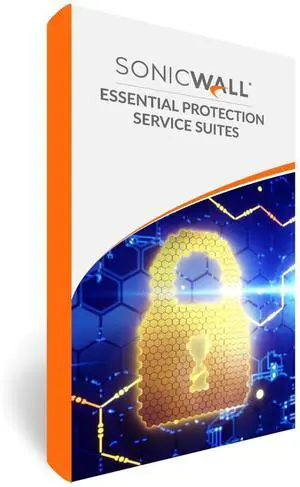
3 Year - Sonicwall - Essential Protection Service Suite for TZ370 Series
SonicWall
3 Years - SonicWall - Essential Protection Service Suite (EPSS) for TZ 370
  • Manufacturer: SonicWALL
  • Part Number: 02-SSC-6627
  • Product Name: Essential Protection Service Suite (EPSS)
  • Type: SonicWall Service
  • Model #: 02-SSC-6627
  • Item #: N82E16833376996
  • Return Policy: Digital Products Return Policy
  •  
  • $1,507.99 –
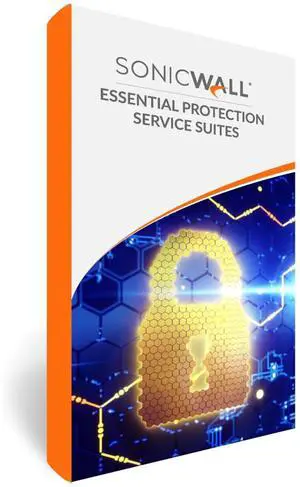
2 Years - SonicWall - Essential Protection Service Suite (EPSS) for TZ 270
SonicWall
2 Years - SonicWall - Essential Protection Service Suite (EPSS) for TZ 270
  • Manufacturer: SonicWALL
  • Part Number: 02-SSC-6746
  • Product Name: Essential Protection Service Suite (EPSS)
  • Type: SonicWall Service
  • Model #: 02-SSC6746
  • Item #: N82E16833947290
  • Return Policy: Digital Products Return Policy
  • $872.95
  •  
  • $698.99 –
  • Save: 19%
SQL Server 2025 Standard Edition - Modern Software in CSP - Perpetual - Requires Tenant ID
  •  
  • $987.00 –

Business Software Solutions for Your Company’s Needs

Find a wide range of business software designed to help professionals manage operations, improve productivity, and support growth. This page provides access to reliable tools suitable for various industries and business sizes.

How to Choose Business Software

Key Features and Technologies to Consider When Choosing Business Software

Selecting the right business software depends on various critical factors that impact your workflow and productivity. Consider these key features when comparing options:

  • Compatibility: Ensure the software integrates smoothly with your existing systems, operating platforms, and other tools.
  • Scalability: The ability to grow with your business size and evolving needs, especially for licensing and user seats.
  • Security: Robust data protection features such as encryption, user access controls, and compliance with industry standards.
  • User Interface & Experience: Intuitive navigation and ease of use to shorten training time and increase adoption.
  • Cloud vs On-Premises: Decide between cloud SaaS models for flexibility or traditional on-site installations for enhanced control.
  • Automation and AI Tools: Features like workflow automation and AI-powered analytics that boost efficiency and decision-making.
  • Support & Updates: Regular software updates and access to reliable customer service for any troubleshooting or new feature requests.

Understanding Licensing Models: The Backbone of Business Software Procurement

One of the most important technical aspects to evaluate in business software is the licensing model. Licensing affects cost, legal compliance, and your ability to scale. Common options include perpetual licenses, which grant permanent use rights, and subscription licenses, which offer ongoing access through regular payments. Additionally, licenses may be user-based, device-based, or enterprise-wide. For example, choosing a Software Application License ensures you remain compliant with legal usage terms while receiving vital updates and patches. Understanding the balance between upfront investment and long-term flexibility is key to maximizing value and minimizing risk.

Advanced Business Software Usage for IT Professionals and Developers

For professionals managing complex IT environments, leveraging advanced business software capabilities can transform operations. Integration with compliance suites like 02-ssc-5547 can streamline regulatory workflows and reporting. Additionally, developers should consider automation via APIs, version control compatibility, and cloud infrastructure integration for seamless deployment and scaling. Security-conscious users benefit greatly by combining enterprise-grade Security & Protection License modules to safeguard sensitive data while maintaining high operational efficiency.

Performance and Setup Tips

  • Ensure your hardware meets the minimum system requirements to avoid performance bottlenecks.
  • Use official licensing to ensure you receive all necessary updates and technical support.
  • Opt for cloud-based deployment if remote access and real-time collaboration are priorities for your team.
  • Leverage bundled productivity suites, such as microsoft 365, to combine essential tools under one cohesive environment.
  • Regularly back up your software configuration and data to mitigate risks from failures or cyber attacks.
  • Configure user permissions carefully to control access and protect sensitive information.
  • Take advantage of vendor training and certifications to ensure your team maximizes software capabilities.
  • Schedule periodic audits and updates to keep your software ecosystem secure, compliant, and efficient.

Newegg shopping tip: Before purchasing business software, closely compare features like user limits, compatibility with your existing systems, and subscription terms. This helps ensure the software fits your team size and workflows without unexpected costs.

Explore Business Software & Related Categories

microsoft 365

Microsoft 365 bundles Office apps with cloud storage and AI-powered tools, ideal for dynamic teams leveraging the latest desktop and web versions.

02-ssc-5547

The O2-SSC-5547 suite features specialized compliance and reporting tools, tailored for SMBs managing regulatory workflows efficiently.

eset home security essential

ESET Home Security Essential deploys multilayered anti-malware and real-time threat detection, optimized for personal devices with minimal system impact.

New to Business Software? Start Here

For those stepping into the world of business software for the first time, it’s important to begin with tools that simplify your daily workflow and boost collaboration. Productivity suites like microsoft 365 are an excellent choice, offering spreadsheets, presentations, email, and cloud storage all in one package. These tools help you stay organized whether you’re managing projects, communicating with clients, or sharing documents securely across your team. Exploring software application licenses designed for business use can further ensure you are using legitimate, updated programs that grow with your needs.

Ideal Solutions for Small to Medium Businesses

Small and medium-sized businesses (SMBs) often face unique challenges such as regulatory compliance, streamlined reporting, and budget constraints. Suites like 02-ssc-5547 provide specialized tools built to address these needs, helping you stay compliant while automating time-consuming tasks. Additionally, investing in Security & Protection License software safeguards sensitive business data and customer information, which is critical as your digital footprint grows, keeping cybersecurity threats at bay without overwhelming your IT resources.

IT Professionals and Enterprise Administrators

For IT pros tasked with managing complex networks and ensuring uptime, business software must offer scalable control and robust security features. Consider Software Application License options that provide legal compliance and access to the latest updates. Additionally, deploying Utility Licenses can enhance your capability by automating backups and optimizing system resources. Lastly, combining these with appropriate Security & Protection License ensures that your infrastructure remains resilient against evolving cyber threats.

Before You Buy

  • Identify your core requirements—whether it’s productivity, compliance, security, or system management—to narrow down the software categories relevant to your business.
  • Confirm compatibility with your existing hardware and operating systems to avoid deployment issues.
  • Check licensing models—subscription vs. perpetual—and decide which aligns better with your budget and upgrade needs.
  • Evaluate whether you need scalable options to support team growth or multi-device deployments.
  • Prioritize software that comes with reliable customer support and update policies.
  • Consider bundling options, like microsoft 365, to access comprehensive toolsets in a single purchase.
  • Look into warranty or extended support packages such as OEM Warranty if hardware and software come bundled.
  • Review security features carefully, especially if dealing with sensitive information or regulatory compliance.

Research more: When choosing business software, consider how it fits with your existing workflows and scales with your company’s growth. For detailed comparisons and expert advice, check out the Newegg Insider buying guides tailored to this category.

Last Updated: October 2026 | Newegg Business Software Buying Guide


Business Software FAQs:

How does QuickBooks compare to FreshBooks for small business accounting?

QuickBooks offers more advanced features and integrates with a wider range of third-party apps, making it better for growing businesses. FreshBooks is simpler and more user-friendly, ideal for freelancers or very small teams.

Is Microsoft Office 365 better than Google Workspace for business productivity software?

Microsoft Office 365 provides more powerful desktop applications and is preferred for complex document editing. Google Workspace excels in real-time collaboration and cloud-based accessibility, which works well for teams that prioritize flexibility.

What types of business software are available to improve company workflow?

You can find a range of business software like project management tools, accounting programs, CRM systems, and data analysis applications designed to streamline different aspects of your operations.

Do business software products support multiple users and team collaboration?

Most business software includes multi-user licenses and collaboration features, allowing teams to work together in real-time and share data securely across departments.

What should I consider when choosing business software for a small team?

Focus on software that offers scalability and easy collaboration tools without overwhelming features you won’t use. Check if it integrates well with other apps your team already relies on.

Is it worth investing in premium business software if I’m on a tight budget?

It depends on the features you need—sometimes paying for a robust solution saves time and headaches down the line, but if your needs are basic, a free or lower-cost option might do the trick.

How can I tell if business software is reliable before buying?

Look for consistent positive feedback on performance and customer support in reviews. Watch out for repeated complaints about bugs or crashes, as those are red flags.

What common issues should I be aware of when reading business software reviews?

Users often mention problems with complicated setup or poor integration with other tools. Check if reviewers highlight these concerns so you’re not surprised after purchase.

How do I install business software after purchase?

Usually, you’ll receive a download link or a product key via email. Simply follow the instructions to download and activate the software on your computer or server.

Can I use business software on multiple devices?

It depends on the license type you buy; some allow installation on several devices, while others restrict you to one. Check the license terms before setup to avoid any issues.