• In Stock
  • Sold by Newegg
  • Make an Offer
  • New
  • Combo Deals Only
Brands
Show More
Price
Show More
Fan Size
Show More
Fan Thickness
Show More
Fan Counts
Show More
Type
Bearing Type
Show More
RPM
Show More
Air Flow
Show More
Noise Level
Show More
Sold by
Power Connector
Color
LED
All Top Brands
Availability
Condition
Current Promotion
Discount
Useful Links
Customer Ratings
  • Featured Brands

    See Deals from CorsairSee Deals from Cooler MasterSee Deals from COUGARSee Deals from Fractal DesignSee Deals from ThermaltakeSee Deals from Rosewill
Sort By:
View:
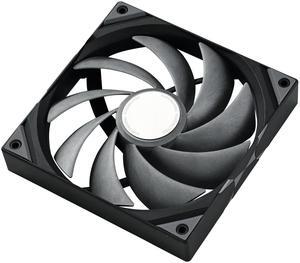
TRYX ROTA PRO 120 120mm Case Fan 4-Pin PWM LCP Material FDB Case Fan 2250RPM with 81.32CFM Airflow High-Performance Quiet PC Case Fan
Quick View
  •  
  • $16.99 –
  • $5.59 Shipping
Reeven Kiran 120mm High Airflow RGB LED Case/CPU cooler Fan, Standalone Model(Not Require Motherboard RGB Header)
Quick View
Reeven Kiran 120mm High Airflow RGB LED Case/CPU cooler Fan, Standalone Model(Not Require Motherboard RGB Header)
  • Type: Case Fan
  • Bearing Type: Fluid Dynamic
  • RPM: 400~1500RPM
  • Air Flow: 14~64.8CFM
  • Model #: RE1225FD15EW-RLSP
  •  
  • $9.99 –
  • Free Shipping
Thermaltake Riing Quad 14 RGB Radiator Fan 140mm 3 Pack - White
Quick View
Thermaltake
Thermaltake Riing Quad 14 RGB Radiator Fan 140mm 3 Pack - White
  • Type: Case Fan
  • Color: White
  • Fan Counts: 3 Fans
  • Fan Controller: Controller
  • Model #: CL-F101-PL14SW-B
  •  
  • $59.99 –
  • $4.99 Shipping
Alphacool DC-LT 2 - 2600rpm Ceramic - 12V DC - 3 Phase Sine Wave PCB (13332)
Quick View
Alphacool DC-LT 2 - 2600rpm Ceramic - 12V DC - 3 Phase Sine Wave PCB (13332)
  • Brand: Alphacool
  • Model: 1019580
  • Power Connector: 3 Pin
  • Color: Black
  • Model #: 1019580
  •  
  • $41.65 –
  • Free Shipping
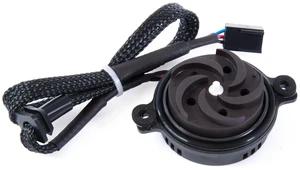
Alphacool Eisstation 40 DC-LT Pump Top and Reservoir
Quick View
Alphacool Eisstation 40 DC-LT Pump Top and Reservoir
  • Brand: Alphacool
  • Model: 1016193
  • Color: Black
  • Part Number: 1016193
  • Model #: 1016193
  •  
  • $46.63 –
  • Free Shipping
Lian Li 1 Pack Black-No controller included (ARGB 120mm LED PWM Daisy-Chain) PC Cooling Computer ARGB Case Fans Heatsink Cooler
Quick View
Lian Li 1 Pack Black-No controller included (ARGB 120mm LED PWM Daisy-Chain) PC Cooling Computer ARGB Case Fans Heatsink Cooler
  • Type: Case Fan
  • RPM: 800~1900 RPM
  • Air Flow: 58.54 CFM (MAXIMUM)
  • Noise Level: 25 - 30 dBA
  • Model #: Su-LL120-B
  •  
  • $37.99 –
  • Free Shipping
MQ12038HBL1 AC 110V 0.28A 12038 12CM 120*120*38mm 50HZ Double Ball Bearing Cabinet Cooling Fan
Quick View
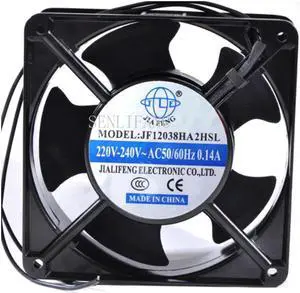
JF12038HA2HSL AC 220V\/240V 0.14A 12038 12cm 120*120*38mm 50\/60HZ Oil Bearing Ball Chassis Cabinet Cooling Fan
Quick View
foxconn pva080f12h 12v 0.36a 4wire 4.32w 8020 cooling fan
Quick View
  •  
  • $27.99 –
  • $8.50 Shipping
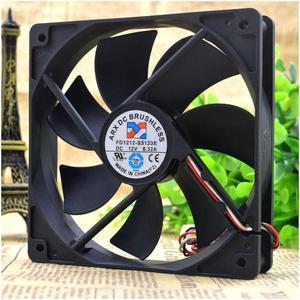
ARX DC FD1212-S3133E 12V 0.32A Power supply Silent cooling fan
Quick View
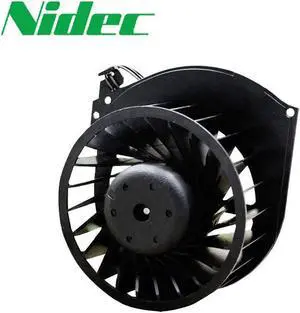
Nidec   Original  G80E12NS1ZN-56J14 12V 1.65A projector TV cooling fan
Quick View
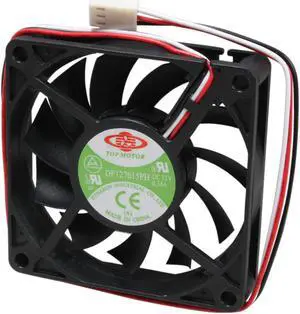
Rexus TopMotor DF127015PH 70mm Case cooler
Quick View
Rexus TopMotor DF127015PH 70mm Case cooler
  • Type: Case Fan
  • Bearing Type: Ball
  • RPM: 4300 RPM
  • Air Flow: 38.9 CFM
  • Model #: DF127015PH
  •  
  • $18.99 –
  • $7.99 Shipping
FOR Sun V210, V240 V125 Server CPU heatsink cooling fan 370-7786-01
Quick View
United States COMAIR ROTRON CLE3T2 CL3T2 AC220-240V 25489 industrial fan
Quick View
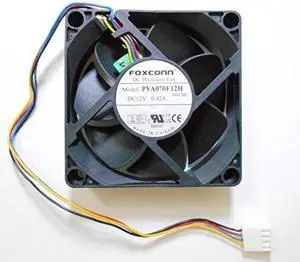
foxconn pva070f12h 12v 0.42a 4wire 7020 cooling fan
Quick View
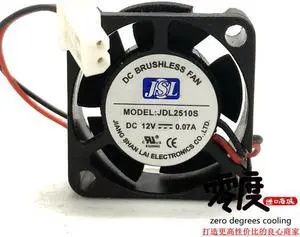
JDL2510S DC12V 0.07A 25x25x10MM 2.5CM 2Lines cooling fan
Quick View
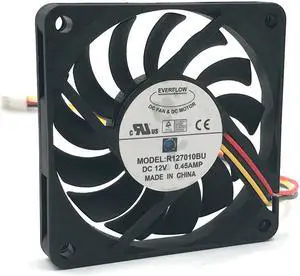
New original  Everflow R127010BU DC12V 0.45A 7cm 7010 large wind fan cooling fan
Quick View
New original Everflow R127010BU DC12V 0.45A 7cm 7010 large wind fan cooling fan
  • Type: Case Fan
  • Power Connector: 3 Pin
  • Color: Black
  • Model #: R127010BU 0
  •  
  • $12.97 –
  • Free Shipping
New original Foxconn PVB120G12H-P01 12V 0.75A 4 Wires Blower Case fan  Dell 390 790 990 PVB120G12H-P01 0J50GH 0637NC series cooling fan
Quick View
  •  
  • $20.57 –
  • Free Shipping
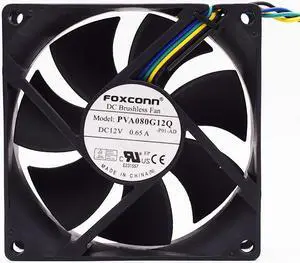
8cm NEW Original Foxconn PVA080G12Q -P01-AD DC12V 0.65A 8025 cooling fan  PWM 4-Pin
Quick View
8cm NEW Original Foxconn PVA080G12Q -P01-AD DC12V 0.65A 8025 cooling fan PWM 4-Pin
  • Type: Case Fan
  • Bearing Type: Hydro Bearing
  • RPM: 5500-5999 RPM
  • Air Flow: 60-65 CFM
  • Model #: PVA080G12Q -P01-AD
  •  
  • $13.48 –
  • Free Shipping
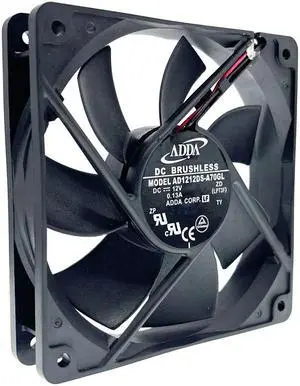
Mute Silent Quiet 120mm 12cm Computer Case Cooling Fan,for ADDA AD1212DS-A70GL 120X120X25mm DC 12V 0.13A 1800RPM 75CFM 34DBA
Quick View
  •  
  • $15.99 –
  • Free Shipping
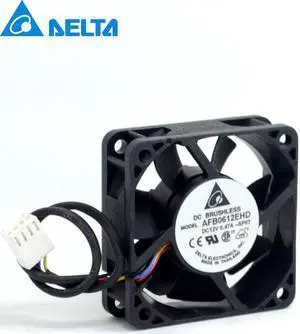
Original AUB0912VH 9cm 9025 9225 Delta DC 12V 0.60A 4-pin pwm cooling fan
Quick View
Original AUB0912VH 9cm 9025 9225 Delta DC 12V 0.60A 4-pin pwm cooling fan
  • Type: Case Fan
  • Bearing Type: 2 Ball
  • Power Connector: 4 Pin
  • Color: Black
  • Model #: AUB0912VH
  •  
  • $12.66 –
  • Free Shipping
  • $10.57 - $12.66
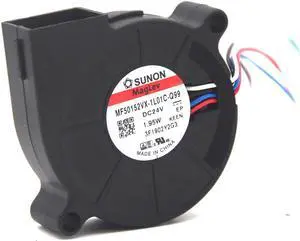
Sunon MF50152VX-1L01C-Q99 MF50152VX-1L01C-s99 5015 DC 24v 1.95W PWM blower 6000RPM 4.8CFM 4wire lead Cooling fan
Quick View
Sunon MF50152VX-1L01C-Q99 MF50152VX-1L01C-s99 5015 DC 24v 1.95W PWM blower 6000RPM 4.8CFM 4wire lead Cooling fan
  • Type: Case Fan
  • RPM: 6000-6499 RPM
  • Air Flow: 1-5 CFM
  • Noise Level: 40 - 45 dBA
  • Model #: MF50152VX-1L01C-Q99
  •  
  • $15.99 –
  • Free Shipping
DFB13512H 135mm PSU Chassis Cooling Fan DC 12V 0.28A 1800RPM 13525 135X135X25mm 2 Wires Dual Ball Bearing
Quick View
DFB13512H 135mm PSU Chassis Cooling Fan DC 12V 0.28A 1800RPM 13525 135X135X25mm 2 Wires Dual Ball Bearing
  • Type: Case Fan
  • Bearing Type: 2 Ball
  • RPM: 1600-1999 RPM
  • Noise Level: 25 - 30 dBA
  • Model #: DFB13512H
  •  
  • $14.99 –
  • Free Shipping
New original Foxconn PVA120G12R -P01 Nidec I12T12MS1A5-57A07 DC12V 0.50A server CPU cooling fan
Quick View
  •  
  • $30.99 –
  • Free Shipping
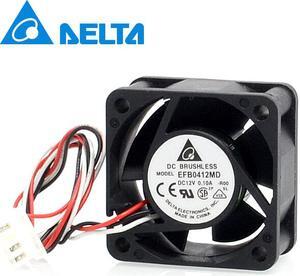
Delta 40*40*20mm EFB0412MD-ROO 4020 12V 0.10A 3-wire alarm signal fan
Quick View
Delta 40*40*20mm EFB0412MD-ROO 4020 12V 0.10A 3-wire alarm signal fan
  • Noise Level: 40 - 45 dBA
  • Dimensions: 4 inch
  • Model #: 25849-UMaLDF2v2
  •  
  • $18.13 –
  • Free Shipping

Find the perfect 120mm and RGB case fans to optimize your PC's cooling performance and style. Whether you're building a new system or upgrading your current setup, explore reliable options from Corsair, Noctua, and more with Black November deals and Black Friday deals to keep your components running cool.

Explore Case Fans at Newegg.

How to Choose Case Fans

Key Features and Technologies to Compare in PC Case Fans

When choosing PC case fans, several critical factors help determine the best fit for your system's cooling needs. Consider these key features:

  • Fan Size: Sizes like 120mm, 140mm, or even compact options like 90mm or 80mm can impact both airflow and noise.
  • Airflow (CFM): Cubic feet per minute measures how much air the fan moves, influencing cooling efficiency.
  • Noise Level (dBA): Measured in decibels, it’s important to balance airflow with quiet operation, especially for gaming or workstations.
  • Bearing Type: Sleeve, ball, and fluid dynamic bearings affect longevity and noise; fluid dynamic bearings often provide quieter, longer-lasting performance.
  • RPM Range and Control: Look for fans supporting PWM (Pulse Width Modulation) for variable speed control that adapts cooling and noise dynamically.
  • RGB Lighting: For those seeking style alongside function, integrated RGB lighting offers customizable effects synchronized with system lighting.
  • Connector Type: Fans typically connect via 3-pin or 4-pin headers; 4-pin PWM fans provide finer speed control.

Why Fan Size Matters Most for Case Fans

The single most influential choice in case fans is fan size, which shapes both airflow capability and noise profile. For mainstream PC builds, the 120mm fan size combines efficient cooling with quieter operation due to larger blades spinning at lower RPMs. Larger fans like 135mm or 140mm push even more air at quieter speeds, ideal for high-demand gaming rigs or silent workstations. Conversely, smaller 80mm, 90mm, or 92mm fans fit older or compact cases but tend to run faster and louder to move adequate air. If your case supports multiple fan sizes, choosing the appropriate diameter is foundational before fine-tuning with RPM or bearing technology. Ultimately, the physical dimensions constrain maximum airflow and influence noise directly, making size a practical guidepost when navigating Black November deals or Black Friday deals on case fans this season.

Advanced Cooling Strategies for Professional Builds

Professionals and enthusiasts working in high-performance or custom PC environments often leverage specific fan technologies and configurations to meet demanding thermal requirements. For example, incorporating 360mm fans within liquid cooling radiator setups can drastically improve heat dissipation without cranking fan speeds to noisy levels. Additionally, professionals may prioritize fan redundancy and zoning, installing multiple fans at intake and exhaust points with independent PWM controls for optimal airflow balance tailored to component heat zones. Advanced builds often incorporate fans with advanced fluid dynamic or magnetic levitation bearings for longevity and minimal noise. Tuning fan curves in the BIOS or through software utilities further refines cooling performance by preventing excess noise during lighter workloads common in professional use cases. Black November deals on high-spec fan models can be an excellent opportunity for developers and system builders to enhance efficient cooling tailored precisely to their workflow demands.

Performance and Setup Tips

  • Choose the right fan size compatible with your case, favoring 120mm or 140mm for best airflow-to-noise balance.
  • Install fans to create a balanced airflow path – front and bottom as intakes, top and rear as exhausts.
  • Use PWM-controlled fans to allow your system to adjust fan speeds based on temperature automatically.
  • Regularly clean fans and dust filters to maintain optimal airflow and prolong fan life.
  • Consider fan placement to minimize noise—mount fans on vibration-damping pads or isolation mounts.
  • Synchronize RGB lighting using compatible controller hubs if aesthetics and lighting effects are desired.
  • Monitor system temperatures after setup and adjust fan curves or add additional fans if needed.
  • Explore compact options like 45mm or 50mm if working with limited space.
  • Take advantage of Black Friday deals and Black November deals to upgrade to premium fans featuring advanced bearings and customizable RGB options.

Newegg shopping tip: When choosing case fans, compare airflow (CFM) and noise levels (dBA) to find a balance that fits your build’s cooling needs and quietness preference. Also, consider fan speed and compatibility with your case size and RGB controller if lighting is important. Black November deals often offer a wide selection to match these features.

Explore Case Fans & Related Categories

45mm

Ultra-compact 45mm fans excel in tight spaces like SFF builds, pushing airflow efficiently despite their small diameter and higher RPM noise levels.

50mm

50mm case fans strike a balance between mini size and modest airflow, ideal for specialized cooling in compact enclosures or VR setups.

90mm

A 90mm fan offers a middle ground for older or budget cases, giving decent airflow with moderate noise, perfect when 80mm just isn’t enough.

Choosing Your First PC Case Fan

If you’re new to PC building or upgrading, selecting the right case fan can feel overwhelming. Most builds benefit from starting with the 120mm size, which balances noise and cooling performance well for most users. Many fans come with features like RGB lighting for extra flair, while others focus purely on airflow and silence. Keep airflow direction in mind—intake fans draw cool air in, while exhaust fans push hot air out, helping your components stay stable during work or play. Black November deals and Black Friday deals make this a great season to explore fan options that suit your build style and thermal needs.

Gaming PC Enthusiasts Seeking Optimal Cooling and Style

For gamers pushing their systems hard, case fans aren’t just about cooling—they’re also a chance to customize your rig’s look. Larger sizes like 135mm and 360mm variants can provide both powerful airflow and whisper-quiet operation, essential for marathon gaming sessions. RGB fans add dazzling lighting synced to your gameplay or music, amplifying the atmosphere in your gaming area. Take advantage of Black November deals to grab advanced fans that optimize heat dissipation and add a personalized touch to your gaming rig’s aesthetic this holiday season.

Small Form Factor and Compact Builds

If space is at a premium, such as in compact or mini-ITX cases, standard fans often won’t fit. Instead, specialized sizes like 45mm and 50mm fans make cooling possible in tight enclosures where larger fans just won’t fit. These smaller fans tend to run at higher RPMs to move enough air, which can increase noise, so consider your priorities between quiet operation and airflow when choosing. For SFF enthusiasts looking to harness Black Friday deals on quietly powerful fans, this is an ideal time to shop for the perfect fit without compromising airflow.

Before You Buy

  • Confirm the size compatibility of your case with the fan dimensions—common sizes like 120mm fans fit most cases, but compact builds may require smaller sizes like 45mm or 50mm.
  • Check airflow direction markings on the fan to ensure you install intake and exhaust fans correctly, optimizing your case’s cooling efficiency.
  • Consider noise levels in relation to your environment—large fans like 200mm or 135mm fans are quieter options compared to smaller, high-RPM fans.
  • If aesthetics matter, look for RGB fans that offer customizable lighting effects that complement your build’s theme, especially during Black November deals when many styles are featured.
  • Double-check your motherboard or fan controller’s connectors (3-pin, 4-pin PWM) for compatibility with your new case fans to control fan speeds effectively.

Need Expert Guidance Choosing Your Perfect Case Fans? We're Here to Help

  • While the video "Finally GAMDIAS Made a PC Case Built to Show Off Your Stuff" from Newegg Studios covers this topic, you can watch it below:

Research more: Looking to optimize your PC’s airflow and noise levels? Check out Newegg Insider buying guides for detailed insights on case fan sizes, airflow direction, and RGB options to make the best choice. This Black November, make your research count before browsing Black Friday deals on case fans.

Last Updated: November 2026 | Newegg Case Fans Buying Guide


Case Fans FAQs:

Which is better for airflow, a 120mm or a 140mm case fan?

A 140mm fan usually moves more air at lower RPMs, so it tends to be quieter while providing strong airflow. However, 120mm fans are more common and fit more cases, making them a versatile choice.

Are RGB case fans worth it compared to regular non-RGB ones?

RGB fans add lighting effects that can customize your build’s look, but they generally cost more and don’t improve cooling performance. If aesthetics matter to you, they’re worth it; if not, plain fans will do the job just fine.

How do I know what size case fan my PC needs?

Check your case’s manual or look at the existing fan mounts; common sizes are 120mm and 140mm. Measuring the mounting holes or the current fan will give you the right size to replace or add.

What’s the difference between PWM and voltage-controlled case fans?

PWM fans let your motherboard control their speed more precisely using a 4-pin connector, while voltage-controlled fans use a 3-pin connector and adjust speed by changing the voltage. PWM fans usually offer better cooling with less noise.

How do I decide what size case fan I need for my PC?

Check your case’s manual or look at the existing fan mounts to see what sizes fit; common sizes are 120mm and 140mm. Matching the right size ensures good airflow without compatibility issues.

Is it worth spending more on RGB case fans, or should I just get the basic models?

If you care about aesthetics and want customizable lighting, RGB fans can boost your build’s look. But for pure cooling performance, plain fans usually do the job just fine at a lower price.

How can I tell if a case fan is going to be noisy or quiet from reading reviews?

Look for reviewers commenting on noise levels during normal operation and under load. Fans that ramp up loudly or have rattling bearings usually get flagged quickly in feedback.

What are some common problems people mention about case fans, and how can I spot them before buying?

Many users report issues like shaky mounting, fan blade warping, or PWM control failures. Scan reviews for mentions of build quality and how consistently the fan maintains RPM without stuttering.

How do I install a case fan inside my PC for the first time?

First, find the proper mounting spots in your case, usually indicated by fan-size holes. Secure the fan with screws or clips, then connect the cable to the motherboard’s fan header or a power supply adapter.

What’s the best way to arrange multiple case fans for optimal airflow?

Generally, set front and bottom fans to pull cool air in, while rear and top fans push warm air out. This creates a smooth airflow path that helps keep your components cooler.

Bestselling Case Fans Reviews:

Anonymous
9/27/2026 1:40:52 PM
Excellent fans

“ The fans LED lights are powerful and come with a great amount of different light settings, easy to hook up with the fan control having a magnet on the back and you can put next to the motherboard and the remote has a magnet to which I use to keep it on the side of my case, the fans are silent I hear no noise from them ”

RGB Fans:6 pack 120mm PWM ARGB Case Fan with Fan Hub and Remote,Speed Control,PWM Control Fan for Computer Case and Liquid Cooling System
Anonymous
9/20/2026 1:37:49 PM
Fans are great

“ I would purchase these fans again. ”

Fractal Design Dynamic X2 GP-14 140mm Black Edition FD-FAN-DYN-X2-GP14-BK 140mm Case Fan
Anonymous
9/17/2026 3:49:00 PM
Great quality fans for the price.

“ Overall a great option for budget RGB fans. ”

Phanteks M25-140 Gen2, 140mm ARGB High Performance Cooling Fans, Daisy-chain Unified Fan Frame, Infinity Mirror hub, single cable connection, White (PH-F140M25_G2_DWT01)
Anonymous
9/3/2026 2:19:45 PM
Very pleased with these Phanteks fans

“ I'm very happy with my Phanteks M25-140 Gen2 reversed fans. ”

Phanteks M25-140 Gen2 Reversed 140mm DRGB LED Case Fan
Anonymous
8/31/2026 2:45:12 PM
Great product - but instructions are hard to follow

“ I'd recommend this product, especially to those already familiar with installing these fans. ”

Phanteks D30-120 DRGB PWM FAN, Premium D-RGB Performance Fan, ARGB/DRGB lighting, Daisy-chain Fan Linking system, Black