• In Stock
  • Sold by Newegg
  • Make an Offer
  • New
  • Combo Deals Only
Brands
Show More
Price
Show More
Speed
Capacity
Show More
BIOS/Performance Profile
Show More
CAS Latency
Multi-channel Kit
Recommend Use
Show More
Voltage
Show More
ECC
Sold by
Type
Color
LED Color
All Top Brands
Availability
Condition
Total Capacity
Current Promotion
Discount
Useful Links
Customer Ratings
  • Extreme Overclocked DDR5
  • Bloom into Speed
  • Team Group Green Pioneer
  • Featured Brands

    See Deals from G.SKILLSee Deals from CorsairSee Deals from CrucialSee Deals from Team Group
Sort By:
View:
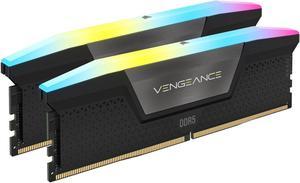
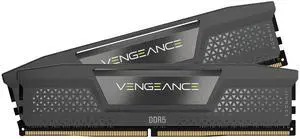
CORSAIR Vengeance RGB 32GB (2 x 16GB) 288-Pin PC RAM DDR5 7000 (PC5 56000) Desktop Memory Model CMH32GX5M2X7000C36
Quick View
CORSAIR Vengeance RGB 32GB (2 x 16GB) 288-Pin PC RAM DDR5 7000 (PC5 56000) Desktop Memory Model CMH32GX5M2X7000C36
  • CAS Latency: CL36
  • Voltage: 1.45V
  • Multi-channel Kit: Dual Channel Kit
  • Timing: 36-46-46-82
  • Model #: CMH32GX5M2X7000C36
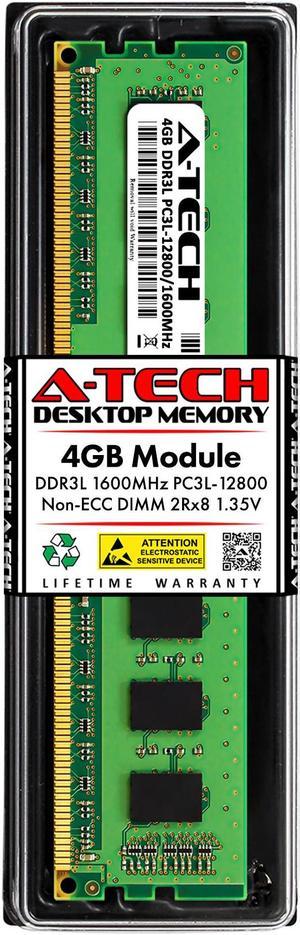
4GB RAM Replacement for Crucial BLS4G3D1609ES2LX0, BLT4G3D1608ET3LX0, CT2K51264BD160B, CT51264BD160B | DDR3 1600MHz PC3L-12800 DIMM 2Rx8 Desktop Memory
Quick View
4GB RAM Replacement for Crucial BLS4G3D1609ES2LX0, BLT4G3D1608ET3LX0, CT2K51264BD160B, CT51264BD160B | DDR3 1600MHz PC3L-12800 DIMM 2Rx8 Desktop Memory
  • CAS Latency: CL11
  • Voltage: 1.35V
  • Chipset: Major Brand Chips
  • Recommend Use: AMD & Intel Compatible
  • Model #: 5053772480322
  •  
  • $24.19 –
  • Free Shipping
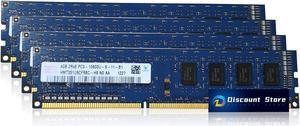
Hynix HMT351U6CFR8C-H9 16GB(4X4GB) DDR3 1333MHz PC RAM PC3-10600U Desktop Memory 240pin 2Rx8 UDIMM
Quick View
SK hynix
Hynix HMT351U6CFR8C-H9 16GB(4X4GB) DDR3 1333MHz PC RAM PC3-10600U Desktop Memory 240pin 2Rx8 UDIMM
  • CAS Latency: CL9
  • Buffered/Registered: Unbuffered
  • Model #: hynix-4gb-ud-1333 x4
4GB Samsung DDR4-2400MHz Non-ECC 288pin Memory M378A5244CB0-CRC
Quick View
SAMSUNG
4GB Samsung DDR4-2400MHz Non-ECC 288pin Memory M378A5244CB0-CRC
  • CAS Latency: CL17
  • Voltage: 1.20V
  • Buffered/Registered: Unbuffered
  • Model #: M378A5244CB0-CRC
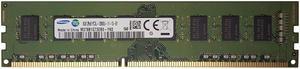
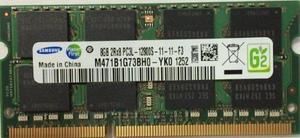
Samsung 8GB (PC3L-12800) DDR3L 1.35V 1600 204-Pin M471b1g73bh0-yk0
Quick View
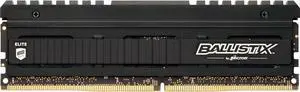
Ballistix Elite 16GB Single DDR4 3000 MT/s (PC4-24000) DR DIMM 288-Pin - BLE16G4D30AEEA
Quick View
Used - Like New Ballistix Elite 16GB Single DDR4 3000 MT/s (PC4-24000) DR DIMM 288-Pin - BLE16G4D30AEEA
  • CAS Latency: CL15
  • Voltage: 1.35V
  • Timing: 15-16-16
  • Buffered/Registered: Unbuffered
  • Model #: BLE16G4D30AEEA
  •  
  • $114.99 –
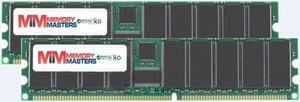
MemoryMasters 2GB ( 2 X 1GB ) DDR DIMM (184 PIN) 266Mhz DDR266 PC2100 DESKTOP MEMORY KIT
Quick View
  •  
  • $29.00 –
  • Free Shipping
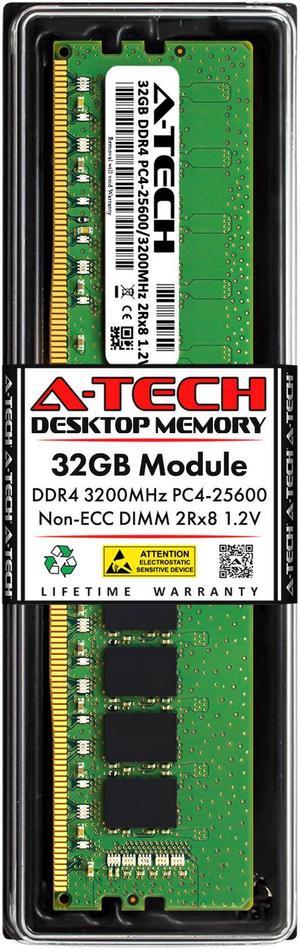
32GB RAM Replacement for Hynix HMAA4GU6AJR8N-XN, HMAA4GU6CJR8N-XN | DDR4 3200MHz PC4-25600 DIMM 2Rx8 Desktop Memory
Quick View
32GB RAM Replacement for Hynix HMAA4GU6AJR8N-XN, HMAA4GU6CJR8N-XN | DDR4 3200MHz PC4-25600 DIMM 2Rx8 Desktop Memory
  • Voltage: 1.20V
  • Recommend Use: AMD & Intel Compatible
  • Buffered/Registered: Unbuffered
  • Tested Frequency: 3200
  • Model #: 5053772474826
  •  
  • $249.60 –
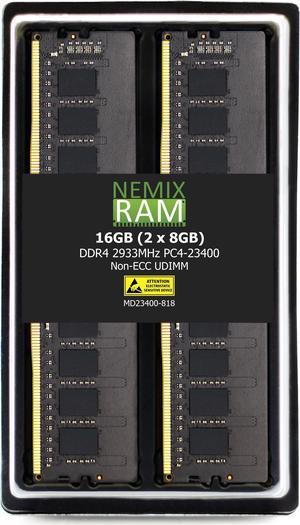
NEMIX RAM 16GB (2X8GB) DDR4 2933MHZ PC4-23400 1Rx8 1.2V 288-PIN Non-ECC UDIMM Unbuffered Desktop Memory KIT
Quick View
NEMIX RAM 16GB (2X8GB) DDR4 2933MHZ PC4-23400 1Rx8 1.2V 288-PIN Non-ECC UDIMM Unbuffered Desktop Memory KIT
  • CAS Latency: CL21
  • Voltage: 1.20V
  • Chipset: Major OEM Samsung, Micron, Hynix
  • Buffered/Registered: Unbuffered
  • Model #: 0759170870660
  •  
  • $131.89 –
  • Free Shipping
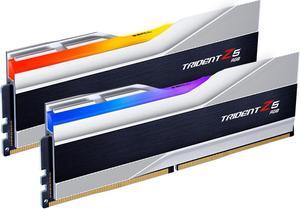
G.SKILL Trident Z5 RGB Series 32GB (2 x 16GB) 288-Pin PC RAM DDR5 5600 Desktop Memory Model F5-5600J3636C16GX2-TZ5RS
Quick View
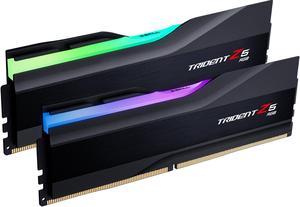
G.SKILL Trident Z5 RGB Series 32GB (2 x 16GB) 288-Pin PC RAM DDR5 5600 Desktop Memory Model F5-5600J3636C16GX2-TZ5RS
  • CAS Latency: CL36
  • Voltage: 1.20V
  • Multi-channel Kit: Dual Channel Kit
  • Timing: 36-36-36-89
  • Model #: F5-5600J3636C16GX2-TZ5RS
8GB RAM Replacement for G.Skill F4-2400C15D-16GVR, F4-2400C15S-8GVR | DDR4 2400MHz PC4-19200 DIMM 1Rx8 Desktop Memory
Quick View
8GB RAM Replacement for G.Skill F4-2400C15D-16GVR, F4-2400C15S-8GVR | DDR4 2400MHz PC4-19200 DIMM 1Rx8 Desktop Memory
  • CAS Latency: CL17
  • Voltage: 1.20V
  • Chipset: Major Brand Chipset
  • Recommend Use: Compatible Replacement for G.Skill F4-2400C15D-16GVR, F4-2400C15S-8GVR
  • Model #: NE-PNR-1685
  •  
  • $65.88 –
Lenovo 16GB (4x4GB) DDR4 3200MHz Desktop RAM Kit, Samsung M378A5244CB0-CWELL, PC4-25600 288-Pin Non-ECC UDIMM
Quick View
Lenovo
Lenovo 16GB (4x4GB) DDR4 3200MHz Desktop RAM Kit, Samsung M378A5244CB0-CWELL, PC4-25600 288-Pin Non-ECC UDIMM
  • Multi-channel Kit: Quad Channel Kit
  • Brand: SAMSUNG
  • Capacity: 16GB (4 x 4GB)
  • Speed: DDR4 3200 (PC4 25600)
  • Model #: Samsung 16GB (4X4GB) DDR4 RAM
  •  
  • $89.99 –
  • Free Shipping
MemoryMasters 4GB 4X 1GB DDR PC3200 4 GB PC 3200 400 Low Density Desktop Memory RAM Dual KIT
Quick View
  •  
  • $59.99 –
  • Free Shipping
samsung 8gb ddr4 2666mhz dimm pc4-21300 288-pin 1rx8 1.2v udimm desktop memory upgrade m378a1k43cb2-ctd
Quick View
SAMSUNG
samsung 8gb ddr4 2666mhz dimm pc4-21300 288-pin 1rx8 1.2v udimm desktop memory upgrade m378a1k43cb2-ctd
  • CAS Latency: CL19
  • Voltage: 1.20V
  • Chipset: Samsung Chipset
  • Buffered/Registered: Unbuffered / Unregistered
  • Model #: RNAB08LR1KDQC
  •  
  • $69.89 –
  • Free Shipping
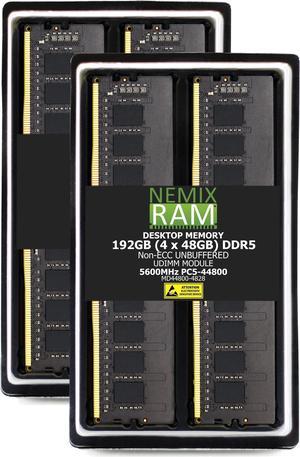
192GB 4X48GB DDR5 5600MHz PC5-44800 2Rx8 1.1V CL46 288-PIN Non-ECC Unbuffered UDIMM NEMIX RAM Desktop PC Memory KIT Compatible with MSI MAG X870 Tomahawk WiFi Motherboard - DDR5 5600MHz PC5-44800
Quick View
192GB 4X48GB DDR5 5600MHz PC5-44800 2Rx8 1.1V CL46 288-PIN Non-ECC Unbuffered UDIMM NEMIX RAM Desktop PC Memory KIT Compatible with MSI MAG X870 Tomahawk WiFi Motherboard - DDR5 5600MHz PC5-44800
  • Brand: NEMIX RAM
  • Series: NEMIX RAM Original Series Memory
  • Capacity: 192GB (4 x 48GB)
  • Speed: DDR5 5600 (PC5 44800)
  • Model #: MD44800-4828K4-MSI-MAG-X87-CB73
  •  
  • $4,996.99 –
OWC 8GB DDR3L 1333 PC3L-10600 CL9 2Rx8 240-pin 1.35V ECC Unbuffered UDIMM Memory RAM Module Upgrade for Select Desktops, Workstations, or Servers
Quick View
OWC 8GB DDR3L 1333 PC3L-10600 CL9 2Rx8 240-pin 1.35V ECC Unbuffered UDIMM Memory RAM Module Upgrade for Select Desktops, Workstations, or Servers
  • CAS Latency: CL9
  • Voltage: 1.35V
  • Recommend Use: Workstations, Servers, and NAS Systems
  • ECC: Yes
  • Model #: OWC1E3T32R808GB-B252-SF
  •  
  • $39.99 –
SK Hynix HMA82GU6DJR8N-XN 16GB DDR4 3200 2Rx8 PC4-3200AA UB2 Desktop PC Memory
Quick View
SK hynix
SK Hynix HMA82GU6DJR8N-XN 16GB DDR4 3200 2Rx8 PC4-3200AA UB2 Desktop PC Memory
  • CAS Latency: CL22
  • Voltage: 1.20V
  • Buffered/Registered: Unbuffered
  • Model #: XD-UD-16GB-CP4-3200
  •  
  • $142.22 –
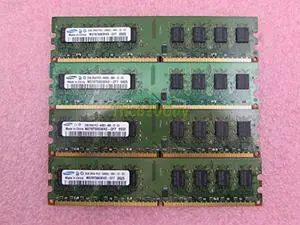
4GB (2x2GB) DDR3-1333MHz PC3-10600 NON-ECC UDIMM 2Rx8 Desktop Memory Module
Quick View
  •  
  • $23.99 –
  • Free Shipping
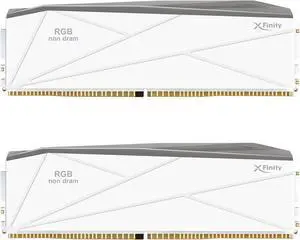
V-COLOR DDR5 TUF GAMING ALLIANCE SCC KIT Manta XFinity 64GB (32GBx2) 6400MHz CL32 1.40V AMD EXPO SK Hynix IC RGB Gaming Memory + x2 RGB Filler Sticks (Non-Memory) - White (GTMXFAL3264832WW-DW)
Quick View
V-COLOR DDR5 TUF GAMING ALLIANCE SCC KIT Manta XFinity 64GB (32GBx2) 6400MHz CL32 1.40V AMD EXPO SK Hynix IC RGB Gaming Memory + x2 RGB Filler Sticks (Non-Memory) - White (GTMXFAL3264832WW-DW)
  • Part Number: GTMXFAL3264832WW-DW
  • Timing: 32-39-39
  • Buffered/Registered: Unbuffered / Unregistered
  • BIOS/Performance Profile: AMD EXPO
  • Model #: GTMXFAL3264832WW-DW
  •  
  • $1,199.99 –
  • $17.76 Shipping
Rimlance 16GB (1X16GB) 1.2V DDR4 2400MHZ PC4-19200 UDIMM 2RX8
Quick View
Rimlance 16GB (1X16GB) 1.2V DDR4 2400MHZ PC4-19200 UDIMM 2RX8
  • CAS Latency: CL17
  • Chipset: Major Brand Chipset
  • Buffered/Registered: Unbuffered
  • Model #: RUD19200D8C16
  •  
  • $85.00 –
  • Free Shipping
G.SKILL Trident Z5 RGB Series 48GB (2 x 24GB) 288-Pin PC RAM DDR5 6400 (PC5 51200) Desktop Memory Model F5-6400J3239F24GX2-TZ5RK
Quick View
G.SKILL Trident Z5 RGB Series 48GB (2 x 24GB) 288-Pin PC RAM DDR5 6400 (PC5 51200) Desktop Memory Model F5-6400J3239F24GX2-TZ5RK
  • CAS Latency: CL32
  • Voltage: 1.35V
  • Multi-channel Kit: Dual Channel Kit
  • Timing: 32-39-39
  • Model #: F5-6400J3239F24GX2-TZ5RK
32GB RAM Replacement for Dell 732YD, AB120719, AB133484, SNP732YDC/32G | DDR4 3200MHz PC4-25600 DIMM 2Rx8 Desktop Memory
Quick View
32GB RAM Replacement for Dell 732YD, AB120719, AB133484, SNP732YDC/32G | DDR4 3200MHz PC4-25600 DIMM 2Rx8 Desktop Memory
  • CAS Latency: CL22
  • Voltage: 1.20V
  • Chipset: Major Brand Chips
  • Recommend Use: AMD & Intel Compatible
  • Model #: 5053772482524
  •  
  • $249.60 –
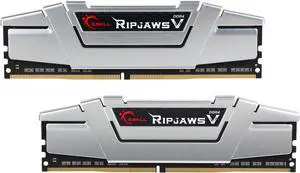
G.SKILL Ripjaws V Series 16GB (2 x 8GB) 288-Pin DDR4 SDRAM DDR4 2400 (PC4 19200) Desktop Memory Model F4-2400C15D-16GVS
Quick View
Used - Like New G.SKILL Ripjaws V Series 16GB (2 x 8GB) 288-Pin DDR4 SDRAM DDR4 2400 (PC4 19200) Desktop Memory Model F4-2400C15D-16GVS
  • CAS Latency: CL15
  • Voltage: 1.20V
  • Multi-channel Kit: Dual Channel Kit
  • Timing: 15-15-15-35
  • Model #: F4-2400C15D-16GVS
  •  
  • $124.99 –
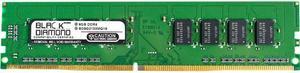
Black Diamond Memory 8GB DDR4 2133 (PC4 17000) Desktop Memory Model BD8G2133MQ22
Quick View
Black Diamond Memory 8GB DDR4 2133 (PC4 17000) Desktop Memory Model BD8G2133MQ22
  • BIOS/Performance Profile: Intel XMP 2.0
  • Features: With decades of experience specializing in memory and server parts, Black Diamond Memory is a proven manufacturer in the industry. Our products currently support over 200,000 configurations as well as support for enterprise servers, desktops, laptops, and a large variety of other devices.
  • Model #: BD8G2133MQ22
  •  
  • $84.99 –
  • Free Shipping
V-COLOR Manta XFinity CUDIMM DDR5 RGB Filler Solution - 2X Modules - 0GB RAM - Intel Compatible - White w/ Silver Light Rod
Quick View
V-COLOR Manta XFinity CUDIMM DDR5 RGB Filler Solution - 2X Modules - 0GB RAM - Intel Compatible - White w/ Silver Light Rod
  • Buffered/Registered: Registered
  • Multi-channel Kit: Dual Channel Kit
  • Color: White
  • Heat Spreader: Yes
  • Model #: TMXFL00WSK
  • $59.99
  •  
  • $56.99 –
  • Save: 5%
  • $35.00 Shipping

Desktop Memory - Buy Desktop Computer RAM | Newegg

Explore a wide selection of desktop memory options designed to boost your computer’s performance by reducing bottlenecks and improving speed. This page helps shoppers find the right RAM to enhance graphics and overall system responsiveness.

How to Choose Desktop Memory

Key Features to Consider When Choosing Desktop Memory

  • Memory Type: The latest desktop RAM largely revolves around DDR4 and DDR5 technologies, each with distinct compatibility and performance traits.
  • Speed (Frequency): Measured in MT/s (megatransfers per second), higher speeds translate to faster data processing but require compatible motherboards and CPUs.
  • Capacity: Typical desktop builds range from 8GB to 64GB+ depending on use case—more RAM supports intensive multitasking and large data workloads.
  • Latency: Lower CAS latency numbers improve responsiveness but often balance with speed, impacting overall throughput.
  • Compatibility: Ensuring the RAM matches your motherboard socket and BIOS support is critical to avoid installation hassles.
  • Form Factor & Modules: Desktop memory typically comes as DIMMs with single or multi-channel kits affecting performance gains.

Why Memory Speed Matters Most for Desktop RAM

Among all specs, memory speed—denoted in MT/s—is arguably the biggest factor shaping desktop RAM performance. Faster RAM lets your CPU access and manipulate data at quicker rates, reducing bottlenecks especially in gaming, video editing, and simulation workloads. With newer platforms, the introduction of DDR5 has pushed base speeds well beyond 4800 MT/s, elevating bandwidth and efficiency. Meanwhile, DDR4 remains an excellent choice for cost-effective setups. Balancing speed with system stability and compatibility often guides the sweet spot in picking the right memory for your rig.
Advanced Options for Developers and Power Users

For professionals and enthusiasts pushing memory to its limits, exploring high-frequency DDR5 modules like DDR5 8000 (PC5 64000) can unlock superior performance in resource-heavy workflows. These kits support extensive overclocking and optimized power delivery, crucial for intense tasks such as 3D rendering, scientific computing, and frame-precise video capture. Leveraging dual or quad-channel configurations alongside compatible CPUs further magnifies throughput, while features like ECC (error-correcting code) safeguard data integrity in critical environments. For power users, tuning memory timings and voltage settings through BIOS and diagnostic software ensures the highest efficiency and reliability on high-end desktop platforms.
Performance and Setup Tips

  • Verify motherboard compatibility with your chosen RAM type and speed before purchasing.
  • Install memory modules in matched pairs or kits to enable dual- or quad-channel operation for optimal bandwidth.
  • Check BIOS settings after installation to enable XMP or DOCP profiles that dial in rated speeds automatically.
  • Maintain adequate cooling around RAM slots—high-speed DDR5 modules especially can generate additional heat.
  • Update motherboard firmware regularly to support new memory standards and improve stability.
  • For upgrades, match the new DRAM's specifications as closely as possible to existing modules to avoid conflicts.
  • Consult Newegg’s vast collection of desktop memory options to find kits tailored to your price and performance needs.

Newegg shopping tip: Check your motherboard’s maximum supported RAM speed and capacity before buying to ensure compatibility. Also compare latency and voltage ratings, as these impact performance and stability just as much as size and speed.

Explore Desktop Memory & Related Categories

DDR5

DDR5 memory sets the stage for next-gen desktop builds with speeds starting around 4800 MT/s and features like on-die ECC, boosting efficiency and future-proofing.

DDR4

Still a powerhouse for mainstream PCs, DDR4 offers solid 2133 to 3200 MT/s speeds with mature compatibility and affordability for budget-conscious builders.

DDR5 8000 (PC5 64000)

With DDR5 at 8000 MT/s, you’re tapping into blistering bandwidth ideal for extreme overclockers and top-tier gaming rigs demanding peak data flow.

Desktop Memory Basics for Beginners

Upgrading or adding RAM to your desktop can greatly improve your computer’s responsiveness, multitasking ability, and overall speed. If you’re new to desktop memory, focus first on understanding the DDR generation your motherboard supports. DDR4 modules are still widespread in many systems, offering a solid balance of speed and affordability—explore DDR4 options to start.

For a future-proof build or a recent PC, consider the newer DDR5 memory which unlocks faster speeds and improved power efficiency.

Gamers and Enthusiast Builds

For gamers, memory speed and latency can influence frame rates and game loading times. High-frequency DDR5 modules deliver a noticeable boost; for instance, DDR5 7600 (PC5 60800) is a popular choice among overclockers seeking a stable yet speedy memory experience. Even faster tiers like DDR5 8000 cater to the ultra-competitive crowd pushing limits on flagship machines.

Gamers should also ensure their motherboard and CPU can support these high-speed modules to fully harness low latency and bandwidth gains.

Content Creators and Power Users

Workstations for video editing, 3D modeling, and multitasking benefit significantly from faster memory with high capacity. Memory like DDR5 7200 provides the bandwidth needed to accelerate rendering times and smooth out heavy multitasking without bottlenecks.

For those building new platforms, the widely compatible DDR5 6400 is an excellent balance of speed and efficiency, particularly for professional multi-threaded applications.

Before You Buy

  • Check your motherboard’s supported RAM type and maximum speed (DDR4 or DDR5), ensuring compatibility.
  • Identify the total capacity you need based on your workload—8GB for casual use, 16GB+ for gaming, 32GB or more for heavy multitasking or professional work.
  • Confirm if your CPU supports dual or quad-channel memory to maximize bandwidth with matched RAM kits.
  • Consider the memory speed—higher MHz units like DDR5 6400 or DDR5 7600 improve performance, but only if your hardware supports these speeds.
  • Look into latency ratings—lower latency can boost responsiveness but is more crucial in gaming than general tasks.
  • Review your budget and compare options offering the best price-to-performance ratio, keeping an eye out for deals on Newegg’s extensive RAM selection.
  • Verify physical dimensions and heatsinks if you have space constraints or use large CPU coolers in your desktop case.

Need Expert Guidance Choosing Your Perfect Desktop Memory? We're Here to Help

  • While the video "Gaming on One Stick of RAM?!" from Newegg Studios covers this topic, you can watch it below:

Research more: When choosing desktop memory, consider the type, speed, and capacity that fit your specific needs to avoid compatibility issues. For a deeper dive into how to pick the right RAM and boost your PC’s performance, check out Newegg Insider’s buying guides.

Last Updated: October 2026 | Newegg Desktop Memory Buying Guide


Desktop Memory FAQs:

How does DDR4 memory compare to DDR5 for desktop performance?

DDR5 offers higher speeds and better efficiency over DDR4, but the performance jump varies depending on your CPU and use case. For most gaming and everyday tasks, DDR4 is still solid and usually cheaper.

Is it better to buy a single 16GB RAM stick or two 8GB sticks for a desktop?

Two 8GB sticks running in dual-channel mode generally provide better performance than a single 16GB stick because they allow your system to access memory more efficiently, though the difference might be minimal in some applications.

What does DDR4 or DDR5 mean in desktop memory, and which one should I choose?

DDR4 and DDR5 refer to different generations of RAM with DDR5 being newer and faster. Your choice depends on your motherboard compatibility since most older systems only support DDR4.

How much RAM do I need for typical desktop use like gaming or multitasking?

For gaming and everyday tasks, 16GB is usually enough to keep things running smoothly, but if you’re into heavy multitasking or content creation, 32GB can offer a noticeable boost.

How do I figure out what type of desktop memory I need for my PC?

Check your motherboard’s specs to see which RAM type (like DDR4 or DDR5) and maximum capacity it supports. Matching the speed and form factor with those specs ensures compatibility and optimal performance.

Is it better to buy cheaper RAM or invest in higher-quality modules?

Spend enough to get reliable memory from known brands with good reviews, as cheap RAM can lead to stability issues. Beyond a certain speed, the performance gains are minimal for most everyday tasks.

How can I tell if a desktop memory module is reliable from user reviews?

Look for consistent reports of stability and compatibility issues. If multiple users mention crashes or errors after installation, that’s a red flag worth noting before buying.

What are common problems people face with desktop RAM, and how do I spot them in reviews?

Common issues include system freezes, failure to post, or memory not running at advertised speeds. Reviews often mention these symptoms in negative feedback, so skim customer comments for those specific complaints.

How do I install new desktop memory sticks into my PC?

First, power down your computer and disconnect it from the outlet. Open the case, locate the empty RAM slots on the motherboard, then line up your new memory module with the slot and press down firmly until it clicks into place.

How can I tell if my computer supports the type of RAM I want to buy?

Check your motherboard’s manual or look up its model online to find compatible memory specs like DDR type, speed, and maximum capacity before purchasing new RAM.

Bestselling Desktop Memory Reviews:

Elizabeth
8/27/2026 10:13:42 AM
Exactly as expected

“ Just excited to finally play more games with her without her game constantly crashing or freezing up from max memory usage :) ! ”

G.SKILL Ripjaws V Series 16GB (2 x 8GB) 288-Pin PC RAM DDR4 3200 (PC4 25600) Desktop Memory Model F4-3200C16D-16GVKB