

Your Browsing History


Gaming Desktop PCs Popular Brands













Featured Brands








SHOP BY "GPU/VGA Type"
Quick View
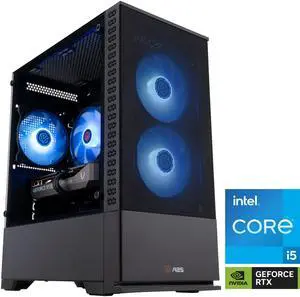
#1 Best Seller
- GPU/VGA Type: GeForce RTX 5060
- CPU Name: Intel Core i5-14400F
- Memory Capacity: 32GB DDR4
- SSD: 1TB NVMe
- Model #: CA14400F50605
- $1,399.99
- $1,099.99 –
- Save: 21%
- Free Shipping
Quick View
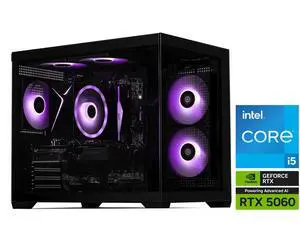
STORMCRAFT Gaming PC SIRIUS Intel Core i5-14400F NVIDIA GeForce RTX 5060 – AI Powered 16GB 3200MHz RGB 1TB NVMe SSD 650W PSU Windows 11 Home - SI1440FBB-560N2
- GPU/VGA Type: GeForce RTX 5060
- CPU Name: Intel Core i5-14400F
- Memory Capacity: 16GB DDR4
- SSD: 1TB
- Model #: SI1440FBB-560N2
- $1,299.99
- $949.99 –
- Save: 26%
- Free Shipping
Quick View
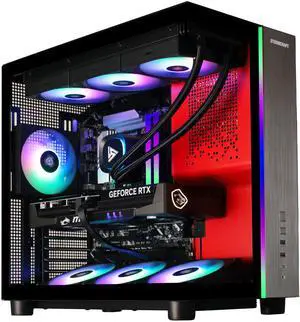
STORMCRAFT Gaming PC PHANTOM INTEL Core Ultra 7 265F NVIDIA RTX 5080 - AI Powered 32GB DDR5 6000MHz RGB 2TB NVMe SSD 360mm AIO 850W PSU Windows 11 Home-PH265F0CC-580N1
Free game w/ purchase, limited offer
- GPU/VGA Type: GeForce RTX 5080
- CPU Name: Intel Core Ultra 7 265F
- Memory Capacity: 32GB DDR5
- SSD: 2TB
- Model #: PH265F0CC-580N1
- $3,099.99
- $2,699.99 –
- Save: 12%
- Free Shipping
Quick View
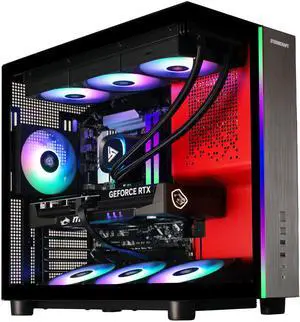
STORMCRAFT Gaming PC PHANTOM Intel Core Ultra 7 270K Plus NVIDIA RTX 5080 32GB DDR5 6000MHz RGB 2TB NVMe SSD 360mm AIO 850W PSU Windows 11 Home - PH270K0CC-580N1
- GPU/VGA Type: GeForce RTX 5080
- CPU Name: Intel Core Ultra 7 270K Plus
- SSD: 2TB
- Operating System: Windows 11 Home
- Model #: PH270K0CC-580N1
- $3,299.99
- $2,999.99 –
- Save: 9%
- Free Shipping
Quick View
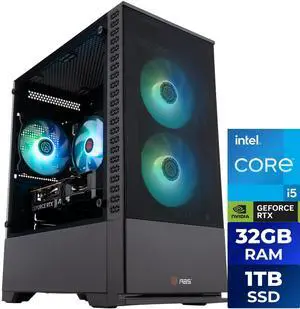
ABS Cyclone Aqua Prebuilt Gaming PC Powered by Asus- Windows 11 - Intel Core i5-14400F - GeForce RTX 5060 8GB - DLSS 4 - 32GB DDR4 - 1TB NVMe SSD
- GPU/VGA Type: GeForce RTX 5060
- CPU Name: Intel Core i5-14400F
- Memory Capacity: 32GB DDR4
- SSD: 1TB NVMe
- Model #: C1A45N56R1
- $1,399.99
- $1,149.99 –
- Save: 17%
- Free Shipping
Quick View
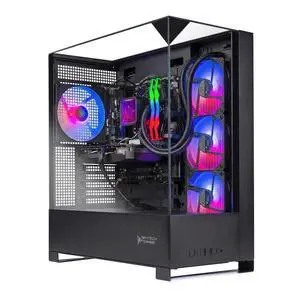
Skytech Gaming Shadow 5 Gaming PC, AMD Ryzen 7 9800X3D 4.7GHz, NVIDIA RTX 5070 12GB VRAM, 1TB Gen4 NVMe SSD, 32GB DDR5 RAM 6000, 750W GOLD PSU, 360 ARGB AIO , Wi-Fi, Win 11, Desktop
- CPU Type: AMD Ryzen 7 9000 Series
- GPU/VGA Type: GeForce RTX 5070
- CPU Name: AMD Ryzen 7 9800X3D
- Memory Capacity: 32GB DDR5
- Model #: ST-SHADOW5-2920-B-AL
- $2,199.99 –
- Free Shipping
Quick View
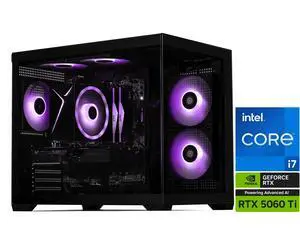
STORMCRAFT Gaming PC SIRIUS Intel Core i7-14700F NVIDIA GeForce RTX 5060 Ti 16GB – AI Powered 32GB 6000MHz RGB 2TB NVMe SSD 650W PSU Windows 11 Home - SI1470FCC-56VN1
- GPU/VGA Type: GeForce RTX 5060 Ti
- CPU Name: Intel Core i7-14700F
- Memory Capacity: 32GB DDR5
- SSD: 2TB NVMe
- Model #: SI1470FCC-56VN1
- $1,999.99 –
- Free Shipping
Quick View
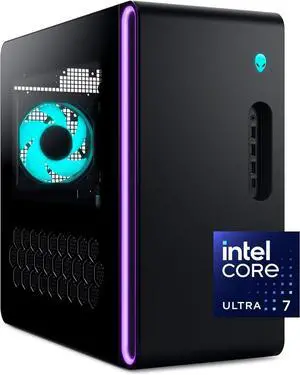
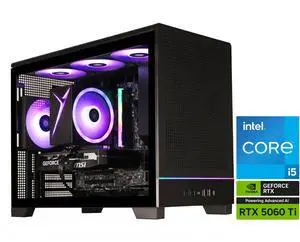
Alienware - Aurora Gaming Desktop - Intel Core Ultra 7 265F 2025 - 32GB Memory - NVIDIA GeForce RTX 5060 Ti 8GB - 1TB Storage - Black
Free game w/ purchase, limited offer
- GPU/VGA Type: GeForce RTX 5060 Ti
- CPU Name: Intel Core Ultra 7 265F
- Memory Capacity: 2x16GB
- SSD: 1TB
- Model #: DACT1250-7483BLK-PUS
- $2,299.99 –
- More options from $2,299.99 - $2,898.99
- Free Shipping
Quick View
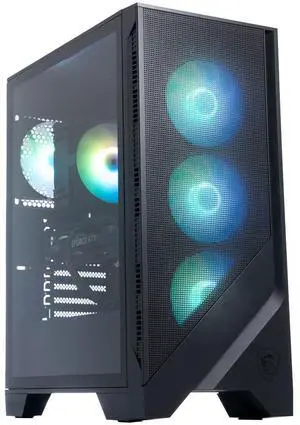
STORMCRAFT Gaming PC VIPER INTEL Core i5- 14400F NVIDIA GeForce RTX 5060 Ti- 8GB 1TB SSD 16GB DDR4 3200MHz RGB Windows 11 Home - VI1440FBB-56TN1
- GPU/VGA Type: GeForce RTX 5060 Ti
- CPU Name: Intel Core i5-14400F
- Memory Capacity: 16GB DDR4
- SSD: 1TB
- Model #: VI1440FBB-56TN1
- $1,399.99
- $1,029.99 –
- Save: 26%
- Free Shipping
Quick View
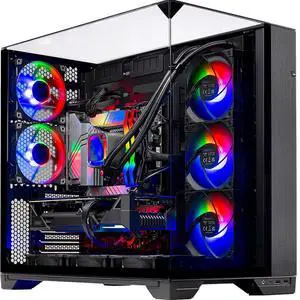
MSI Gaming Desktop PC Codex Z2 A8NVM-485US AMD Ryzen 7 8700F 16GB DDR5 2TB NVMe SSD GeForce RTX 5060 Ti Windows 11 Home
- GPU/VGA Type: GeForce RTX 5060 Ti
- CPU Name: AMD Ryzen 7 8700F
- Memory Capacity: 16GB DDR5
- SSD: 2TB NVMe
- Model #: Codex Z2 A8NVM-485US
- $1,899.00
- $1,699.00 –
- Save: 10%
- More options from $1,699.00 - $2,187.82
- Free Shipping
Quick View
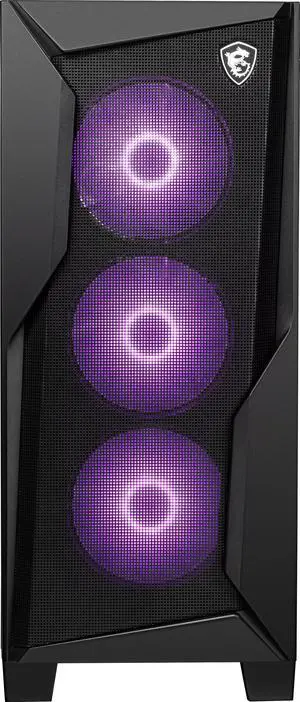
Skytech O11 Vision Gaming PC Desktop, Ryzen 7 7800X3D 4.2 GHz (5GHz Turbo), NVIDIA RTX 5070 Ti 16GB GDDR7, 1TB Gen4 SSD, 32GB DDR5 RAM 6000 RGB, 850W GOLD ATX 3.0 PSU, 360mm AIO , Wi-Fi, Win 11 Home
- CPU Type: AMD Ryzen 7 7000 Series
- GPU/VGA Type: GeForce RTX 5070 Ti
- CPU Name: AMD Ryzen 7 7800X3D
- Memory Capacity: 32GB DDR5
- Model #: ST-O11V-1601-B-AL
- $2,599.99 –
Quick View
MSI Gaming Desktop PC Codex R2 B14NVL5-449US Intel Core i5-14400F 32GB DDR5 2TB SSD GeForce RTX 5060 Windows 11 Home
- GPU/VGA Type: GeForce RTX 5060
- CPU Name: Intel Core i5-14400F
- Memory Capacity: 32GB DDR5
- SSD: 2TB
- Model #: Codex R2 B14NVL5-449US
- $1,599.00
- $1,399.00 –
- Save: 12%
- Free Shipping
Quick View
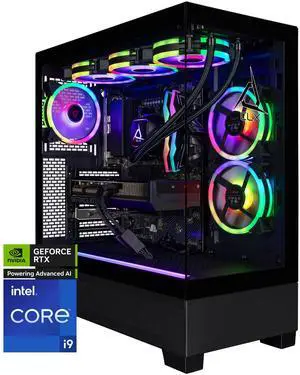
CLX SET Gaming Desktop - Intel Core i9 14900KF 3.2GHz 24-Core Processor, 64GB DDR5 Memory, GeForce RTX 5080 16GB GDDR7 Graphics, 2TB NVMe M.2 SSD, 4TB HDD, WiFi, Win 11 Home 64-bit
Limited time offer, ends 08/30
- GPU/VGA Type: GeForce RTX 5080
- CPU Name: Intel Core i9-14900KF
- Memory Capacity: 64GB DDR5
- SSD: 2TB NVMe
- Model #: TGMSETRTU5101BM
- $3,989.99
- $3,889.99 –
- More options from $3,460.99 - $4,516.15
- Free Shipping
Quick View
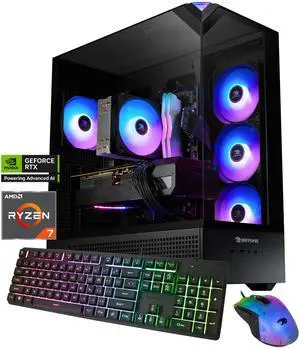
iBUYPOWER Element Gaming PC Desktop - AMD Ryzen 7 8700F, NVIDIA GeForce RTX 5060 8GB, 32GB DDR5 RGB RAM, 1TB NVMe SSD
- GPU/VGA Type: NVIDIA GeForce RTX 5060 8GB
- CPU Name: AMD Ryzen 7 8700F
- Memory Capacity: 32GB DDR5
- SSD: 1 TB
- Model #: EBA7N5602
- $1,599.99
- $1,399.99 –
- Save: 12%
- More options from $1,199.99 - $1,599.99
- Free Shipping
Quick View
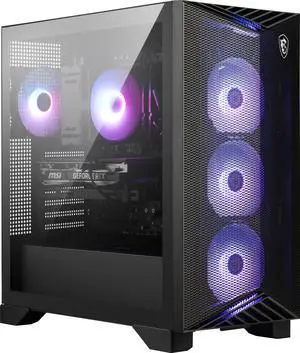
MSI Gaming Desktop PC Aegis Z2 C8NVP-1656US AMD Ryzen 7 8700F 32GB DDR5 1TB NVMe SSD GeForce RTX 5070 Windows 11 Home
- GPU/VGA Type: GeForce RTX 5070
- CPU Name: AMD Ryzen 7 8700F
- Memory Capacity: 32GB DDR5
- SSD: 1TB NVMe
- Model #: Aegis Z2 C8NVP-1656US
- $2,099.00
- $1,729.00 –
- Save: 17%
- Free Shipping
Quick View
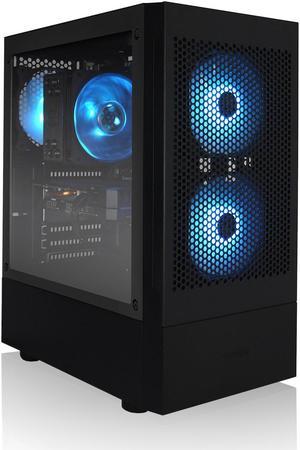
AVGPC Max Gaming PC - Intel® Core i3 10105F, GeForce RTX 3050 GPU, 16GB DDR4 RAM, 1TB M.2 NVMe SSD, Windows 11, WiFi/AC i3-10105F / RTX 3050
- CPU Type: Intel Core i3 10th Gen
- GPU/VGA Type: GeForce RTX 3050
- CPU Name: Intel Core i3-10105F
- Memory Capacity: 16GB DDR4
- Model #: AV-MAX-3050-105F
- $899.00
- $799.00 –
- Save: 11%
- More options from $799.00 - $849.00
- Free Shipping
Quick View
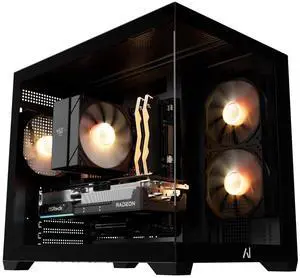
Andromeda Insights AMD Ultimate Budget Gaming PC - RX 9070 XT 16GB | Ryzen 7 7800X3D (5 GHz Turbo Boost) | 16GB DDR5 6000MHz | 1TB Gen4 SSD | 850W Gold | ARGB | Wi-Fi + BT | Win 11
- GPU/VGA Type: AMD Radeon RX 9070 XT 16GB
- CPU Name: AMD Ryzen 7 7800X3D
- Memory Capacity: 16GB DDR5
- SSD: SSD
- Model #: UBG-97XT16GB-78x3d-1TB-16GB-850W-AIR-BLK
- $2,099.99 –
- Free Shipping
Quick View
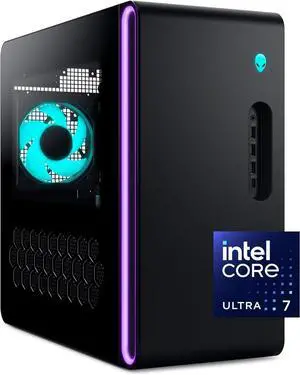
Alienware Aurora Gaming Desktop ACT1250 - Intel Core Ultra 7 265F Processor, Air Cooled, NVIDIA GeForce RTX 5060Ti, 16GB DDR5 RAM, 1TB SSD, 500W Platinum Rated PSU, Win 11 Home - Clear Panel
Free game w/ purchase, limited offer
- GPU/VGA Type: GeForce RTX 5060 Ti
- CPU Name: Intel Core Ultra 7 265F
- Memory Capacity: 2x8GB
- SSD: 1TB
- Model #: DACT1250-7377BLK-PUS
- $1,668.99 –
- More options from $1,668.99 - $2,199.99
- Free Shipping
Quick View
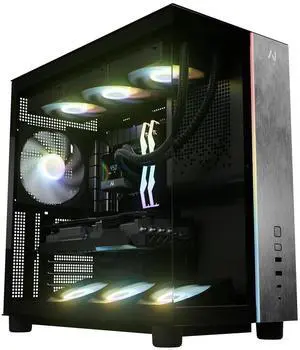
Andromeda Insights V3 Advanced 50 - RTX 5070 12GB GDDR7 | Ryzen 7 9800X3D 4.7 GHz (5.2 GHz Turbo Boost) | 32GB DDR5 6000MHz | 1TB Gen4 SSD | 850W Gold PSU | ARGB Fans | Wi-Fi + BT | Win 11
- GPU/VGA Type: GeForce RTX 5070
- CPU Name: AMD Ryzen 7 9800X3D
- Memory Capacity: 32GB DDR5
- SSD: 1TB NVMe
- Model #: V3-RTX5070-9800X3D-1TB-32GB-850W-BLK
- $2,499.99
- $2,199.99 –
- Save: 12%
- Free Shipping
Quick View
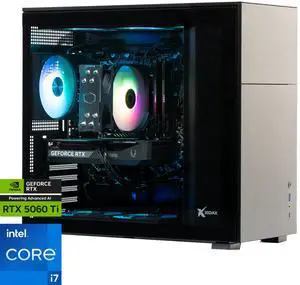
Xidax Gaming Desktop PC X-6 Series X-6 RTX 5060Ti 16GB + i7 14700F Xen Black Intel Core i7-14700F 32GB DDR5 2TB NVMe SSD GeForce RTX 5060 Ti Windows 11 Home
- GPU/VGA Type: GeForce RTX 5060 Ti
- CPU Name: Intel Core i7-14700F
- Memory Capacity: 32GB DDR5
- SSD: 2TB NVMe
- Model #: 16978
- $1,999.99
- $1,875.99 –
- Save: 6%
- Free Shipping
Quick View
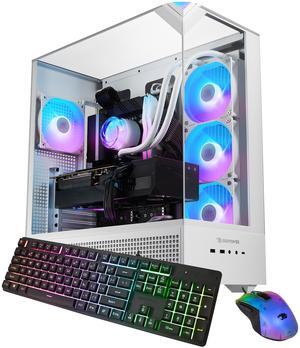
iBUYPOWER Element 9 White Gaming PC Desktop - AMD Ryzen 7 7800X3D - NVIDIA GeForce RTX 5070Ti 16GB - 32GB DDR5 RGB - 1TB NVMe SSD - EWA7N57T01
- GPU/VGA Type: GeForce RTX 5070 Ti
- CPU Name: AMD Ryzen 7 7800X3D
- Memory Capacity: 32GB DDR5
- SSD: 1 TB
- Model #: EWA7N57T01
- $2,492.99 –
- More options from $2,159.00 - $2,499.99
- Free Shipping
Quick View
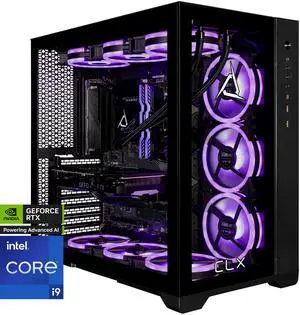
CLX SET Gaming Desktop - Intel Core i9 14900KF 3.2GHz 24-Core Processor, 64GB DDR5 Memory, GeForce RTX 5070 12GB GDDR7 Graphics, 2TB NVMe M.2 SSD, 6TB HDD, WiFi, Win 11 Home 64-bit
Limited time offer, ends 08/30
- GPU/VGA Type: GeForce RTX 5070
- CPU Name: Intel Core i9-14900KF
- Memory Capacity: 64GB DDR5
- SSD: 2TB NVMe
- Model #: TGMSETRTU5204BM
- $3,369.99 –
- More options from $2,892.99 - $3,589.99
- Free Shipping
Quick View
MSI Gaming Desktop PC Codex Z2 A8NVL-484US AMD Ryzen 7 8700F 16GB DDR5 2TB NVMe SSD GeForce RTX 5060 8 GB GDDR7 Windows 11 Home
- GPU/VGA Type: GeForce RTX 5060
- CPU Name: AMD Ryzen 7 8700F
- Memory Capacity: 16GB DDR5
- SSD: 2TB NVMe
- Model #: Codex Z2 A8NVL-484US
- $1,499.00
- $1,439.00 –
- More options from $1,439.00 - $2,490.99
- Free Shipping
Quick View
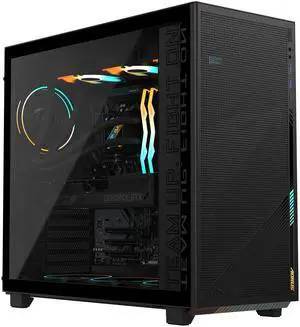
GIGABYTE AORUS PRIME 5 Gaming Desktop PC, AMD Ryzen 7 9700X, GIGABYTE RTX 5070 Ti, 32GB DDR5, 2TB SSD, Windows 11, Black
- GPU/VGA Type: GeForce RTX 5070 Ti
- CPU Name: AMD Ryzen 7 9700X
- Memory Capacity: 32GB DDR5
- SSD: 2TB
- Model #: AP5A7N7T-5000
- $2,499.99 –
- Free Shipping
Quick View
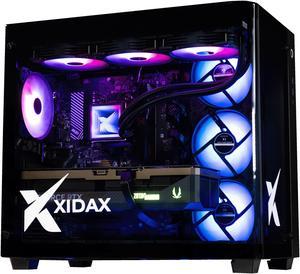
Xidax X6 XEN BLACK Gaming PC Ryzen 7 7800X3D 8c (up to 5.0 GHz)- NVIDIA GeForce RTX 5070Ti - 32GB DDR5 5600MHz - 2TB M.2 NVMe - Genuine Windows 11 Home - WIFI - Assembled & Serviced Utah USA
- GPU/VGA Type: GeForce RTX 5070 Ti
- CPU Name: AMD Ryzen 7 7800X3D
- Memory Capacity: 32GB DDR5
- SSD: 2TB NVMe
- Model #: 16373
- $2,799.99
- $2,349.99 –
- Save: 16%
- Free Shipping
Quick View
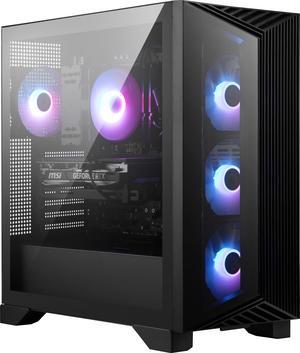
MSI Gaming Desktop Aegis Z2 A8NVP-1447US , AMD R7-8700F, GeForce RTX 5070, 32GB Memory, 1TB SSD, USB Type-C, VR-Ready, Windows 11 Home Advance
- GPU/VGA Type: GeForce RTX 5070
- CPU Name: AMD Ryzen 7 8700F
- Memory Capacity: 32GB DDR5
- SSD: 1TB NVMe
- Model #: Aegis Z2 A8NVP-1447US
- $2,099.00
- $1,839.00 –
- Save: 12%
- Free Shipping
Quick View
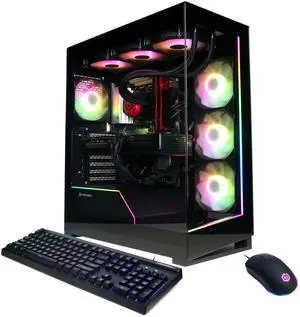
CyberpowerPC Gaming Desktop PC GM70929 AMD Ryzen 7 9800X3D 32GB DDR5 2TB NVMe SSD AMD Radeon RX 9070 XT Windows 11 Home 64-bit
- GPU/VGA Type: AMD Radeon RX 9070 XT
- CPU Name: AMD Ryzen 7 9800X3D
- Memory Capacity: 32GB DDR5
- SSD: 2TB NVMe
- Model #: GM70929
- $2,559.99
- $2,259.99 –
- Save: 11%
- Free Shipping
Quick View
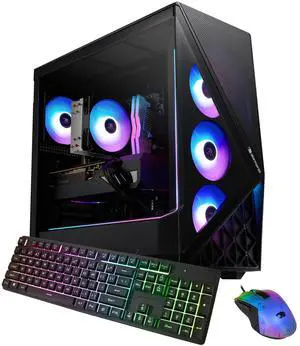
iBUYPOWER Slate Gaming PC Desktop - Intel Core i9 14900F, NVIDIA GeForce RTX 5070 12GB, 32GB DDR5 RGB RAM, 1TB NVMe SSD
- GPU/VGA Type: NVIDIA GeForce RTX 5070
- CPU Name: Intel Core i9-14900F
- Memory Capacity: 32GB DDR5
- SSD: 1TB NVMe
- Model #: SBI9N5701
- $2,399.99
- $1,999.99 –
- Save: 16%
- Free Shipping
Quick View
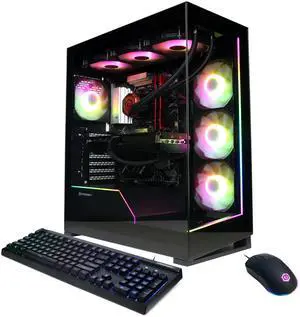
CyberpowerPC Gaming Desktop PC GM70928 AMD Ryzen 7 7800X3D 32GB DDR5 1TB NVMe SSD GeForce RTX 5070 Windows 11 Home
- GPU/VGA Type: GeForce RTX 5070
- CPU Name: AMD Ryzen 7 7800X3D
- Memory Capacity: 32GB DDR5
- SSD: 1TB NVMe
- Model #: GM70928
- $2,169.99
- $1,989.99 –
- Save: 8%
- Free Shipping
Quick View
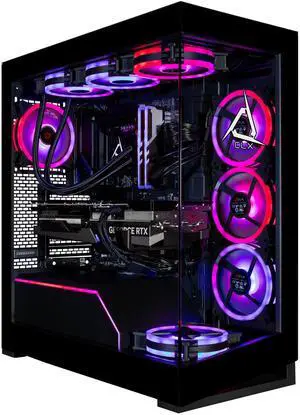
CLX Horus Gaming Desktop - Intel Core Ultra 9 285K 3.7GHz 24-Core Processor, 96GB DDR5 Memory, GeForce RTX 5080 16GB GDDR7 Graphics, 2TB NVMe M.2 SSD, 8TB HDD, WiFi, Win 11 Home 64-bit
Limited time offer, ends 08/30
- GPU/VGA Type: GeForce RTX 5080
- CPU Name: Intel Core Ultra 9 285K
- Memory Capacity: 96GB DDR5
- SSD: 2TB NVMe
- Model #: TGMHORRTU5103BM
- $4,699.99 –
- More options from $4,237.99 - $5,905.10
- Free Shipping
Quick View
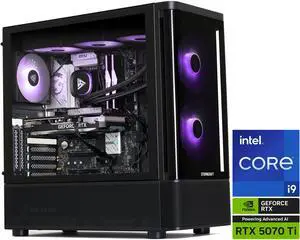
STORMCRAFT Gaming PC SKYHAWK PRO Intel Core i9-14900KF NVIDIA GeForce RTX 5070 Ti – AI Powered 32GB DDR5 6000MHz RGB 2TB NVMe SSD 360mm AIO 850W PSU Windows 11 Home - SP149KFCC-57TN1
- GPU/VGA Type: GeForce RTX 5070 Ti
- CPU Name: Intel Core i9-14900KF
- Memory Capacity: 32GB DDR5
- SSD: 2TB NVMe
- Model #: SP149KFCC-57TN1
- $2,799.99
- $2,399.00 –
- Save: 14%
- Free Shipping
Quick View
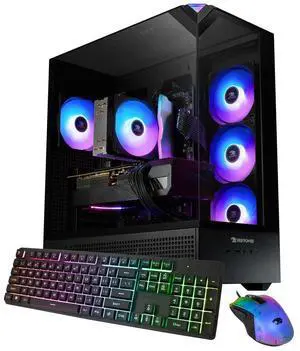
iBUYPOWER Element Gaming PC Desktop - Intel Core i7 14700F, NVIDIA GeForce RTX 5060 8GB, 16GB DDR5 RGB RAM, 1TB NVMe SSD
- GPU/VGA Type: NVIDIA GeForce RTX 5060 8GB
- CPU Name: Intel Core i7 14700F
- Memory Capacity: 16GB DDR5
- SSD: 1TB
- Model #: EBI7N5602
- $1,599.99
- $1,350.99 –
- Save: 15%
- Free Shipping
Quick View
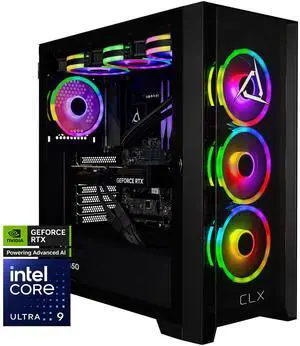
CLX SET Gaming Desktop - Intel Core Ultra 9 285K 3.7GHz 24-Core Processor, 64GB DDR5 Memory, GeForce RTX 5080 16GB GDDR7 Graphics, 2TB NVMe M.2 SSD, 4TB HDD, WiFi, Win 11 Home 64-bit
Limited time offer, ends 08/30
- GPU/VGA Type: GeForce RTX 5080
- CPU Name: Intel Core Ultra 9 285K
- Memory Capacity: 64GB DDR5
- SSD: 2TB NVMe
- Model #: TGMSETRTU5102BM
- $4,289.99
- $4,089.99 –
- More options from $3,630.99 - $4,399.99
- Free Shipping
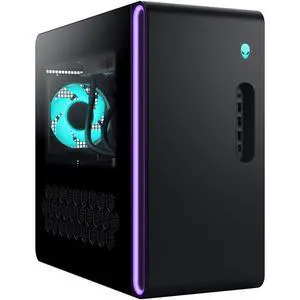
Quick View
Alienware Gaming Desktop PC Alienware Aurora DACT1250-9216BLU-PUS Intel Core Ultra 9 285 32GB 1TB SSD GeForce RTX 5070 Ti Windows 11 Home
Free game w/ purchase, limited offer
- GPU/VGA Type: GeForce RTX 5070 Ti
- CPU Name: Intel Core Ultra 9 285
- Memory Capacity: 32GB
- SSD: 1TB
- Model #: DACT1250-9216BLU-PUS
- $3,849.99
- $2,449.99 –
- Save: 36%
- More options from $2,449.99 - $2,699.99
- Free Shipping
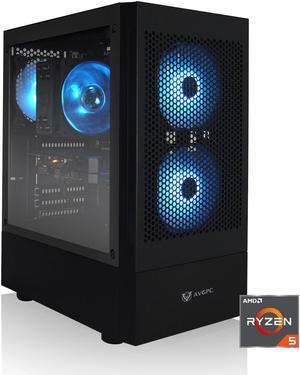
Quick View
in 30 days
AVGPC Max Gaming PC, AMD Ryzen 5 5600G 6-Core 4.4 GHz Max Boost, AMD Radeon Graphics, 16GB 3200MHz DDR4, 1TB M.2 NVMe SSD, Hyper 212 RGB Cooler, Windows 11, Wi-Fi/AC- GPU/VGA Type: AMD Radeon Graphics
- CPU Name: AMD Ryzen 5 5600G
- Memory Capacity: 16GB DDR4
- SSD: 1TB NVMe
- Model #: AV-MAX-5600G
- $799.00
- $710.00 –
- Save: 11%
- Free Shipping
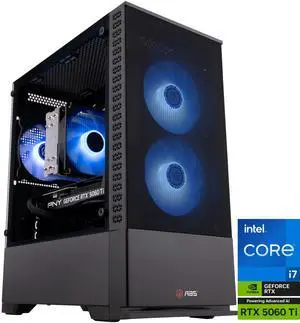
Quick View
ABS Cyclone Aqua Gaming PC - Windows 11 - Intel Core i7-14700F - GeForce RTX 5060 Ti - DLSS 4 - 32GB DDR5 6400MHz - 1TB M.2 SSD
OUT OF STOCK
- GPU/VGA Type: GeForce RTX 5060 Ti
- CPU Name: Intel Core i7-14700F
- Memory Capacity: 32GB DDR5
- SSD: 1TB NVMe
- Model #: CA14700F5060TI5
- COMING SOON
| Learn about Gaming PCs | |
|---|---|
Buying a Gaming Desktop PCA gaming computer delivers the high frame rates and crisp visuals needed for modern titles. When selecting a Gaming PC, start by identifying your primary use: competitive esports, open-world RPGs, or VR experiences. Each PC games demands different hardware—so matching a Gaming PC's components to your gaming style is crucial for optimal performance. Next, decide whether to purchase a prebuilt Gaming PC or custom Gaming PC. A prebuilt Gaming PC arrives fully assembled, tested, and backed by a warranty for plug-and-play convenience. Building your own custom Gaming PC gives you full control over the CPU, GPU, RAM, storage, and cooling to optimize cost and future-proof your rig. For deeper research, compare Intel vs AMD for Gaming PCs , see RTX 5070 vs RTX 5080 for GPU guidance, decide between a Gaming PC vs Gaming Laptop, and check our budget buying guide. Key Components for Your Gaming PC
In addition to core components, selecting the right motherboard, cooling system, power supply, and case is critical. While building a gaming PC can seem daunting, Newegg simplifies the process by letting you filter and compare prebuilt systems based on key specifications, performance tiers, and budget. Explore Newegg's curated selection of gaming desktops to find the ideal balance of cutting-edge power and value—whether you prioritize flagship performance for 4K gaming or cost-effective setups for competitive titles. Our catalog spans top brands and configurations, with transparent comparisons of hardware, design, and pricing to streamline your decision. | Types of Gaming PCsGaming PCs come in multiple form factors and performance tiers, each suited to different user needs. Below is an overview to help you decide which type of gaming desktop fits your setup and budget. Form Factor Options
Must-Have Accessories
Need Expert Guidance Choosing Your Perfect Gaming PC? We're Here to Help
|
Last Updated: June 2026 | Newegg Gaming Desktop PCs Buying Guide
Gaming Desktop PC FAQs:
What is a gaming desktop PC and how is it different from a regular desktop?
A gaming desktop PC is built to handle higher graphics workloads, faster processors, and stronger cooling than a standard desktop. Many models on Newegg are designed for esports, AAA gaming, streaming, and multitasking right out of the box.
What components matter most in a gaming desktop PC?
The most important parts are usually the GPU, CPU, memory, storage, and cooling. For most buyers, graphics performance and processor tier have the biggest impact on real gaming results.
What does GPU or VGA type mean on a gaming desktop listing?
GPU or VGA type refers to the graphics processor used in the system, such as GeForce RTX or Radeon RX models. This is one of the fastest ways to estimate gaming performance across different prebuilt PCs.
How much RAM do I need in a gaming desktop PC?
For many gamers, 16GB is a common starting point, while 32GB can offer more headroom for heavier multitasking, streaming, and newer titles. The right amount depends on how you plan to use the system beyond gaming.
What storage setup should I look for in a gaming desktop PC?
Many shoppers prefer an SSD-based setup for faster boot times and game loading, while larger secondary storage can help with bigger game libraries. On Newegg, storage capacity and drive type are useful filters when comparing value.
What’s the difference between a gaming PC and a workstation PC?
A gaming PC is usually optimized for graphics performance and frame rates, while a workstation PC is often tuned for professional applications, heavier multitasking, and specialized workloads. The better choice depends on whether gaming or productivity is your main priority.
How does ABS compare to iBUYPOWER at the same price point?
At the same price level, buyers often compare ABS and iBUYPOWER by GPU tier, CPU platform, memory, storage, cooling, and overall build value. On Newegg, the easiest approach is to compare systems side by side instead of judging only by brand name.
How do RTX and Radeon gaming desktops compare?
RTX and Radeon systems can both deliver strong gaming performance, but they may differ in features, software ecosystems, and price-to-performance depending on the model. The best fit usually depends on the games you play and the features you value most.
What is the difference between an entry-level and a high-end gaming desktop?
Entry-level gaming desktops are usually aimed at lighter or lower-resolution gaming, while high-end systems target stronger frame rates, higher settings, and more demanding titles. The biggest differences often come from GPU, CPU, cooling, and upgrade flexibility.
How do Intel- and AMD-based gaming desktops compare?
Both Intel and AMD platforms can deliver excellent gaming performance, and the better choice often comes down to the exact CPU model, price, and total system configuration. Comparing full system specs is usually more useful than choosing by platform alone.
How do I choose the right gaming desktop PC for my needs?
Start with your target games, resolution, budget, and whether you also plan to stream or multitask. On Newegg, filtering by GPU, CPU, price, and brand can quickly narrow the field to systems that make sense for your setup.
What’s the best prebuilt RTX 4070 PC under $1,500?
The best option depends on current pricing, CPU pairing, memory, storage, and cooling, so there is no single answer that stays best for long. On Newegg, compare RTX 4070 systems by total configuration and value instead of focusing only on the graphics card.
Is it better to buy a prebuilt PC or build one myself?
A prebuilt PC is usually faster and easier to start using, while building your own system gives you more control over parts and customization. The better choice depends on how much time, experience, and flexibility you want.
How much should I spend on a gaming desktop PC?
Your budget should reflect the games you play, your target resolution, and whether you want room for future upgrades. On Newegg, filtering by price range is one of the simplest ways to compare realistic options before you go deeper into specs.
Should I prioritize GPU power or CPU performance in a gaming desktop?
For many gaming-focused builds, the GPU has the biggest effect on visual settings and frame rates, while the CPU matters more for certain game types, streaming, and multitasking. The best value usually comes from keeping the system balanced rather than overbuying one part.
What are common issues to watch out for when buying a prebuilt gaming PC?
Common concerns include unclear upgrade paths, limited cooling, weaker power supplies, and imbalanced part combinations. Reading the full specs carefully helps avoid buying a system that looks strong on paper but is less flexible in real use.
How important are customer reviews when choosing a gaming desktop?
Customer reviews can highlight real-world experiences with thermals, noise, shipping condition, and setup quality. On Newegg, verified buyer feedback is especially useful when comparing similar systems at the same price point.
Are budget gaming desktops reliable?
Some budget gaming desktops can offer strong value, but quality can vary more at lower price points. It is worth checking the balance of parts, cooling, and buyer feedback before deciding based only on price.
What compatibility or upgrade issues should I check before buying a gaming desktop?
Check memory capacity, storage expansion, power supply headroom, and case or cooling limitations if future upgrades matter to you. A system can look good today but still be restrictive later if those details are overlooked.
Have there been any stability issues reported with ABS desktops?
Stability can vary by exact model, component mix, and setup, so it is best to review recent buyer feedback for the specific ABS system you are considering. On Newegg, looking at recent reviews is the fastest way to spot patterns in reliability or setup issues.
How do I set up a new gaming desktop PC after unboxing it?
Connect the monitor, keyboard, mouse, power cable, and network, then complete the operating system setup and install any necessary updates. It is also a good idea to confirm that the system recognizes the expected hardware before regular use.
What should I do after buying a prebuilt gaming PC?
Update Windows, graphics drivers, and key system software, then test a few games to confirm temperatures and performance are normal. This is also a good time to review storage space and backup options.
How do I connect a gaming desktop to a monitor and peripherals?
Connect your display to the graphics card output, not the motherboard video port if the system includes a dedicated GPU. Then attach your keyboard, mouse, audio devices, and other peripherals as needed.
How do I update drivers on a new gaming desktop?
Start with graphics, chipset, and network drivers, then check for Windows updates and any manufacturer utilities that apply to your system. Keeping drivers current can help with stability, compatibility, and gaming performance.
What should I check before upgrading a prebuilt gaming desktop later?
Check the power supply, physical space inside the case, motherboard compatibility, and airflow before upgrading parts like the GPU, memory, or storage. Planning ahead makes future upgrades much easier and safer.
Bestselling Gaming Desktop PC Reviews:
Eero
7/30/2026 7:43:49 PM
Very good setup but falls slightly short performance-wise
“ This is very surprising as I did my research and thought this gaming PC would easily handle these games and blow my M1 Max 64 gb Mac out of the water. ”
ABS Cyclone Aqua Prebuilt Gaming PC Powered by Asus- Windows 11 - Intel Core i5-14400F - GeForce RTX 5060 8GB - DLSS 4 - 32GB DDR4 - 1TB NVMe SSDLance B
7/23/2026 5:38:33 PM
Great value and Exceptional parts in this build.
“ Plug and Play gaming Pc of very high quality out the box no damage. ”
Andromeda Insights V3 Gaming PC Elite 50 - RTX 5070 Ti 16GB GDDR7 | Ryzen 7 9800X3D 4.7 GHz (5.2 GHz Turbo Boost) | 32GB DDR5 6000MHz | 2TB Gen4 SSD | 850W Gold PSU | ARGB Fans | Wi-Fi + BT | Win 11Anonymous
7/20/2026 10:39:35 AM
Great starter PC
“ Put together a build list for my son's first PC and noticed this prebuilt before checking out. ”
ZYNEEX S5 Prebuilt Esports Gaming Desktop, AMD Ryzen 5 5500, GTX 1660 Super 6GB GDDR6, 16GB DDR4 3200 RAM, 1TB NVMe SSD, WiFi 6E & Bluetooth 5.3, ARGB Cooling, Preloaded Windows 11, 550W Bronze PSUJesaia
6/23/2026 9:35:24 PM
Value in all the right places
“ This prebuilt spends your money on all the right components to be able to jump right into a high end gaming experience. ”
Andromeda Insights V3 Advanced Gaming PC - RTX 5070 12GB GDDR7 | Ryzen 7 7800X3D 4.2 GHz (5.0 GHz Turbo Boost) | 16GB DDR5 6000MHz | 1TB Gen4 SSD | 850W Gold PSU | ARGB Fans | Wi-Fi + BT | Win 11