




 here!
I’m your shopping assistant for PC builds, upgrades, and everything tech.
Got questions? Ask away!
Start a conversation
here!
I’m your shopping assistant for PC builds, upgrades, and everything tech.
Got questions? Ask away!
Start a conversationData Center-Class AI Power. At Your Deskside.
Powered by the NVIDIA GB300 Grace Blackwell Ultra Desktop Superchip, delivering up to 20 petaFLOPS of FP4 AI performance and 748GB of coherent memory. Build, fine-tune, and run AI models with up to 1 trillion parameters locally.
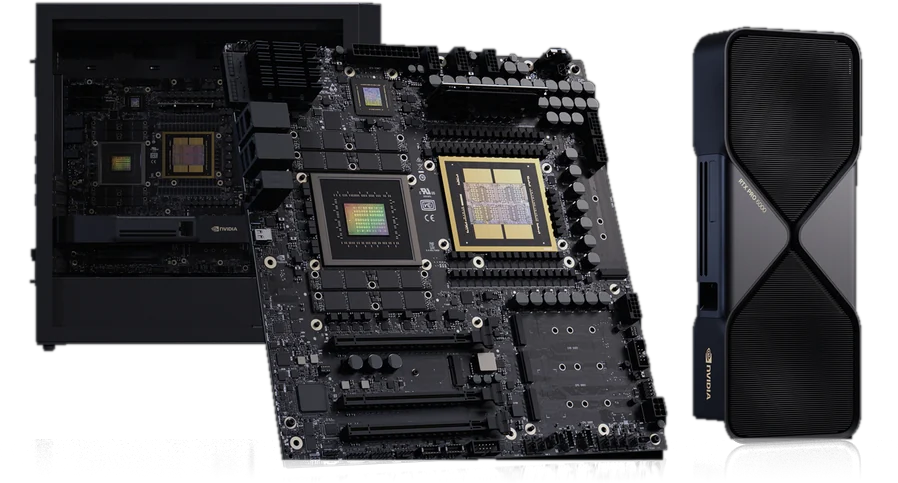






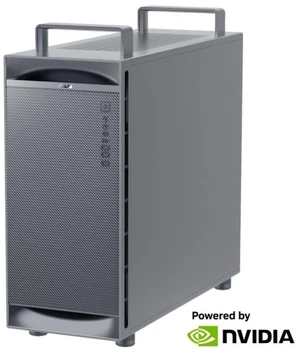

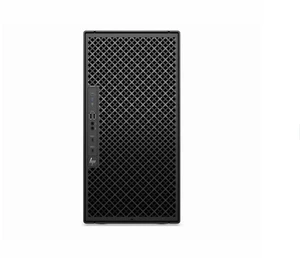

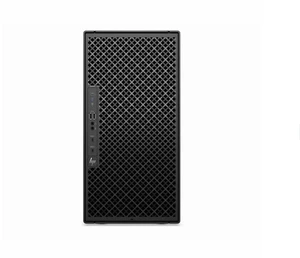
The NVIDIA DGX Station offers AI professionals a powerful workstation designed for deep learning, data science, and advanced research. Shop Black November deals and Black Friday deals on NVIDIA DGX Station systems at Newegg to support your high-performance computing needs with fast shipping and top-rated customer service.
The cornerstone of the NVIDIA DGX Station is its GPU architecture, particularly the inclusion of NVIDIA A100 Tensor Core GPUs. These GPUs are engineered to deliver unprecedented AI processing power through advanced tensor operations, optimized for both training and inference workloads. Their architecture accelerates complex neural networks while maintaining efficiency and precision, enabling the DGX Station to handle diverse and demanding AI projects. This makes GPU selection critical—ensuring you have the latest generation, like the A100, guarantees compatibility with cutting-edge AI frameworks and the best possible Black Friday deals on NVIDIA DGX Station configurations.
For AI researchers, data scientists, and developers pushing the boundaries of machine learning, the NVIDIA DGX Station offers an ideal platform. Its seamless integration within enterprise AI pipelines supports highly parallel workloads and multi-node distributed training. The system is AI Ready, which means it comes preconfigured to accelerate model development and significantly reduce time-to-insight. With advanced software stacks optimized for NVIDIA hardware, professionals can maximize throughput for demanding algorithms while maintaining flexibility in experimentation and deployment.
Newegg shopping tip: When considering a NVIDIA DGX Station, compare the processing power and memory capacity to ensure it matches your workload demands. Also, check compatibility with your existing infrastructure and software to make the most of Black November deals and Black Friday deals this holiday season.
Built on NVIDIA A100 Tensor Core GPUs, the DGX Station delivers unmatched AI training throughput in a quiet, office-ready chassis.
If you're new to high-performance AI workstations, the NVIDIA DGX Station is designed to bring groundbreaking AI capabilities directly to your desktop. Perfect for researchers and developers stepping into deep learning or data science, this system delivers powerful computing without the complexity of a full-scale data center setup. It’s equipped with AI Ready features, offering a smooth entry into accelerated AI computing, ideal for accelerating your workflows during Black November deals and Black Friday deals.
For AI researchers and data scientists, the NVIDIA DGX Station acts as a powerhouse allowing you to prototype and experiment with complex neural networks at unprecedented speeds. Its technically advanced architecture supports multi-GPU parallelism, which significantly reduces training times for large datasets. If your focus is on cutting-edge AI model development or deep learning research, this system gives you room to expand your projects with confidence. Black Friday deals on NVIDIA DGX Station make this a compelling season to upgrade your AI research environment.
Machine learning engineers and enterprise AI teams looking for scalable and reliable AI infrastructure will appreciate the DGX Station’s performance and versatility. This workstation integrates with existing pipelines and provides a stable platform for developing, testing, and deploying AI models that support real-world applications—from natural language processing to autonomous systems. When leveraging Black November deals, investing in a DGX Station can streamline your team’s productivity with professional-grade hardware that doesn’t require specialized data center management.
Research more: If you're considering an NVIDIA DGX Station, take some time to explore Newegg Insider buying guides for in-depth insights on performance and setup options. These guides can help clarify how different configurations match your AI or research needs during Black November deals, making your Black Friday decision easier.
Last Updated: November 2026 | Newegg NVIDIA DGX Station Buying Guide
The DGX A100 is built for data centers with higher scalability and raw power, while the DGX Station is designed for workstation environments, offering powerful AI computing in a quieter, office-friendly form factor. Performance-wise, the A100 generally outpaces the Station for larger workloads.
More GPUs mean faster processing for big AI models or parallel tasks, so if your work involves heavy machine learning training or large datasets, the 4 GPU version is better. For smaller projects or less intensive AI development, 2 GPUs might be sufficient and save costs.
The DGX Station is equipped with powerful NVIDIA Tesla GPUs, typically the A100 models, to accelerate AI and deep learning tasks. It also includes high-performance CPUs to support these GPUs efficiently.
The DGX Station is designed for quiet operation, making it suitable for offices without special cooling needs. Unlike typical data center servers, it’s intended to fit comfortably in non-IT environments.
If you need powerful, ready-to-run AI computing with minimal setup and high-performance GPUs, the DGX Station is a solid choice. It's best suited for serious machine learning workloads rather than casual or beginner use.
Keep in mind the DGX Station’s high upfront cost, but also factor in long-term gains like faster training times and fewer external cloud costs. Make sure your projects justify the expense and you have adequate space and power setup.
The DGX Station is built to handle intensive AI tasks continuously, but its reliability depends heavily on proper cooling and maintenance. Users typically report stable performance, but monitoring temps and system health is crucial to avoid slowdowns or hardware issues.
Pay attention to comments about noise levels and initial setup complexity, as these are often mentioned. Also, verify that reviewers don’t report frequent driver or software incompatibility issues, which can impact the overall user experience.
Start by connecting it to a stable power source, attach your monitor and peripherals, then power it on. Follow the on-screen prompts to configure your network settings and initialize the system with NVIDIA’s software stack.
Make sure you keep the system software and drivers up to date, use NVIDIA’s pre-installed AI frameworks, and configure your workloads to leverage all available GPUs efficiently through proper parallelization.


